服务器重新安装
Equinix Metal™ 提供在同一硬件上配置新实例的功能,本质上是将服务器恢复到配置前的状态并重新运行配置过程。此过程会保留您的 IP 地址、用户数据以及部分网络配置。
需要注意的事项:
- 重新安装比全新配置要花费更长的时间。
- 重新安装会取消服务器的配置。它会擦除磁盘、检查固件,并将服务器恢复到操作系统安装前的裸机状态。如果您通过 API 重新安装,则可以选择保留一些数据。
- 其次,重新安装会重新安装操作系统。它不必与之前的操作系统相同;您可以在开始重新安装时选择不同的操作系统。它还会重新运行您在用户数据中指定的自动化操作或配置。
- 如果您正在安装或重新安装 Equinix Metal OS 映像,您将获得最新发布的 映像版本,但不一定是服务器上当前存在的映像版本。
限制条件
对于没有公网 IPv4 地址的服务器,不支持重新安装。这包括未分配公网 IP 地址的服务器和纯二层模式的服务器。
支持重新安装处于混合绑定或混合非绑定模式的服务器。重新安装完成后, Equinix Metal门户中所有已连接的 VLAN 和其他配置都将保留。但是,您需要重新配置服务器,以便在操作系统中处理 VLAN 流量。
重新安装服务器
- Console
- CLI
- API
要重新安装服务器,请在服务器的“概览”中单击“服务器操作”。然后单击“重新安装”。
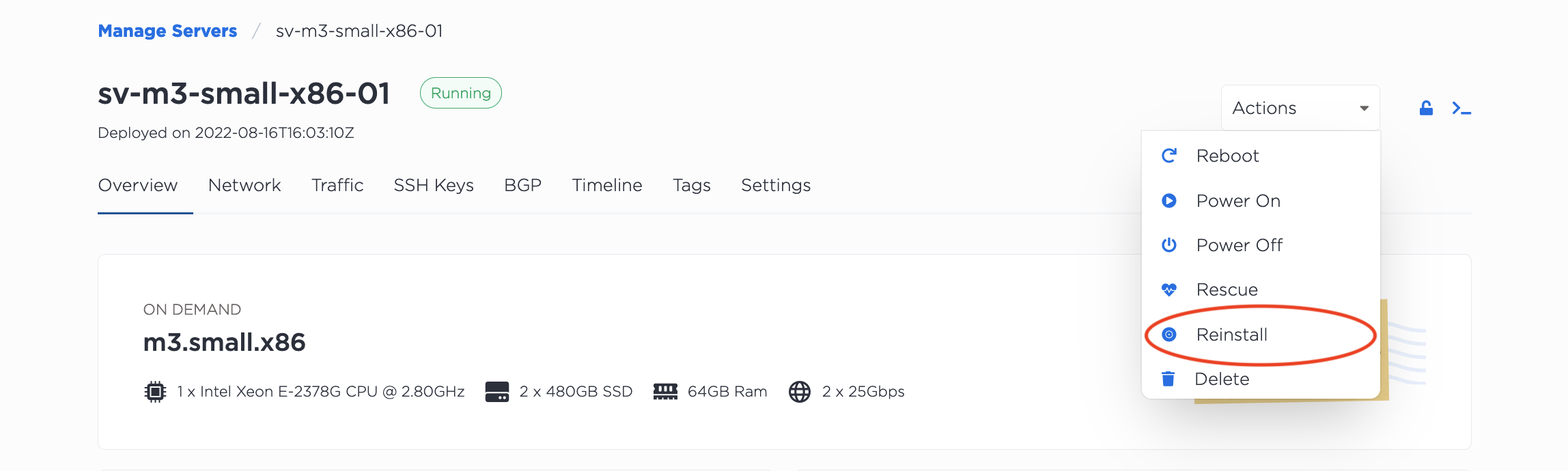
然后从下拉菜单中选择要安装的操作系统。默认情况下会选择当前操作系统。如果您选择“自定义 iPXE”,则会显示一个用于输入 iPXE 脚本 URL 的字段。
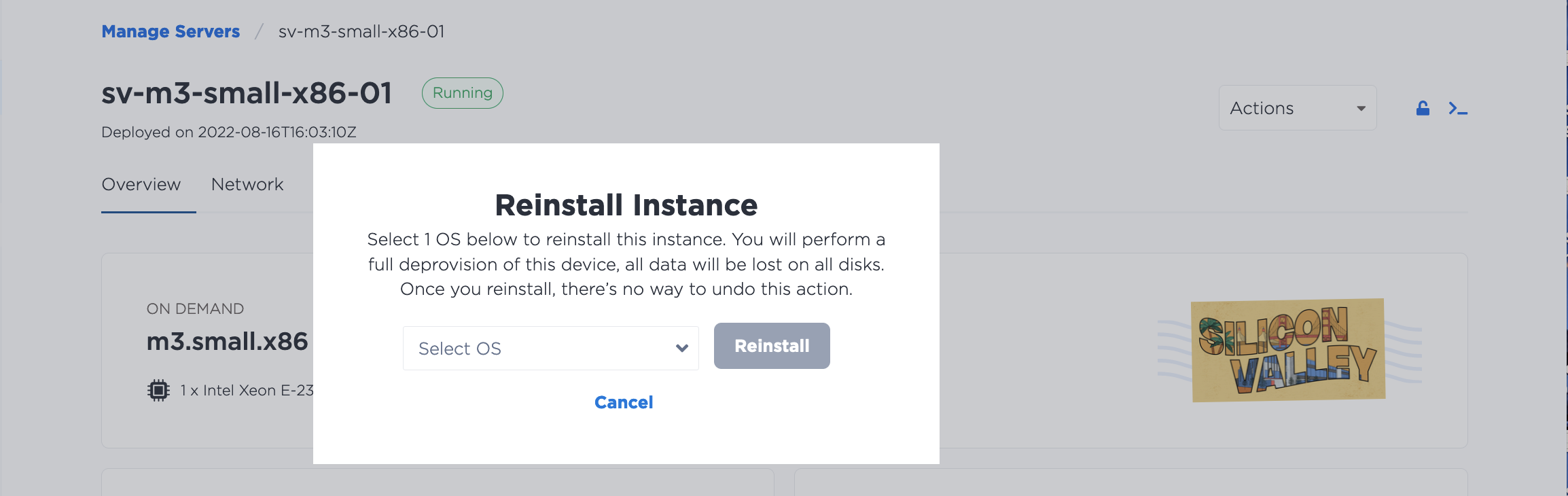
请注意,通过Equinix Metal控制台重新安装服务器时,您没有保留数据的选项。如果您想使用这些选项,则需要通过 API 重新安装。
要从 CLI 重新安装服务器,请使用 metal device reinstall 命令。
metal device reinstall -d <device-id> [-operating-system <os-slug>] [--preserve-data]
使用 --operating-system 标志指定要安装的操作系统。--preserve-data 标志用于保留操作系统不安装在磁盘上的数据。
要在 API 中重新安装服务器,请向 /devices/{id}/actions 端点发送 POST 请求。在请求正文中,将操作 "type" 指定为 "reinstall",并附上您所需的重新安装选项。
curl -X POST -H 'X-Auth-Token: {token}' -H 'Content-Type: application/json' "https://api.equinix.com/metal/v1/devices/{id}/actions" -d '{"type":"reinstall"}'

curl -X POST \
    -H "Content-Type: application/json" \
    -H "X-Auth-Token: <API_TOKEN> " \
    "https://api.equinix.com/metal/v1/devices/{id}/actions" \
    -d '{
        "type": "reinstall",
        "operating_system": "<os_slug>",
        "preserve_data": false,
        "deprovision_fast": false
        }'
"operating_system"是一个可选参数,您可以在其中指定要安装的操作系统。如果省略,则会重新安装当前操作系统。"preserve_data"是一个可选参数。如果为true,则在重新安装过程中不会触及非根磁盘,数据卷将被保留。如果未指定,则默认值为false。"deprovision_fast"是一个可选参数。如果设置为true,则在重新安装过程中将跳过磁盘擦除操作,从而缩短周转时间。如果未指定,则默认为false。"ipxe_script_url"是一个可选参数,用于指定 iPXE 操作系统映像。如果您使用的是自定义 iPXE,则"operating_system"参数必须为"custom_ipxe"。