跳转到主要内容

Internet Exchange Inventory

The Internet Exchange Inventory allows you to view your Internet Exchange services and service details. Access to the Internet Exchange Inventory requires either the Fabric Viewer or Fabric Manager role.

注意

The Roles, Internet Exchange Inventory, and Service Activation features are rolling out to all accounts in mid-October 2026. See Internet Exchange Permissions for more details on the changes.

To access your Internet Exchange Inventory:

  1. Sign in to the Customer Portal.

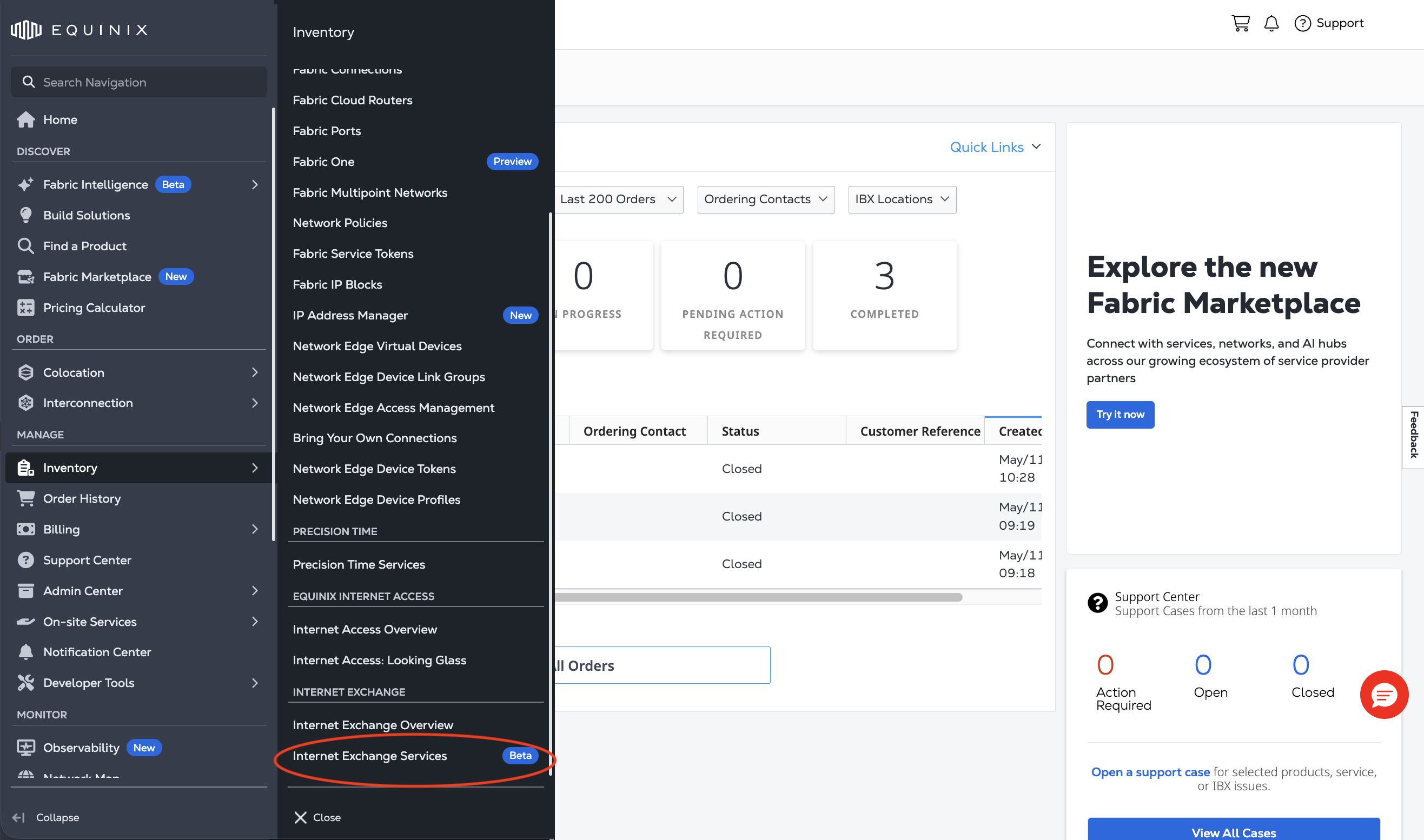
  2. From the global navigation menu, select Internet Exchange Services.

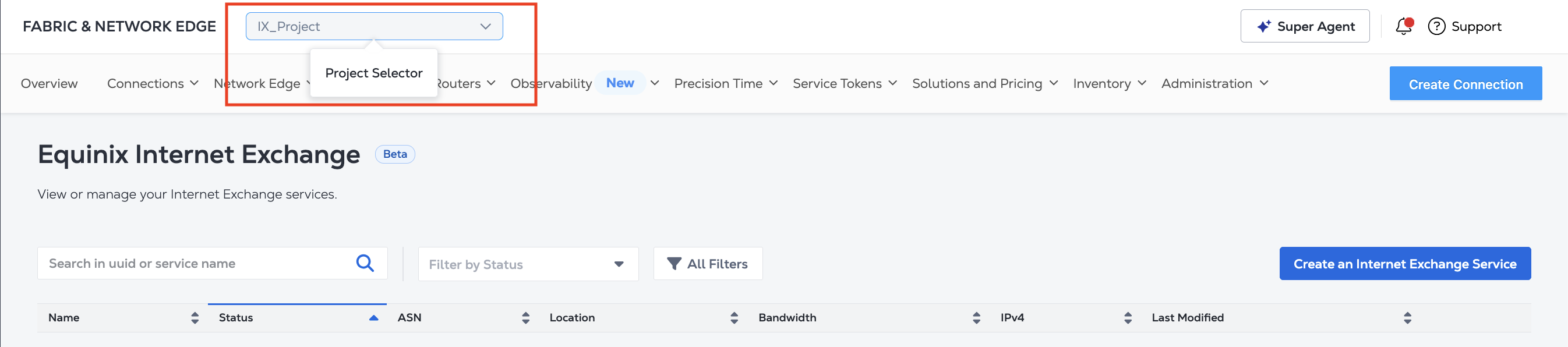
  3. Use the Project Switcher to select the Project that contains the Internet Exchange services you want to view.

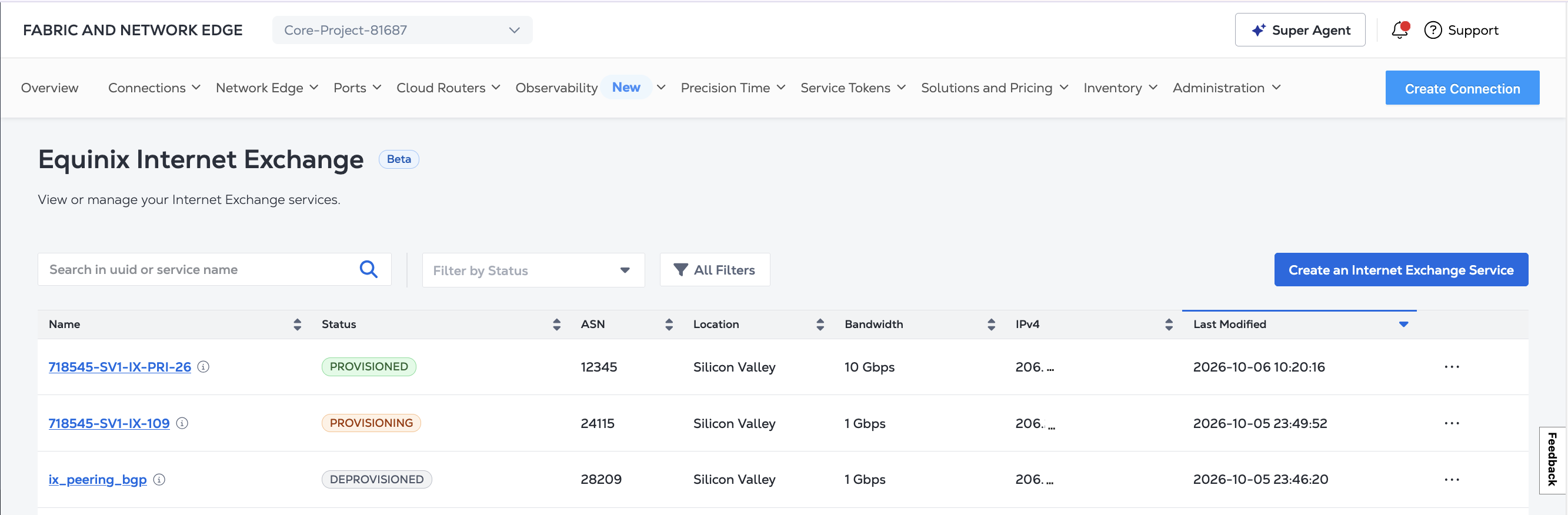
The table presents overview of your Internet Exchange services, including name, status, ASN, location, bandwidth, IP address, and last modified timestamp.

Internet Exchange Service Statuses​

  • PROVISIONING - The service is in the process of being provisioned.

  • PROVISIONING FAILED - There was an issue with provisioning your service. To retry provisioning, click ... and Retry. If the problem persists, please open a Support Case.

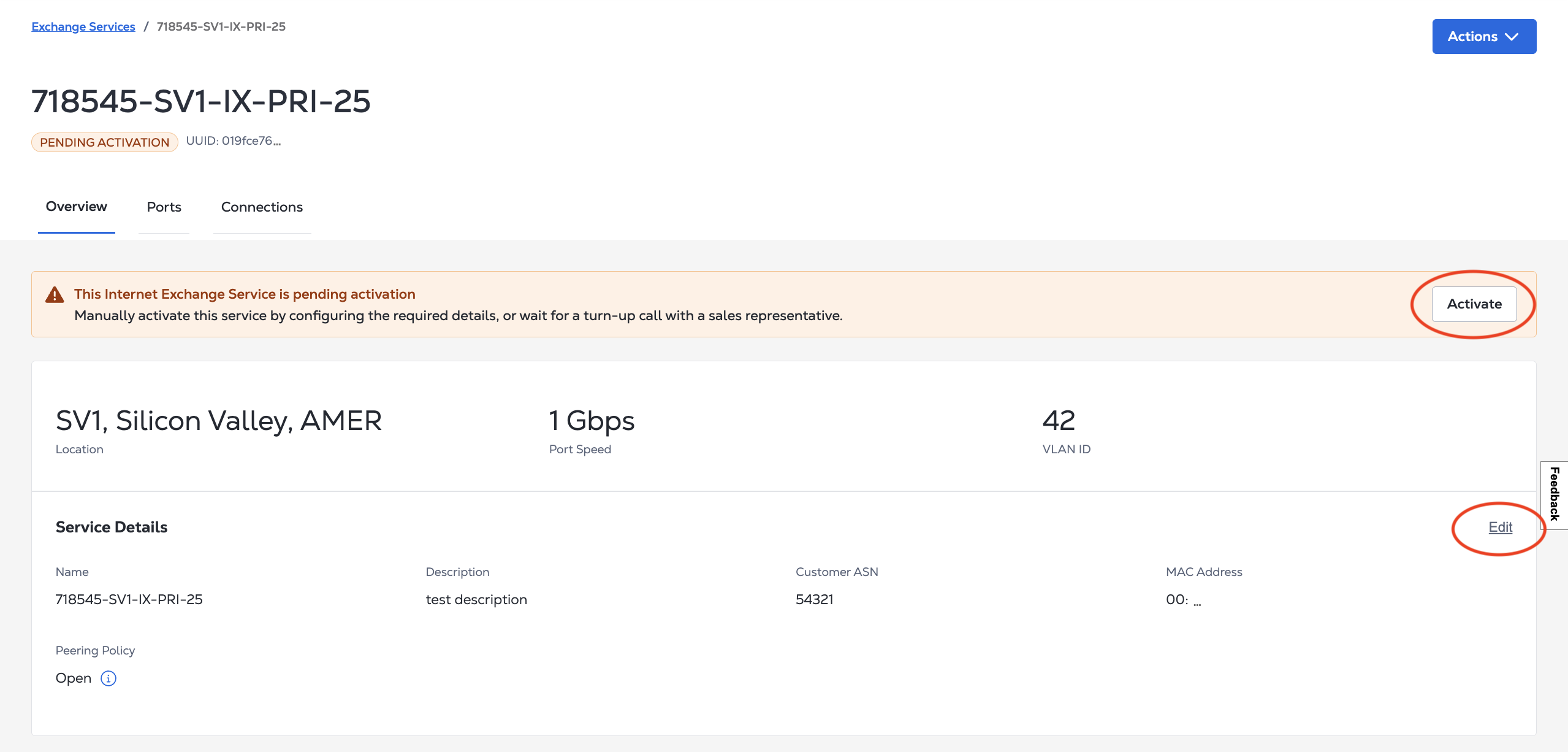
  • PENDING ACTIVATION - The service is provisioned and can be activated. See Activating Your Service.

  • ACTIVATING - The service is in the process of being activated.

  • ACTIVATING FAILED - There was an issue with activating your service. Service activation requires valid MAC address and ASN information. Confirm the required details, or wait for a turn-up call with a sales representative.

  • ACTIVE - The service is activated and ready to use.

  • REPROVISIONING - The service is in the process of being provisioned.

  • DEPROVISIONING - The service is in the process of being deactivated and deprovisioned.

  • DEPROVISIONED - The service was successfully deactivated and deprovisioned. You are no longer receiving traffic or being billed for the service.

  • DEPROVISIONING FAILED - There was an issue with deactivating or deprovisioning your service. Please open a Support Case.

Service Details​

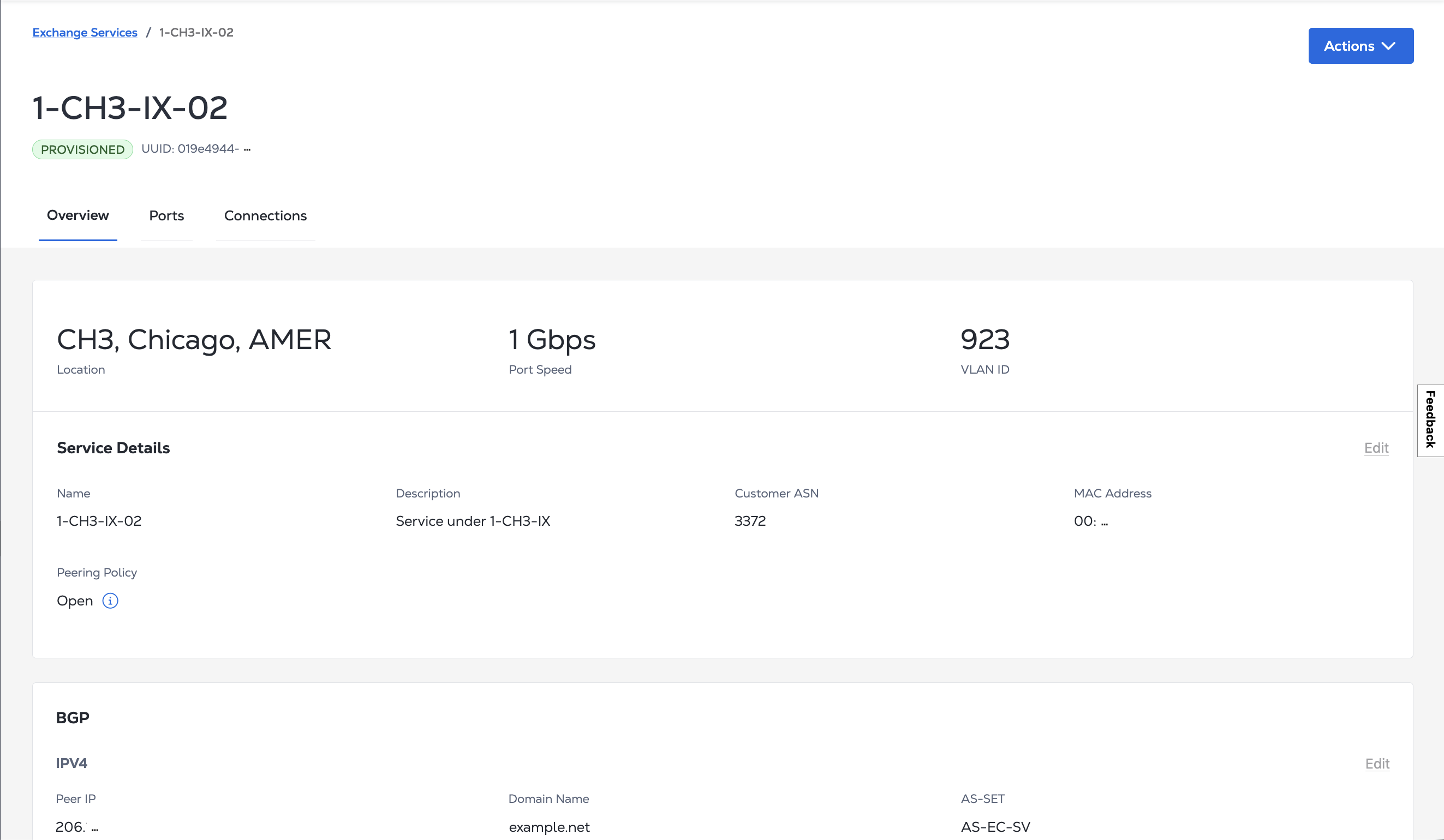
Click on a service's name to view its Service Details, BGP configuration, Route Server and Route Collector information, Activity Log, and Notification Contacts.

If your service is PENDING ACTIVATION, check your ASN and MAC address in the Service Details. If you need to add or update them, click Edit. When you are ready, click Activate.

这个页面对您有帮助吗?