接受或拒绝连接
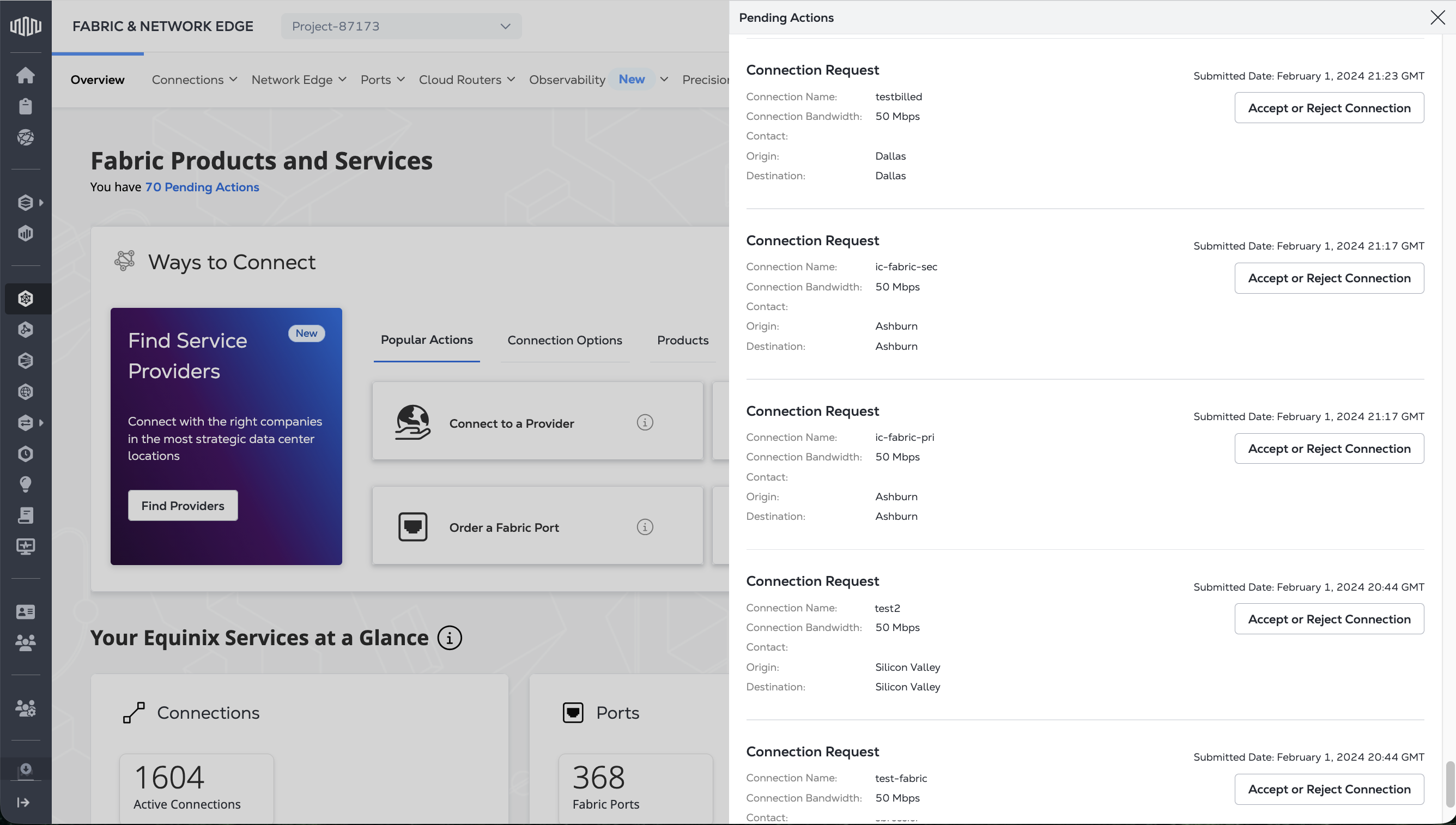
如果其他 Fabric 客户请求连接到您的服务或资产,您可以选择接受或拒绝该连接请求。要接受或拒绝连接,您必须拥有“Fabric 连接管理器”角色。
查看您的连接请求:
- Portal
- API

向 /fabric/v4/connections/search 端点发送 POST 请求。在筛选对象中,将 property 条件指定为 /operation/equinixStatus,将 values 条件指定为 PENDING_APPROVAL。
示例 cURL 请求:
curl -X POST 'https://api.equinix.com/fabric/v4/connections/search' \
-H 'content-type: application/json' \
-H 'authorization: Bearer <token>' \
-d '{
  "filter": {
    "and": [
      {
        "property": "/operation/equinixStatus",
        "operator": "=",
        "values": [
          "PENDING_APPROVAL"
        ]
      }
    ]
  },
  "pagination": {
    "limit": 25,
    "offset": 0,
    "total": 0
  },
  "sort": [
    {
      "property": "/changeLog/updatedDateTime",
      "direction": "DESC"
    }
  ]
}'
接受连接请求
接受连接:
- Portal
- API
-
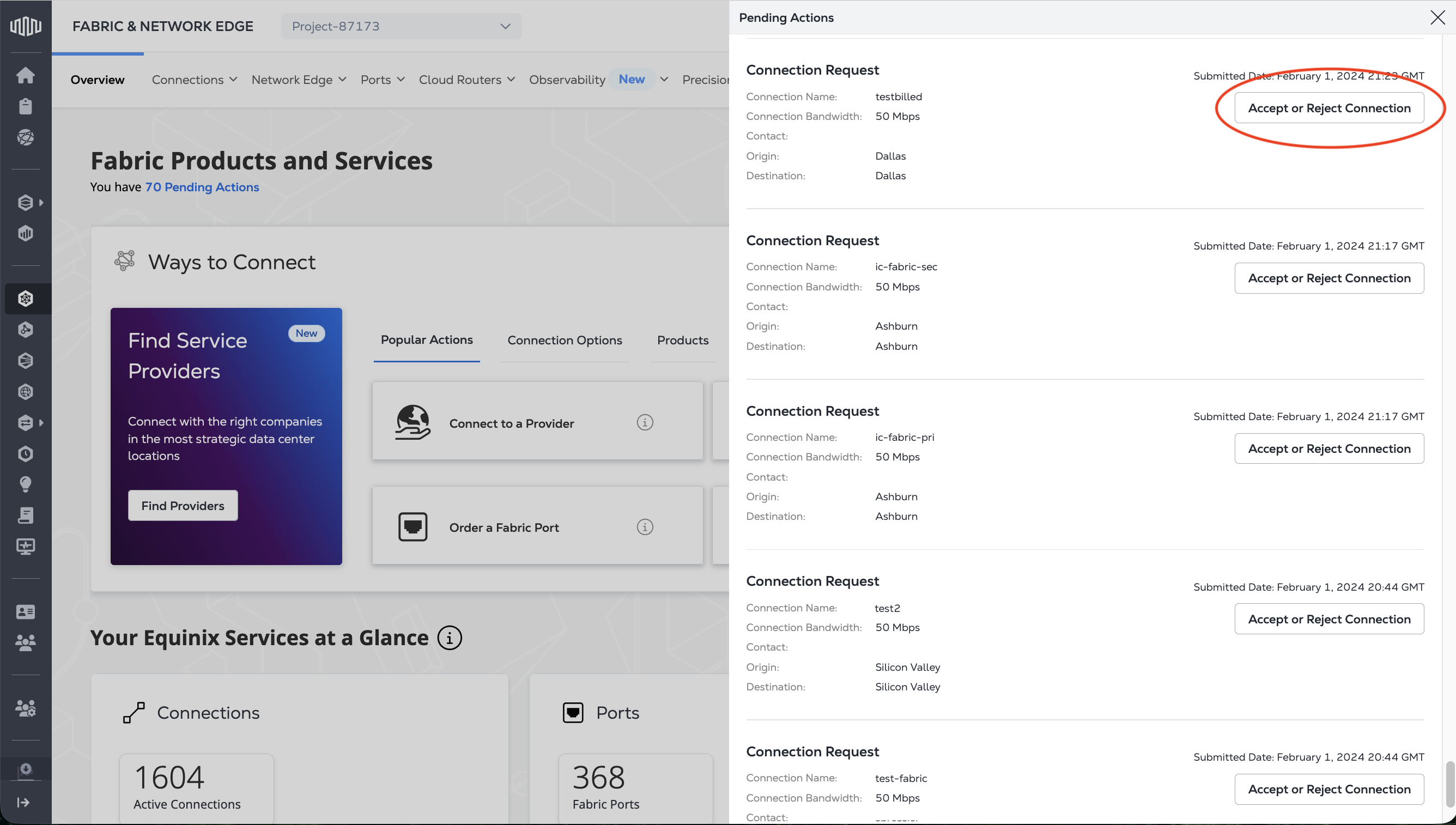
找到要管理的连接请求,然后单击“接受”或“拒绝连接”。
-
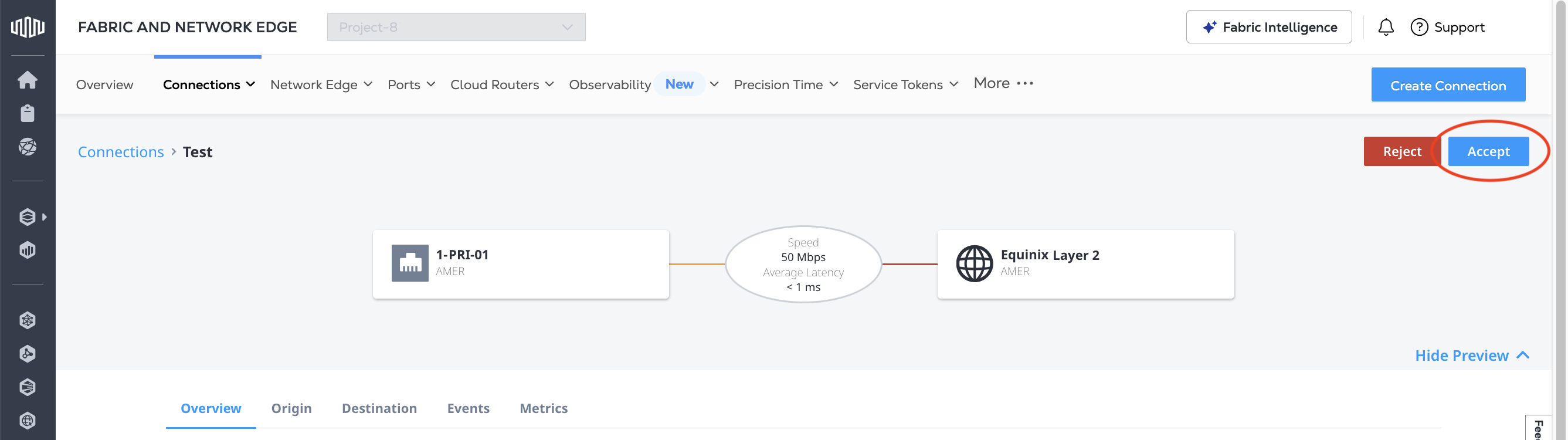
点击接受。
-
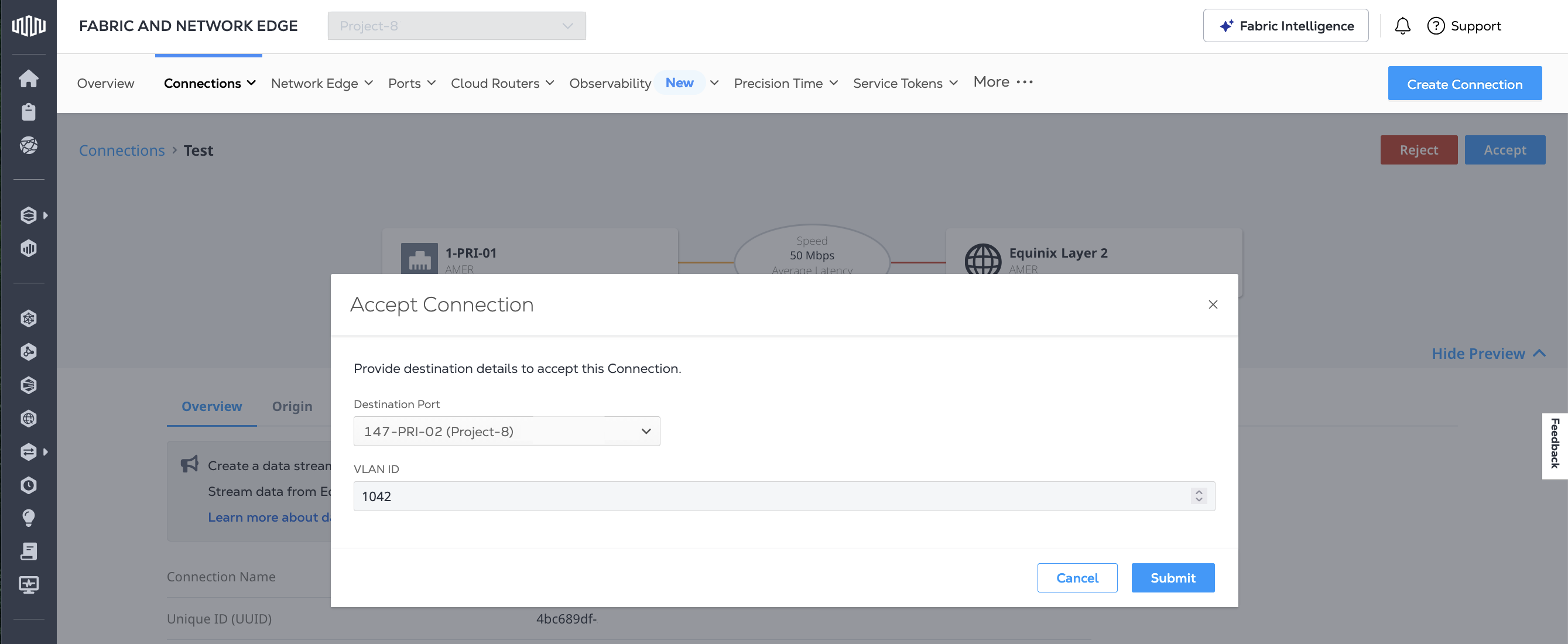
从“目标端口”下拉列表中,选择要终止此连接的端口,然后单击“提交”。
注意目标端口列表包含所有符合条件的端口,包括分配给不同项目的端口(../../iam/resources/projects-manage.md)。如果您选择其他项目中的端口,则连接将与该端口所属的项目关联。
-
点击确认。
向 /fabric/v4/connections/{connection_id}/actions 端点发送 POST 请求。在请求正文中,指定:
- 连接要连接到的 z 端端口信息。您可以使用
/fabric/v4/ports端点获取 Equinix Fabric 端口信息。 type参数为CONNECTION_CREATION_ACCEPTANCE。
示例 cURL 请求:
curl -X POST 'https://api.equinix.com/fabric/v4/connections/{connection_id}/actions' \
-H 'content-type: application/json' \
-H 'authorization: Bearer <token>' \
-d '{
  "type": "CONNECTION_CREATION_ACCEPTANCE",
  "data": {
    "zSide": {
      "accessPoint": {
        "type": "COLO",
        "port": {
          "uuid": "<port_id>"
        },
        "linkProtocol": {
          "type": "QINQ",
          "vlanSTag": <vlan_id>,
          "vlanCTag": <vlan_id>
        }
      }
    }
  }
}'
拒绝连接请求
拒绝连接请求:
- Portal
- API
-
找到要管理的连接请求,然后单击“接受”或“拒绝连接”。
-
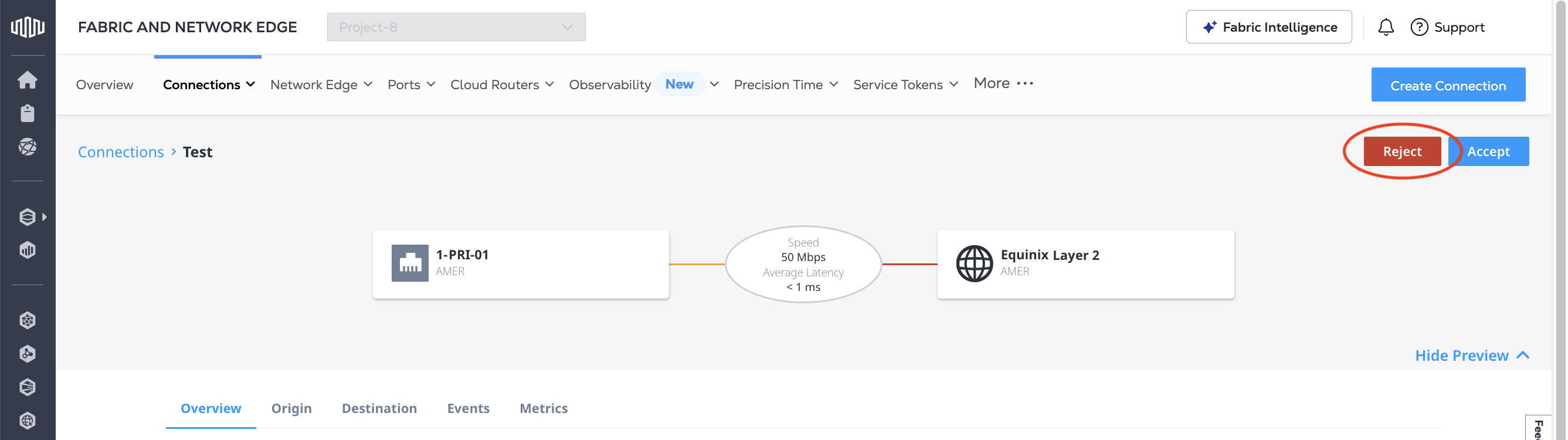
点击拒绝。
-
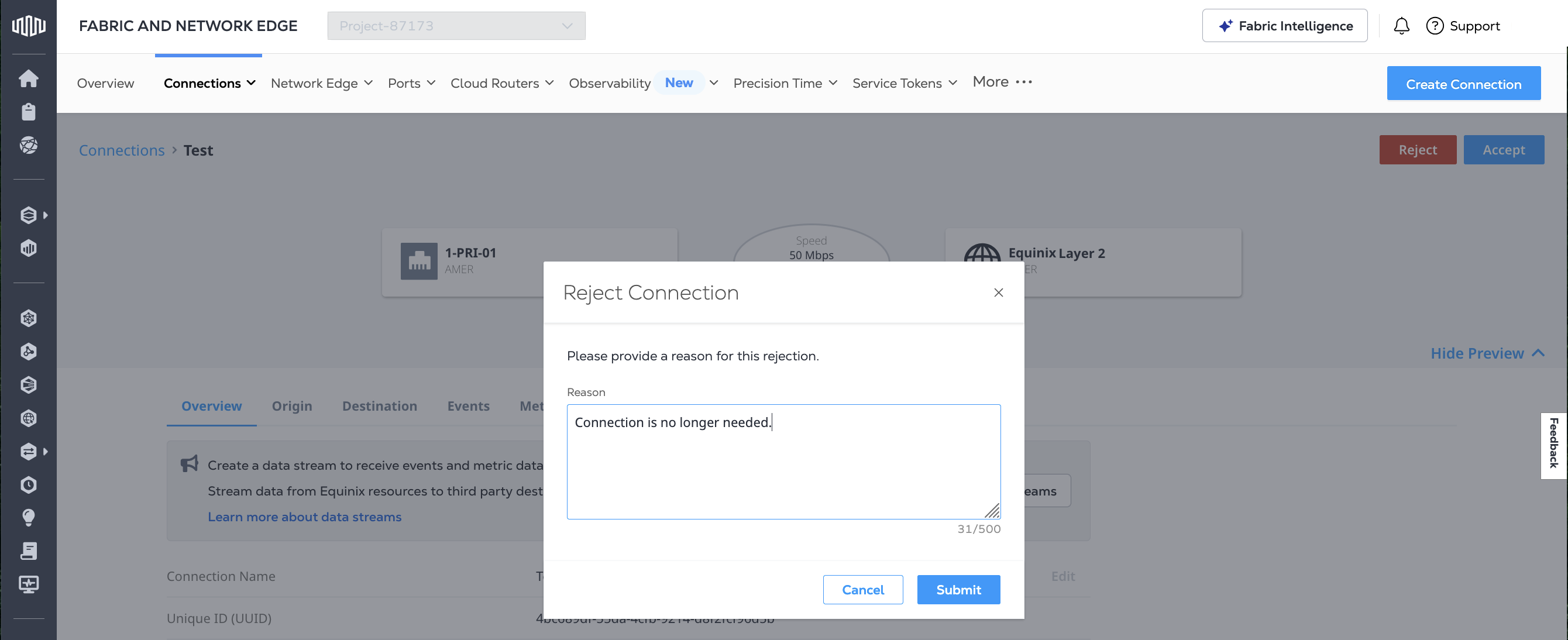
请输入您拒绝此连接请求的理由,然后点击提交。
向 /fabric/v4/connections/{connection_id}/actions 端点发送 POST 请求。在请求正文中,指定:
type参数为CONNECTION_CREATION_REJECTION。- 拒绝原因请见“描述”。
示例 cURL 请求:
curl -X POST 'https://api.equinix.com/fabric/v4/connections/{connection_id}/actions' \
-H 'content-type: application/json' \
-H 'authorization: Bearer <token>' \
-d '{
  "type": "CONNECTION_CREATION_REJECTION",
  "description": "<reason_for_rejection>"
}'