将连接迁移到不同的端口
将连接迁移到不同的 A 侧端口。
先决条件
-
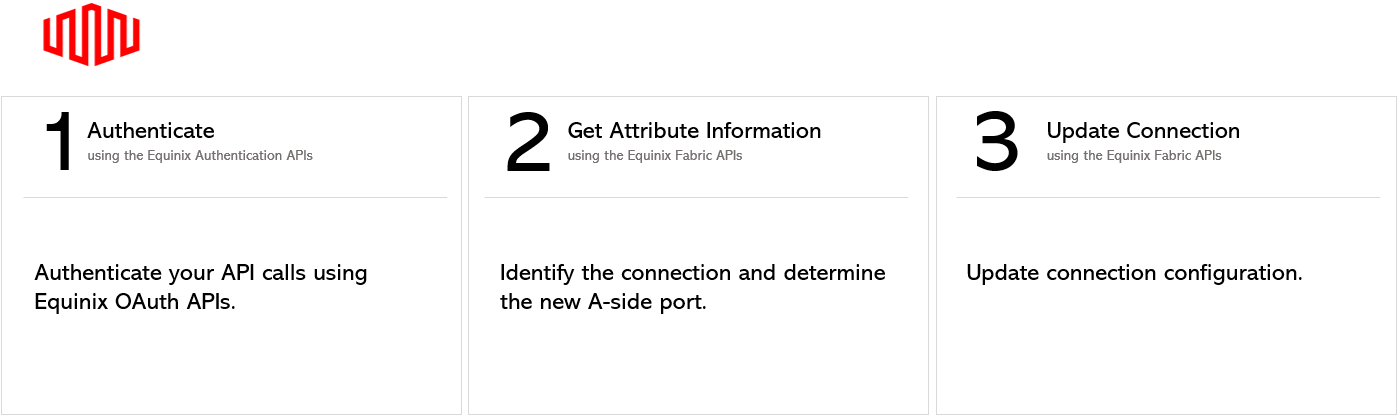
身份验证 - 请提交您的用户凭据、客户端 ID 和客户端密钥以进行 OAuth2 身份验证。有关如何调用 OAuth API 来验证和确认您的凭据的说明,请参阅API 身份验证。
-
确定现有连接 ID。使用 搜索连接 端点检索连接列表,并确定要迁移到不同端口的连接 ID。
-
使用 Get All Ports 端点获取要将连接迁移到的端口的 ID 的端口信息。
更新连接
要更新连接并将其迁移到不同的端口,请向 /fabric/v4/connections/{id} 端点发送 PATCH 请求。在请求正文中,将连接的 A 端端口 ID 指定为要将连接迁移到的端口。
| PATCH /fabric/v4/connections/{uuid} | |
|---|---|
| Method | PATCH |
| URL or Endpoint | /fabric/v4/connections/{uuid} |
| Headers | Authorization, Content-Type |
| Path Parameters | uuid |
| Query Parameters | Not applicable |
| Body Parameters | op, path, value |
要在生产环境中安全地验证此请求而不更改任何连接,请参阅生产环境测试(API 试运行)。
示例 cURL 请求:
curl -X
PATCH 'https://api.equinix.com/fabric/v4/connections/{connection_id}'
-H 'content-type: application/json'
-H 'authorization: Bearer <token>'
-d '[
    {
        "op": "replace",
        "path": "/aSide/accessPoint/port/uuid",
        "value": "c791f8cb-599a-99a0-8ce0-306a5c00a4ee"
    }
]'
路径参数
| Parameter | Mandatory | Type | Example | Applicable Values | Description |
|---|---|---|---|---|---|
| uuid | yes | string | 3a58dd05-f46d-4b1d-a154-2e85c396ea62 | - | Equinix-assigned connection identifier. |
身体参数
| Parameter | Mandatory | Type | Example | Applicable Values | Description |
|---|---|---|---|---|---|
| op | yes | string | replace | replace | Update reqest type. |
| path | yes | string | /aSide/accessPoint/port/uuid | /aSide/accessPoint/port/uuid | Parameter path. |
| value | yes | string | c791f8cb-599a-99a0-8ce0-306a5c00a4ee | - | Parameter value. |
| /aSide/accessPoint/port/uuid | |||||
| value | yes | string | c791f8cb-599a-99a0-8ce0-306a5c00a4ee | - | Eqinix-assigned port identifier. |
示例响应:
{
    "href": "https://api.equinix.com/fabric/v4/connections/3a58dd05-f46d-4b1d-a154-2e85c396ea62",
    "type": "EVPL_VC",
    "uuid": "3a58dd05-f46d-4b1d-a154-2e85c396ea62",
    "name": "Conn-Name-2",
    "state": "PROVISIONED",
    "order": {
        "purchaseOrderNumber": "1-129105284100",
        "billingTier": "Up to 1 Gbps"
    },
    "bandwidth": 1000,
    "redundancy": {
        "group": "m167f685-41b0-1b07-6de0-320a5c00abeu",
        "priority": "PRIMARY"
    },
    "aSide": {
        "accessPoint": {
            "type": "COLO",
            "port": {
                "href": "https://api.equinix.com/fabric/v4/ports/c791f8cb-599a-99a0-8ce0-306a5c00a4ee",
                "type": "XF_PORT",
                "uuid": "c791f8cb-599a-99a0-8ce0-306a5c00a4ee"
            },
            "linkProtocol": {
                "type": "DOT1Q",
                "vlanTag": 1001
            }
        }
    },
    "zSide": {
        "accessPoint": {
            "type": "SP",
            "profile": {
                "href": "https://api.equinix.com/fabric/v4/ports/a867f685-41b0-1b07-6de0-320a5c00abdd",
                "type": "L2_Profile",
                "uuid": "20d32a80-0d61-4333-bc03-707b591ae2f4"
            },
            "location": {
                "href": "https://api.equinix.com/v4/metros/SV",
                "metrocode": "SV",
                "region": "AMER"
            }
        }
    },
    "notifications": [
        {
            "type": "ALL",
            "emails": [
                "test@equinix.com",
                "test@equinix.com"
            ]
        }
    ],
    "operation": {
        "equinixStatus": "PROVISIONED",
        "providerStatus": "PROVISIONED"
    },
    "changeLog": {
        "createdDateTime": "2021-07-15T19:30:29.526Z",
        "updatedDateTime": "2021-08-15T19:30:29.526Z",
    }
}