API - 连接到经典版 IBM Cloud Direct Link
与 Classic 上的 IBM Cloud™ 直接 Link 建立连接,以将您的IBX共置资产连接到您的 IBM Cloud 资源。
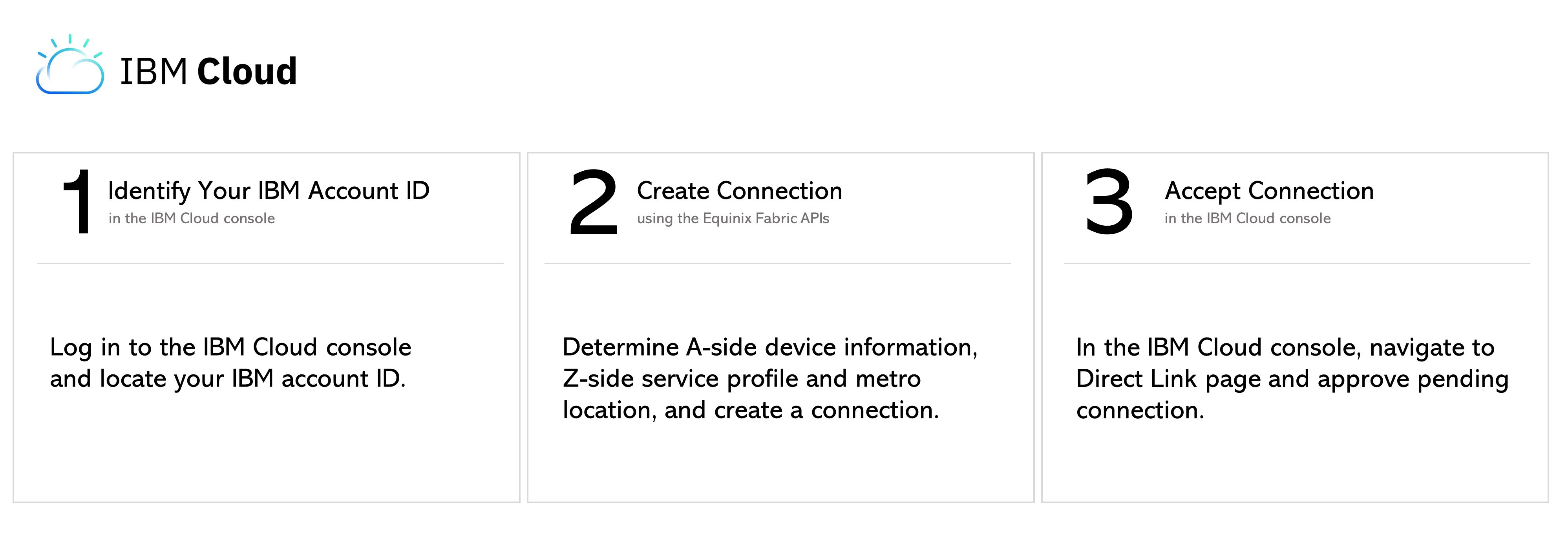
识别您的 IBM 帐户 ID
登录到IBM Cloud控制台,然后选择“管理>账户”以找到您的IBM账户ID。
Fabric API 先决条件
-
身份验证 - 提交您的 OAuth2 用户凭据、客户端 ID 和客户端密钥 验证。有关如何致电OAuth API以验证和验证您的凭据的说明,请参阅API验证。
-
确定A侧信息。使用获取所有端口API请求检索您的Equinix Fabric端口信息。
-
选择Z侧都会区位置。使用获取所有都会区API请求查找Equinix Fabric可用的所有都会区并确定目标位置。
-
确定服务配置文件。使用检索服务配置文件API请求搜索特定的服务配置文件,或使用列出服务配置文件API请求列出所有可用的服务配置文件并确定 你想联系的个人资料。
通过 DOT1Q 端口连接到 Classic 上的 IBM Cloud Direct Link
在Classic上,若要创建从您的Dot1q端口到IBM Cloud Direct Link的连接,请向端点发送POST请求/fabric/v4/connections。在请求正文中指定连接的配置详情。
| 发布/fabric/v4/connections | |
|---|---|
| 方法 | POST |
| 端点 | /fabric/v4/connections |
| 标题 | Authorization,Content-Type |
| 路径参数 | 不适用 |
| 查询参数 | 不适用 |
| 身体参数 | type,name,order bandwidth redundancy,,aSide,zSide,additionalInfo,notifications |
cURL 请求示例:
curl -X
POST 'https://api.equinix.com/fabric/v4/connections'
-H 'content-type: application/json'
-H 'authorization: Bearer <token>'
-d '{
    "type": "EVPL_VC",
    "name": "Conn-1",
    "order": {
        "purchaseOrderNumber": "1-129105284100"
    },
    "bandwidth": 1000,
    "redundancy": {
        "priority": "PRIMARY"
    },
    "aSide": {
        "accessPoint": {
            "type": "COLO",
            "port": {
                "uuid": "a867f685-41b0-1b07-6de0-320a5c00abdd"
            },
            "linkProtocol": {
                "type": "DOT1Q",
                "vlanTag": 1001
            }
        }
    },
    "zSide": {
        "accessPoint": {
            "type": "SP",
            "profile": {
                "uuid": "20d32a80-0d61-4333-bc03-707b591ae2f5"
            },
            "location": {
                "metroCode": "SV"
            },
            "authenticationKey": "xx-xxx-xx",
            "sellerRegion": "us-west-1"
        }
    },
    "additionalInfo": [
        {
            "key": "ASN",
            "value": "12345"
        },
        {
            "key": "Global",
            "value": "false"
        }
    ],
    "notifications": [
        {
            "type": "ALL",
            "emails": [
                "test@equinix.com",
                "test2@equinix.com"
            ]
        }
    ]
}'
请求正文中包含的参数特定于此示例。参数及其说明的完整列表,请参见API参考手册。
示例回答:
{
    "href": "https://api.equinix.com/fabric/v4/connections/3a58dd05-f46d-4b1d-a154-2e85c396ea62",
    "type": "EVPL_VC",
    "uuid": "3a58dd05-f46d-4b1d-a154-2e85c396ea62",
    "name": "Conn-1",
    "state": "PROVISIONING",
    "order": {
        "purchaseOrderNumber": "1-129105284100",
        "billingTier": "Up to 1 Gbps"
    },
    "bandwidth": 1000,
    "redundancy": {
        "group": "m167f685-41b0-1b07-6de0-320a5c00abeu",
        "priority": "PRIMARY"
    },
    "aSide": {
        "accessPoint": {
            "type": "COLO",
            "port": {
                "href": "https://api.equinix.com/fabric/v4/ports/a867f685-41b0-1b07-6de0-320a5c00abdd",
                "type": "XF_PORT",
                "uuid": "a867f685-41b0-1b07-6de0-320a5c00abdd"
            },
            "linkProtocol": {
                "type": "DOT1Q",
                "vlanTag": 1001
            }
        }
    },
    "zSide": {
        "accessPoint": {
            "type": "SP",
            "profile": {
                "href": "https://api.equinix.com/fabric/v4/services/serviceProfiles/20d32a80-0d61-4333-bc03-707b591ae2f5",
                "type": "L2_PROFILE",
                "uuid": "20d32a80-0d61-4333-bc03-707b591ae2f5"
            },
            "location": {
                "href": "https://api.equinix.com/v4/metros/SV",
                "metroCode": "SV",
                "region": "AMER"
            },
            "sellerRegion": "us-west-1"
        }
    },
    "additionalInfo": [
        {
            "key": "ASN",
            "value": "12345"
        },
        {
            "key": "Global",
            "value": "false"
        }
    ],
    "notifications": [
        {
            "type": "ALL",
            "emails": [
                "test@equinix.com",
                "test2@equinix.com"
            ]
        }
    ],
    "operation": {
        "equinixStatus": "PROVISIONING",
        "providerStatus": "PROVISIONING"
    },
    "changeLog": {
        "createdDateTime": "2021-07-15T19:30:29.526Z"
    }
}
响应负载包括在请求正文中定义的配置参数。有关可能参数及其说明的完整列表,请参阅API参考手册。
从 QINQ端口连接到 Classic 上的 IBM Cloud 直接 Link
在Classic上,要创建从QinQ端口到IBM Cloud Direct Link的连接,请向端点发送POST请求/fabric/v4/connections。在请求正文中指定连接的配置详情。
curl -X
POST 'https://api.equinix.com/fabric/v4/connections'
-H 'content-type: application/json'
-H 'authorization: Bearer <token>'
-d '{
    "type": "EVPL_VC",
    "name": "Conn-1",
    "order": {
        "purchaseOrderNumber": "1-129105284100"
    },
    "bandwidth": 1000,
    "redundancy": {
        "priority": "PRIMARY"
    },
    "aSide": {
        "accessPoint": {
            "type": "COLO",
            "port": {
                "uuid": "a867f685-41b0-1b07-6de0-320a5c00abdd"
            },
            "linkProtocol": {
                "type": "QINQ",
                "vlanCTag": 1001,
                "vlanSTag": 1002
            }
        }
    },
    "zSide": {
        "accessPoint": {
            "type": "SP",
            "profile": {
                "uuid": "20d32a80-0d61-4333-bc03-707b591ae2f5"
            },
            "location": {
                "metroCode": "SV"
            },
            "authenticationKey": "xx-xxx-xx",
            "sellerRegion": "us-west-1"
        }
    },
    "additionalInfo": [
        {
            "key": "ASN",
            "value": "12345"
        },
        {
            "key": "Global",
            "value": "false"
        }
    ],
    "notifications": [
        {
            "type": "ALL",
            "emails": [
                "test@equinix.com",
                "test2@equinix.com"
            ]
        }
    ]
}'
请求正文中包含的参数特定于此示例。参数及其说明的完整列表,请参见API参考手册。
监控连接状态
向端点发送GET监控连接状态的请求fabric/v4/connections/{connectionId}。
equinixStatus属性值 | providerStatus属性值 | IBM直接链接状态 | 描述 |
|---|---|---|---|
PROVISIONING | PROVISIONING | - | 连接请求尚未发送给 IBM。 |
PENDING_PROVIDER_VLAN | PENDING_APPROVAL | 创建待批准 | 连接等待批准。 |
PROVISIONED | PROVISIONING / PROVISIONED | 正在创建 | 连接正在建立中。 |
PROVISIONED | PROVISIONED | 已配置 | 连接已建立。 |
接受连接
登录IBM Cloud控制台并导航至IBMCloud Direct Link Exchange页面以查看并接受待处理连接。