提出支持请求
提交技术问题,服务请求或帐户相关查询的支持案例。
创建不同类型案例的权限可能会受到限制,具体取决于您的权限。
如何打开支持案例
-
前往客户门户。
-
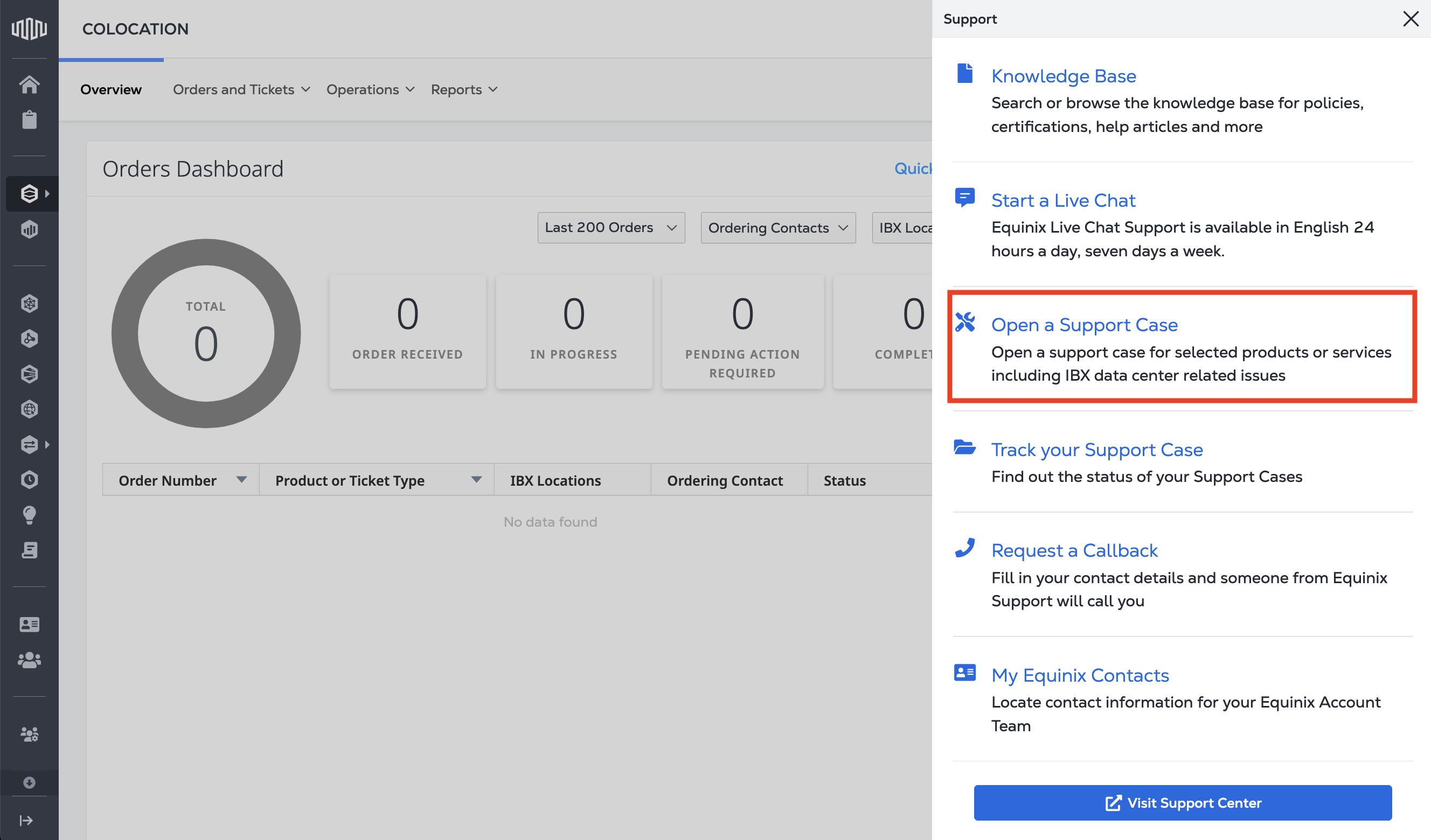
从主导航中选择Support,然后选择_打开支持案例_。
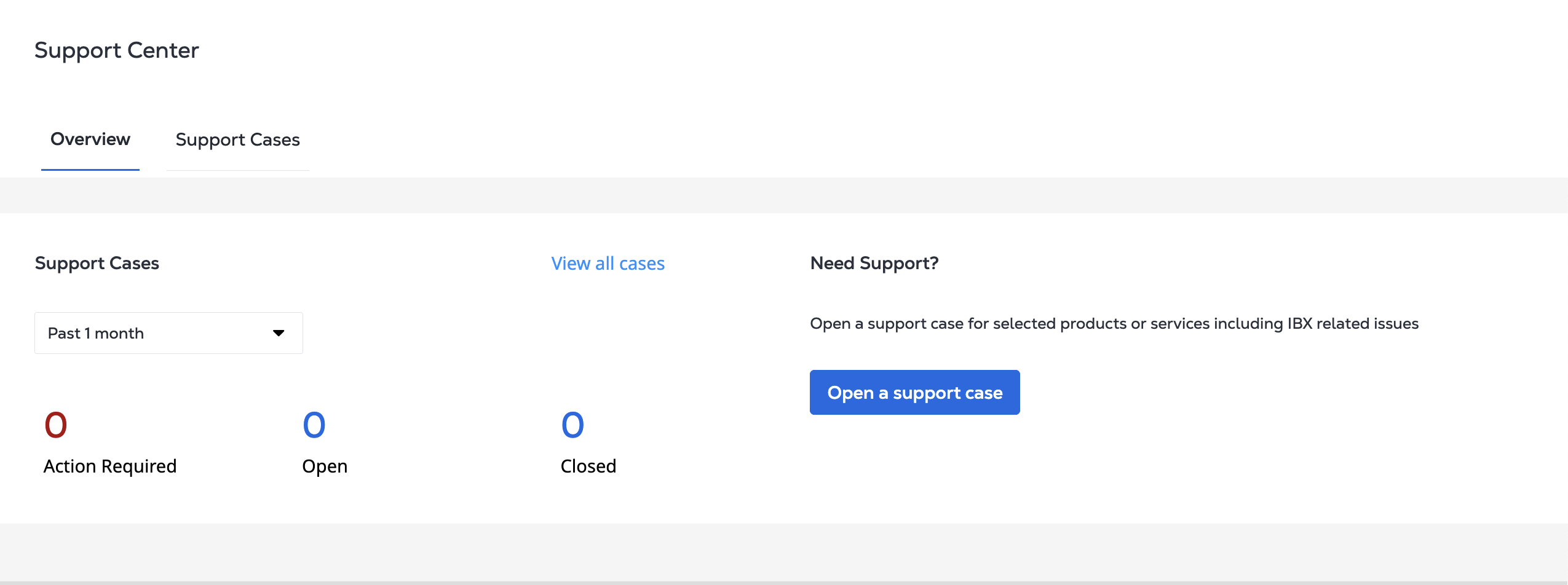
或者,从_支持中心_单击打开支持案例。
-
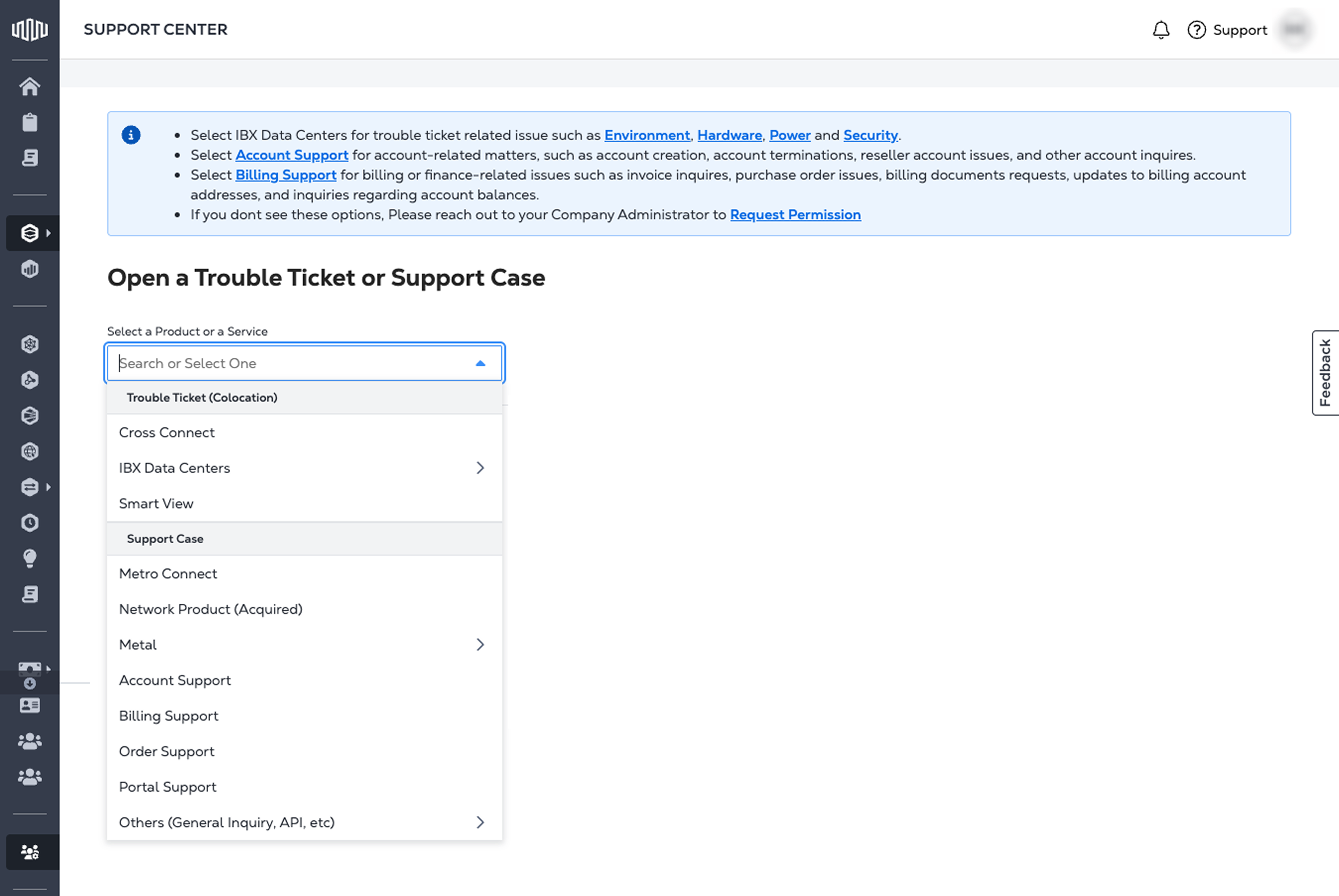
从下拉菜单中选择相应的类别。有关说明,请参阅产品和服务。
-
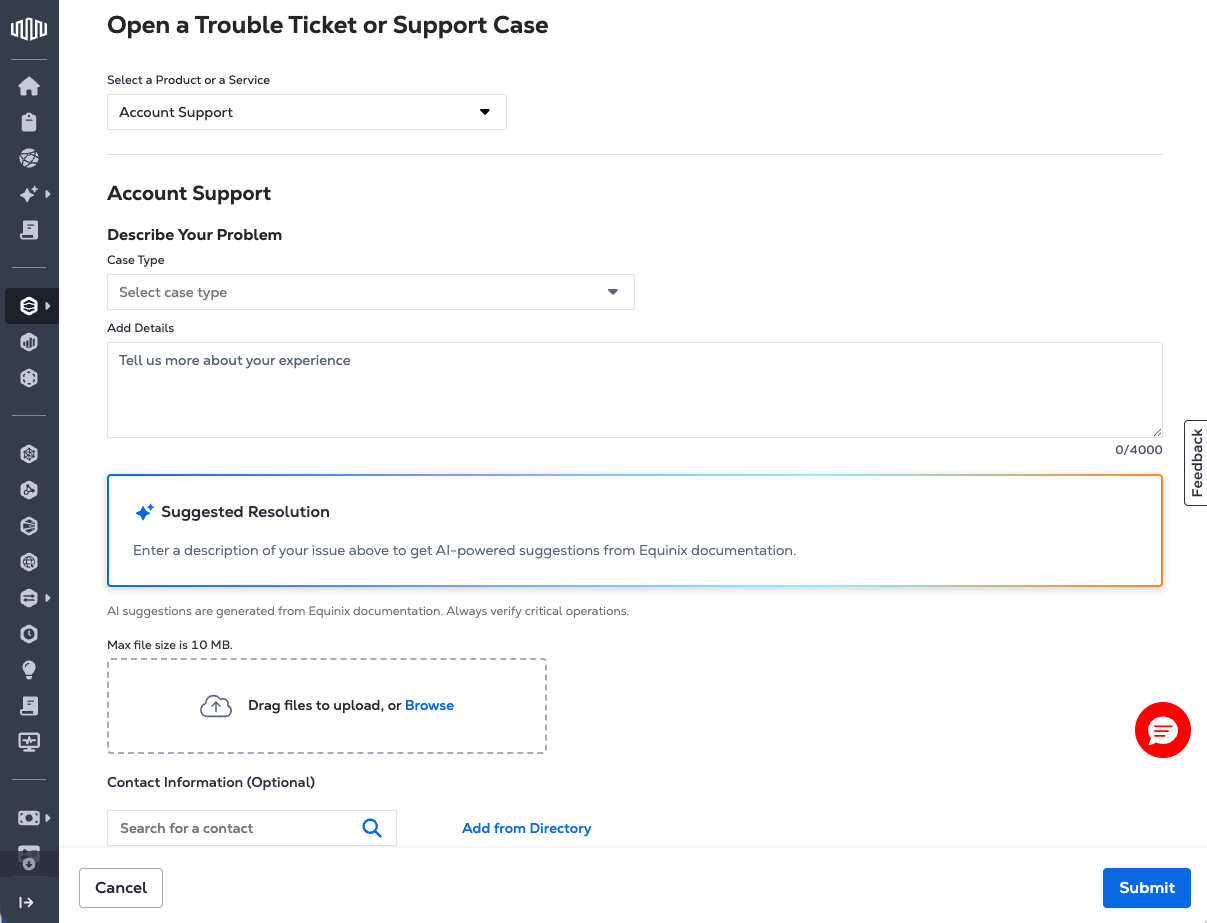
根据所选产品或服务填写所需的详细信息,填写表格。每个表单的必填字段可能有所不同,其中可能包括:
- 案例类型
- 服务ID或资产参考
- 问题描述
- Severity level - for Digital Services only.
- 附件和任何支持文档
-
提交案例并监控其状态。请参阅管理支持案例以了解如何操作。
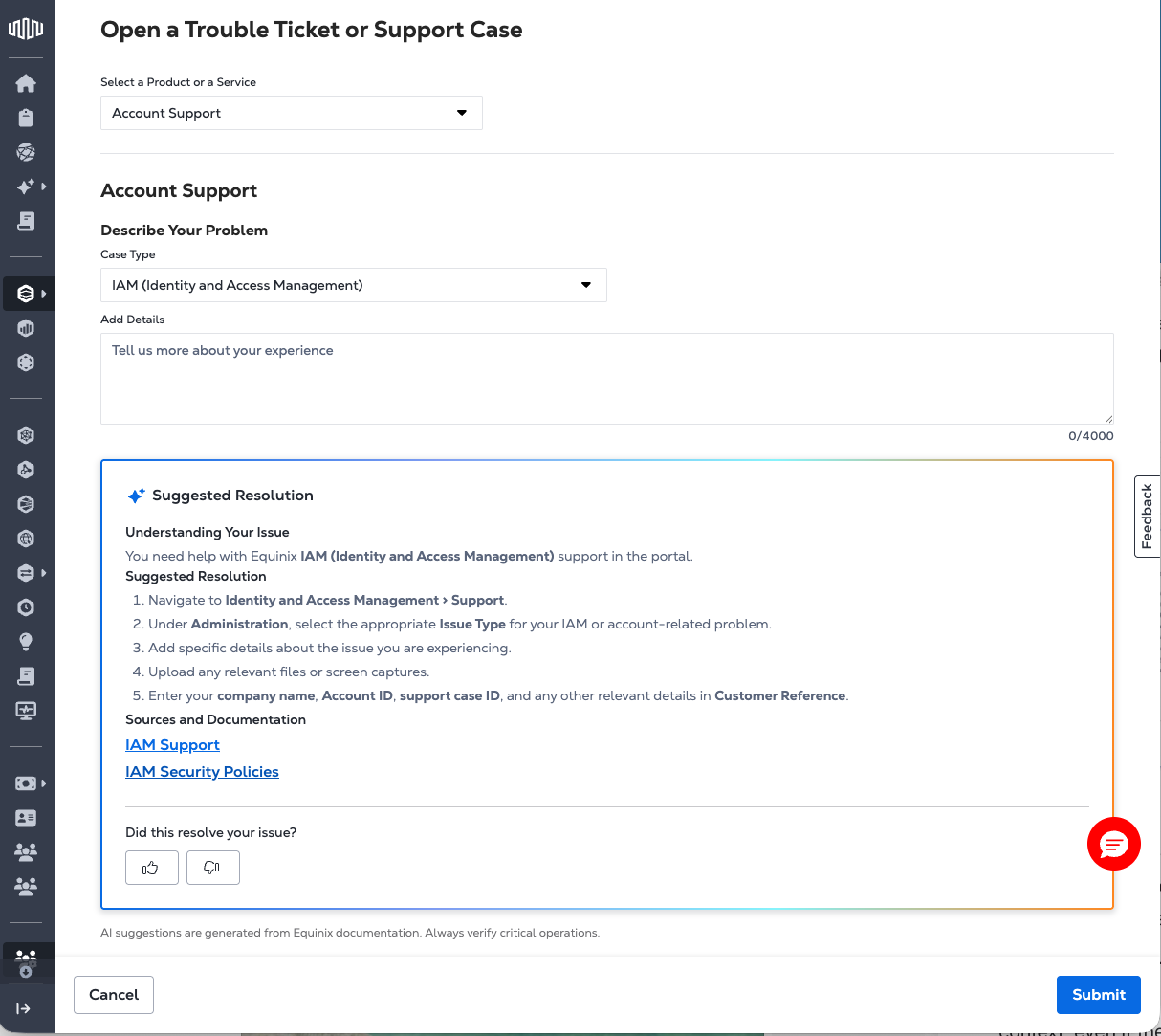
解决方案代理
解决方案工程师建议分步指导,以帮助在提交支持案例之前解决问题。嵌入在支持案例接收表单中,当用户在表单中输入信息时,它会自动激活,实时分析输入,并以结构化,逐步‑逐步‑逐步解决方案的形式内联返回建议的解决方案。此‑有助于实现更高效的支持工作流,包括简化的自助服务解决方案和改进的座席处理。
根据所选支持表单的上下文生成建议(例如,Fabric,Colocation或Cross Connect)。即使未明确指定产品,Resolution Agent也会使用此上下文来解释用户的描述。
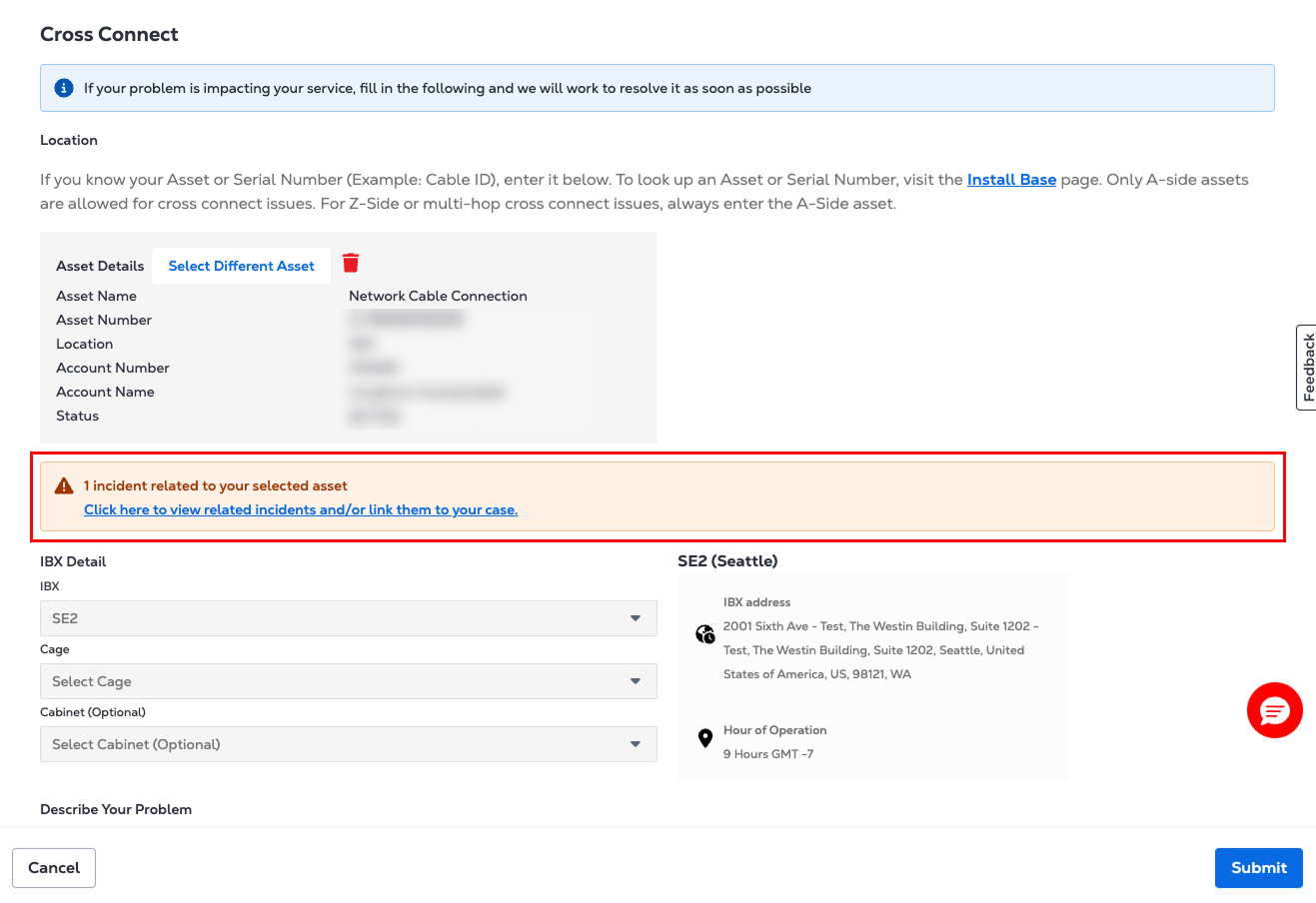
活动事件警报
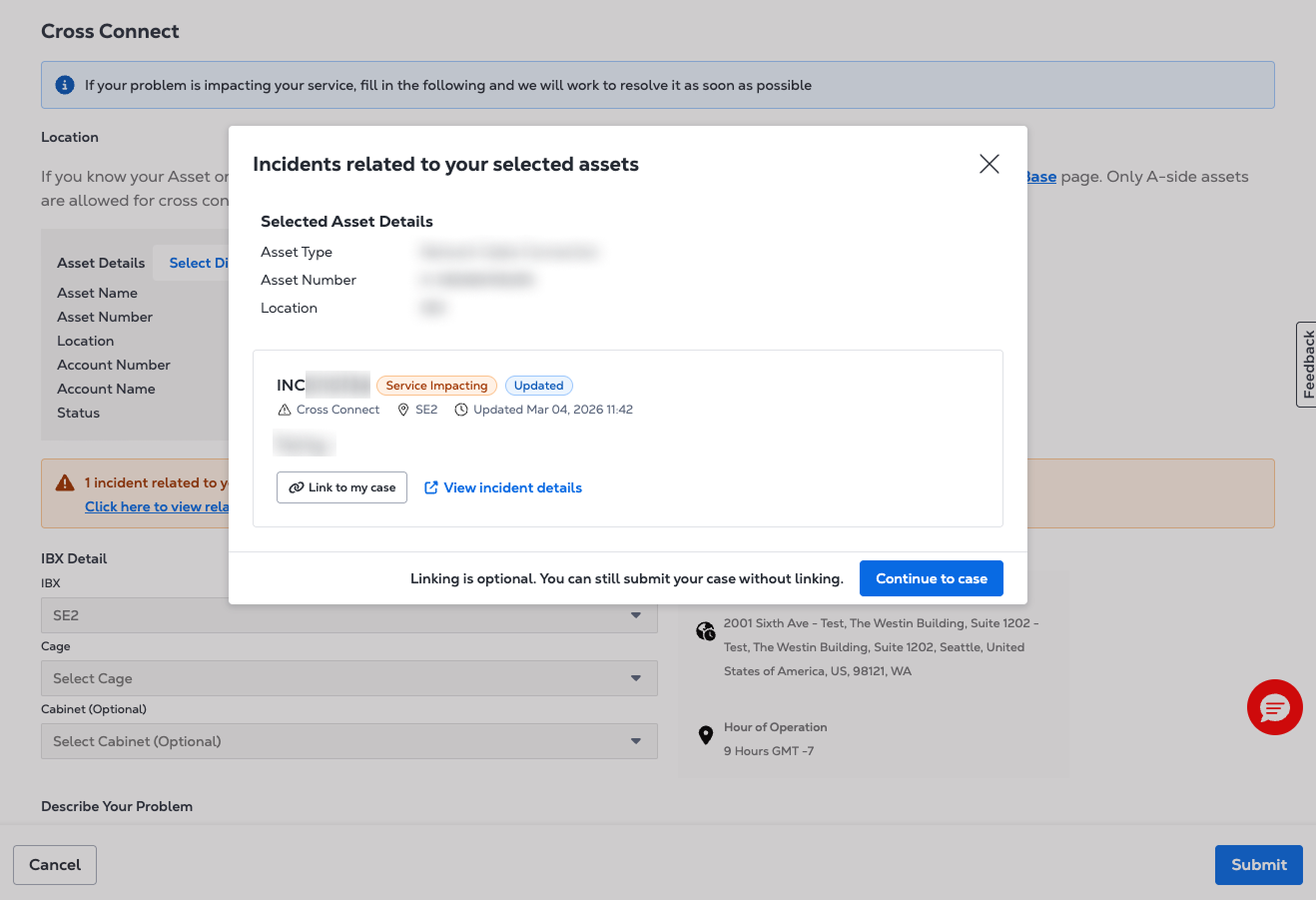
在案例提交期间选择资产或IBX数据中心时,如果存在与该资产或IBX数据中心相关联的活动事件,则会显示横幅。横幅显示事件及其当前状态的摘要。
选择链接至我的案例以将案例与事件关联。如果未找到相关事件,或者事件服务暂时不可用,案例提交将继续照常进行。
产品与服务
您可以打开以下类别的支持案例:
-
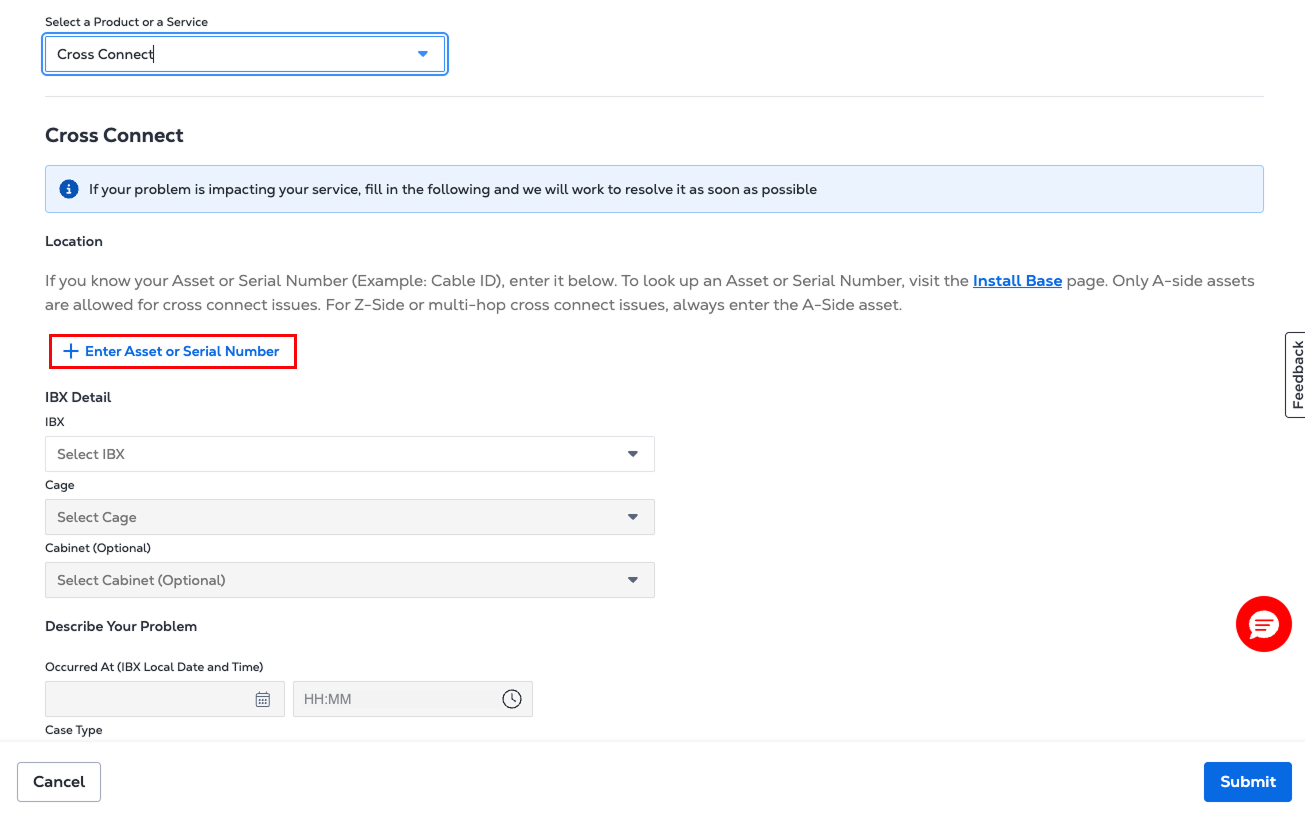
Cross Connect-获取有关交叉连接设置的帮助
-
IBX 数据中心
- 环境-您空间中的温度,湿度或空气质量问题
- 硬件-与SeEquipment相关的问题
- 电源-电源或电路问题
- 安全性-访问或徽章相关问题
- IBX支持-一般IBX设施查询
- 客户问卷支持-自助服务选项,用于提交与现场特定问题,尽职调查或供应商入职相关的表单。
-
Smart View-与Smart View监控和分析服务相关的问题
-
Equinix面料
- 端口-现有或新端口连接存在问题
- Connections (连接)-现有连接或新连接的问题
- 网络-现有或新网络的问题
- 其它技术问题-杂项结构问题
-
Network Edge
- 虚拟设备-获取有关现有设备或设置新设备的帮助
- 连接-获取有关第2层或第3层连接的帮助
- Device Link -获取有关网络位置和定价的帮助
- 其他技术问题-所有其他与网络边缘相关的问题
-
Equinix Connect-路由或连接问题
-
Equinix Internet Access-性能,配置或可用性问题。
-
Internet Exchange-对等或流量问题
-
Metro Connect-服务中断,供应延迟或配置更改
-
Precision Time
- 服务-使用搜索功能查找您的服务ID或查询您的新服务订单
- 其他技术问题-查找消费者和网络服务的位置和定价
-
账户支持
- 联系我的账户团队
- 转销商设置
- Equinix(身份和访问权限管理)
- 全面终止账户
- 全面终止部署
- 产品/服务卸载
- 开票账户创建
-
账单支持-获取账单帮助和有关发票,账户,采购订单和其他财务咨询的帮助。
-
订单支持-修改现有订单并获得有关订购问题的帮助
-
Portal Support-获取有关密码重置,查找托管资产,生成报告或管理用户访问的帮助。
-
其他
- 一般垂询
- Turn-up Call Request - IBX technicians will check end-to-end connections and the network team will test virtual configurations.
- API 支持-获得API 查询或问题的技术帮助。
- 互连迁移请求-向Equinix提供必要的信息,以促进现有的实时互连服务迁移。
-
联系我的客户成功团队-使用此选项向客户成功团队打开支持案例(此时仅适用于选定的客户)。
严重性级别-数字服务
如果您要为您的数字服务产品或服务打开支持案例,包括:
- Metro Connect
- Equinix Connect
- 布料
- Internet Access
- Internet Exchange
- Network Edge
- Precision Time
系统将要求您为案例选择严重性级别。严重性级别表示您报告的问题的影响。在打开支持案例时选择正确的严重性级别有助于我们为您的TT划分优先级并进行相应的路由。
| 严重性级别 | 描述 |
|---|---|
| 生产系统宕机 | 严重影响,导致严重的业务影响和服务降级。该问题需要高度紧急的响应,客户需要与 Equinix 24/7 全天候合作,直至问题得到解决。如果客户资源无法及时到位以配合问题解决,则严重性级别可能会有相应的调整。 |
| 生产系统受损 | 影响很大,导致重大损失和服务质量下降。该问题需要高度紧急的响应,客户需要与 Equinix 24/7 全天候合作,直至问题得到解决。如果客户资源无法及时到位以配合问题解决,则严重性级别可能会有相应的调整。 |
| P3-系统受损 | 中度影响,导致一些损失和服务质量下降。临时解决方案可以维持合理的业务连续性。该问题需要中等紧急程度的响应,客户需持续与 Equinix 合作,直至问题得到解决。如果客户资源无法及时用于及时解决问题,则可以调整严重性级别。 |
| P4-一般指导 | 影响极小,仅导致轻微损失和服务降级,或是需要低紧急程度响应的一般性问题。 |
优先级-共置
影响托管服务的问题的优先级和响应时间取决于问题的严重性和影响。
| 优先级 | 描述 |
|---|---|
| 服务暂不可用 | 您的服务不可用,不存在可接受的解决方法。Equinix的目标是在30分钟内进行初次接触。 |
| 服务降级 | 您的服务正在运行,但已显著降级,需要及时关注。Equinix的目标是在2小时内进行初次接触。 |
| 轻微的服务影响 | 您的服务仍可正常运行,但影响很小或可接受的变通办法。Equinix旨在在24小时(24x7 IBX数据中心)或24小时(非24x7地点)内响应和执行工作。 |