连接到一个服务提供者
使用Equinix Fabric与各种服务提供商建立直接、低延迟的连接,使您能够从Equinix Fabric端口、Network Edge设备或Fabric Cloud Router连接到网络、通信、安全和云提供商。
有关如何连接到服务提供商的通用信息,请参阅 Fabric 文档的“连接到服务提供商”页面(../fabric/service-providers/generic-connect-to-service-provider.md)。本节介绍如何通过客户门户、Equinix API 以及我们的 Terraform 提供程序创建和配置与特定服务提供商的连接。
创建一个连接
客户门户
-
登录客户门户 > Fabric 控制面板。
-
点击创建连接。
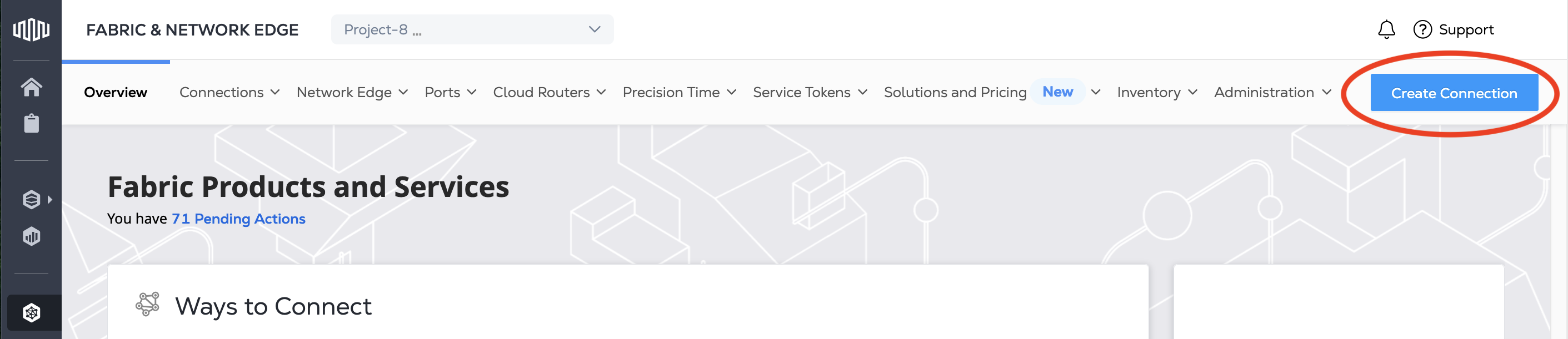
-
在**A 在“服务提供商”卡片中,点击“连接到服务提供商”,然后搜索您想要连接的服务提供商。
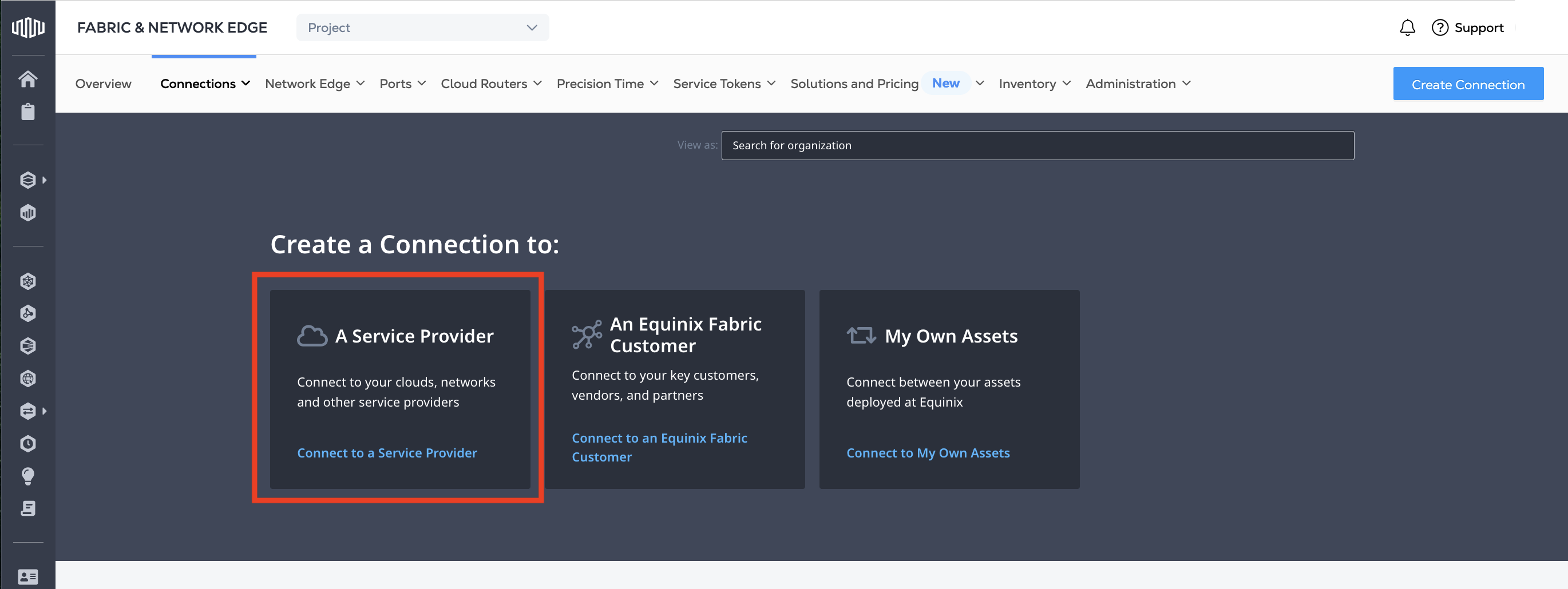
-
查找并找到您要连接的服务提供商的卡。点击选择服务。
-
选择您感兴趣的服务,然后点击创建连接。
注意部分服务提供商针对网络边缘设备有特定的连接配置步骤。如果您要从网络边缘设备连接,请点击创建连接(网络边缘设备)。
从那时起,每个服务提供商对配置连接都有不同的要求。
Equinix API
要创建与 Equinix API 中服务提供商的连接,请向 /fabric/v4/connections 端点发送 POST 请求。
在请求正文中,在 a-Side 对象中提供您的端口、网络边缘设备、Fabric 云路由器或服务令牌的详细信息。
示例端口“a-Side”对象:
"aSide": {
   "accessPoint": {
     "type": "COLO",
     "port": {
       "uuid": "<port_uuid>"
     },
     "linkProtocol": {
       "type": "DOT1Q",
       "vlanTag": <vlan_ID>
     }
   }
 }
每个服务提供商都有不同的要求,您可以在 z-Side 对象中指定这些要求。
AWS Direct Connect z-Side 对象示例:
"zSide": {
  "accessPoint": {
    "type": "SP",
    "profile": {
      "type": "L2_PROFILE",
      "uuid": "<service_profile_uuid>"
    },
    "location": {
      "metroCode": "<equinix_metro_code>"
    },
    "sellerRegion": "<aws_region_name>",
    "authenticationKey": "<amazon_account_ID>"
  }
}
Terraform 支持
使用 equinix_fabric_connection 资源,通过 Terraform 创建与服务提供商的连接。
到 AWS Direct Connect 资源的 QINQ端口示例:
resource "equinix_fabric_connection" "port2aws" {
  name = "ConnectionName"
  type = "EVPL_VC"
  notifications {
    type = "ALL"
    emails = ["example@equinix.com","test1@equinix.com"]
  }
  bandwidth = 50
  redundancy { priority= "PRIMARY" }
  order {
    purchase_order_number= "1-323929"
  }
  a_side {
    access_point {
      type= "COLO"
      port {
        uuid = "<aside_port_uuid>"
      }
      link_protocol {
        type = "QINQ"
        vlan_s_tag = "2019"
        vlan_c_tag = "2112"
      }
    }
  }
  z_side {
    access_point {
      type = "SP"
      authentication_key = "<aws_account_id>"
      seller_region = "us-west-1"
      profile {
        type = "L2_PROFILE"
        uuid = "<service_profile_uuid>"
      }
      location {
        metro_code = "SV"
      }
    }
  }

  additional_info = [
    { key = "accessKey", value = "<aws_access_key>" },
    { key = "secretKey", value = "<aws_secret_key>" }
  ]
}
管理连接
创建并配置连接后,请在客户门户的 Fabric 部分中管理它们。
在那里您可以:
- View connections and connection status.
- Change the connection's bandwidth. Note that some service providers, notably AWS, do not support changing the bandwidth on an existing connection. Other service providers require additional steps on their platforms. Check the service provider's documentation for details.
- Monitor the connection usage. Streaming data on usage and other network statistics is also available from our Network Observability service.
成为服务提供商
如果您是希望允许客户通过 Equinix 与您连接的服务提供商,请参阅 Fabric 文档中的服务提供商入驻文档。