# Solution Builder
Solution Builder allows you to design end-to-end solutions using drag-and-drop functionality. Design an entire Network Edge solution, and then download your design with a price estimate.
> **Note**
>
> Solution Builder is now generally available for all customer types except end user customers (accounts managed by Reseller accounts). Any feedback or issue can be reported by clicking **Give Feedback**, instead of opening the support ticket.
You can select a single virtual device, redundant device, or a cluster device and create multiple virtual connection (non-redundant) to various service providers. A price estimate for your design is generated once required fields are configured for each component.
The following components are currently supported:
| Solution / Function | Components |
| ----------------------- | --------------------------------------------------------------------------------------------------------------------------------------------------------------------------------------------------------------------------------------------------------------------------------------------------------------------------------------- |
| General | - Drag-and-drop Network Design Canvas
- Design auto save
- Design access control with IAM
- Metro-based price estimation with local currency
- Price-summary download (PDF) - Metro-based |
| Network Edge | - All VNF vendors
- All deployment types (single, redundant, and cluster deployments)
- Non-Redundant Virtual Connection to Cloud Service Providers
- Non-Redundant Virtual Connection to Network Service Providers
- Device Link Groups
- Bring Your Own Connections (BYOC)
- Port to Device Connections |
| Equinix Fabric | - Remote Port (Single Port) to My Cage in an Equinix IBX |
| Equinix Internet Access | - Internet connection with Network Edge devices
- Internet connection with Fabric Ports |
To access the Solution Builder, sign in to the [Customer Portal](https://portal.equinix.com/fabric) and navigate to *Build Solutions*.
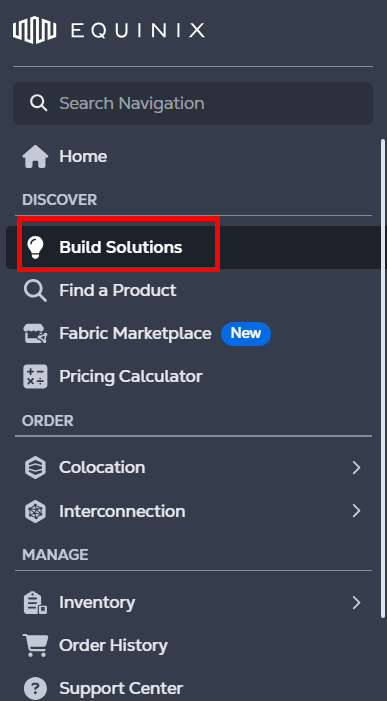
The Solution diagram list displays all of the diagrams you have created.
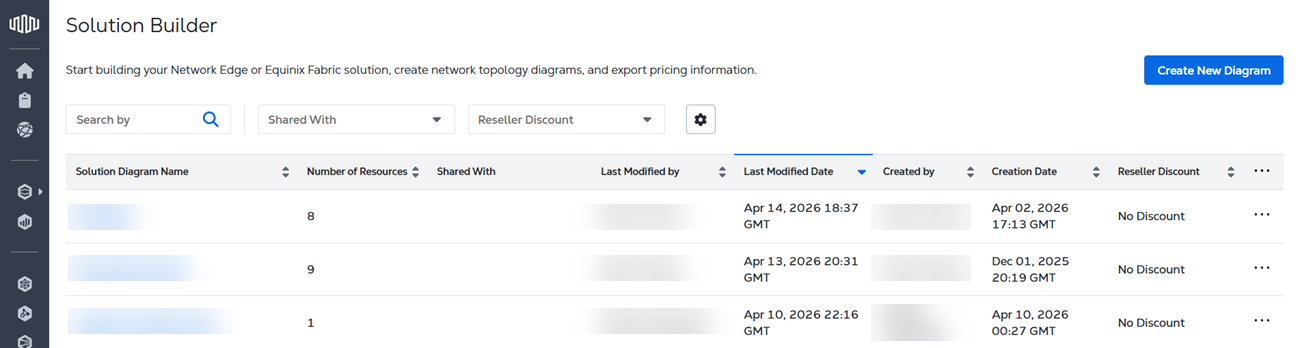
Click **...** to edit, duplicate, or delete any of the diagrams in your list.
> **Note**
>
> If your organization is migrated to the Identity and Access Management experience, you can create and duplicate solution designs in a project you are currently in. You cannot move or copy your design to other projects.
Use the Search field to look for a specific solution design by diagram name or creator name.