Smart View Permissions
Access to Smart View is governed by three pieces:
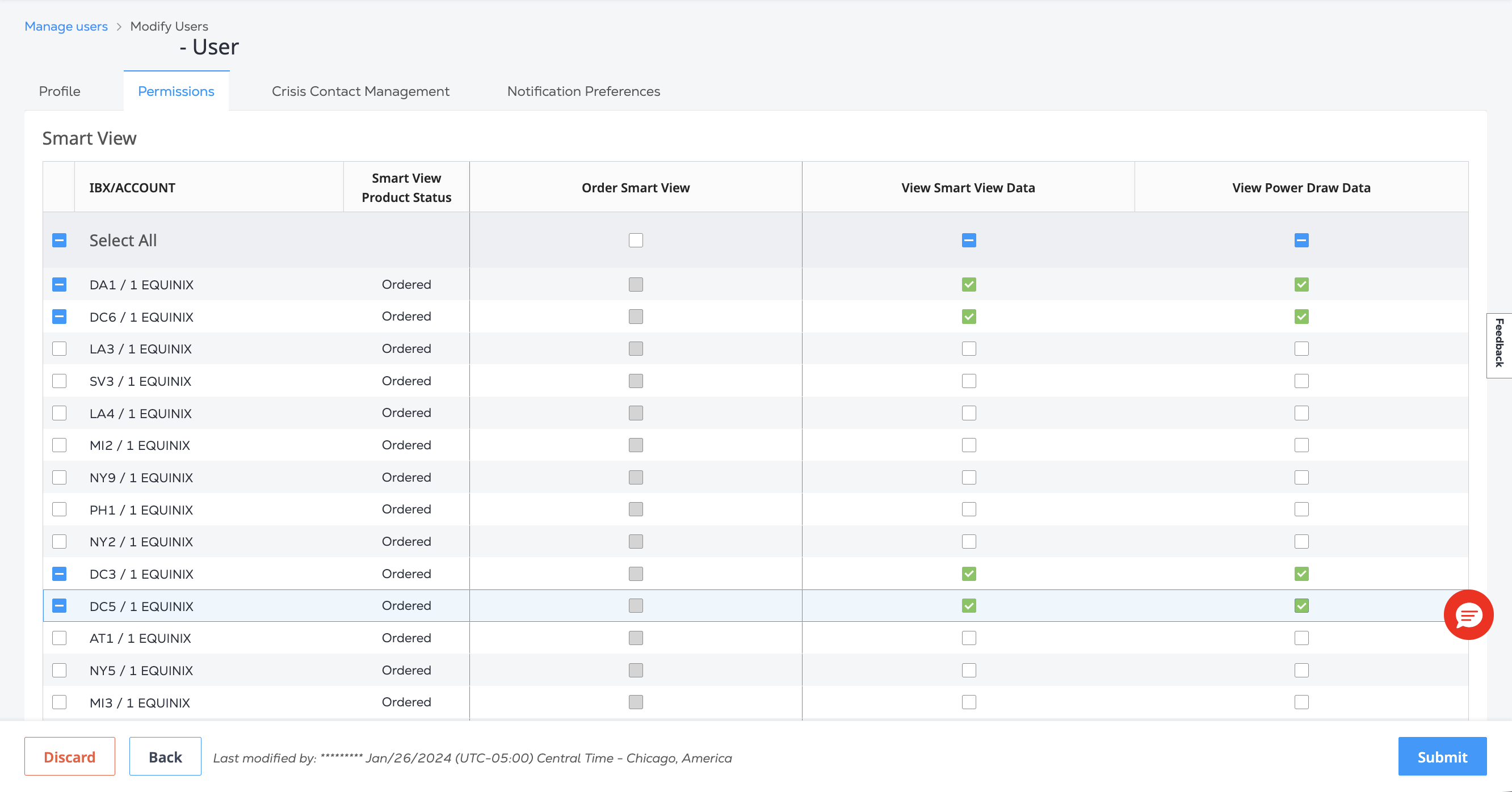
- View Smart View Data - Allows the user to view Smart View data in selected IBX data centers.
- View Power Draw Data - Allows the user to view the Power Draw data in selected IBX locations.
- Order Smart View - Allows the user to purchase Smart View for individual data center locations.
Your Current Permissions
To see your current permissions:
-
Sign in to the Customer Portal and navigate to your user settings
-
Select the Permissions tab, then click Smart View.
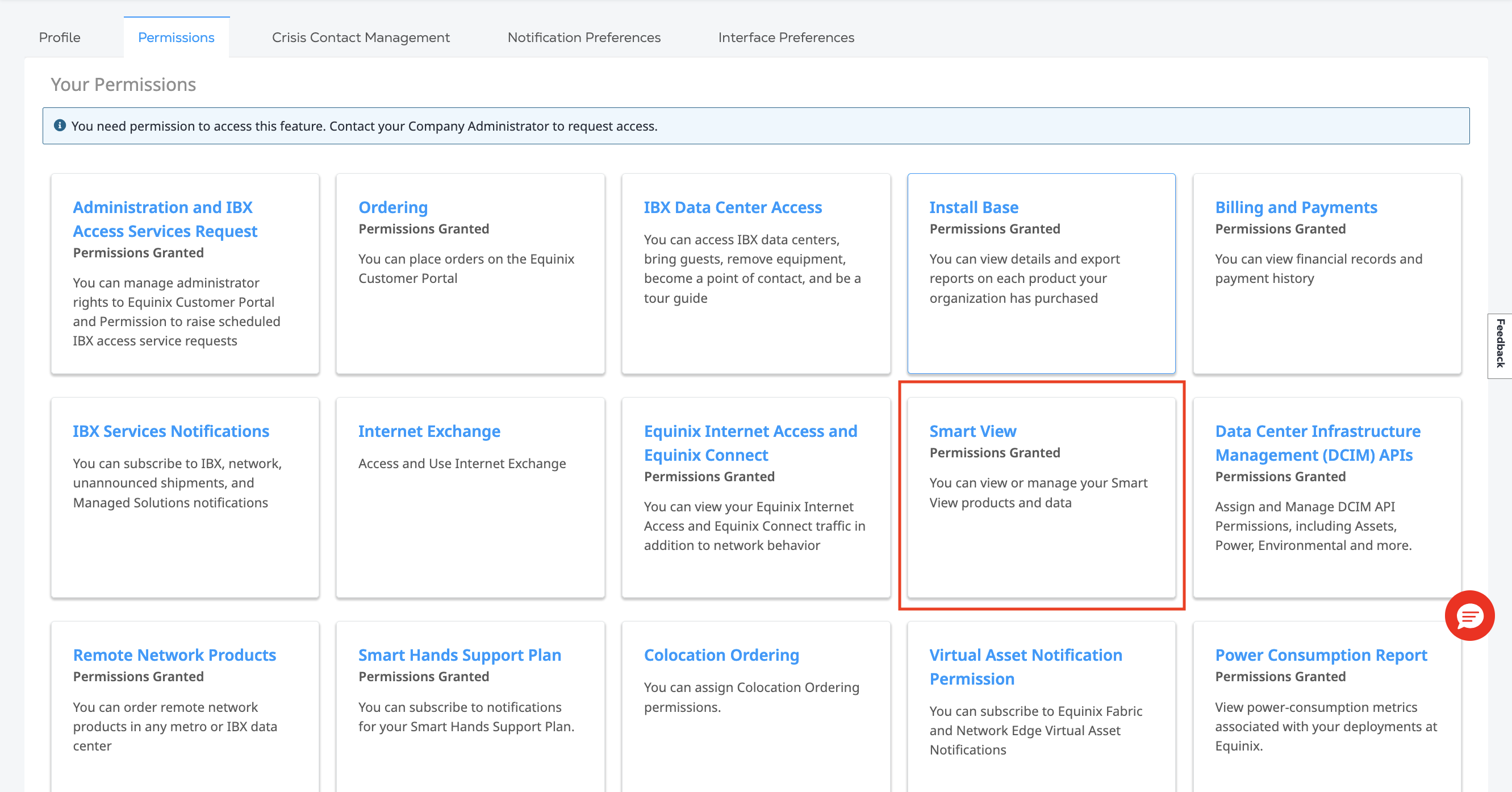
The system shows your current permissions:
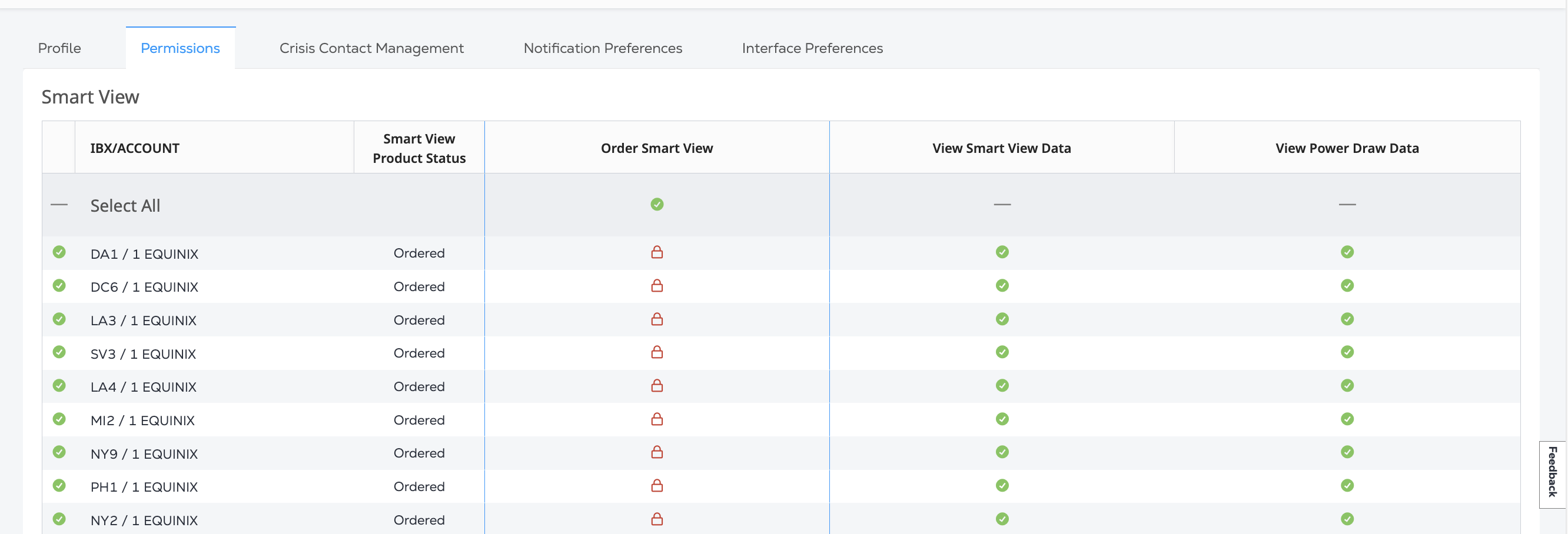
| Icon | Meaning |
|---|---|
| green checkmark | You have permission |
| red lock | You do not have permission, or the permission can not be changed. |
Granting Access
To access the Smart View Dashboard the Smart View Order Status must be Ordered for the IBX location and the View Smart View Data permission must be granted for the IBX location.
If you are an administrator, you can manage access for yourself or your users from User Management.
-
Locate the user from the User Management table and click Manage Permission.
-
On the Permissions tab, click Smart View.
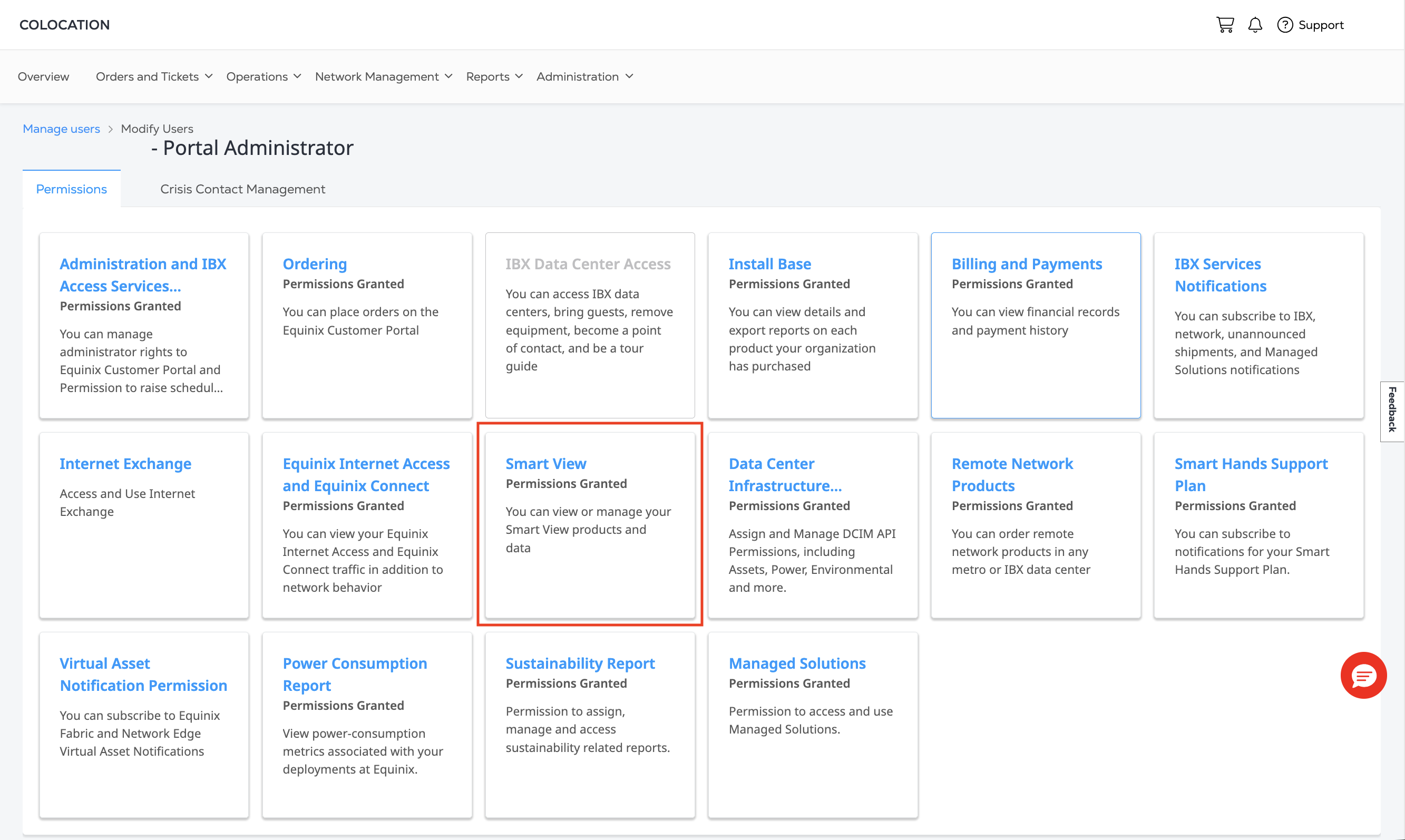
To grant ordering permission, select which IBXs you or your users can order ports in and click Submit.
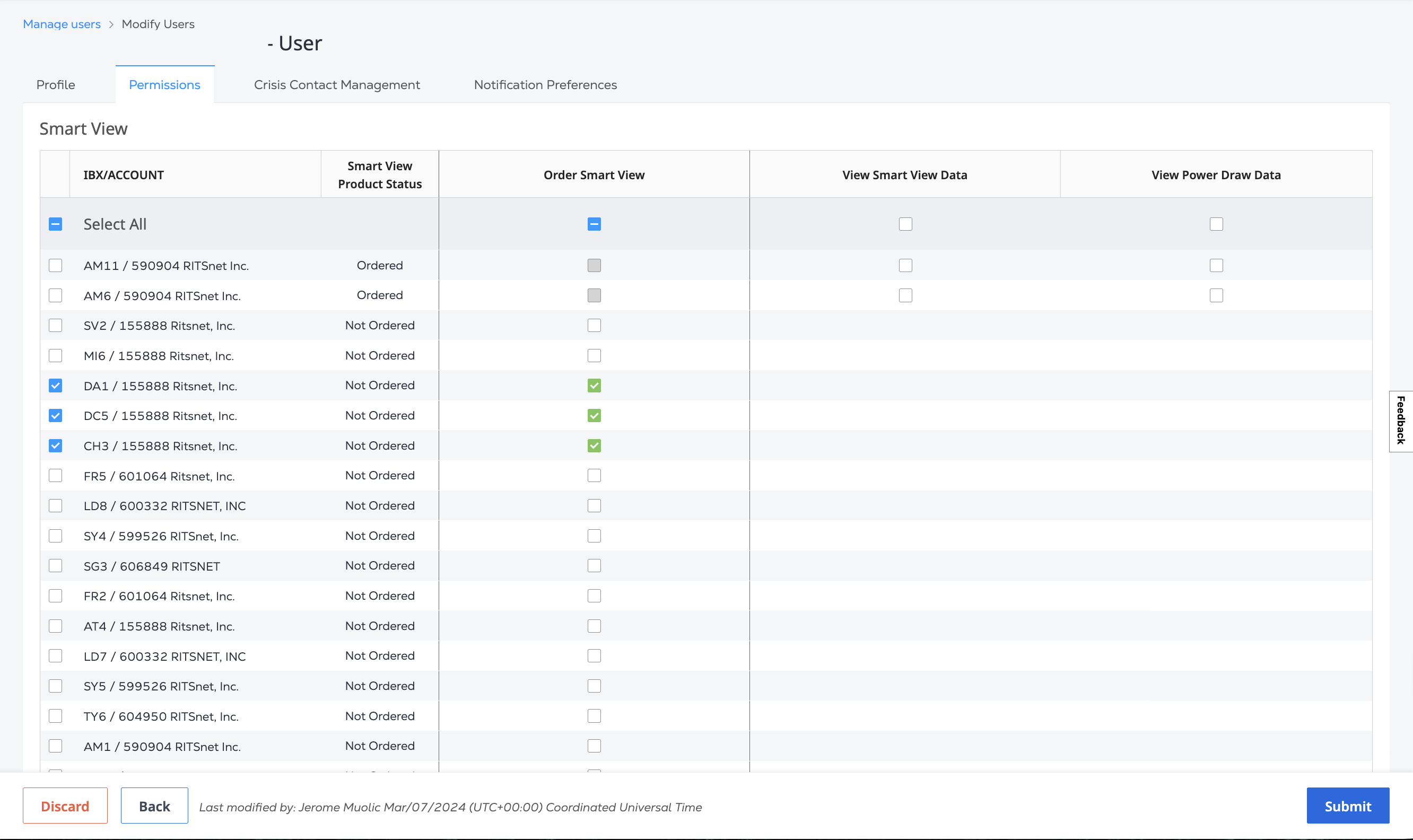
To grant access to the Smart View Dashboard:
-
Order Smart View for your IBX locations.
-
Once the order is complete, return to the Smart View Permissions and select which IBXs you or your users can view the data for, and click Submit.
Requesting Access
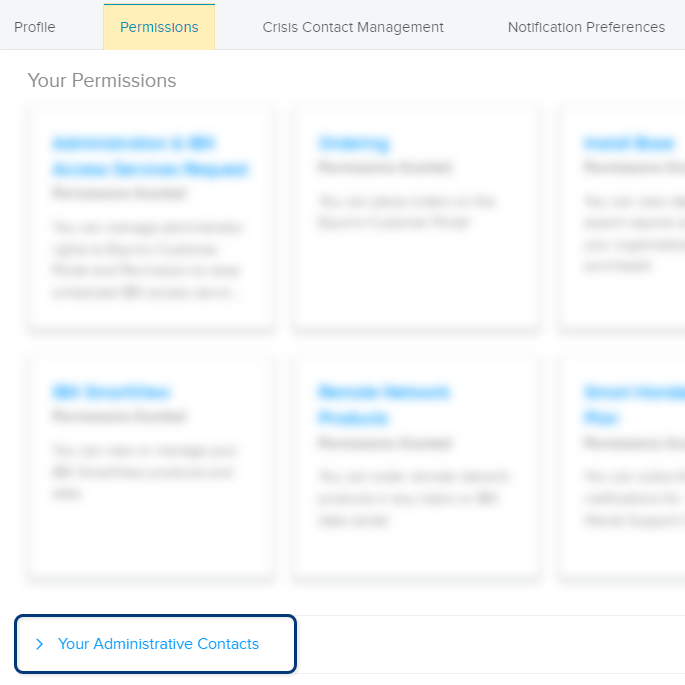
If you need additional permissions, see Requesting Additional Permissions or contact your company's portal administrator. If you don't know who to contact, return to the Permissions tab and click Your Administrative Contacts.
If you're an administrator, you can add new users from your organization, modify existing users, and invite users. For more information, see Managing User Permissions.