Standard Order Processing
If you choose the Standard scheduling option for your Smart Hands order, the order is processed as follows:
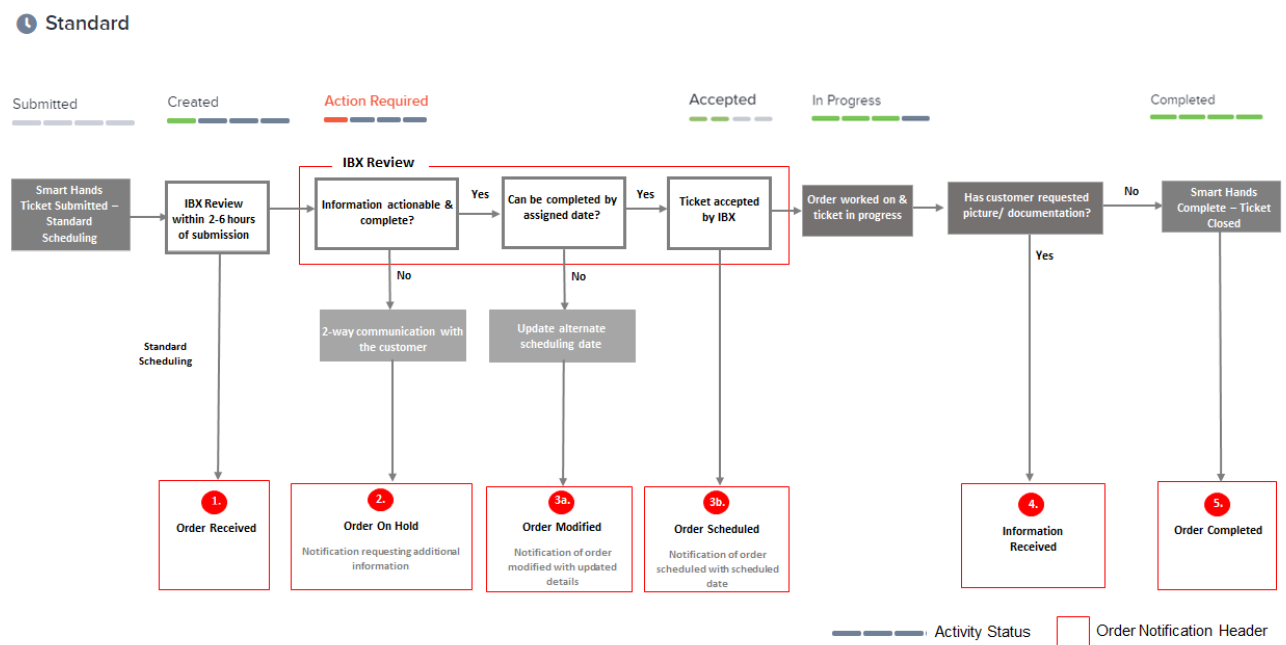
Order Notifications
These steps describe how you are notified of the progress of your order.
-
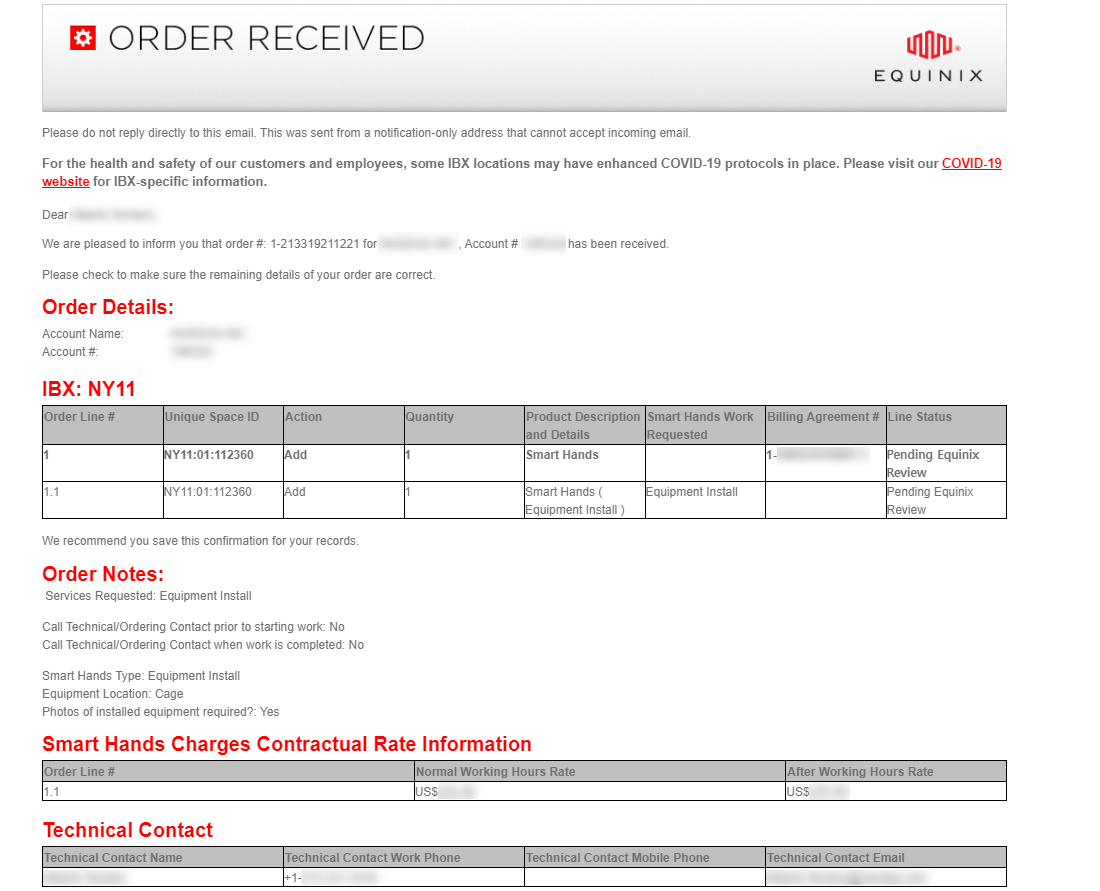
Once your request is received by the system, an Order Received email is sent to you. It indicates that your order is in the queue for review by the IBX.
-
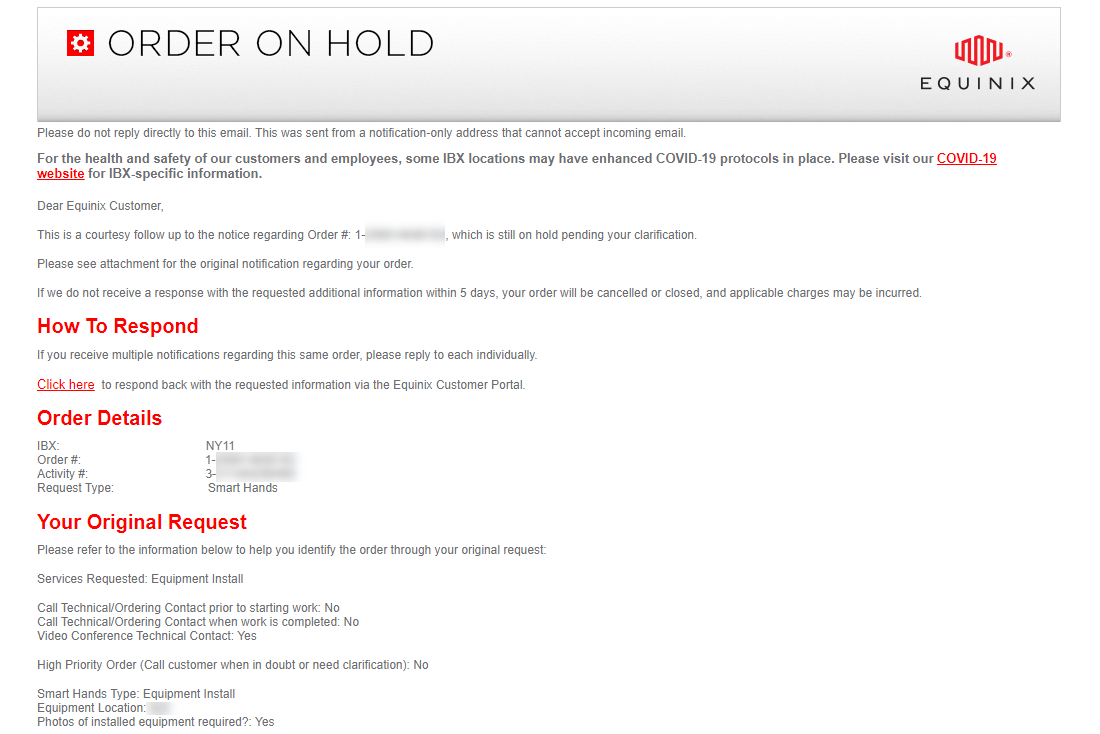
If the IBX determines that there is insufficient information to process your order, an Order On-Hold email is sent to you. The email describes how to provide the necessary information for the order to proceed.
-
Scheduling:
-
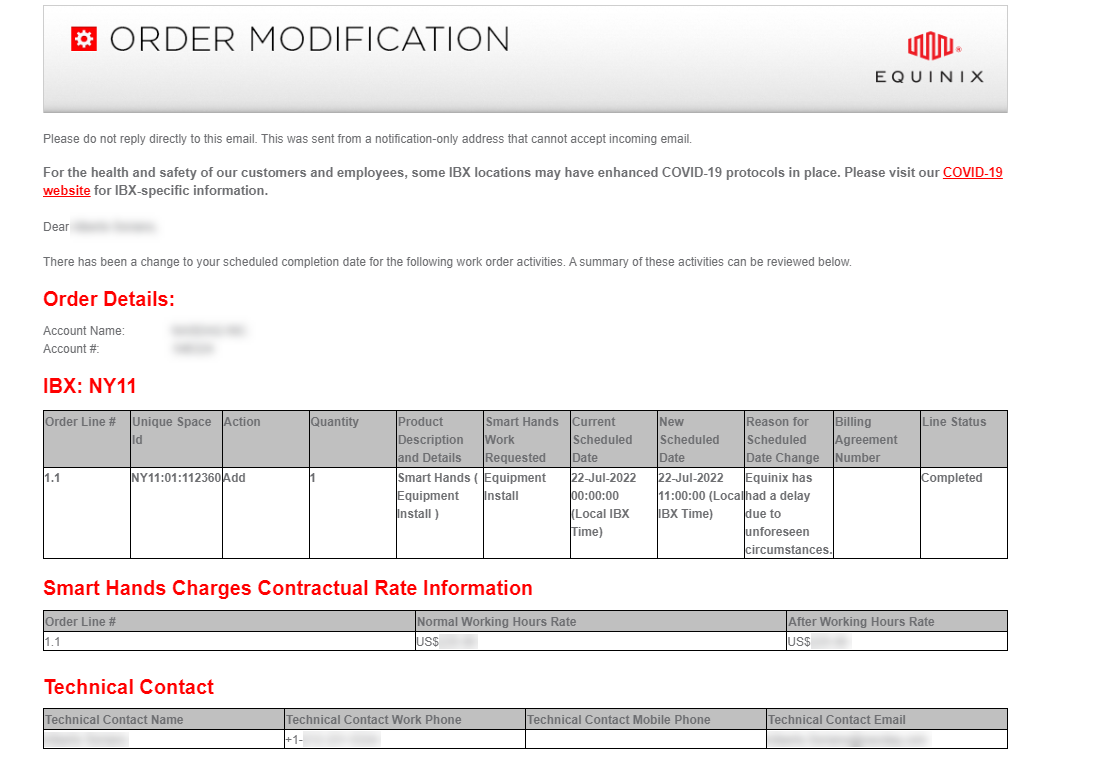
If the IBX determines that your request cannot be completed by the original assigned date and time, you are sent an Order Modification email with the new date and time of completion.
-
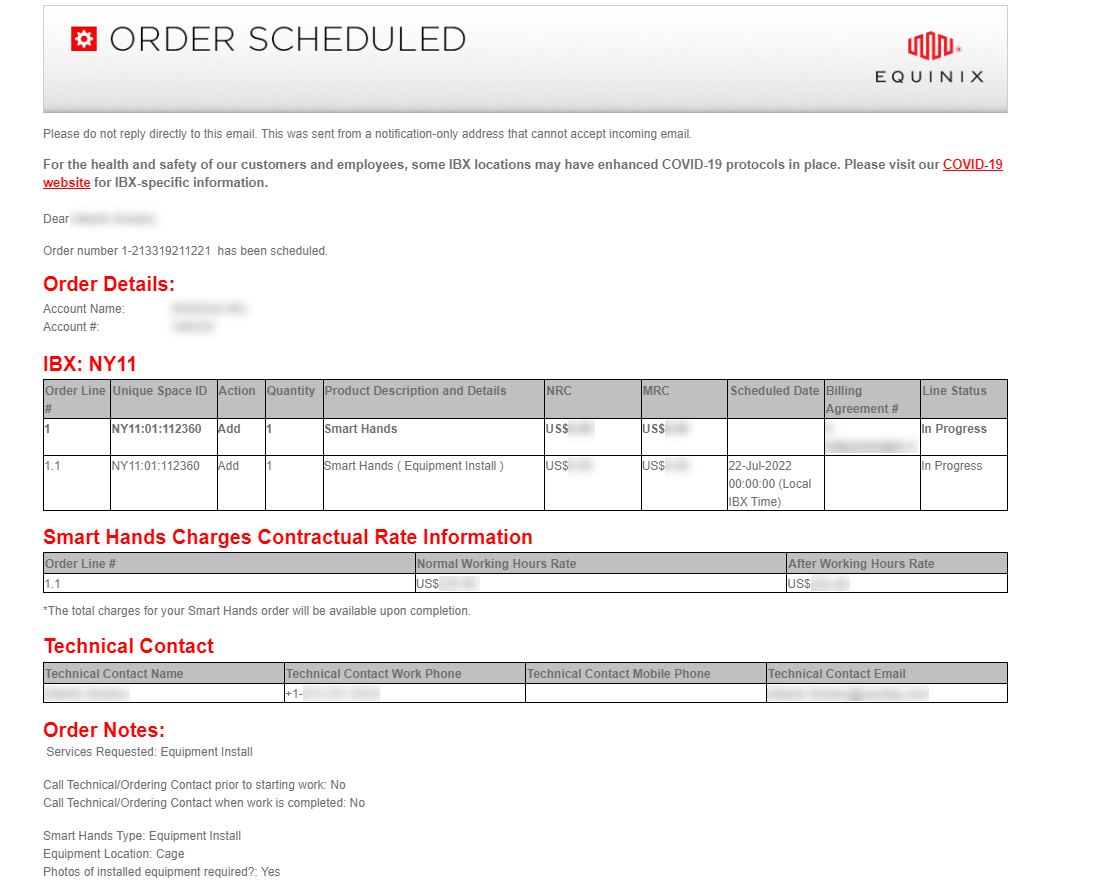
If the IBX determines that your request can be completed by the original assigned date and time, the IBX assigns the earliest available date for its completion. You are sent an Order Scheduled notification with the scheduled date details.
-
-
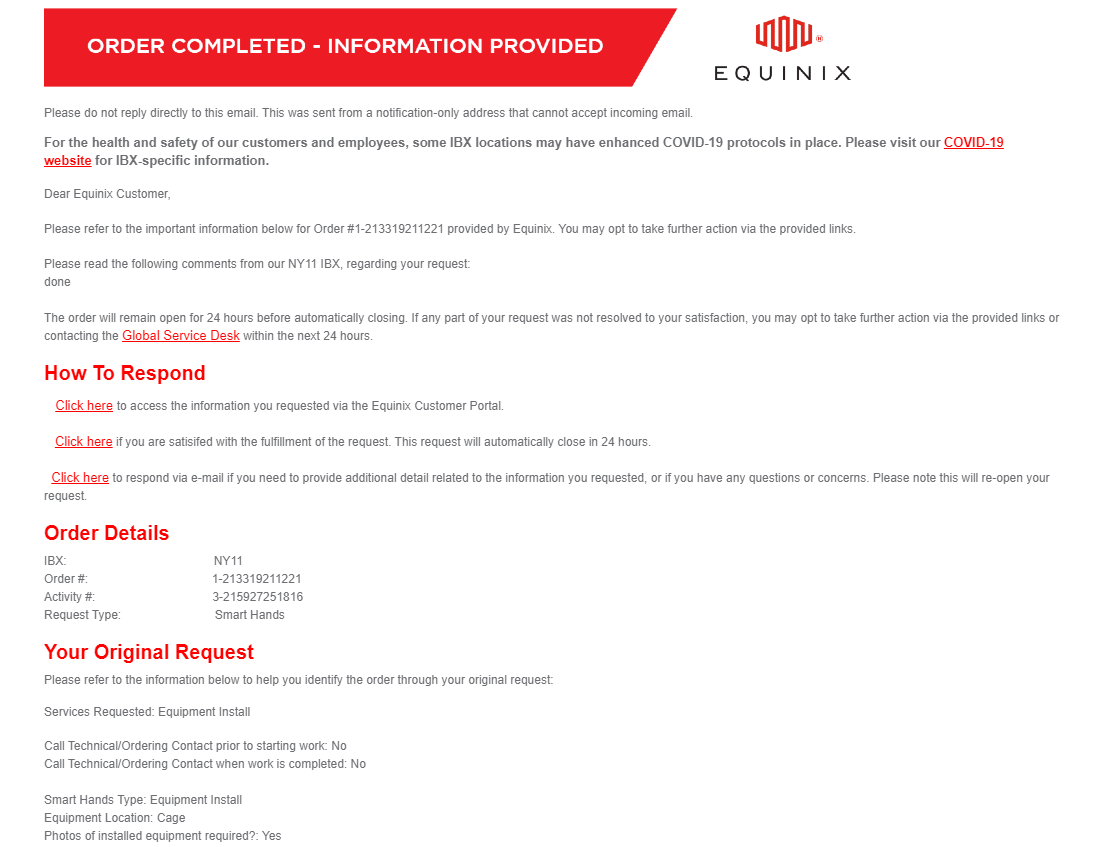
If you requested photos or documentation as part of the ticket, you can access the information from links on the Information Provided notification:
-
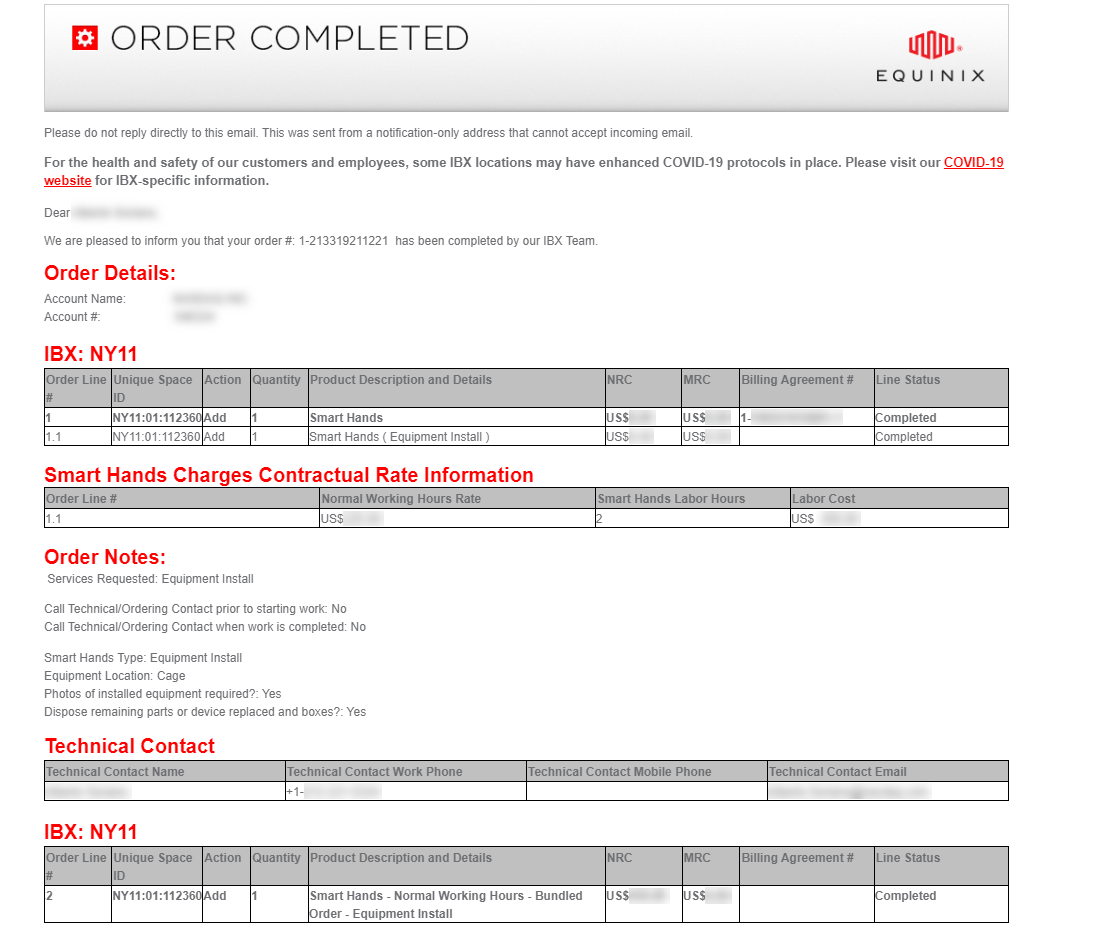
Once the request is completed, the ticket is closed, and an Order Completed email is sent to you.
Many of these order notifications can also be viewed in the portal's Notification Center.