Status operacional
Um status operacional descreve a condição atual de tempo de execução de uma função de rede virtual (VNF). Ele indica se a VNF está ativa e pronta para processar tráfego, suspensa, desligada ou passando por uma condição de erro.
Definições de Status
| Status | Descrição |
|---|---|
| Em execução | A VNF está ligada e operacional. O sistema operacional está em execução, e a VNF pode processar tráfego e executar cargas de trabalho. |
| Desligar | A VNF está desligada e não está processando tráfego nem executando cargas de trabalho. |
| Suspenso | A execução da VNF é temporariamente suspensa enquanto seu estado atual é preservado. A VNF não processa tráfego enquanto está suspensa. |
| Com erro | A VNF encontrou uma condição que impede a operação normal, como falha de inicialização, problema de infraestrutura ou erro de configuração. Pode ser necessária intervenção do Suporte ao Cliente para restaurar o serviço. |
Visualizar o status operacional
Você pode ver o status operacional de uma VNF na página Detalhes do dispositivo virtual no Equinix Customer Portal.
A seção Detalhes do dispositivo exibe o status operacional atual da VNF.
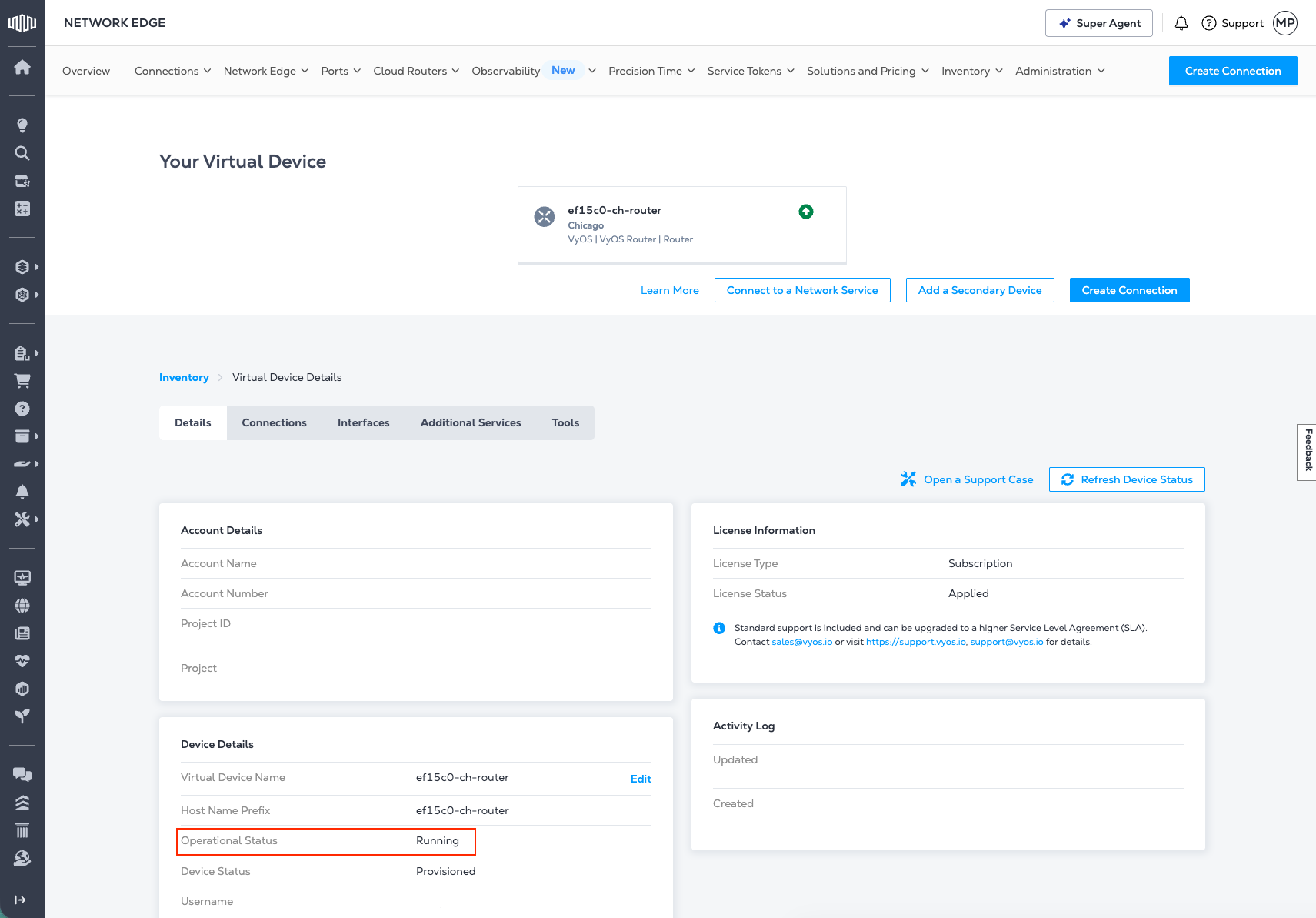
Para obter mais informações sobre a seção Detalhes do dispositivo, consulte Detalhes do dispositivo virtual .
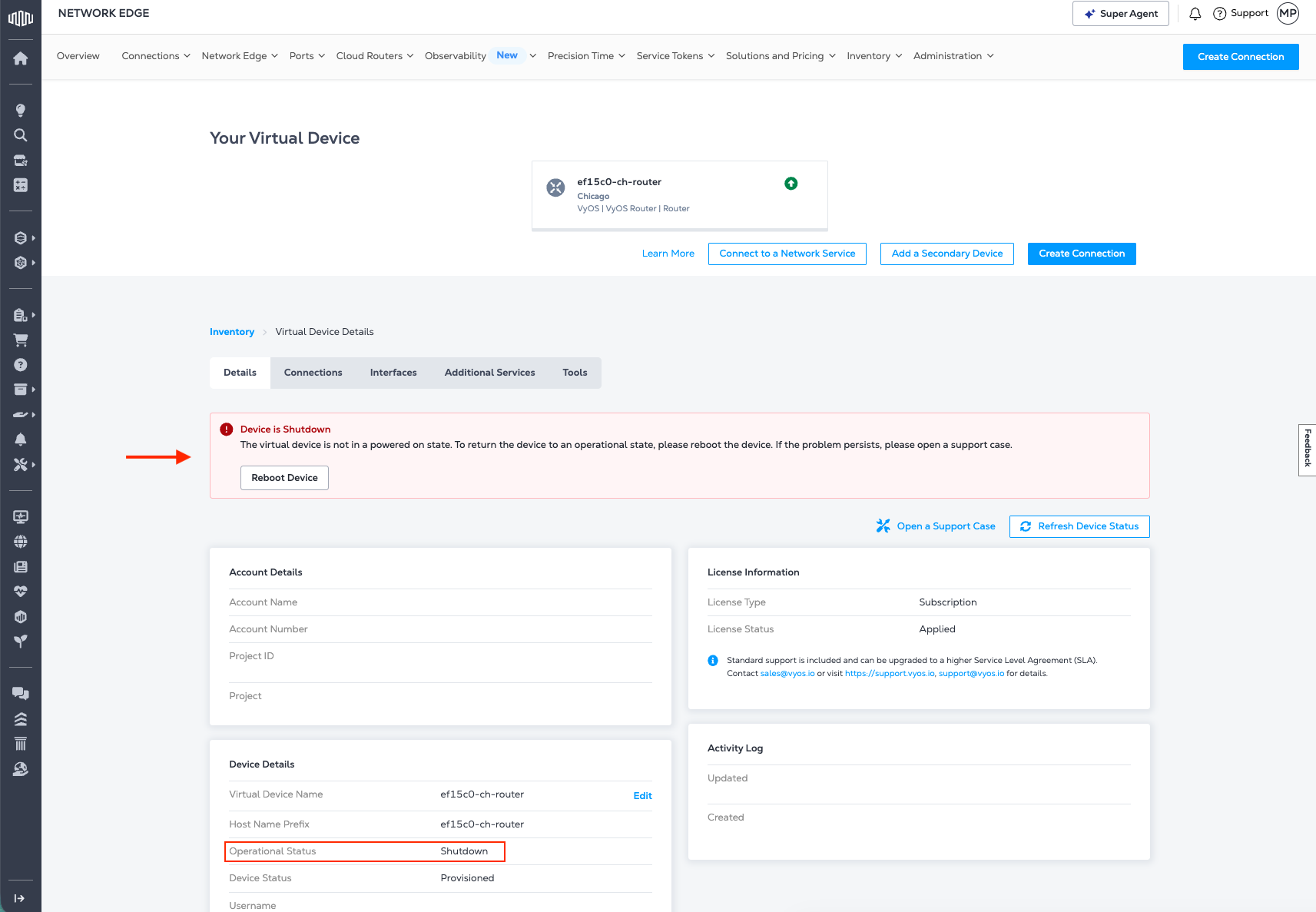
Quando uma VNF muda de Running para Shutdown, o novo status é exibido e um aviso solicita que você reinicie o dispositivo para restaurar a VNF para Running. Um usuário conectado com permissão para reiniciar o dispositivo pode fazer isso.
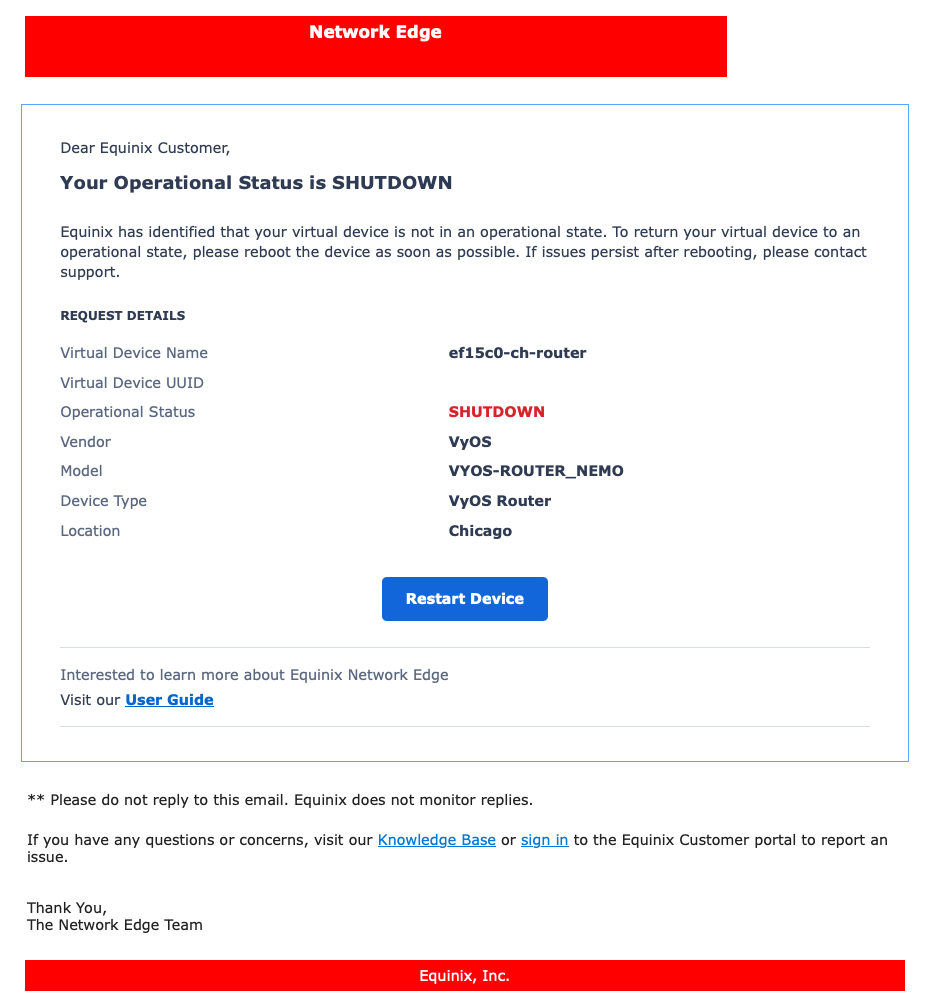
Notificação por e-mail de desligamento
Caso uma VNF passe para um estado de desligamento, uma notificação por e-mail será enviada para o(s) endereço(s) de e-mail definido(s) em Detalhes da notificação .
Comportamento do status operacional
O estado operacional esperado para uma VNF saudável é Executando.
As seguintes condições podem exigir atenção:
| Status | Impacto operacional |
|---|---|
| Desligar | A VNF não está disponível e não processa tráfego. |
| Suspenso | A VNF está temporariamente indisponível e não processa o tráfego até ser retomada. |
| Com erro | A VNF pode estar parcial ou completamente indisponível, dependendo da falha subjacente. |
Se uma VNF entrar em um estado de Desligamento inesperado, Pausado ou com erro, tente reinicializar a VNF seguindo as etapas em Recarregar dispositivo, ou contate o Suporte da Equinix para obter assistência.