Ativação de serviço
Depois de solicitar o serviço Internet Exchange e concluir o provisionamento, você poderá ativar o serviço. Você pode autorizar a ativação do serviço no Portal do Cliente. O processo de ativação pode levar até dois dias úteis.
Se não quiser ativar o serviço no Portal do Cliente, você também pode aguardar uma chamada de apresentação com um representante da Equinix.
Pré-requisitos
-
Para ativar um serviço Internet Exchange, você precisa da
Fabric Managerfunção.observaçãoOs recursos de Funções, Inventário Internet Exchange e Ativação de serviço serão lançados em todas as contas em meados de outubro de 2026. Consulte Permissões do Internet Exchange para obter mais detalhes sobre as alterações.
-
A ativação do serviço valida o ASN e o endereço MAC. Se você não os forneceu ao solicitar o serviço, você pode adicioná-los a partir dos Detalhes do serviço .
-
Faça login no Portal do Cliente .
-
Navegue até Serviços Internet Exchange .
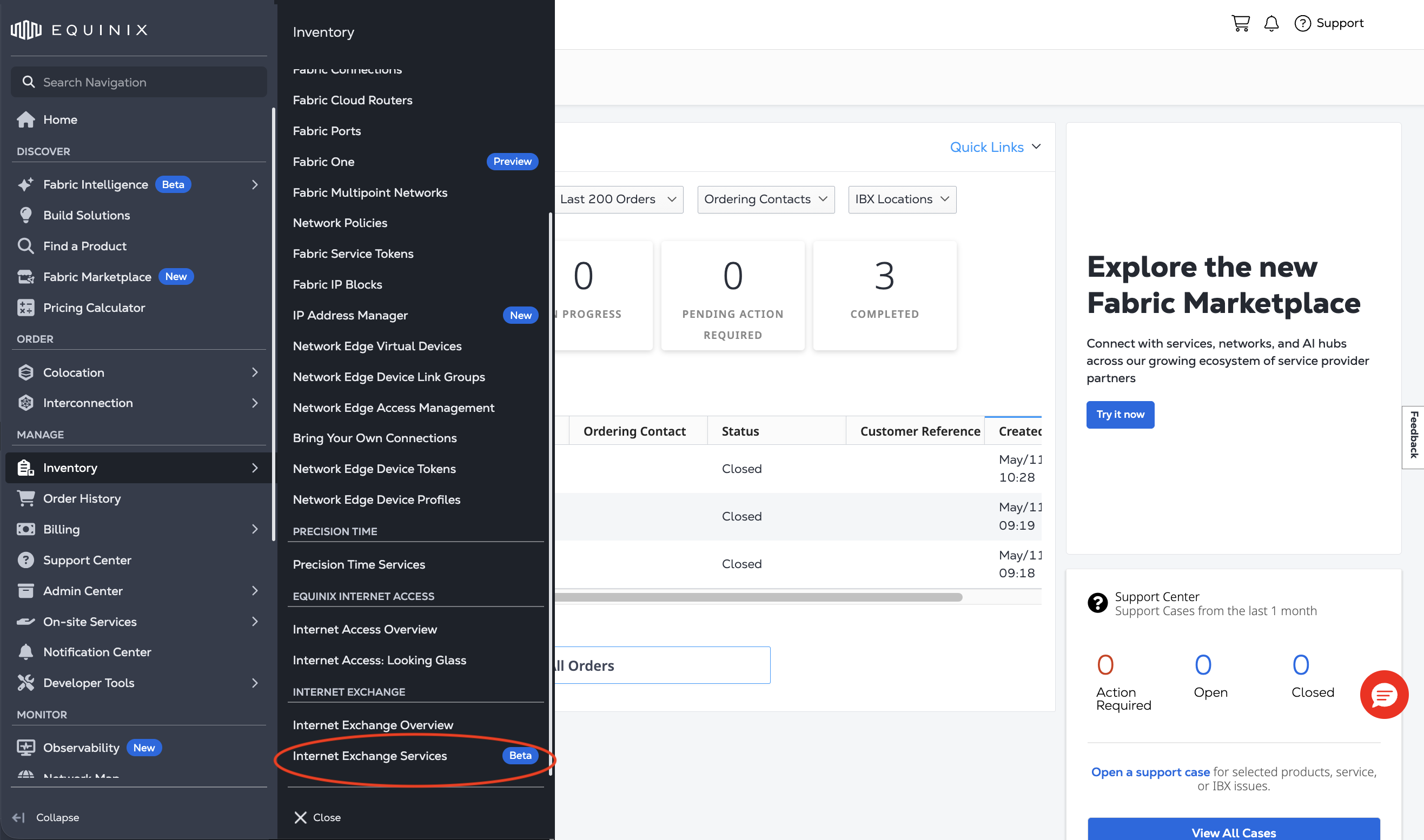
-
Use o Switcher de projetos para selecionar o projeto que contém o serviço Internet Exchange que você deseja ativar.
Ativando seu serviço
-
No seu Inventário Internet Exchange , filtre seus serviços pelo
PENDING ACTIVATIONstatus.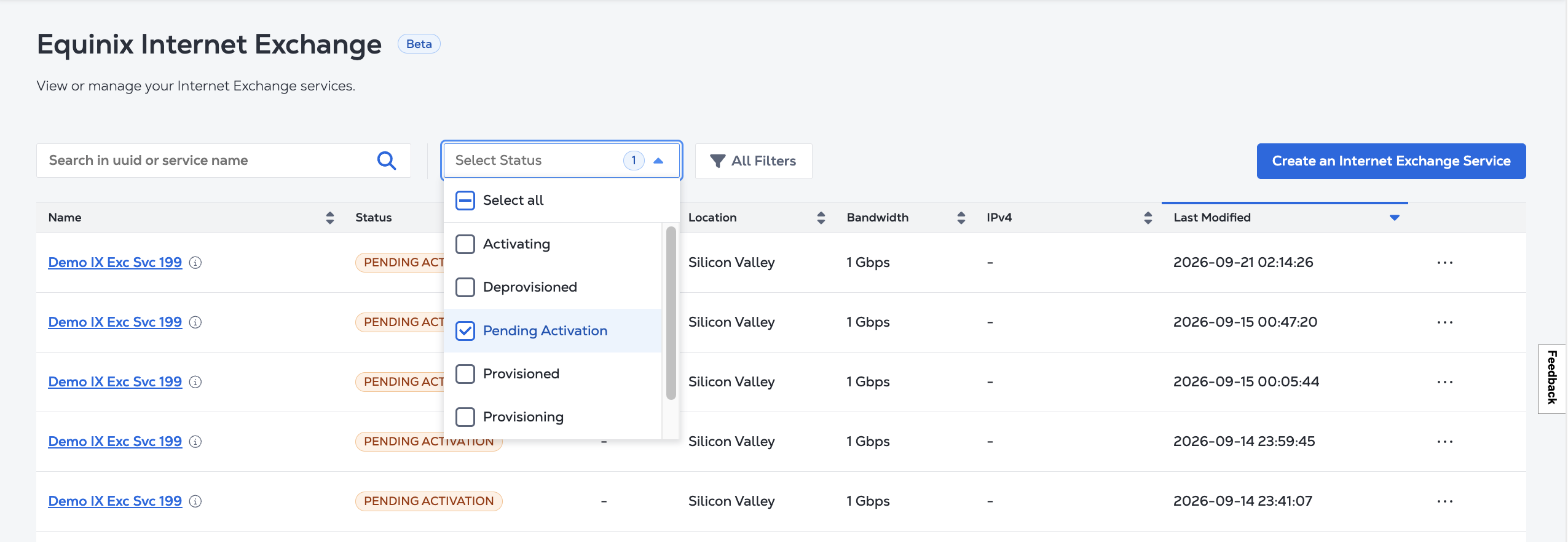
-
Localize o serviço que você gostaria de ativar na lista e clique no nome dele.
-
Em Visão geral dos detalhes do serviço , clique em Ativar.
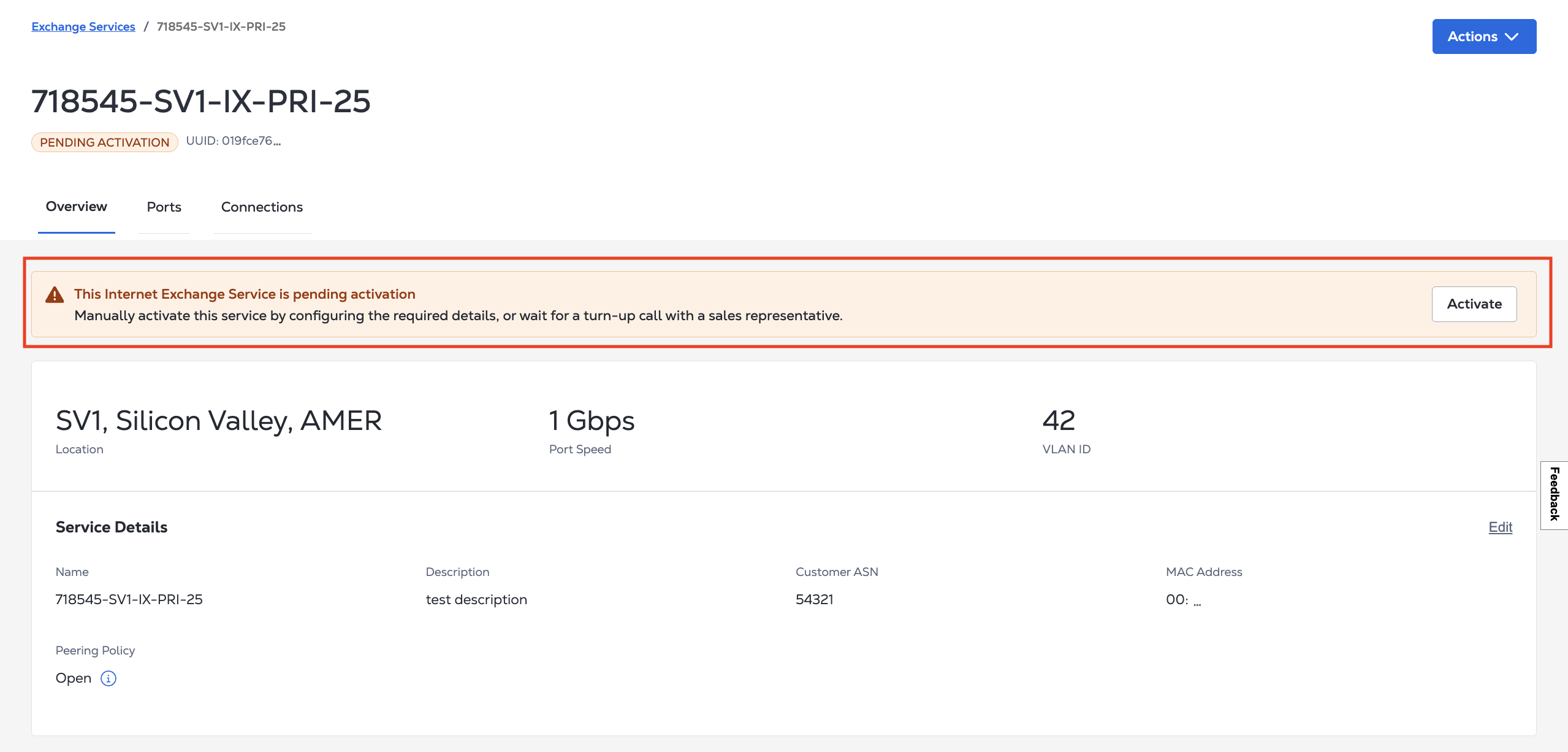
-
Na mensagem de confirmação, clique em Ativar.
O serviço muda para o ACTIVATING status. Quando a ativação for concluída, seu serviço será ACTIVE.