Alterar VLAN em uma conexão
Você pode alterar o VLAN atribuído a uma conexão fabric existente para atualizar sua configuração de rede. As VLANs de origem podem ser modificadas para:
- Corrija as incompatibilidades de VLAN
- Alterar convenções de numeração
Para alterar o VLAN de origem da sua conexão:
-
Faça login no Portal do Cliente > Painel de Fabric.
-
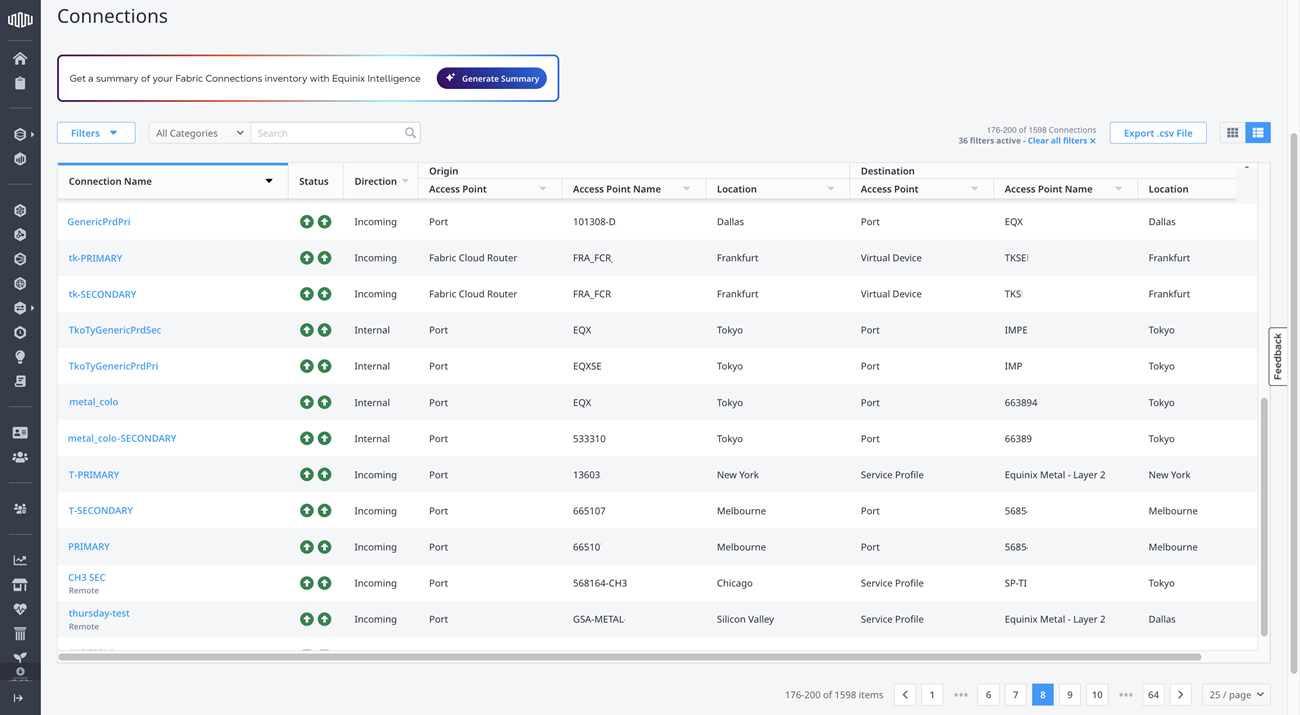
No menu Conexões , selecione Conexões Estoque.
-
Localize e clique na conexão que deseja editar.
-
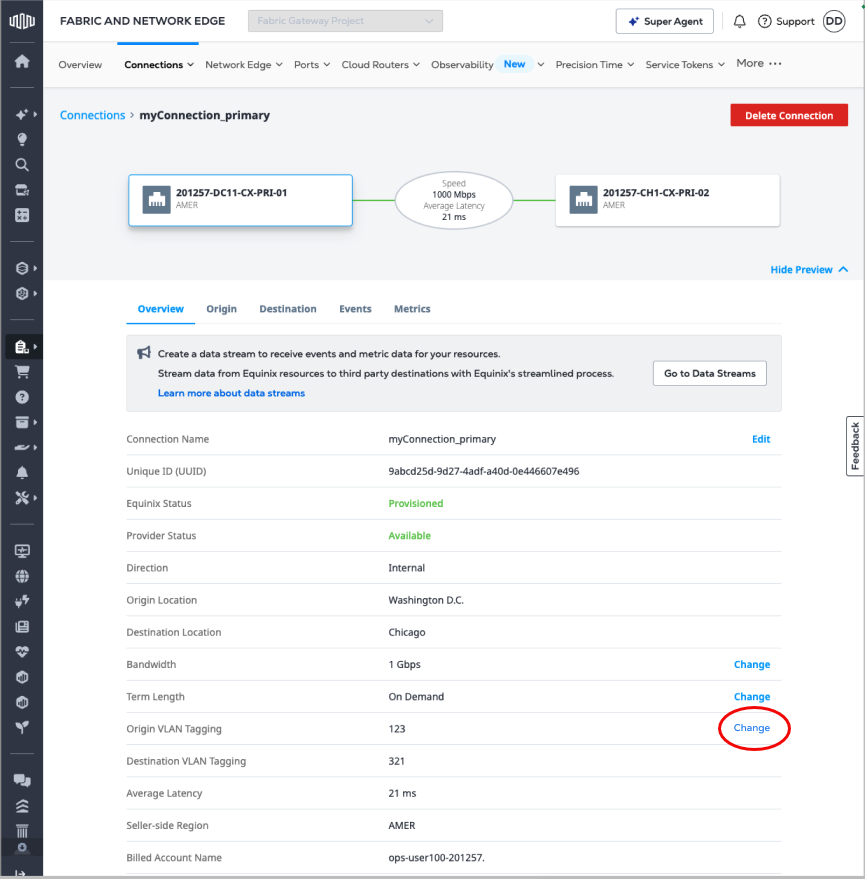
Clique em Alterar ao lado do Origin VLAN.
-
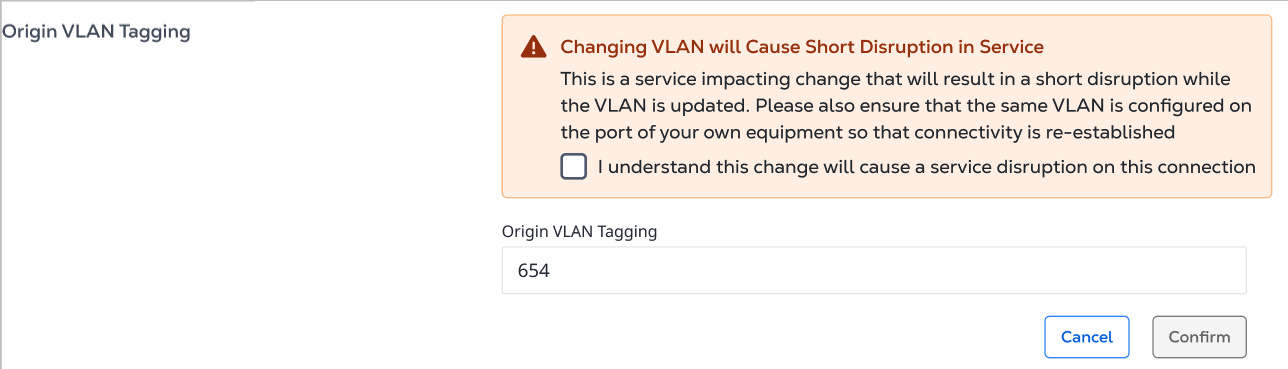
Insira o novo valor para o VLAN e selecione Entendo que esta alteração causará uma breve interrupção no serviço.
-
Clique em Confirmar.