Como solicitar uma cotação de última milha
Conecte o local de um cliente a um data center Equinix por meio do Fabric Marketplace
Escolha o caminho que melhor se adapta às suas necessidades: Vá diretamente a um provedor que você já conhece ou compare todos os provedores disponíveis em um mercado estratégico específico de Equinix.
Solicite uma cotação de um provedor específico
Use este caminho se você já sabe com qual provedor de última milha deseja trabalhar.
-
Faça login no Portal do Cliente e navegue até o Fabric Marketplace.
-
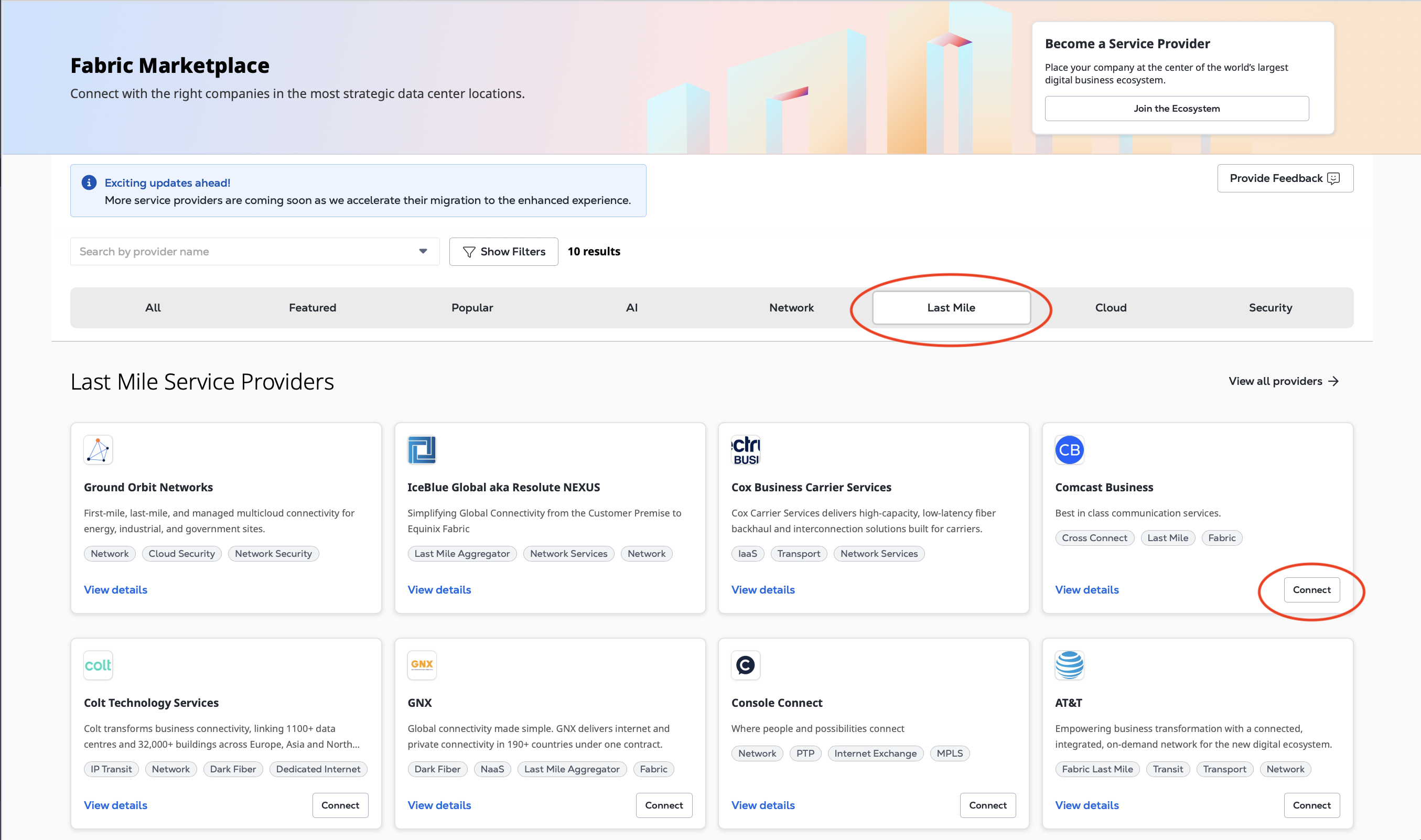
Clique em Last Mile para filtrar a lista de provedores de serviços ou procure o provedor específico usando o campo Pesquisar por nome do provedor.
-
No cartão do provedor de serviços, clique em Conectar.
-
Localize o perfil de serviço Last Mile do provedor e clique em Conectar.
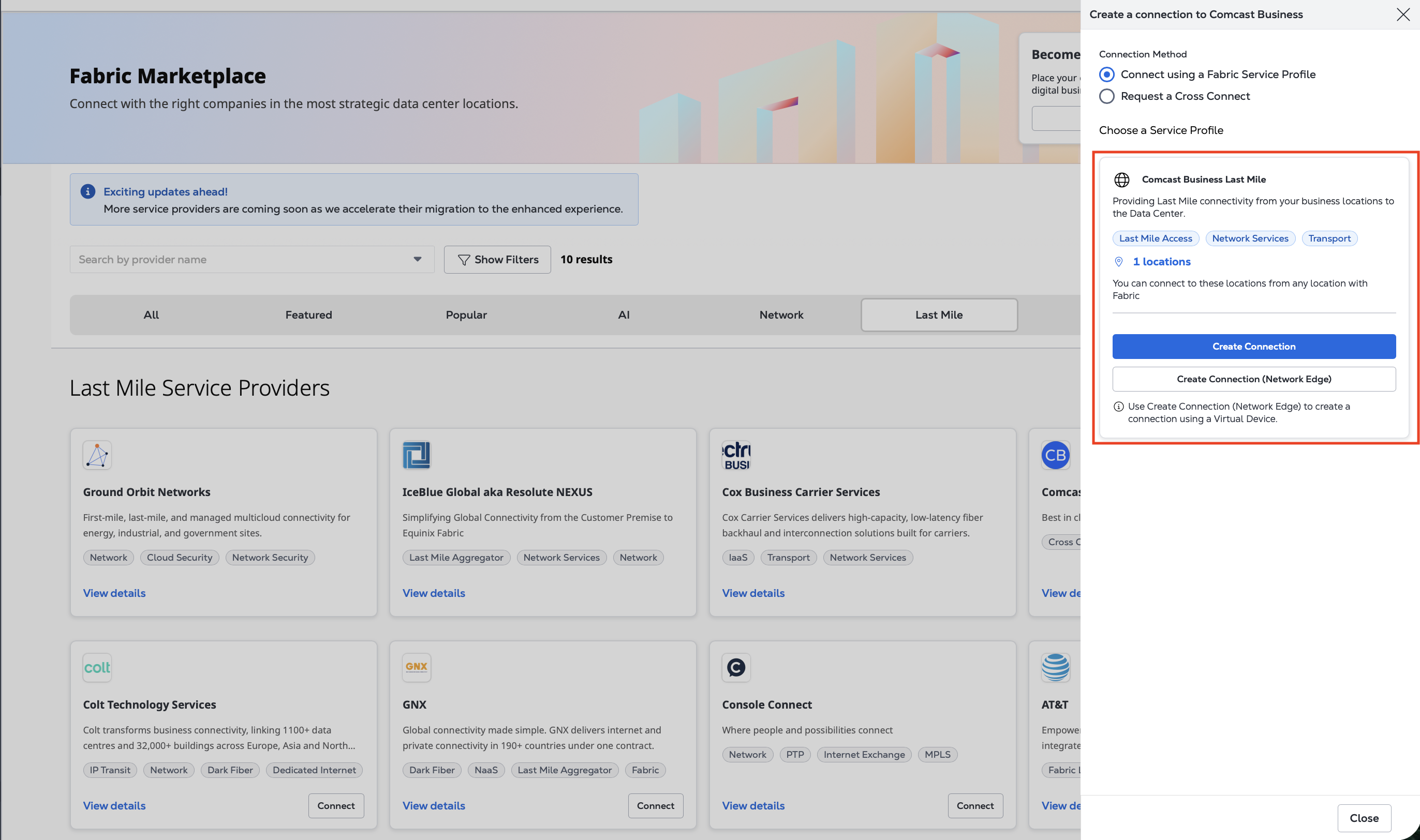
Continue com as etapas para solicitar sua cotação.
Compare provedores em um mercado estratégico de Equinix
Use este caminho se quiser ver quais provedores atendem a um determinado mercado estratégico de Equinix.
-
Faça login no Portal do Cliente e navegue até o Fabric Marketplace.
-
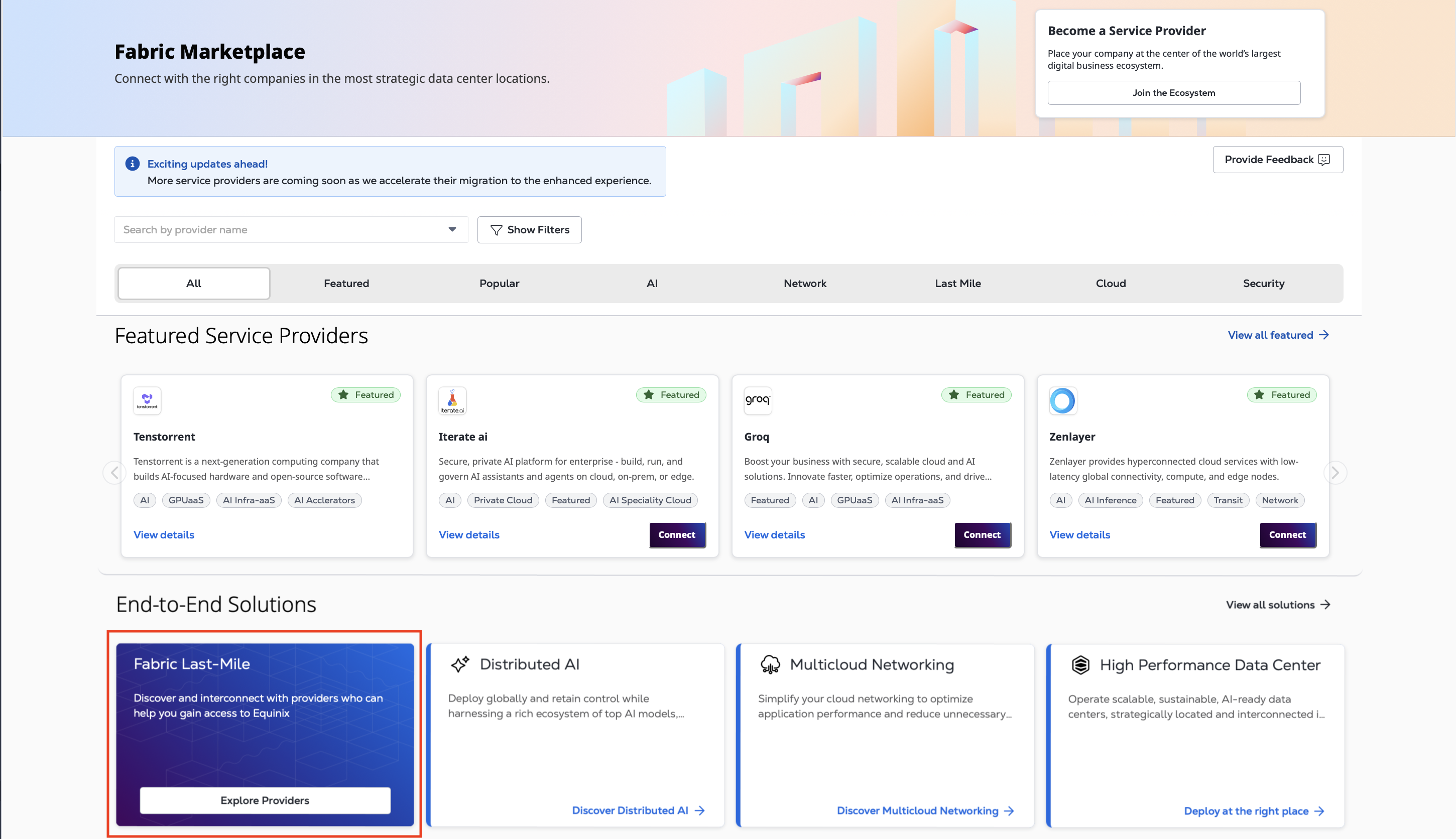
No cartão Fabric Last-Mile, clique em Explorar provedores.
-
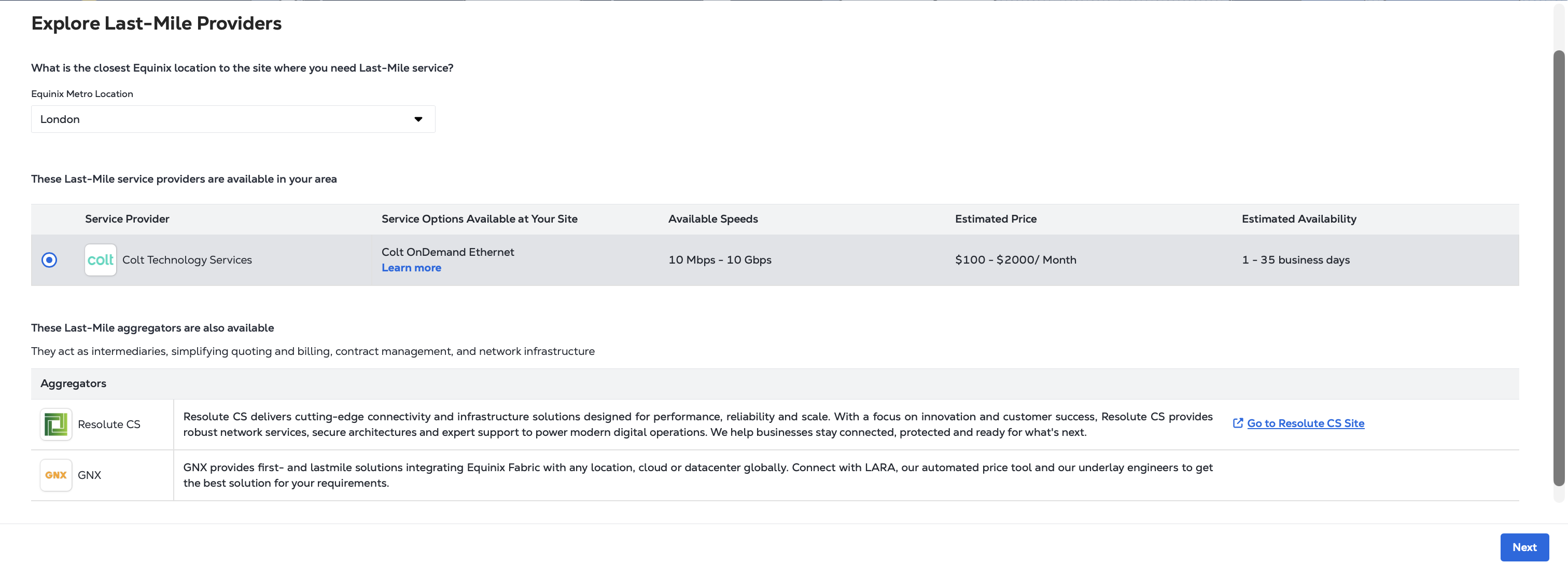
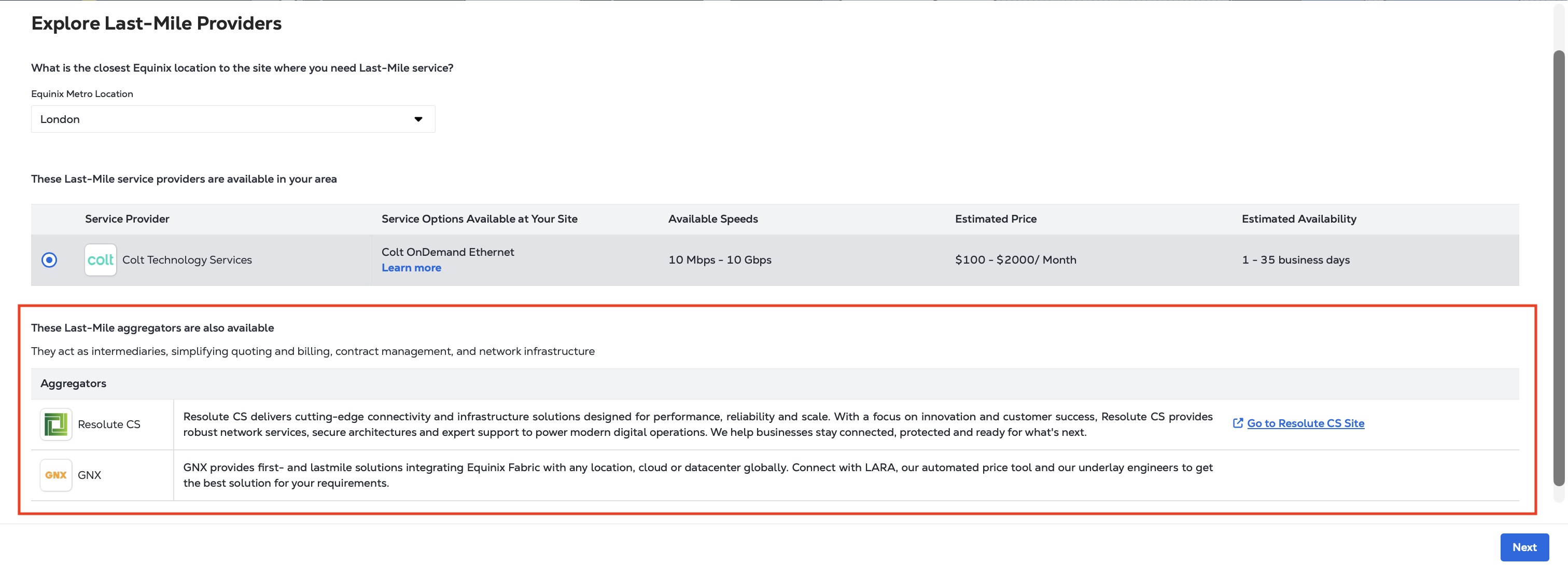
Entre no mercado estratégico de Equinix onde você precisa de conectividade. Selecione o provedor do qual você gostaria de solicitar uma cotação.
-
Clique em Avançar para continuar com as etapas para solicitar sua cotação.
Parceiros agregadores
Você também pode ver um ou mais parceiros agregadores nos resultados. Os agregadores fornecem recursos de cotação e pedido na maioria dos mercados estratégicos Equinix Fabric e podem ser acessados diretamente pelo portal. Selecione um agregador se quiser solicitar uma cotação e, quando houver suporte, fazer um pedido por meio do serviço.
Solicitando sua cotação
Depois de selecionar o provedor de serviços Last Mile, você está interessado em:
-
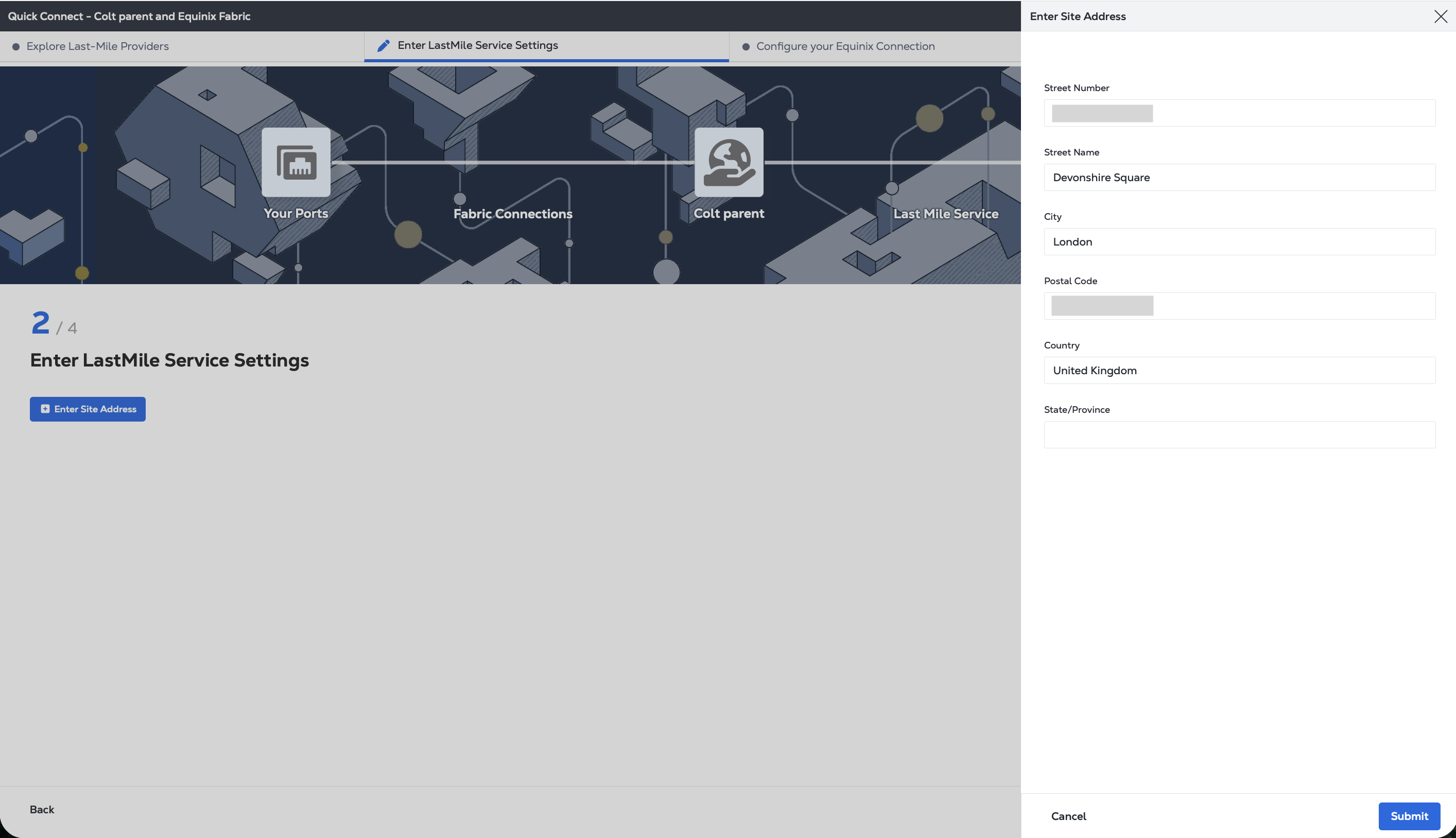
Clique em Inserir endereço do site .
-
Informe o endereço completo onde você precisa de conectividade last-mile. Os endereços são validados quando você clica em Enviar e antes de continuar.
-
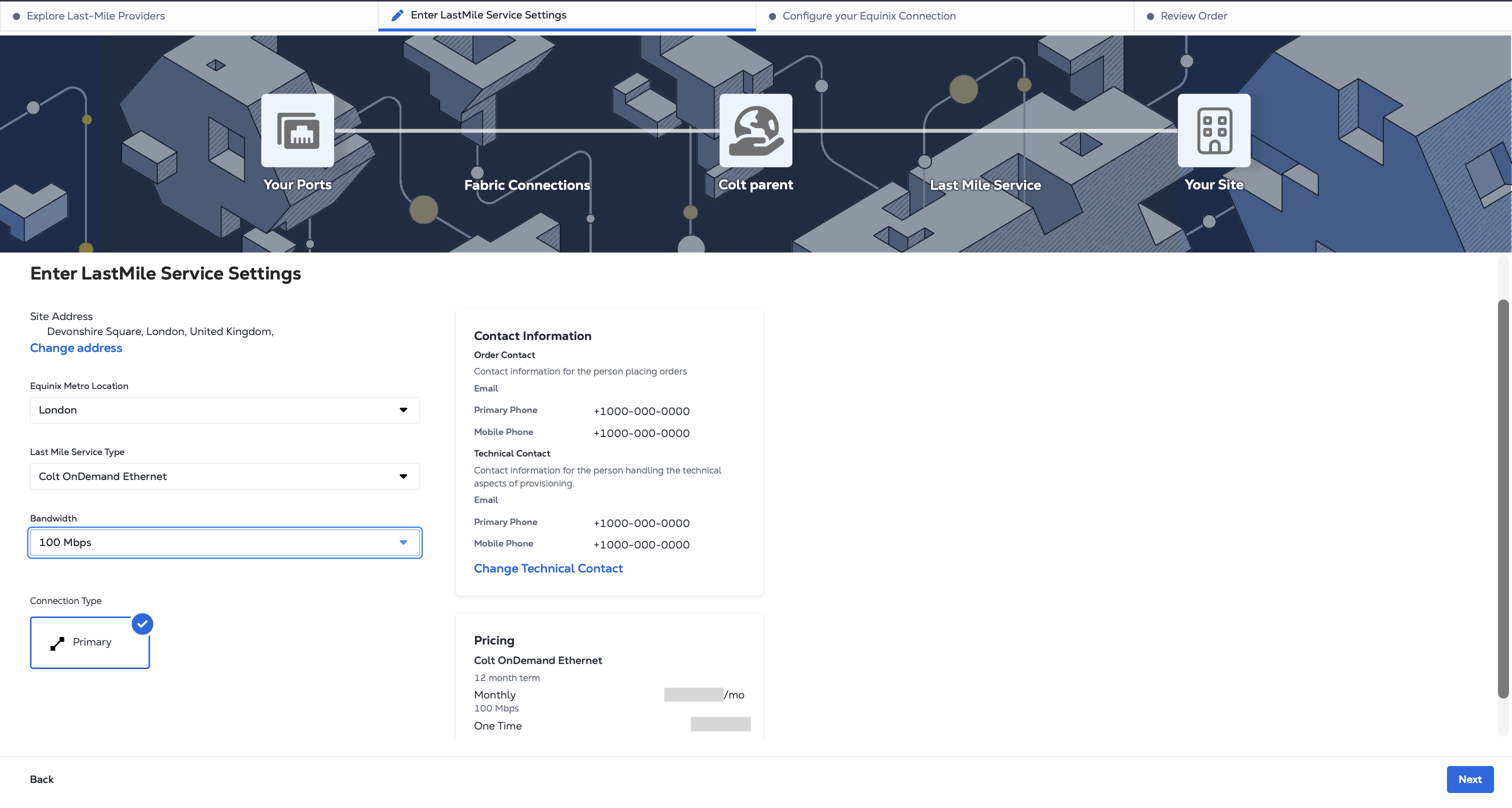
Se um endereço correspondente for encontrado, forneça os detalhes adicionais do serviço: Tipo de serviço, largura de banda e tipo de conexão.
Se você precisar atribuir um contato técnico para este orçamento, clique em Alterar contato técnico e insira o endereço de e-mail dele.
 observação
Para o circuito solicitado, os preços aparecerão imediatamente no painel Preços quando o provedor estiver integrado ao Equinix por meio de APIs, como a Colt está neste exemplo.
-
Consulte as informações e clique em Avançar.
-
A página Configurar sua conexão Equinix oferece as seguintes opções: Obter uma cotação ou criar uma conexão. Clique em Obter uma cotação.
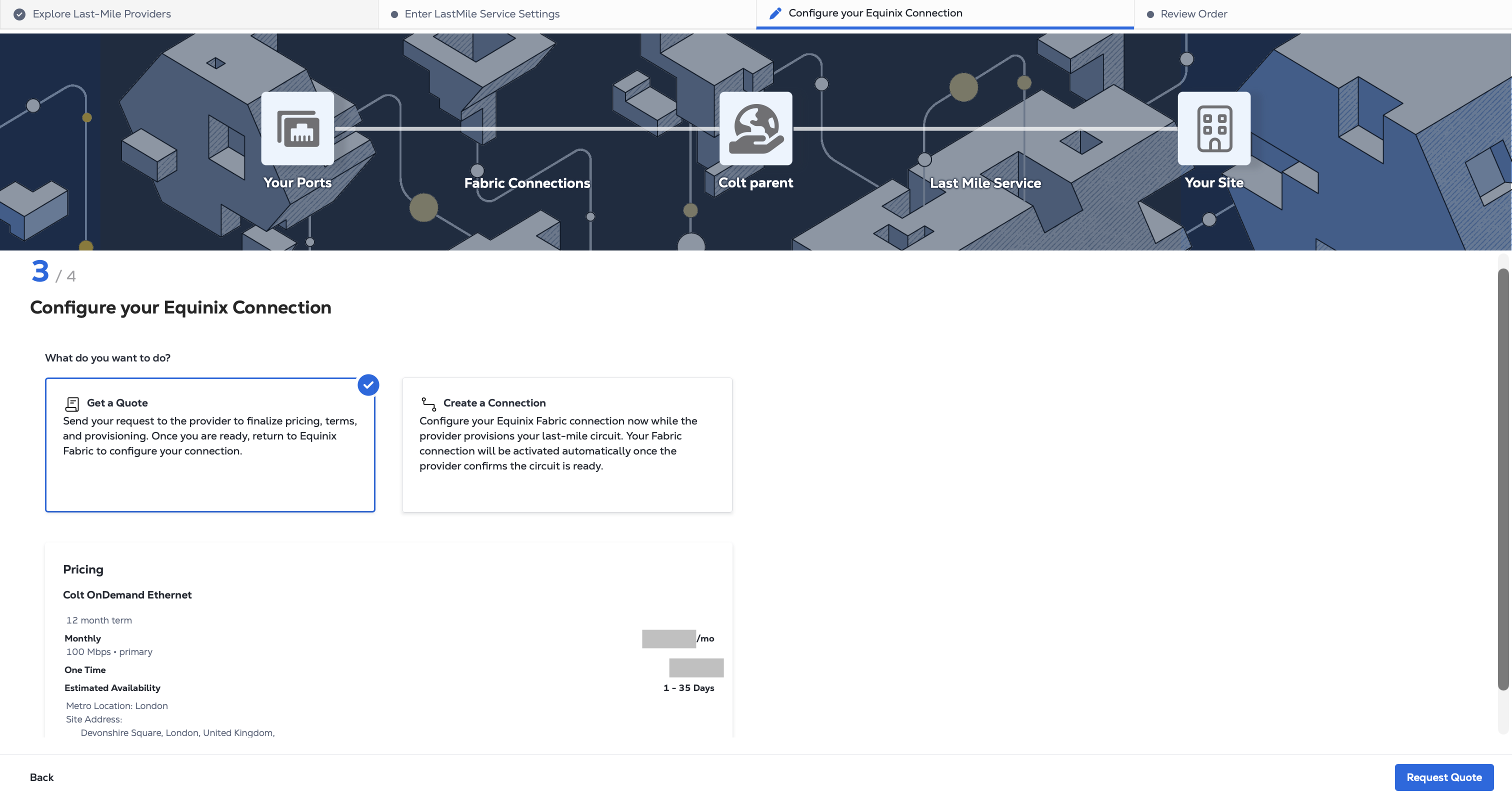
A Equinix enviará a solicitação ao provedor. Um membro da equipe do provedor entrará em contato diretamente com você para confirmar a disponibilidade, preços, requisitos de pedido e próximas etapas. Se você solicitar uma cotação sem configurar a conexão Fabric, poderá retornar ao portal Fabric e criar a conexão depois que o provedor provisionar seu circuito last-mile.
observaçãoAgora, clicar em Criar uma conexão configura a conexão Fabric com o provedor. Se você solicitar posteriormente o serviço last-mile, a conexão Fabric poderá ser provisionada automaticamente quando o provedor confirmar que o circuito está pronto.
-
Consulte as informações e clique em Solicitar cotação.