Prerequisites
Before ordering Equinix Precision Time, ensure that the required network connectivity and permissions are in place. The following prerequisites must be met before ordering Equinix Precision Time services:
-
Precision Time is available only through Equinix Fabric and Network Edge. Other connectivity options are not supported.
-
One VLAN is included with the service. A Fabric port is required and must be ordered separately if not already available.
-
A 1 Gbps Fabric port is sufficient for Precision Time connections. The service has a low bandwidth requirement.
-
Equinix Precision Time is available to IBX data centers that are connected to an Equinix Fabric port in the following global regions: North and South Americas, APAC, and EMEA.
-
An Equinix Fabric port or Fabric Cloud Router (FCR) is required for Precision Time consumption. An Equinix Fabric account is required.
-
A Network Edge virtual device is required when using Network Edge for Precision Time consumption. See Configure Network Edge Devices as Timing Gateways for more information.
-
Determine the type of port to use to connect the network to Precision Time:
- Dot1Q – All VLAN connections are Dot1Q. This is the recommended option.
- QinQ to Dot1Q – QinQ encapsulates the VLAN tag with two layers: an inner tag for your network, and an outer tag for the Equinix network. If you are not required to use this type of port, we recommend that you use the Dot1Q port type.
-
One or two VLAN IDs can be specified during configuration, depending on the port connections used in the network.
-
For Precision Time configurations using PTP, all client devices must use network interface cards (NICs) that support hardware timestamping. See Network Interface Card Requirements for PTP.
For more information on integration requirements, contact Equinix Support.
Equinix Fabric Port and Connection Permissions for Precision Time
Use the Equinix Customer Portal to view and set Equinix Fabric permissions, and place new orders for Equinix Precision Time.
-
Sign into the Equinix Customer Portal.
- You need an account on this portal.
- You need administrator access rights that allow you to view and set permissions.
-
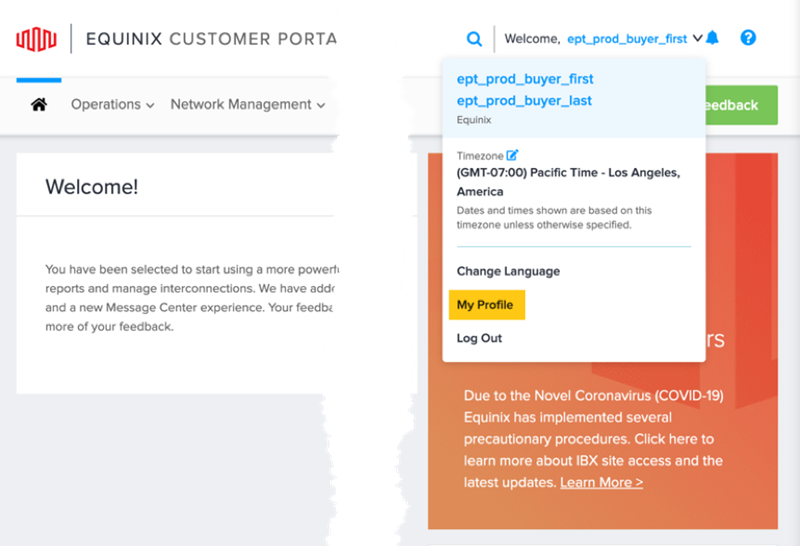
Select your user name at the top right corner, then select My Profile.
-
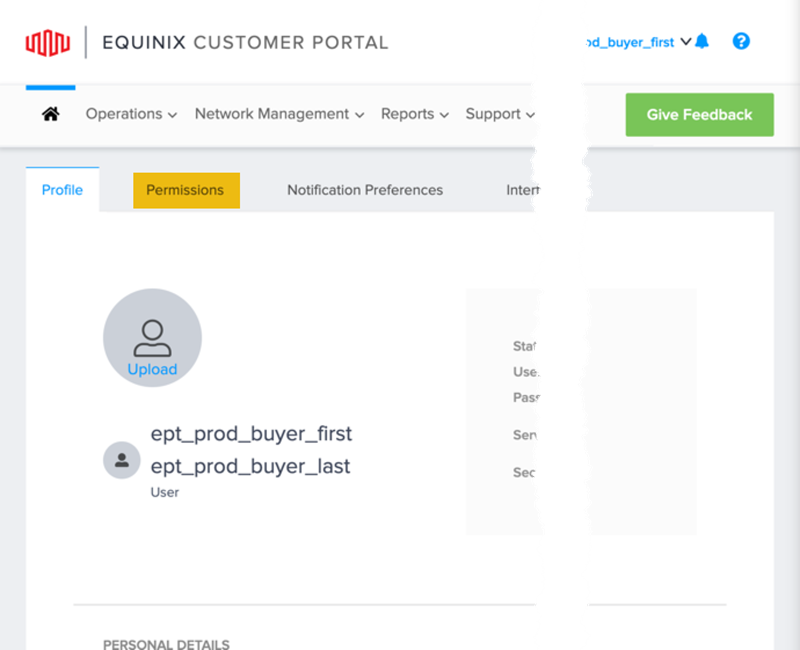
Select Permissions.
-
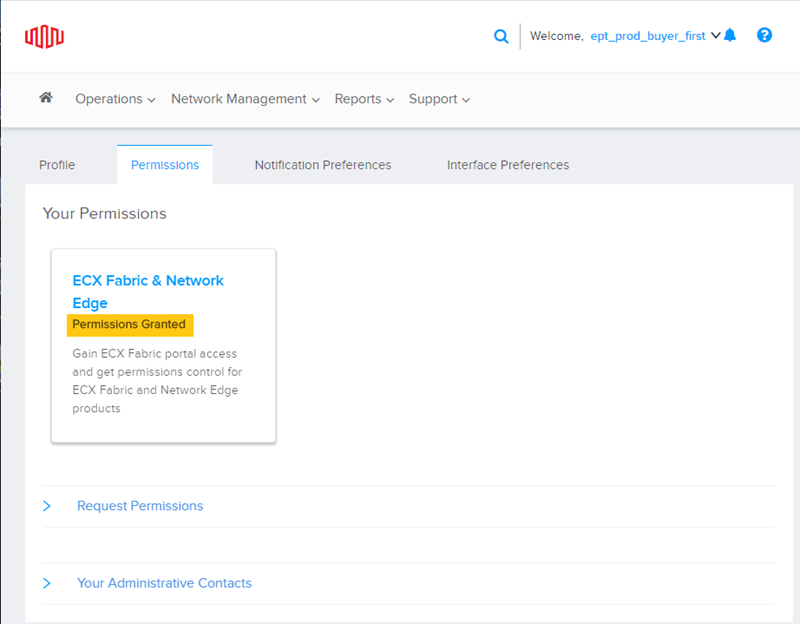
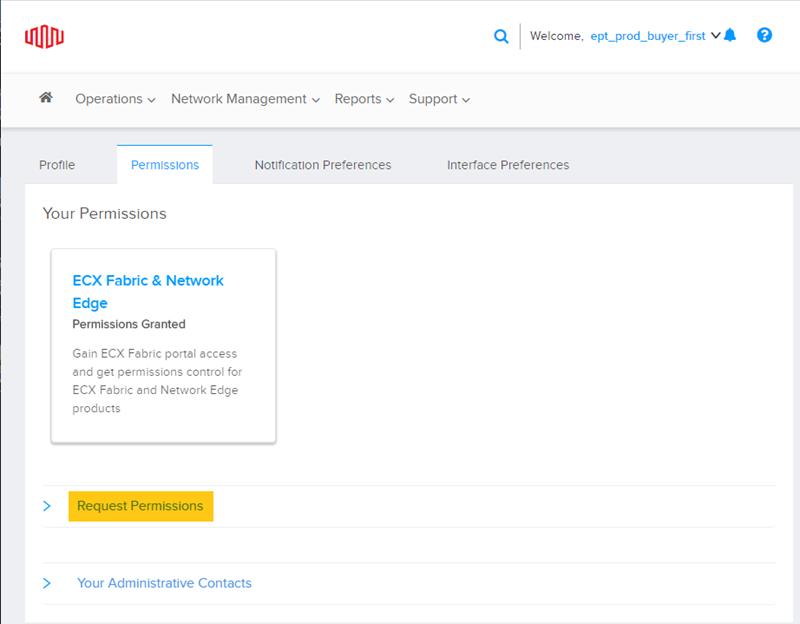
Click Equinix Fabric & Network Edge under Your Permissions.
If you do not see Permissions Granted, see Requesting Permissions below.
 .
.
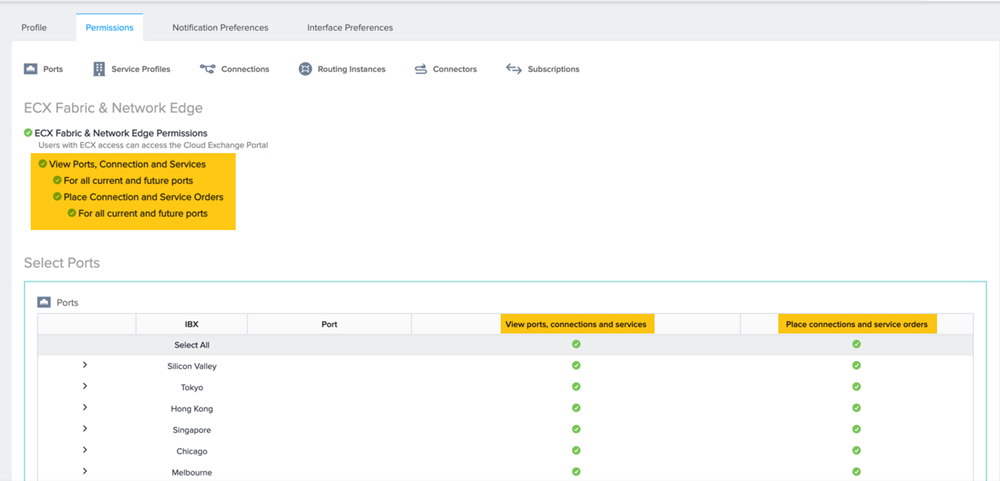
Your permissions allow you to view ports, connections, and services. You can also use the interface to request connections and service orders for your IBXs.
Permissions for Fabric ports:
Permissions for Fabric L2 virtual connections:
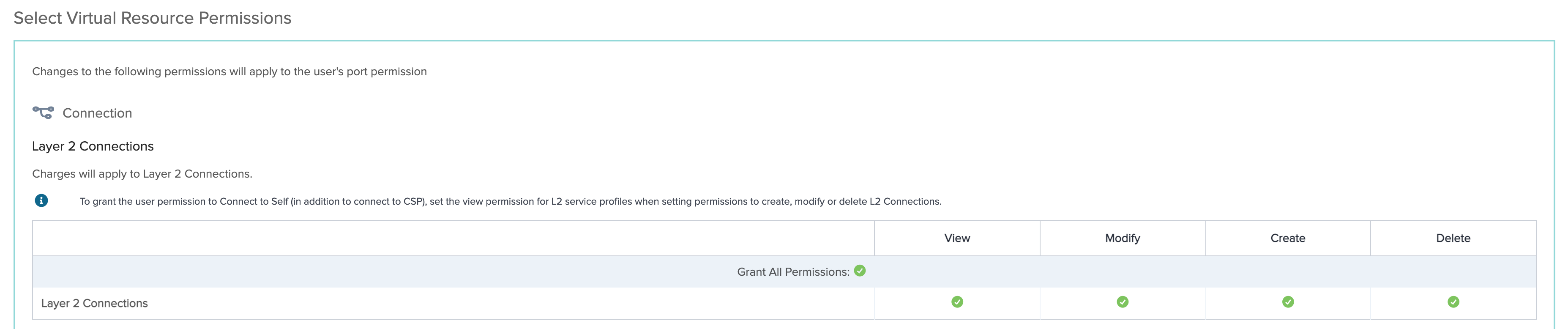
Permissions for Fabric L2 service profiles:

Requesting Permissions
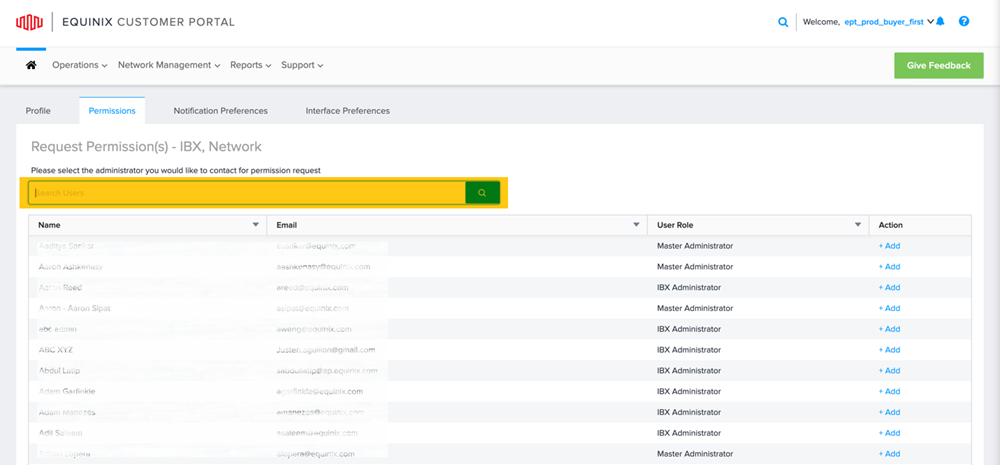
If you cannot access and view your permissions, you must request administrator permissions.
-
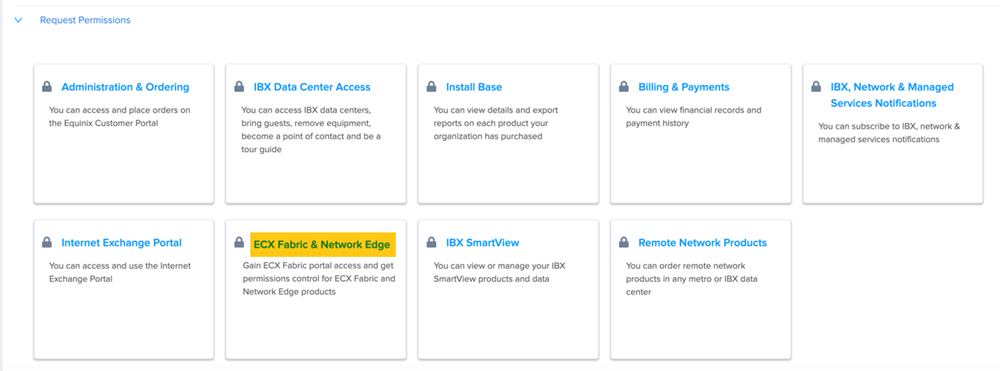
Click Request Permissions to view and order permissions for ports, connections and services.
-
Click Equinix Fabric & Network Edge to request permissions.
-
Find your administrator and request access.
Network Interface Card Requirements for PTP
When integrating with PTP, network interface controllers (NICs) provide accurate timestamping of incoming and outgoing packets. For PTP connections, each device in the network must have a NIC with the following capabilities:
- IEEE 1588 PTP hardware timestamping support. For details, see ethtool examples below.
- IEEE 1588 PTP clock. The NIC is required to have a physical hardware clock (PHC), which is shared between two ports on the NIC. For details, see ethtool examples below.
Most NICs currently in the market support these PTP requirements.
NIC Testing and Configuration
The Precision Time Protocol daemon (PTPd) is the software used by Equinix to test all NICs, and the sample configuration used for PTP client devices.
PTPd is an implementation of the Precision Time Protocol (PTP) version 2, as defined by the IEEE Standard 1588-2008, which provides precise time coordination of Ethernet LAN connected computers. It was designed primarily for instrumentation and control systems. For a sample PTPd configuration, see Sample Configurations.
Verifying NIC Support for Hardware Timestamping
Use the following ethtool command to verify an interface supports hardware timestamping with PTP/NTP:
ethtool -T <NIC_interface_name>
An interface supports hardware timestamping with NTP if ethtool returns the following capabilities and filter mode:
SOF\_TIMESTAMPING\_TX\_HARDWARESOF\_TIMESTAMPING\_TX\_SOFTWAREHWTSTAMP\_FILTER\_ALL
ethtool Examples
The following examples show valid interfaces.
PTP-supported Physical Interface
 $ ethtool -T enp1s0d1
 Time stamping parameters for enp1s0d1:
 Capabilities:
      hardware-transmit      (SOF_TIMESTAMPING_TX_HARDWARE)
      software-transmit      (SOF_TIMESTAMPING_TX_SOFTWARE)
      hardware-receive       (SOF_TIMESTAMPING_RX_HARDWARE)
      software-receive       (SOF_TIMESTAMPING_RX_SOFTWARE)
      software-system-clock  (SOF_TIMESTAMPING_SOFTWARE)
      hardware-raw-clock     (SOF_TIMESTAMPING_RAW_HARDWARE)
 PTP Hardware Clock: 2
 Hardware Transmit Timestamp Modes:
      off      (HWTSTAMP_TX_OFF)
      on       (HWTSTAMP_TX_ON)
 Hardware Receive Filter Modes:
      none     (HWTSTAMP_FILTER_NONE)
      all      (HWTSTAMP_FILTER_ALL)
Non-PTP Interface or a Virtual Interface
 $ ethtool -T eth0
 Time stamping parameters for eth0:
 Capabilities:
     software-receive      (SOF_TIMESTAMPING_RX_SOFTWARE)
     software-system-clock (SOF_TIMESTAMPING_SOFTWARE)
 PTP Hardware Clock: none
 Hardware Transmit Timestamp Modes: none
 Hardware Receive Filter Modes: none
PTP Metro Location Restriction
For PTP packages, an eligible Fabric port must be in the same metro as the PTP service location. The destination service location is restricted to the same metro as the selected Fabric port.