Thales CV1000 Virtual High Speed Encryptor (vHSE)
Thales vHSE on Equinix Network Edge provides end-to-end encryption for data in motion across SD-WAN, hybrid cloud, and multi-cloud environments. You can deploy Thales vHSE from the Equinix Customer Portal.
Licensing
Bring Your Own License (BYOL) products require a valid license. You are responsible for purchasing and managing your own licenses from Thales. To purchase a software license, contact your Thales sales representative or partner.
Create a Thales CV1000 Virtual High Speed Encryptor VNF
-
Sign in to the Equinix Customer Portal and go to the Network Edge Dashboard.
-
Click Create a Virtual Device.
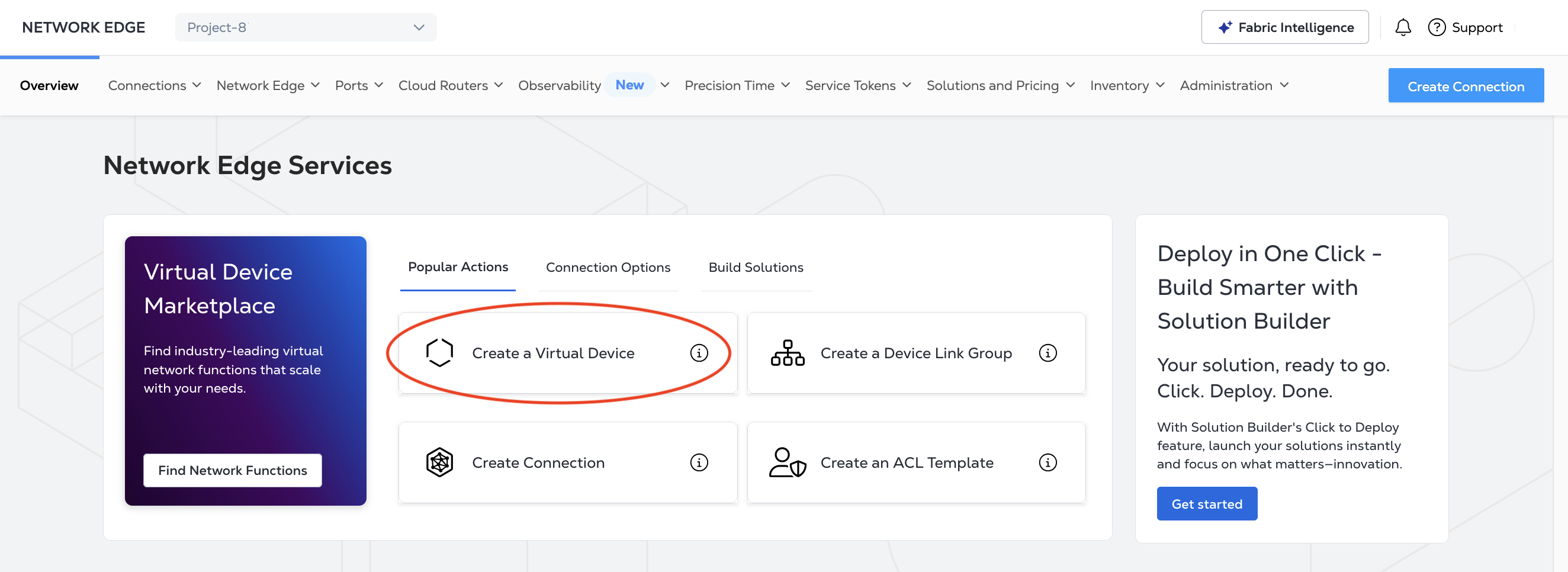
-
In the vendor package section, locate the Thales CV1000 Virtual Encryptor card and click View Details.
-
Click Select and Continue.
-
In the Deployment Type section, click Single or Redundant.
-
Click Begin Creating Edge Devices.
-
Select a Metro.
-
Select a Billing Account or create a new billing account.
-
In the Device Details section, enter a name for your device.
The default number of interfaces is 3, so there is no selection to make in the Interfaces drop-down.
-
Your email address will automatically populate the Notifications field as the person who will receive all notifications about the device. Click Add Emails to add the email addresses of anyone else who should receive notifications.
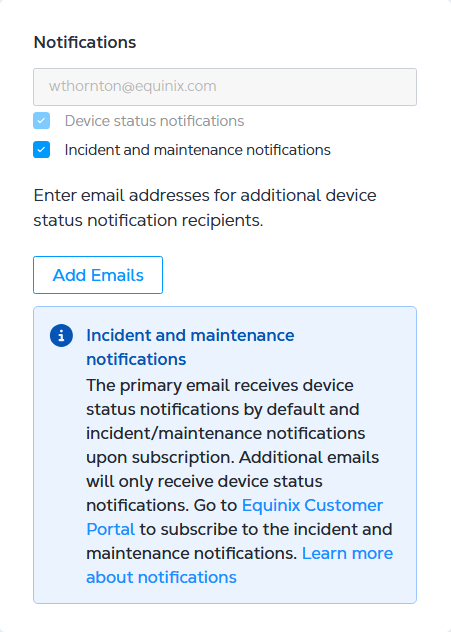
-
Select a purchase order in the Purchase Order Number drop-down.
-
(Optional) Enter an Order Reference/Identifier for the device.
-
Click Next: Additional Services.
-
In the Access Control List Templates section, select an existing ACL template to apply to your device, or click Create Access Control List Template to create a new template.
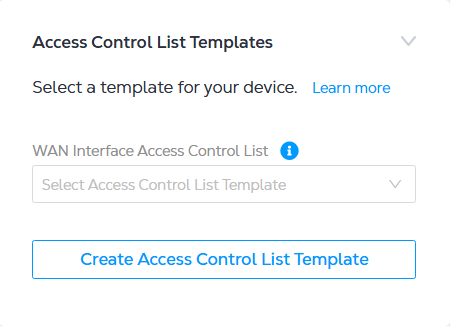
-
In the Default and Additional Bandwidth section, select additional bandwidth in the drop-down if you want to add bandwidth to the default 15 Mbps of internet bandwidth that comes with your device deployment.
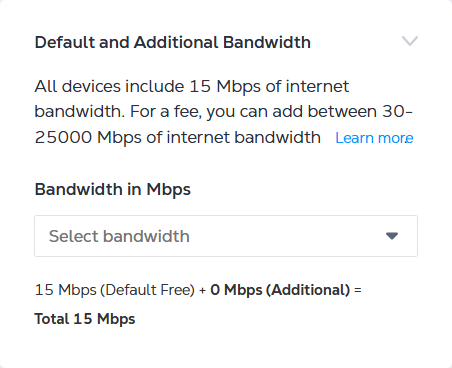
-
Click Next: Review.
-
In the Shared Support section, click I have reviewed this support policy and acknowledge it..
-
Click Create Virtual Device.
Thales vHSE Specifications
| Device Resources | 4 Cores - 4 GB 8 Cores - 8 GB |
| Software Package | Standard |
| Interfaces Supported (default/max) | 3 |
| System Reserved Interfaces | 1 |
| Available License Type | BYOL |
| Access Methods | SSH (CLI) |
| Image Version | See Available Image Versions |
| Connectivity | With Equinix Public IP Address |
| RMA | Supported |
| Snapshot | Supported |
| Resize | Supported |
Support & Resources
Thales support is available for BYOL licenses. Contact your Thales sales representative or partner to purchase a license and support contract.