Create or Configure Devices for Customers
Registered Equinix resellers can manage Network Edge virtual devices for their end-customers. This includes ordering, viewing, and editing devices and their associated services, including managing connections and additional bandwidth. You must have the End Customer Admin role and the Network Edge Device Manager role to manage virtual devices for end-customers.
Any virtual devices and associated services you order for your end-customers are billed to your accounts.
To manage Network Edge resources for an end-customer:
-
Sign in to the Customer Portal and navigate to the Network Edge Dashboard.
-
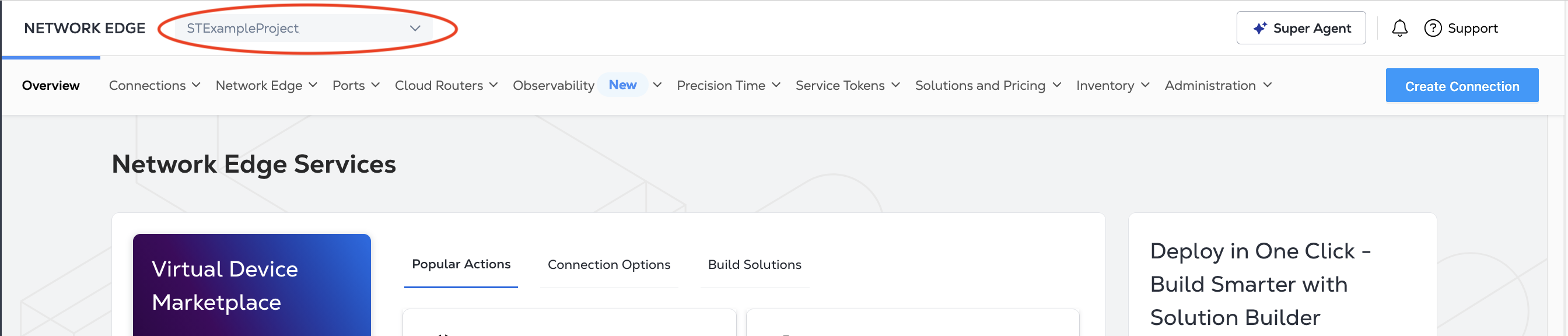
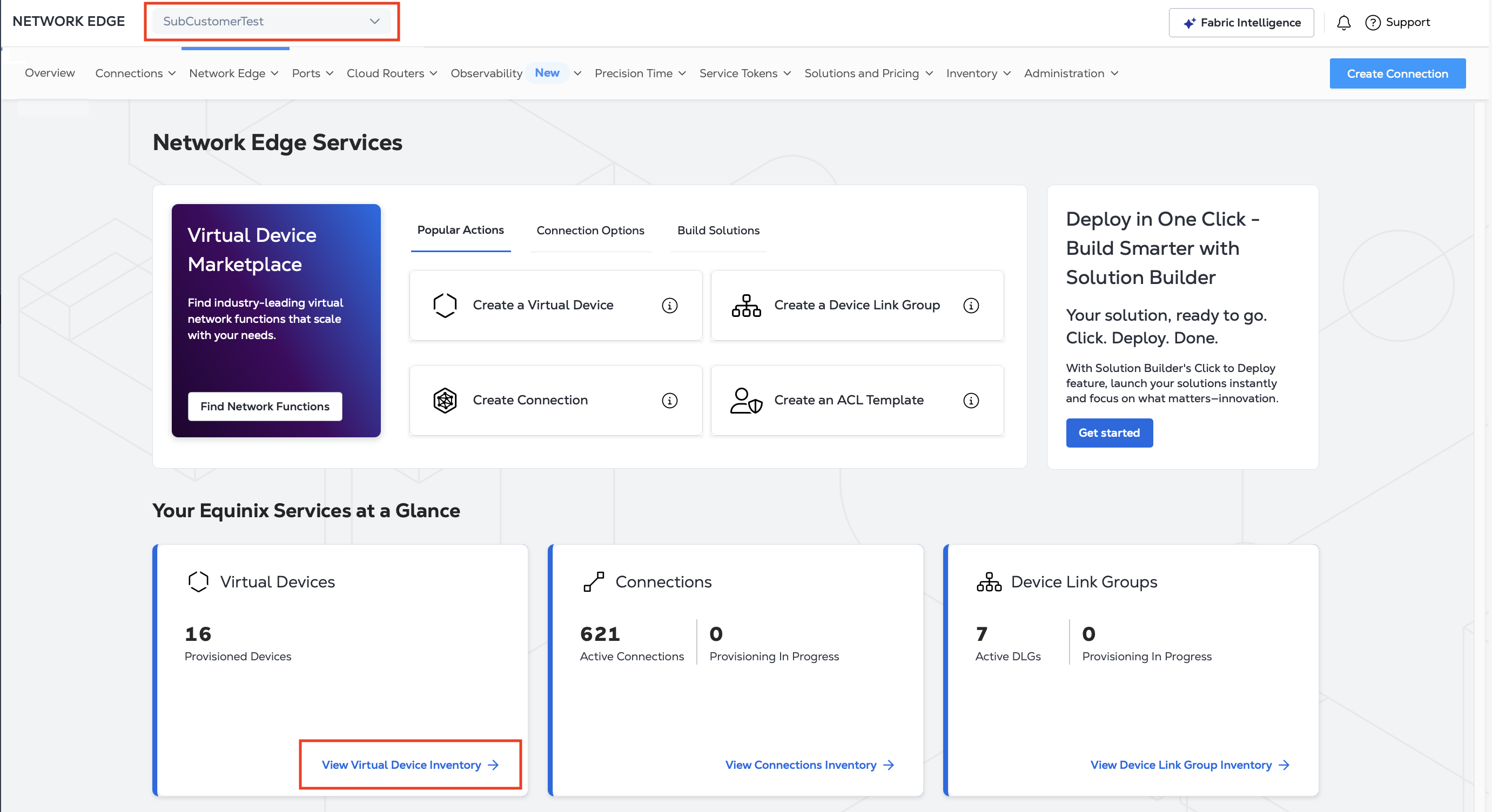
Click the Project Selector drop-down menu.
-
Select your end-customer's project and click Go.
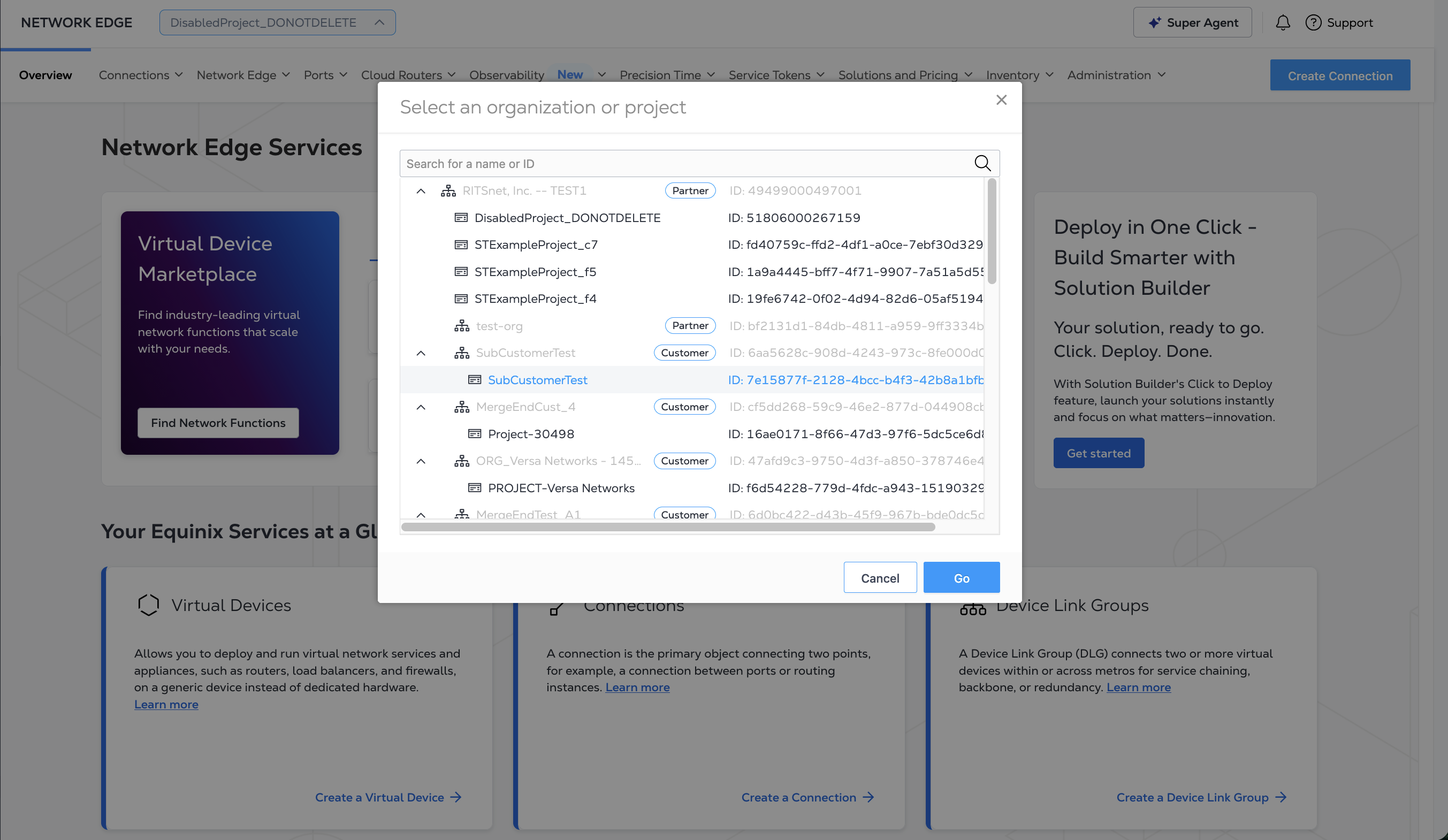
The Network Edge Dashboard updates to reflect the selected Project.
Creating a Device for Your Customer
Once you have selected your end customer Project from the Project Selector, click Create a Virtual Device.
Complete the steps for creating a device, while noting the following:
-
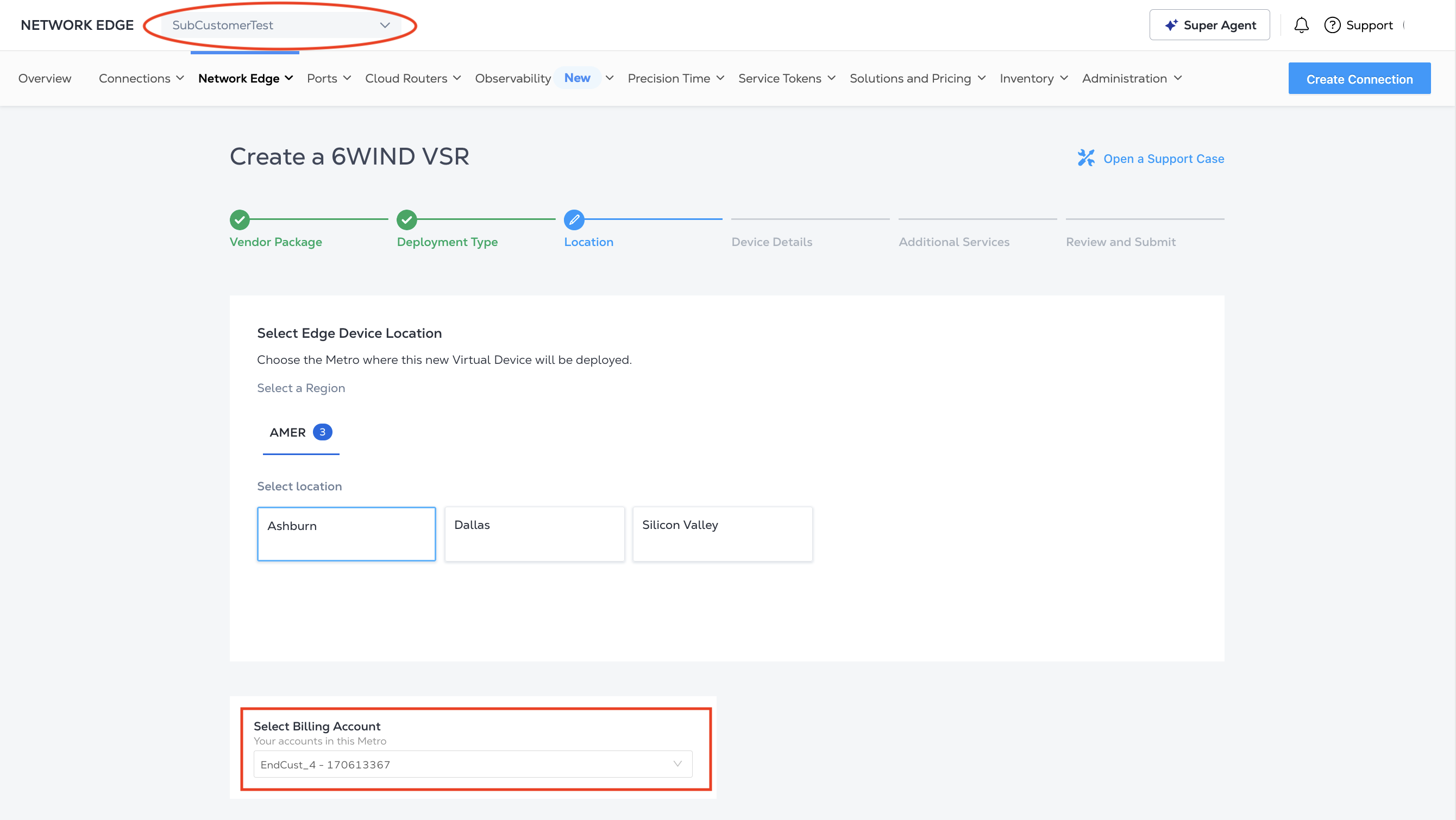
When you get to the Location and Billing Account step, the available billing accounts listed in the drop-down are your billing accounts. Virtual devices you order for your end-customers are billed to your accounts.
-
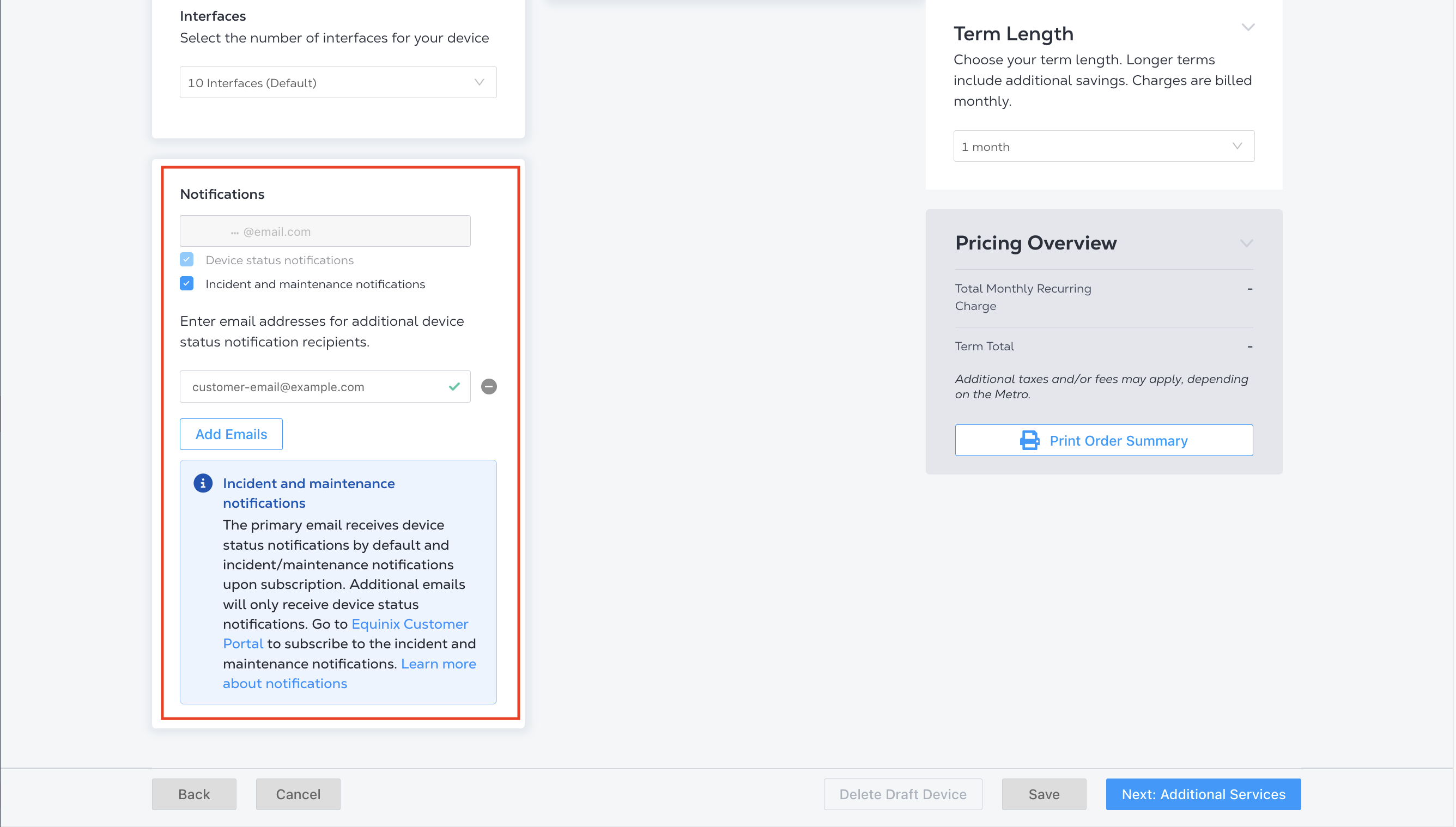
When you get to the Device Details step, add one of your end customer users as a notification contact so both you and your end customer user receive notification emails about this order.
-
When you reach the review step, check to see that you have selected the correct billing account and added the correct notification contacts.
End Customer users can also order devices if you have given them sufficient access and permissions.
Managing End Customer Devices
To see all of your end customer devices, ensure that you have selected the end customer Project from the Project Selector and click View Virtual Device Inventory.
The Virtual Device Inventory displays all the devices in the end customer Project, including both the devices you have ordered and any devices the end customer has ordered.
Both you and your end customer can manage the devices if you have given end customer users the appropriate access and permissions, including: