Operational Statuses
An operational status describes the current runtime condition of a virtual network function (VNF). It indicates whether the VNF is active and ready to process traffic, suspended, shutdown, or experiencing an error condition.
Status Definitions
| Status | Description |
|---|---|
| Running | The VNF is powered on and operational. The operating system is running, and the VNF can process traffic and execute workloads. |
| Shutdown | The VNF is powered off and not processing traffic or executing workloads. |
| Suspended | Execution of the VNF is temporarily suspended while its current state is preserved. The VNF does not process traffic while suspended. |
| Errored | The VNF has encountered a condition that prevents normal operation, such as a boot failure, infrastructure issue, or configuration error. Customer Support intervention may be required to restore service. |
Viewing Operational Status
You can view the operational status of a VNF on the Virtual Device Details page in the Equinix Customer Portal.
The Device Details section displays the current operational status of the VNF.
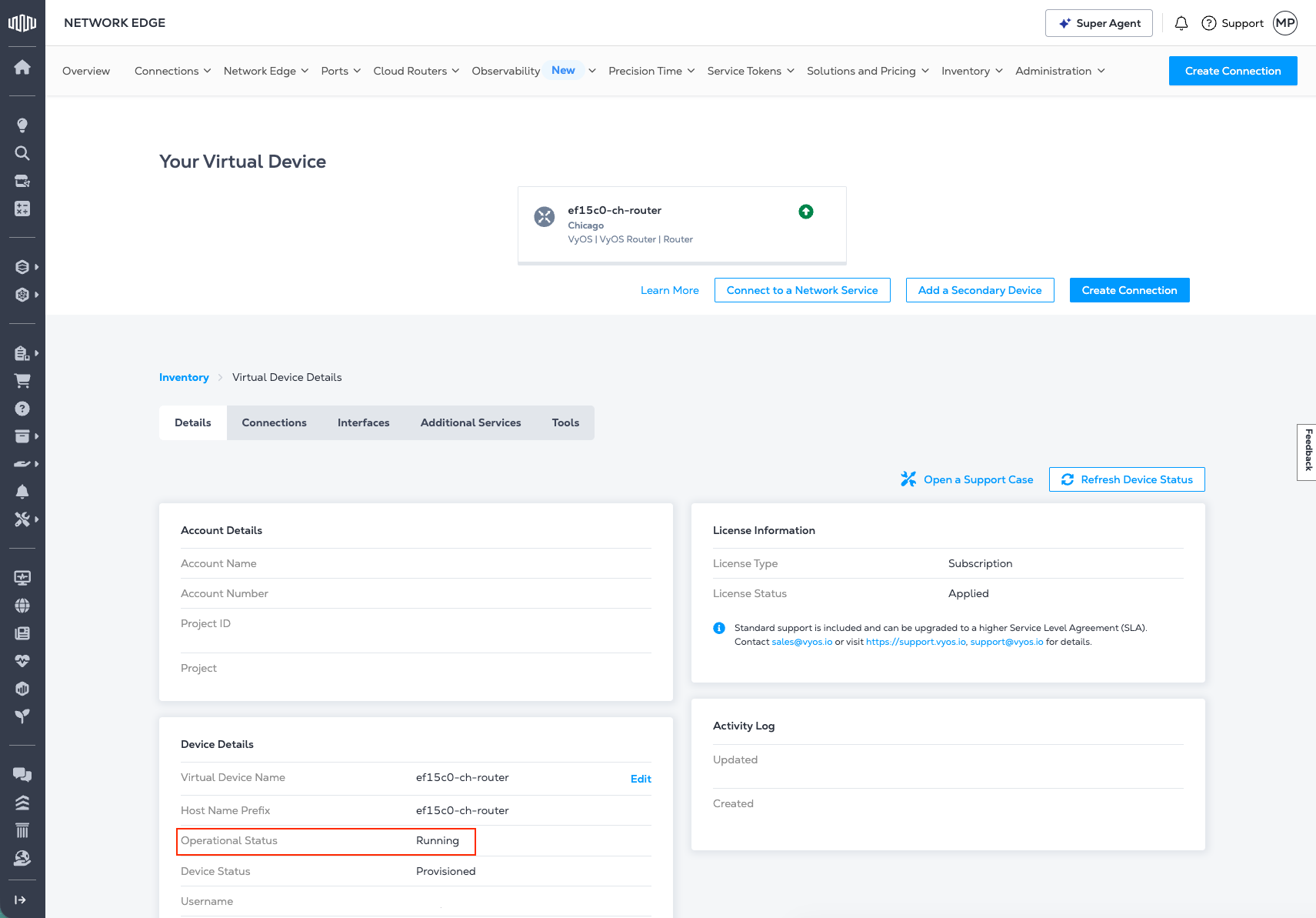
For more information about the Device Details section, see Virtual Device Details.
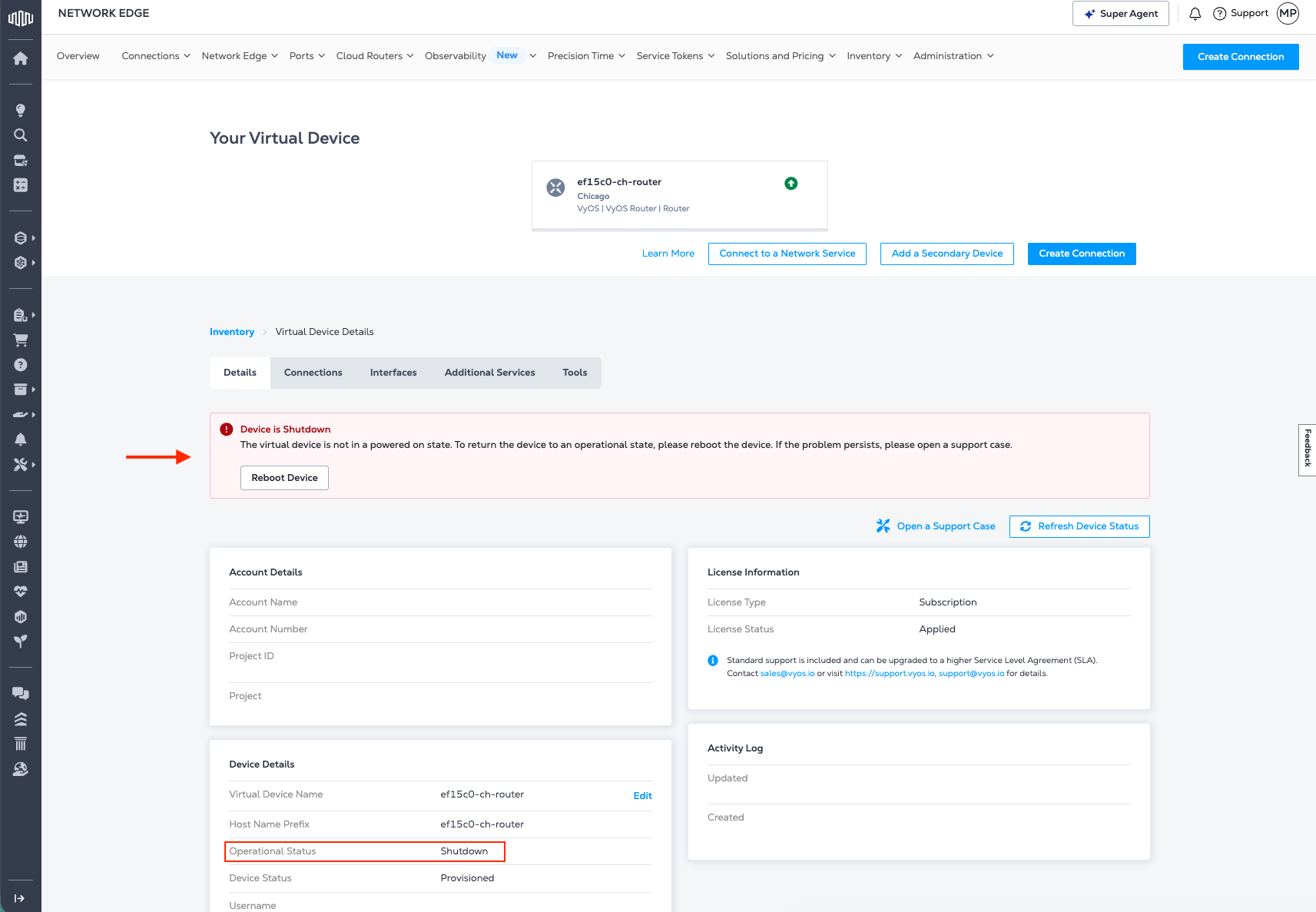
When a VNF changes from Running to Shutdown, the new status is displayed and a warning prompts you to Reboot Device to restore the VNF to Running. A logged-in user with permission to reboot the device can do so.
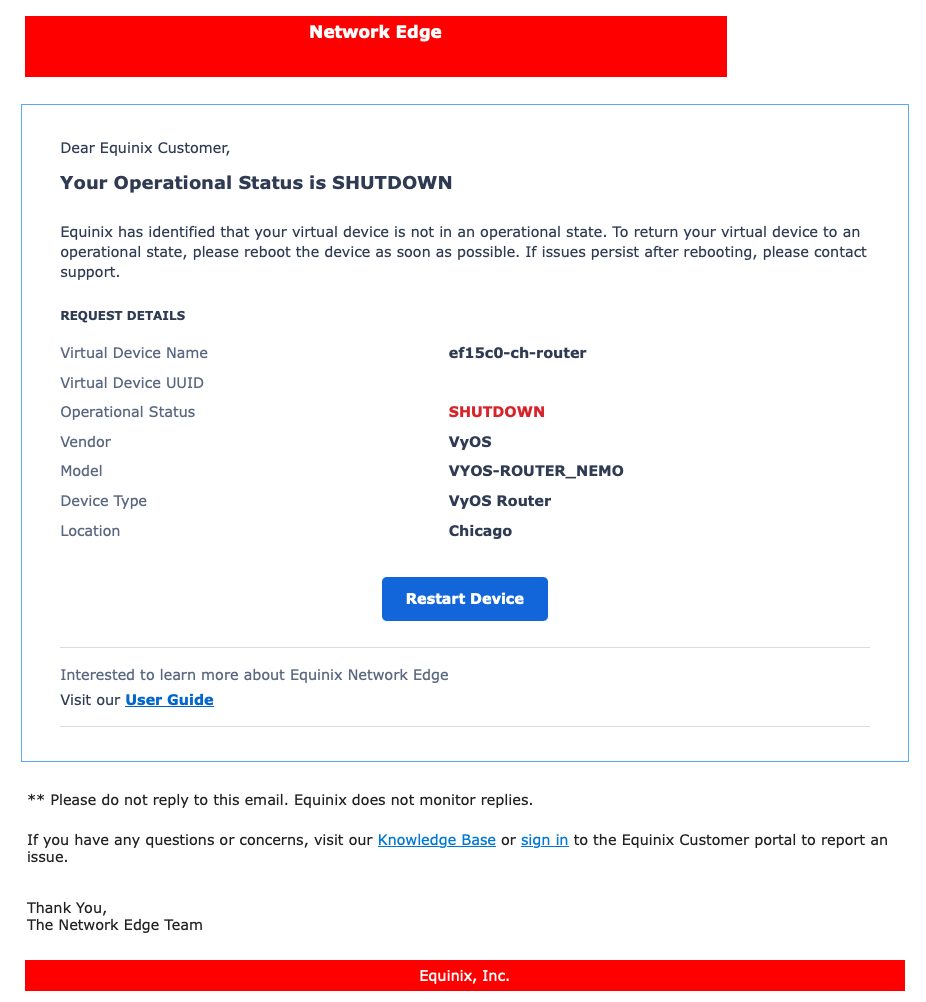
Shutdown Email Notification
In the event a VNF transitions to a shutdown state, an email notification will be sent to the email address(es) defined under Notification Details.
Operational Status Behavior
The expected operating state for a healthy VNF is Running.
The following conditions may require attention:
| Status | Operational Impact |
|---|---|
| Shutdown | The VNF is unavailable and does not process traffic. |
| Suspended | The VNF is temporarily unavailable and does not process traffic until resumed. |
| Errored | The VNF may be partially or completely unavailable depending on the underlying failure. |
If a VNF enters an unexpected Shutdown, Paused, or Errored state, try rebooting the VNF by following the steps in Reload Device, or contact Equinix Support for assistance.