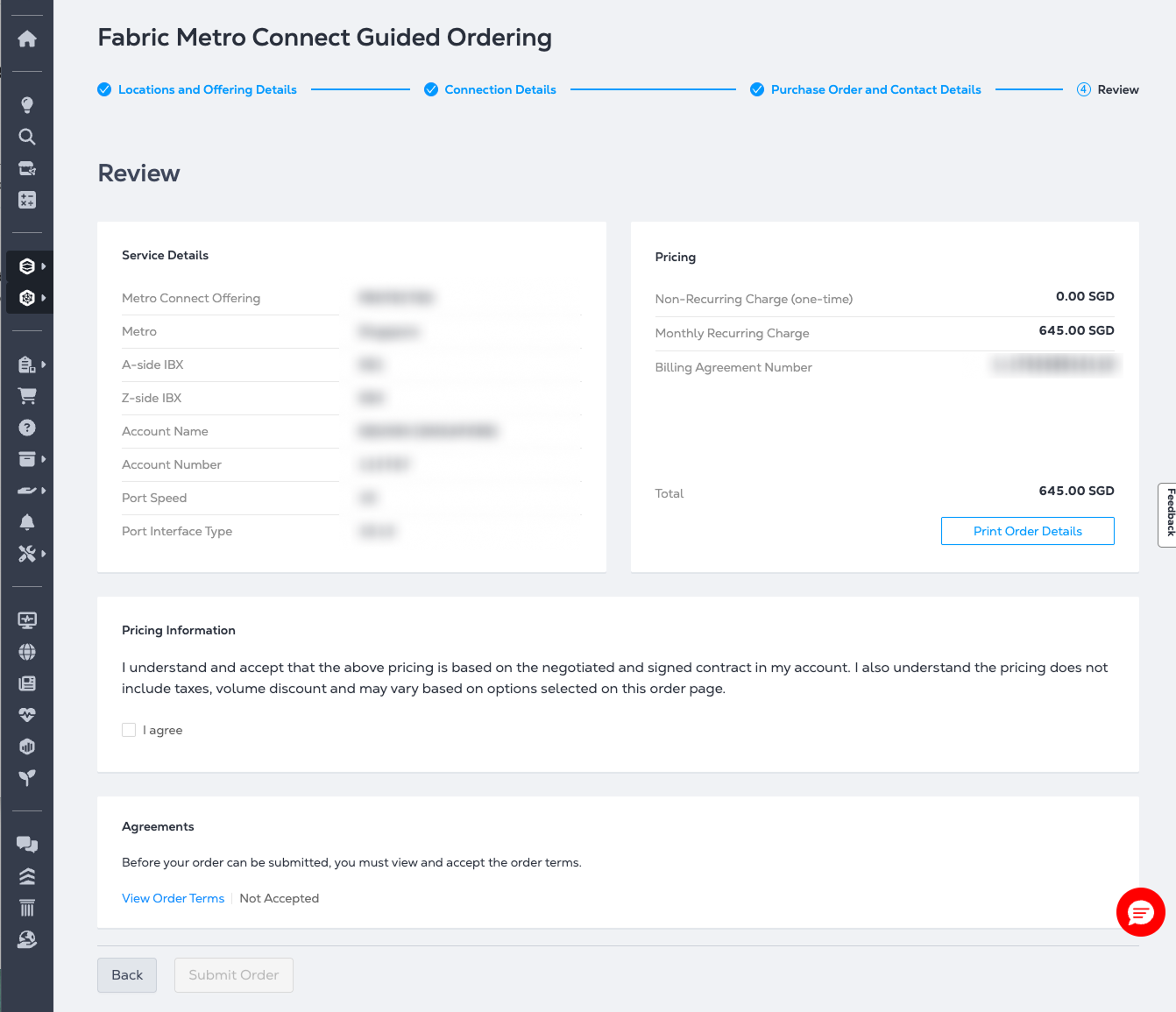
Pricing and Billing
-
Sign in to Customer Portal.
-
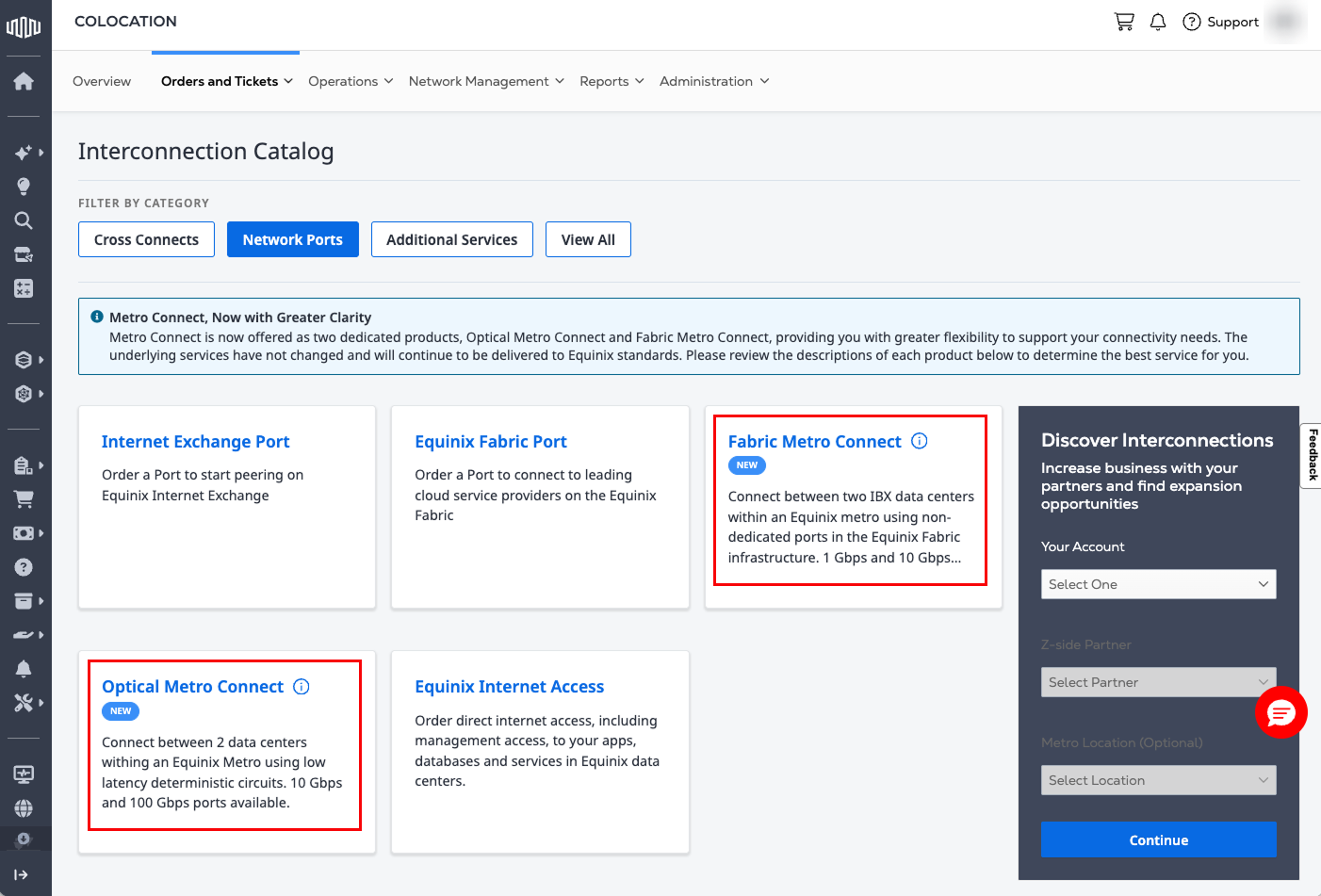
From the Orders and Tickets drop-down list, choose Network Ports.
-
In the Interconnection Catalog, select either Fabric Metro Connect or Optical Metro Connect.
-
Depending on the selected service, the corresponding ordering workflow opens and displays Metro Connect availability, location information, and service details for the selected location.
-
Complete the Locations and Offering Details section by selecting the following:
- Metro area
- A-side IBX data center
- Z-side destination details:
- To another Equinix customer in the IBX data center
- To "Myself in the IBX data center"
- To a Building Meet-Me Room (BMMR)
-
Provide the basic Connection Details:
- Billing account
- Protection level (Dual-Diverse, Protected, or Unprotected)
- Port speed
-
Add purchase order and internal references for the order in the Purchase Order and Contact Details section.
-
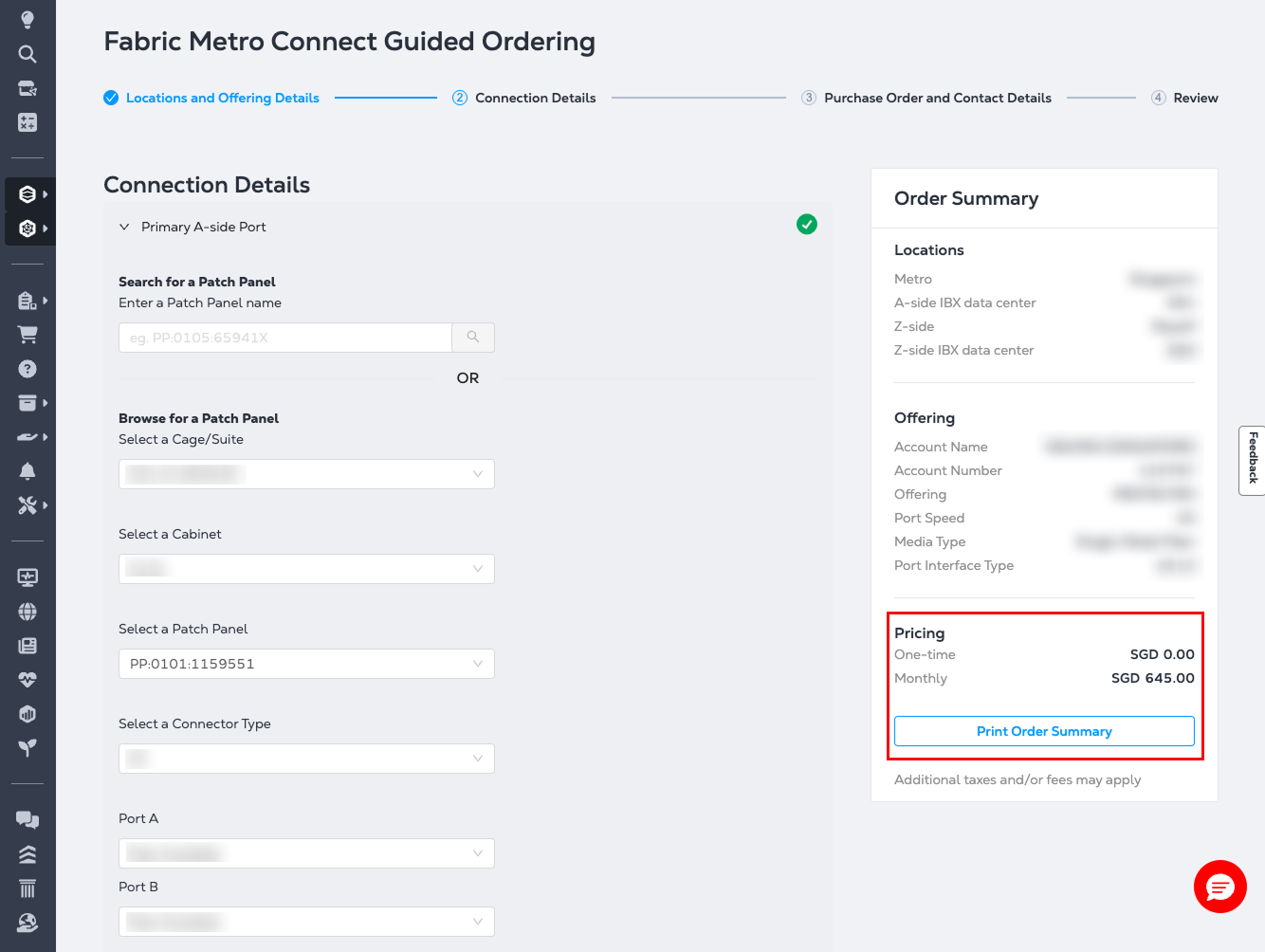
The Order Summary on the right updates automatically as you configure your order, including pricing changes.
- Select Print Order Summary to download the Order Summary.
-
In the Review page, verify your order details, pricing, and agreements before submitting the order.
- Select Print Order Details to download a copy of the order.