Equinix Metal will be sunset on June 30, 2026. The user documentation will be removed on September 30, 2026.
Inventory and Capacity
Equinix Metal's hardware offerings vary by Metro, and are subject to consumer demand and data center capacity fluctuations. Every Metro offers a baseline of on-demand inventory of the m3.small.x86 and n3.xlarge.x86 standard server plans.
Standard server plans and Workload Optimized plans are also available through Reserving Servers on a contract in all our Metros, although some configurations and quantities may be subject to delivery times. Please note: due to import restrictions/costs, Sao Paulo may have limitations.
High-demand Metros
High-demand Metros feature expanded on-demand capacity, and a wider set of our standard server plans. These sites also often feature full-time Equinix Metal staff. Our high-demand Metros are:
| Region | Country | Metro | Code |
|---|---|---|---|
| AMER | United States | Dallas | DA |
| AMER | United States | Washington DC | DC |
| AMER | United States | Silicon Valley | SV |
| EMEA | Netherlands | Amsterdam | AM |
| EMEA | Germany | Frankfurt | FR |
| APAC | Singapore | Singapore | SG |
| APAC | Australia | Sydney | SY |
Checking Capacity
- Console
- CLI
- API
When you provision a server from the console, available inventory is automatically filtered by the Metro you select.
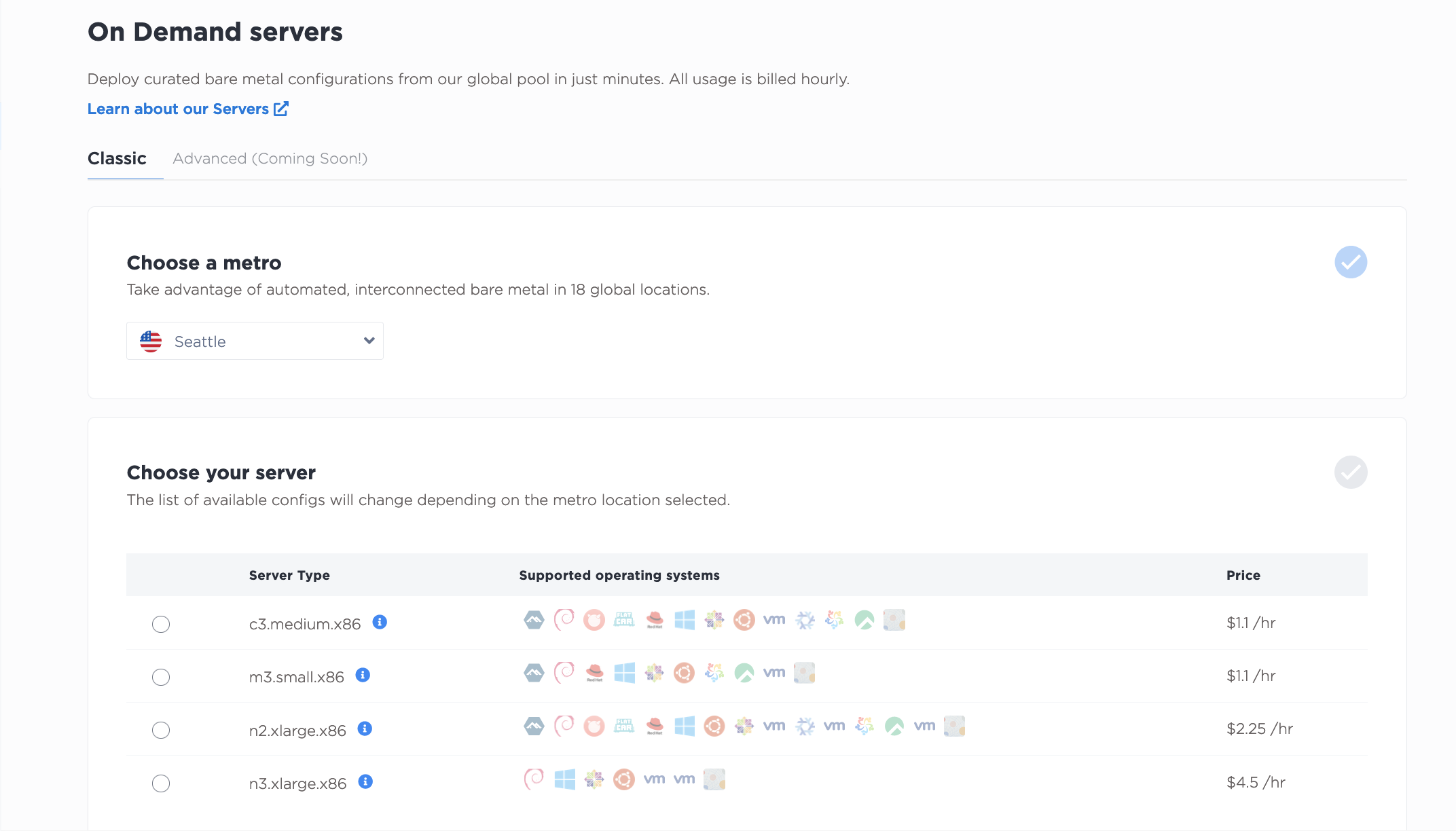
If you are provisioning a server from your Reserved Servers, it is already set aside for you in the Metro you requested.
You can check capacity in the CLI with the `metal capacity' command.
metal capacity get
You can also check the availability of specific server plans in all Metros.
metal capacity get -m -P <plan or list of plans>
Or check the availability of server plans in specific Metros.
metal capacity get -m <metro or list of metros> -P <plan or list of plans>
Capacity responses are one of the following:
- Normal - There are plenty of servers available.
- Limited - There are servers available, but the stock is limited.
- Unavailable - Servers of a particular type and data center combination are not available.
You can also check to see if your provisioning request can be fulfilled in a Metro.
metal capacity check -m <metro> -P <plan> -q <quantity>
The response will indicate true if the servers are available, and false if there is no available capacity to fill your request.
To check capacity at all Metros, make a GET request to the /capacity/metros endpoint.
curl -X GET -H 'X-Auth-Token: <API_TOKEN>' https://api.equinix.com/metal/v1/capacity/metros
Capacity responses are one of the following:
- Normal - There are plenty of servers available.
- Limited - There are servers available, but the stock is limited.
- Unavailable - Servers of a particular type and data center combination are not available.
You can also check quantity of what is available in a specific Metro by sending a POST request to /capacity/metros endpoint, with the Metro and plan set in the body of the request.
curl -X POST \
-H "Content-Type: application/json" \
-H "X-Auth-Token: <API_TOKEN>" \
"https://api.equinix.com/metal/v1/capacity/metros" \
-d '{
    "servers": [
        {
            "metro": "<metro_code>",
            "plan": "<server_type>",
            "quantity": <integer>
        }
    ]
}'
If the request will succeed, the servers object will contain an additional field "available":true in the response. If the request will fail, the servers object will contain an additional field "available":false in the response.