サブスクリプションの作成
Equinixメッセージングゲートウェイ(EMG)をセルフサービス方式でサブスクライブし、 イベントベースのチャネルを介してPlatform Equinixと統合できます。
前提条件
- お客様は、カスタマーポータルにアクセスするための有効なユーザー認証情報をお持ちです。
- Messaging Gateway 通知を注文および受信するには、必要な権限が必要です。
開発者設定にアクセス
-
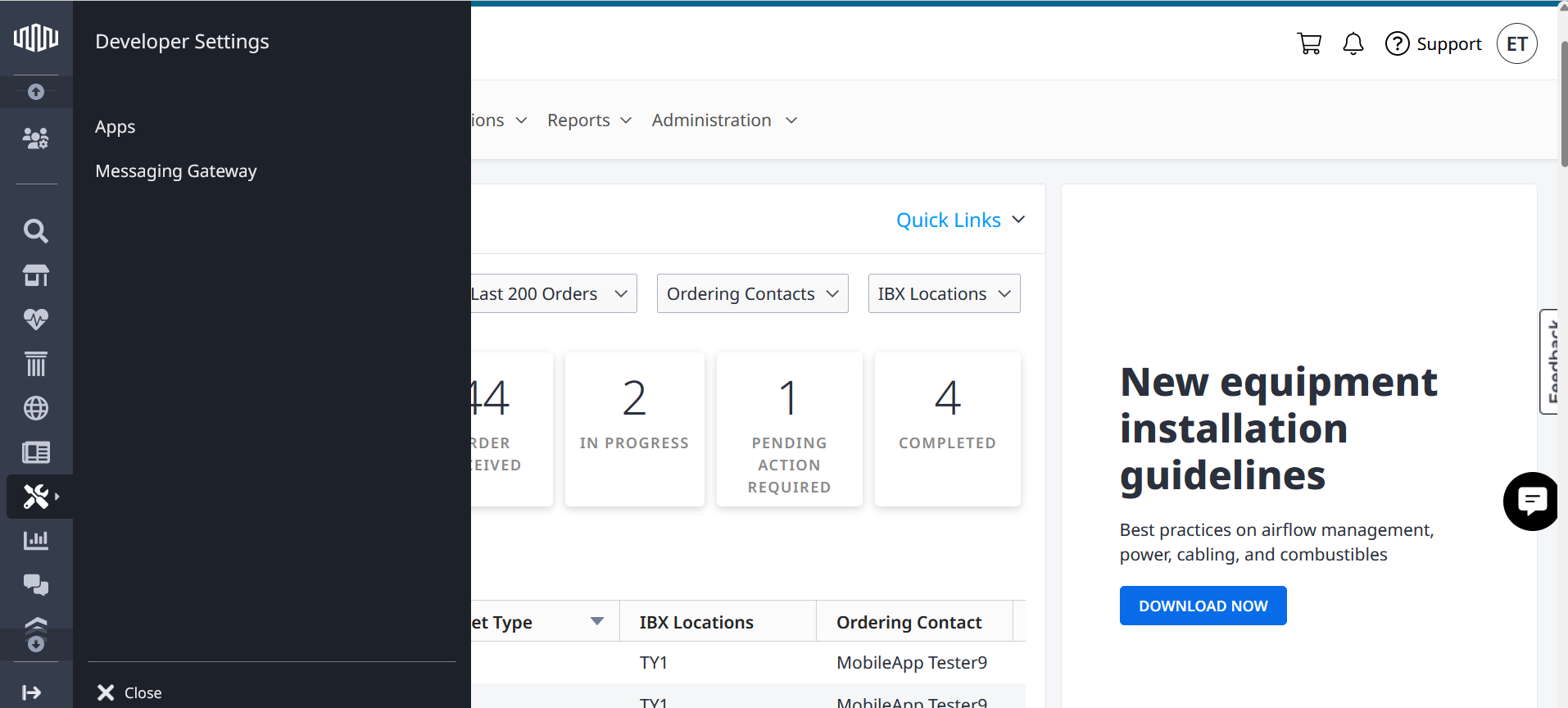
グローバルナビゲーションメニューから、[開発者設定]>[メッセージングゲートウェイ]を選択します。
プラットフォームとAPIを初めて使用する前に、表示されているAPIライセンス 契約を読み、同意する必要があります。
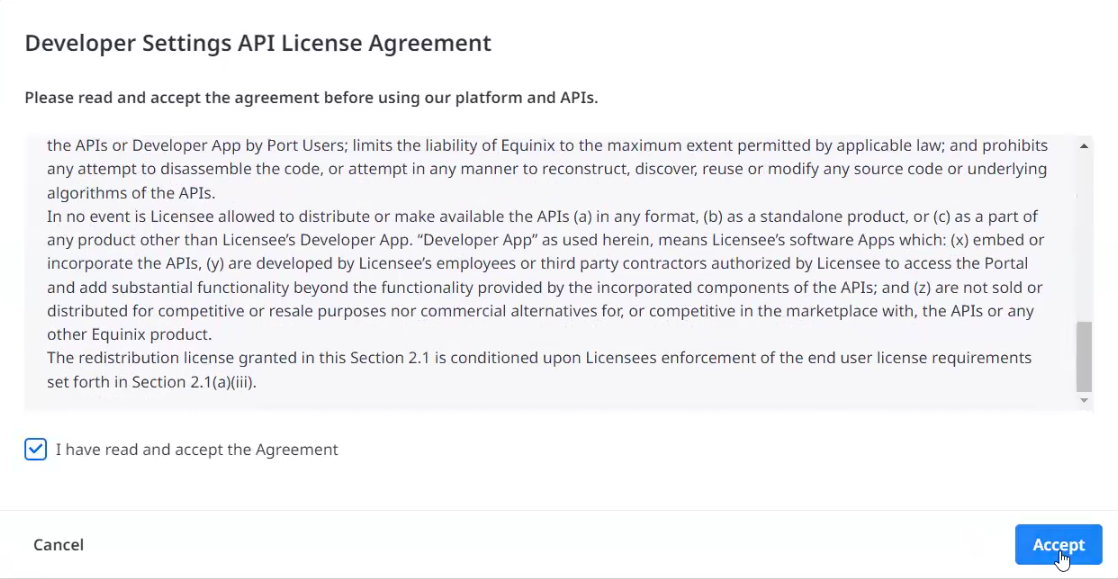
契約に同意すると、「_追加情報」_セクションで確認できます。
サブスクリプションの作成
-
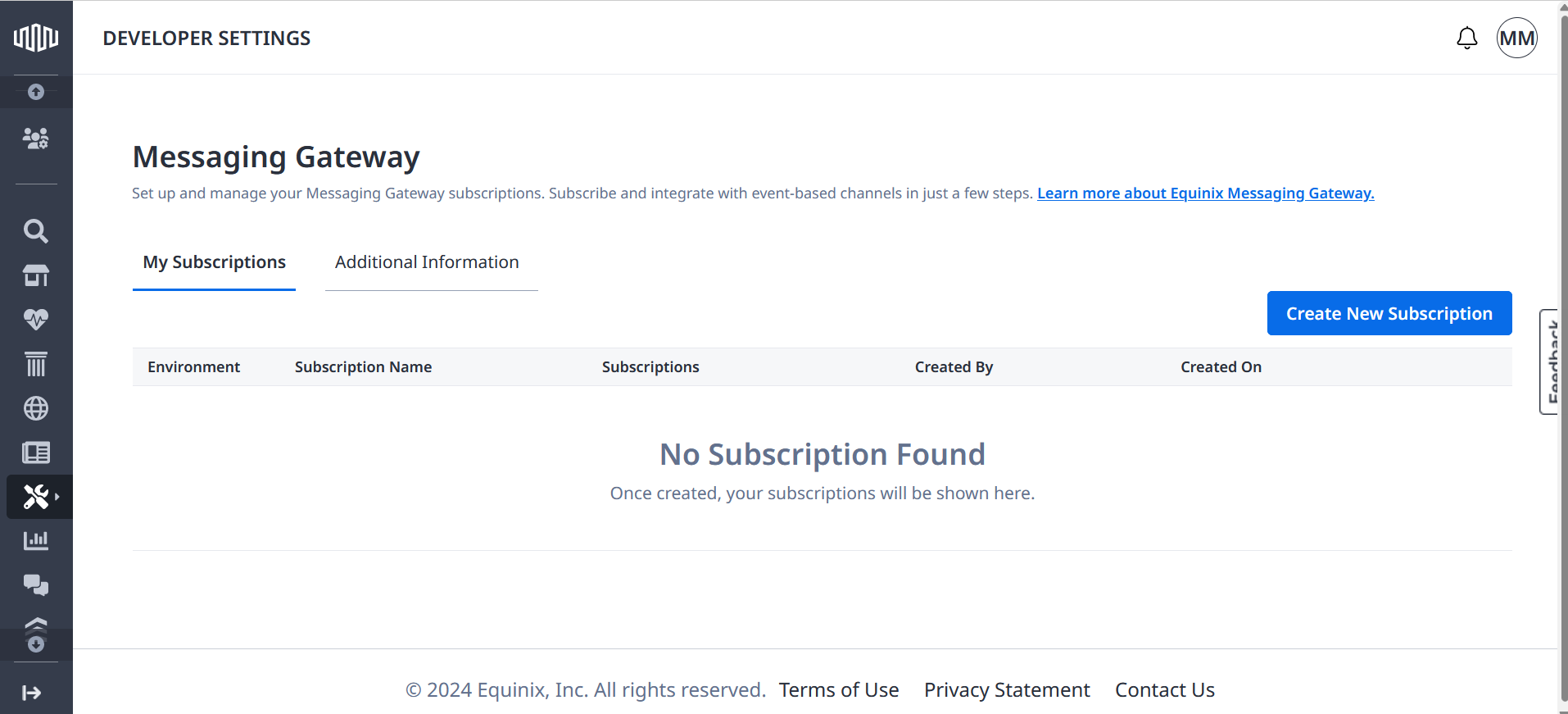
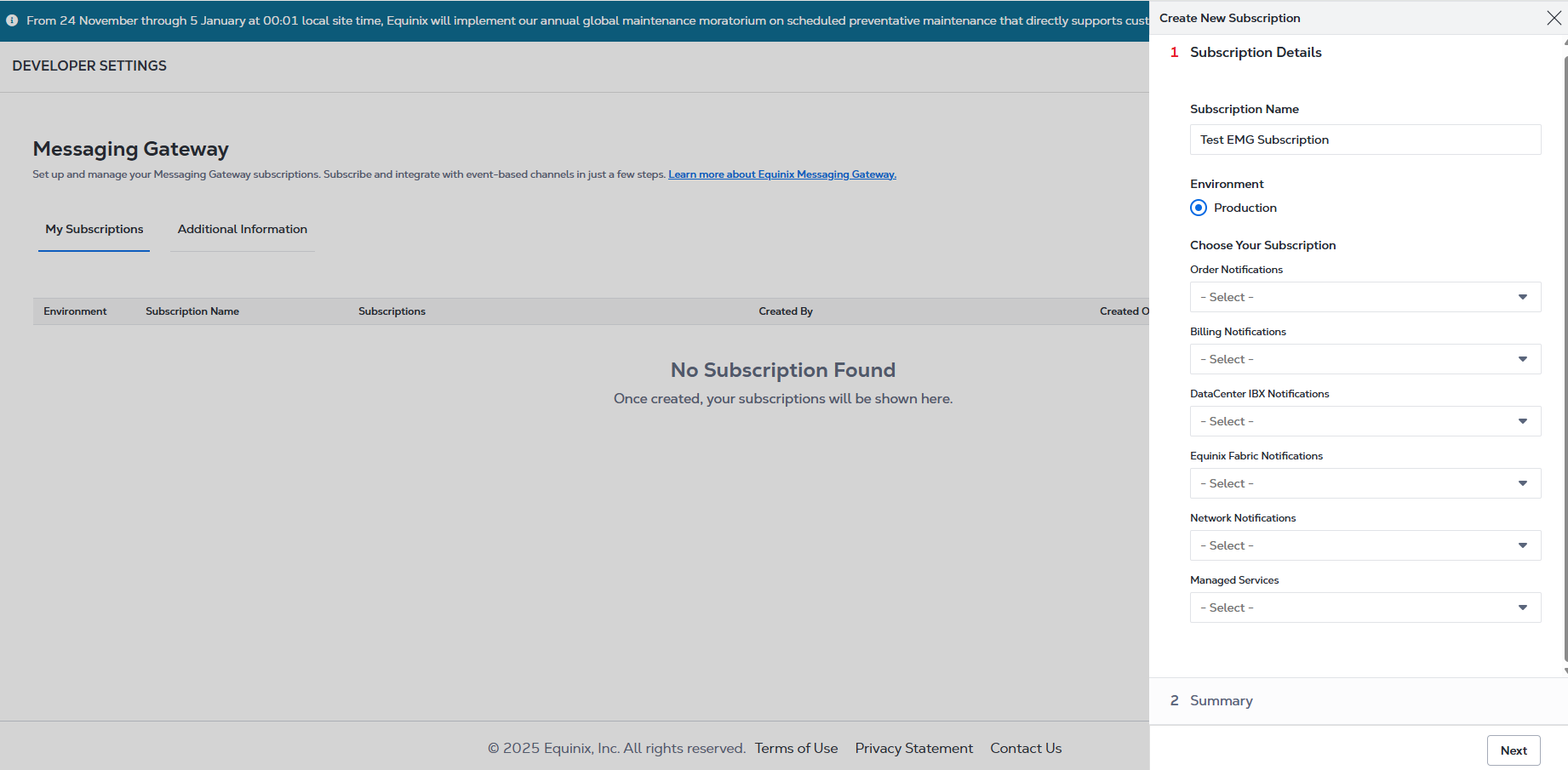
[新しいサブスクリプションを作成]をクリックします。
-
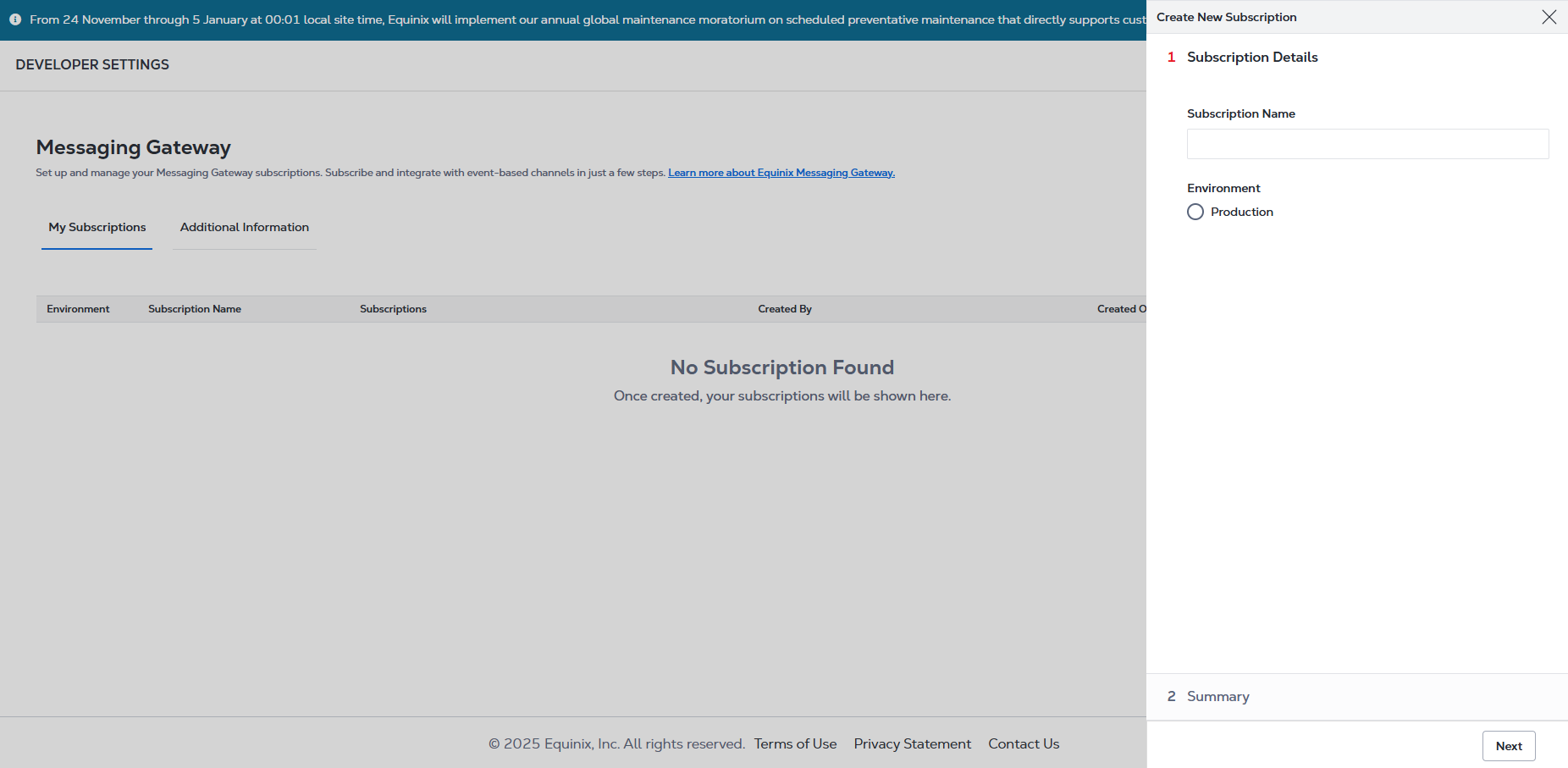
_サブスクリプション名を_入力します。
-
サブスクリプションの統合環境を選択します:
- プロダクション:サブスクリプションを本番環境のライブ設定に統合する場合に選択します。
 メモ
メモアクティブなサブスクリプションは、1つの環境につき1つに制限されています。
通知タイプの選択
EMGの通知を受け取りたい商品やサービスを選択してください。
- 請求通知 - 送信した注文が完了し、エクイニクスが請求を開始すると通知を受け取ります。
- IBX通知 - アドバイザリー、インシデント、メンテナンス、セキュリティインシデントなど、データセンター拠点における計画的および計画外のメンテナンスに関する通知を受け取ります。
- Equinix Fabric通知 - Equinix Fabricポートとプロビジョニングされた仮想接続の通知を受け取ります。
- ネットワーク通知 - ネットワークインシデントやメンテナンスの通知を受け取ります。
- オーダー通知-カスタマーポータル、API、またはEMGを介して行われたオーダーに関する通知を受信します。これには、Cross Connect、Smart Hands、入館、出荷、トラブルチケットのオーダーがさまざまな段階を経て進行する際のステータス更新が含まれます。これらの通知を受信する場合は、[はい]を選択します。
オーダー関連の通知は、EMGオーダー管理とは異なります。EMGオーダー管理(EMGを介してオーダーを作成する機能)は廃止されていますが、オーダー通知は引き続き完全にサポートされており、どのチャネルを通じて行われたオーダーについても、貴重なステータス更新が提供されます。
適切な権限がない場合、通知タイプによっては利用できないことがあります。
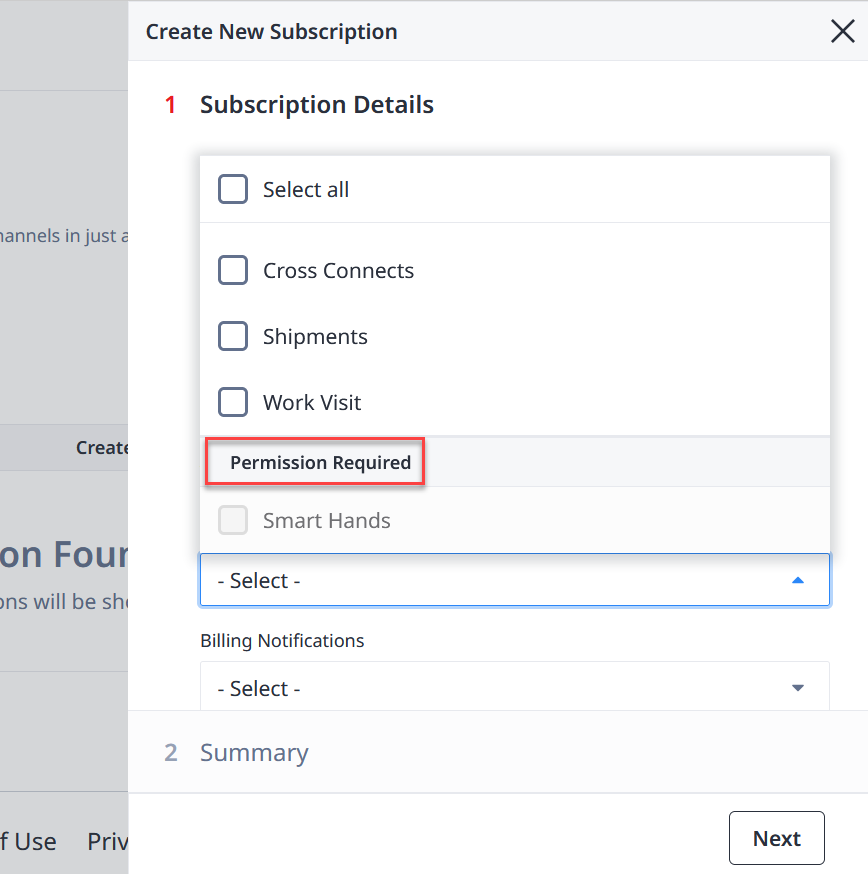
ご自身のユーザー権限が不明な場合や、エクイニクスの製品やサービスへのアクセスが必要な場合は、主管理者にお問い合わせください。
[次へ]をクリックします。
サブスクリプション概要の確認
サブスクリプションの概要を確認してください。サブスクリプションを作成する前に、サブスクリプションの詳細と認証を編集できます。
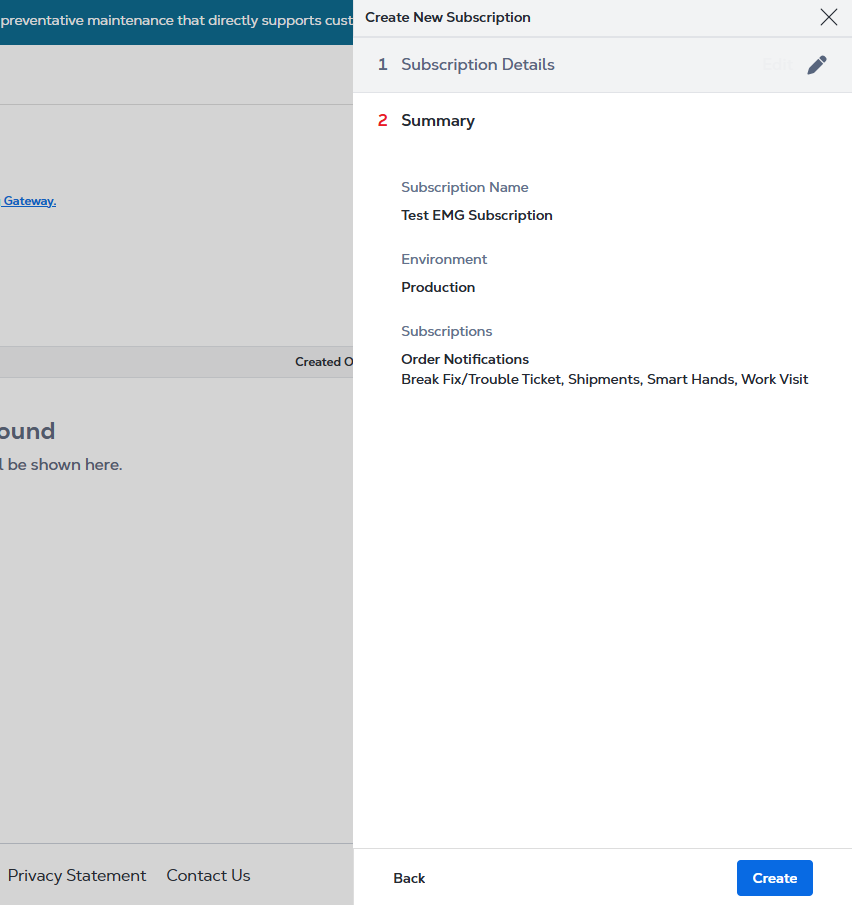
サブスクリプションの有効化
すべてのデータを確認したら、[作成]をクリックして新しいサブスクリプションを作成します。
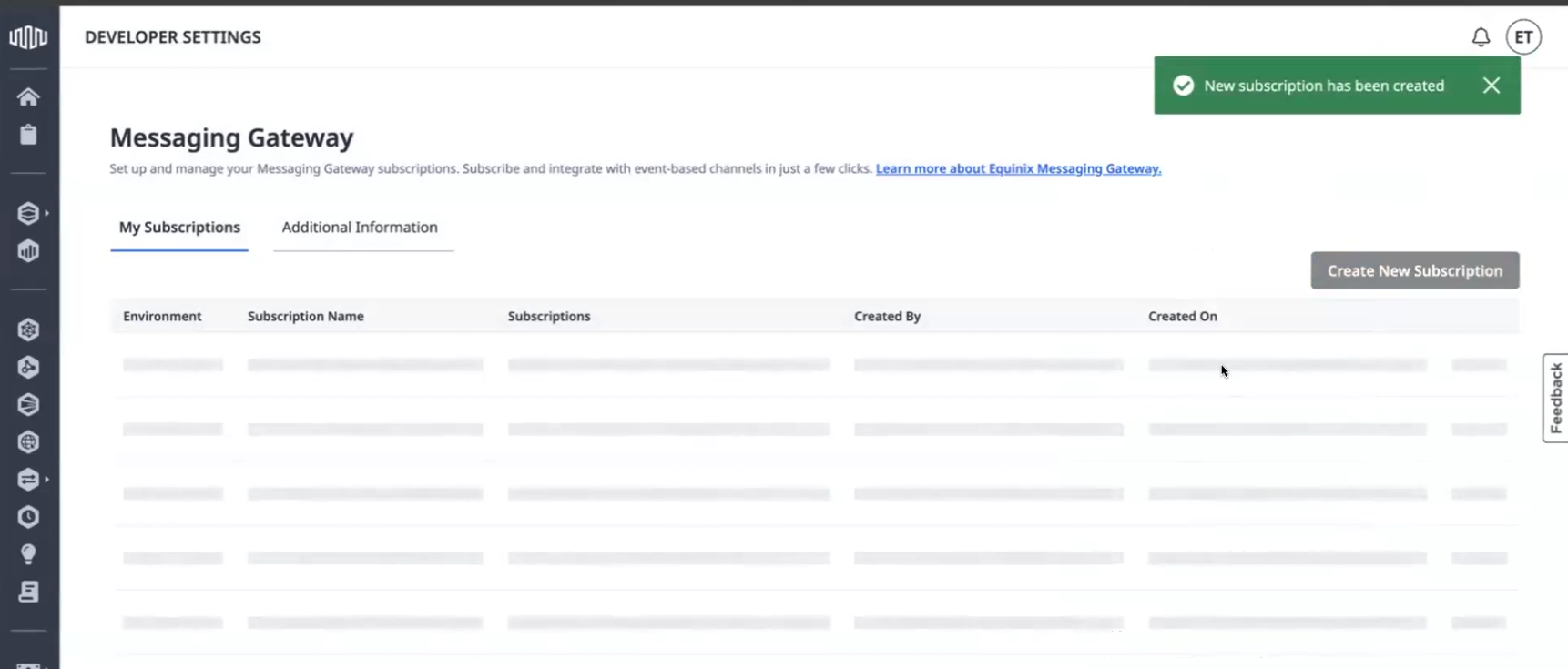
新しく作成されたサブスクリプションは、_[マイサブスクリプション]_リストに表示されます。
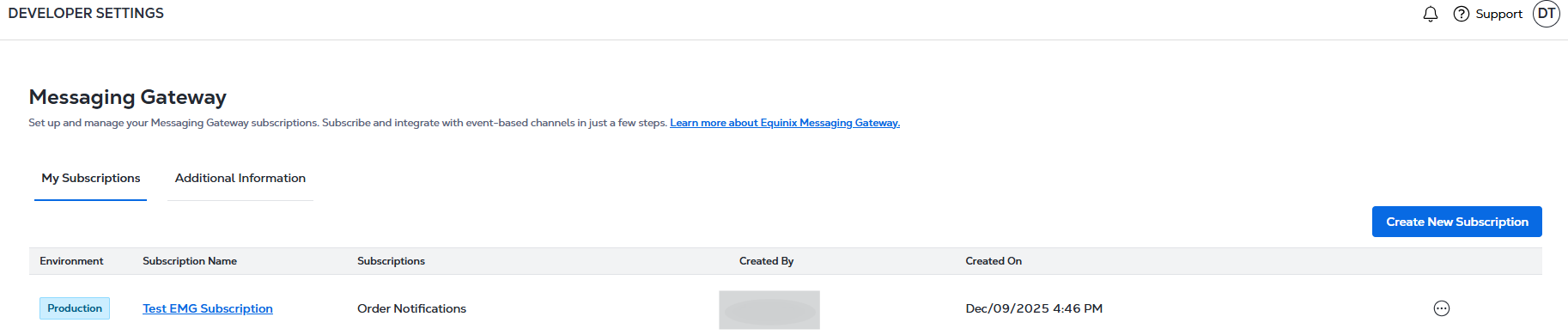
購読
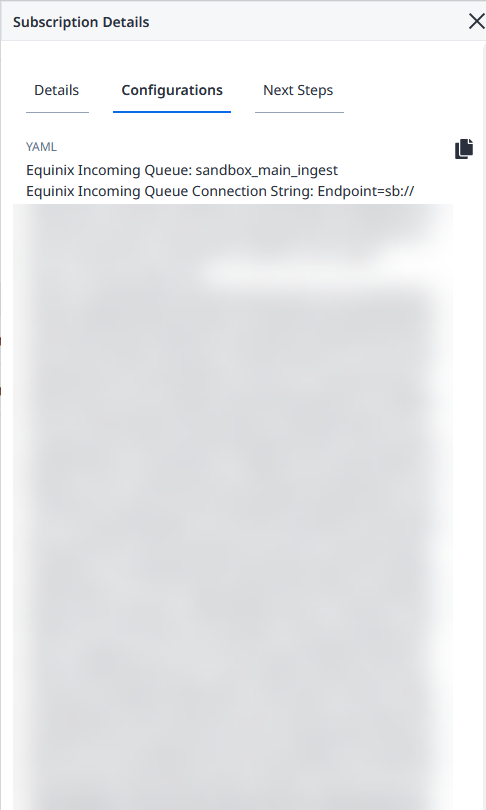
サブスクリプションを作成すると、[ _構成]_タブの[_サブスクリプションの詳細]_から構成を確認できます。
-
[YAMLをコピー]をクリックして、サブスクリプションの詳細とともにYAMLファイルをコピーします。
-
MITライセンスの下でJava、Node.js、Pythonで利用可能なリポジトリからMessaging Gatewayテンプレートをダウンロードします。
/equinix/messaging-gateway-templatesYAML構成ファイルを使用して、テンプレート内ので使用可能な構成ファイルを更新します。/config -
組織のアーキテクチャやセキュリティポリシーに従ってEMGテンプレートを参照/拡張/更新し、EMGからサブスクライブした機能のイベントの送受信を開始します。
YAMLファイルを表示またはコピーできない場合は、構成を作成した組織のメンバーに連絡してください。フィールドで利用可能なメールアドレスを参照して、メールアドレスを取得できます。Created By