メインコンテンツに移動

Becoming a Last Mile Service Provider

If you are interested in offering Last Mile services in the Fabric Marketplace, you need two things:

  • Configure a service profile for your Last Mile service,
  • And add the Last Mile tag to your company profile so it is discoverable in the Fabric Marketplace.

Last Mile Service Profile Settings

Use these settings when creating your service profile if you provide last-mile connectivity services.

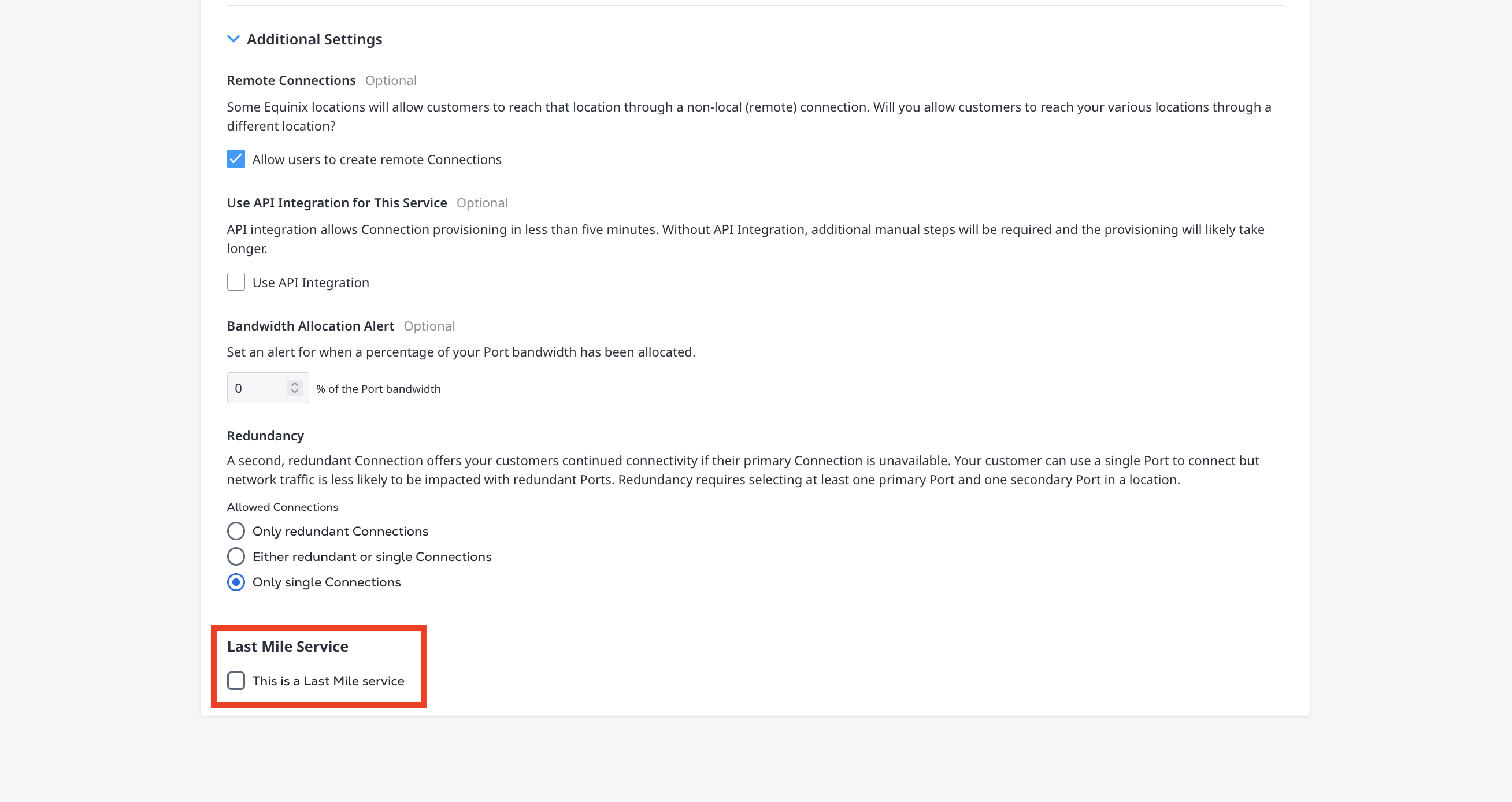
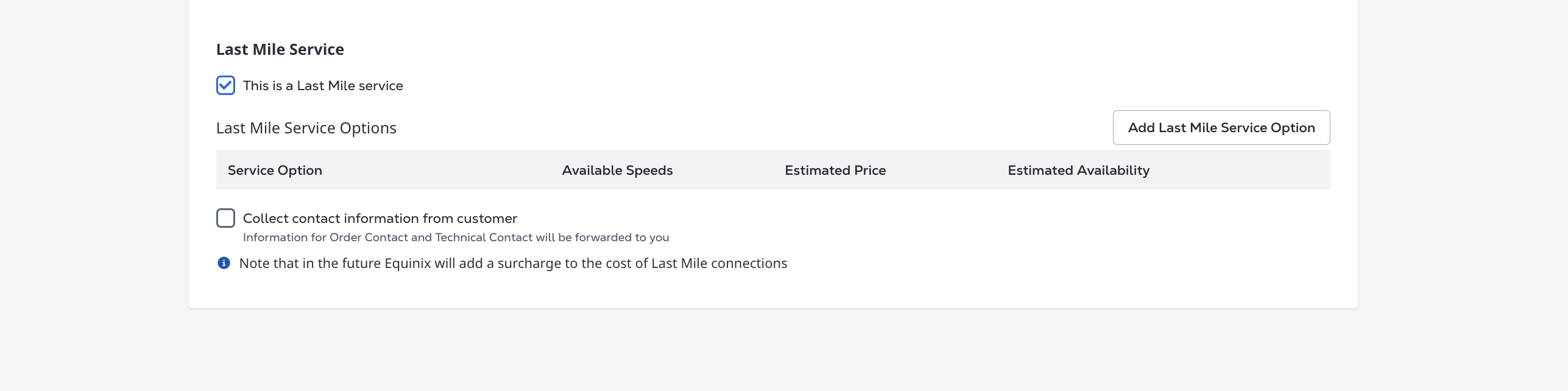
Last Mile service settings in service profile

  • This is a Last Mile service – Select this option to identify the service profile as a Last Mile service provider offering. When enabled, you can define one or more last-mile service options that customers can compare and select.

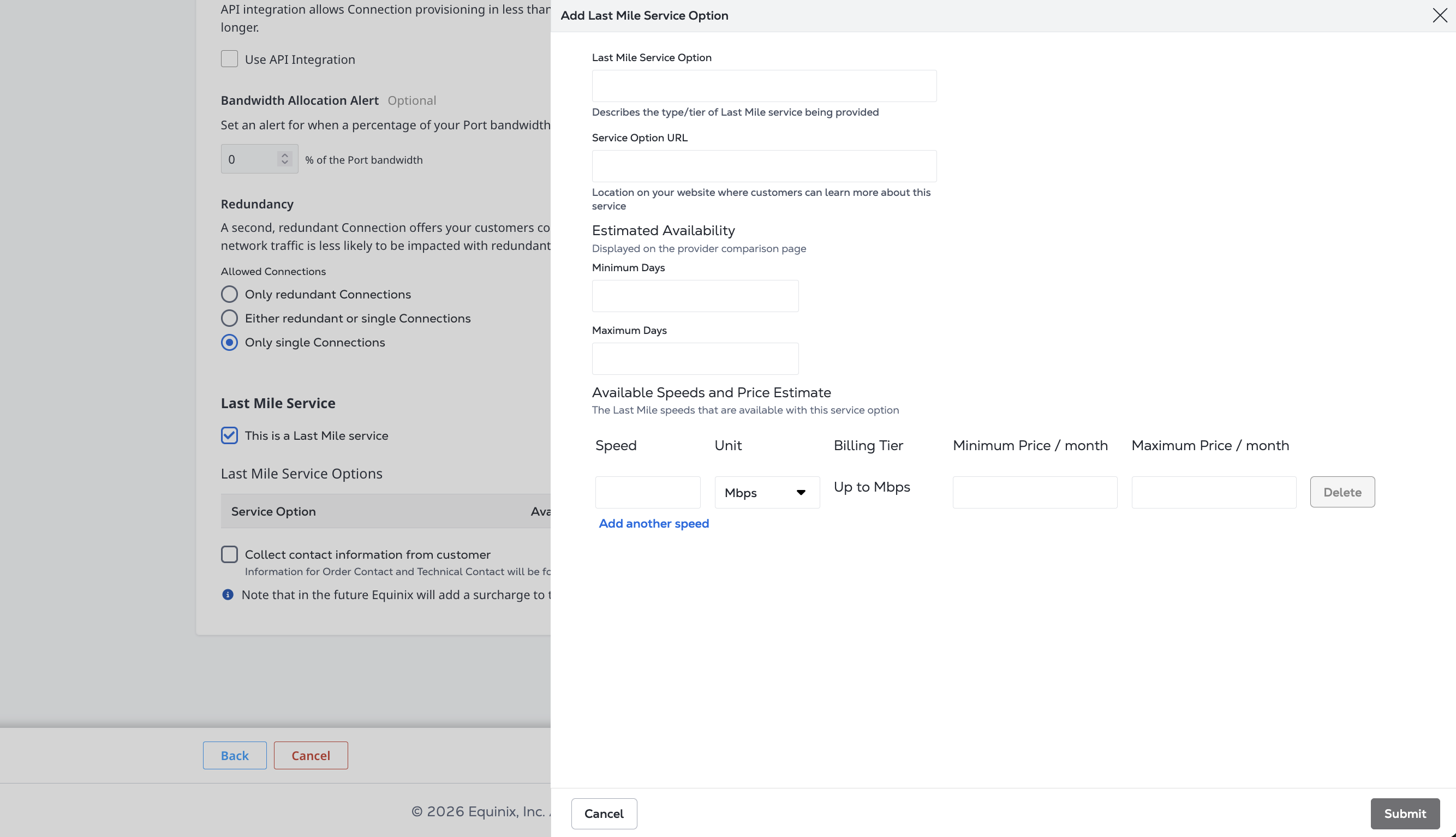
Add Last Mile Service Option screen

  • Select Add Last Mile Service Option to define available last-mile offerings. For each last-mile service option, provide:

    • Last Mile Service Option – Enter the name of the service offering or tier.
    • Service Option URL – Enter a URL where customers can learn more about the service offering on your website.
    • Estimated Availability – Enter the minimum and maximum number of days typically required to make the service available. This information is displayed to customers when comparing providers.
    • Available Speeds and Price Estimate – Specify one or more supported speed options, including:
      • Speed value and unit (for example, Mbps or Gbps)
      • Billing tier
      • Estimated minimum monthly price
      • Estimated maximum monthly price
  • You can add multiple speed tiers to a single last-mile service option by clicking Add another speed.

Last Mile service option speed tiers and pricing

Last Mile Company Profile Settings

Selecting This is a Last Mile service in a service profile does not automatically add your company to the Last Mile hub in Fabric Marketplace.

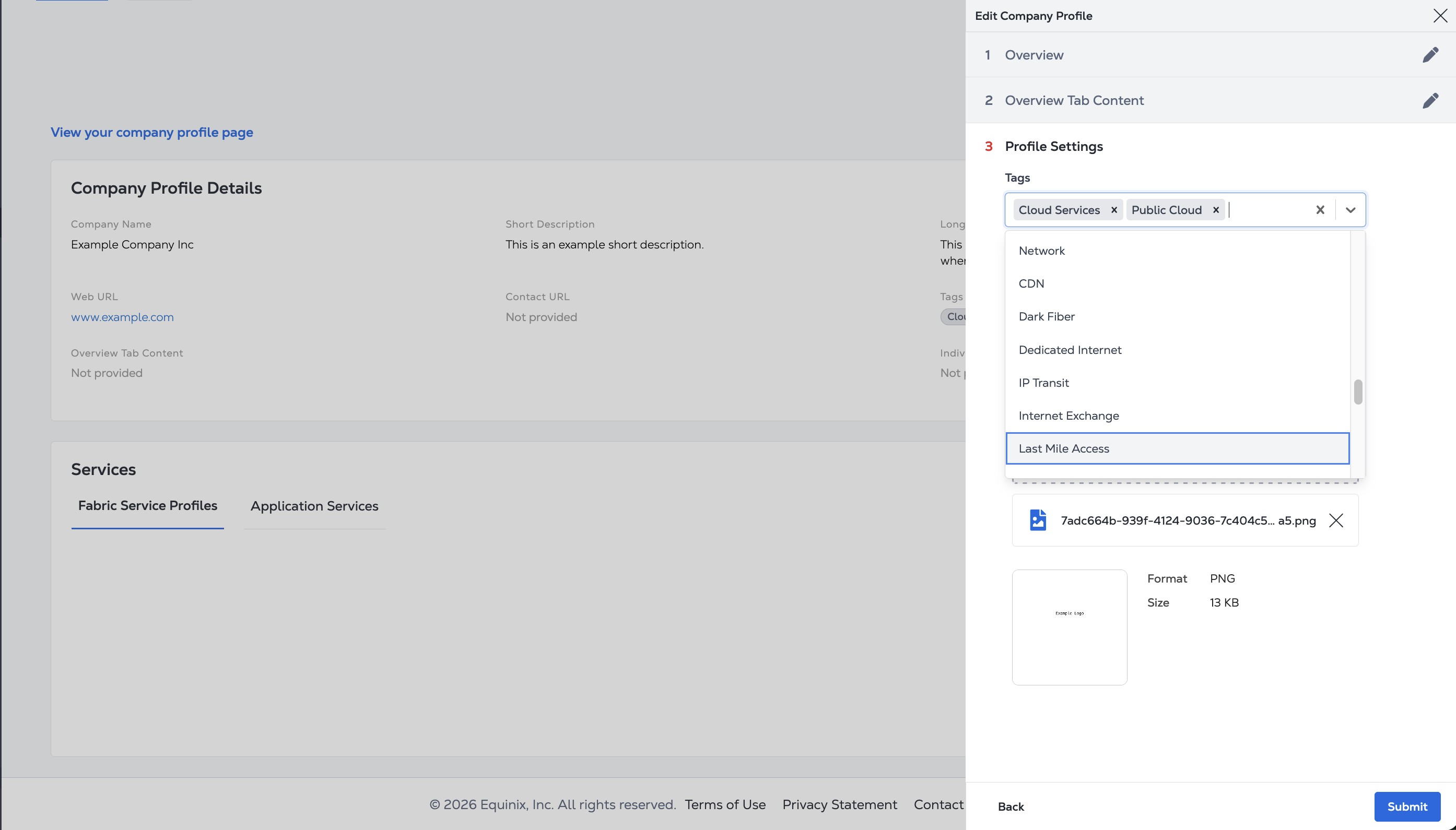
To appear in the Last Mile hub, you must also add the Last Mile Access tag to your Company Profile. To add the Last Mile tag:

  • Update your company profile screenshot.

  • In the Edit Company Profile panel, search for and select the Last Mile Access tag in the Profile Settings section.

    Profile Settings screenshot

  • Click Submit to save your changes.

If you don't have a Company Profile, see Creating a Company Profile.

このページは役に立ちましたか?