サポート ケースを開く
技術的な問題、サービスリクエスト、またはアカウント関連の問い合わせのサポートケースを提出する。
権限によっては、一部のケースタイプを作成するためのアクセスが制限される場合があります。
サポートケースを開くには
-
カスタマーポータルにアクセスしてください。
-
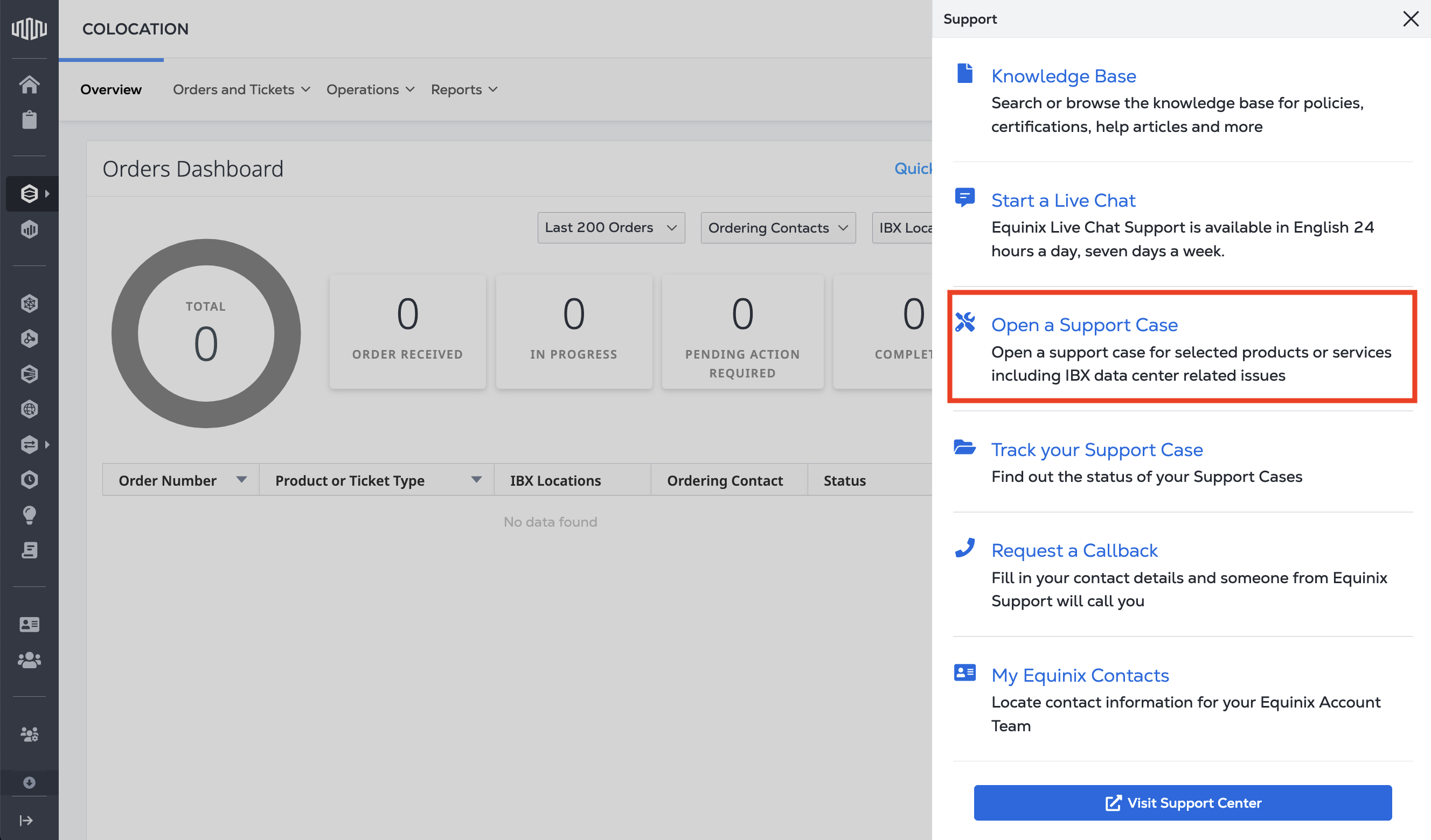
メインナビゲーションから[Support]を選択し、[Open a Support Case]を選択する。
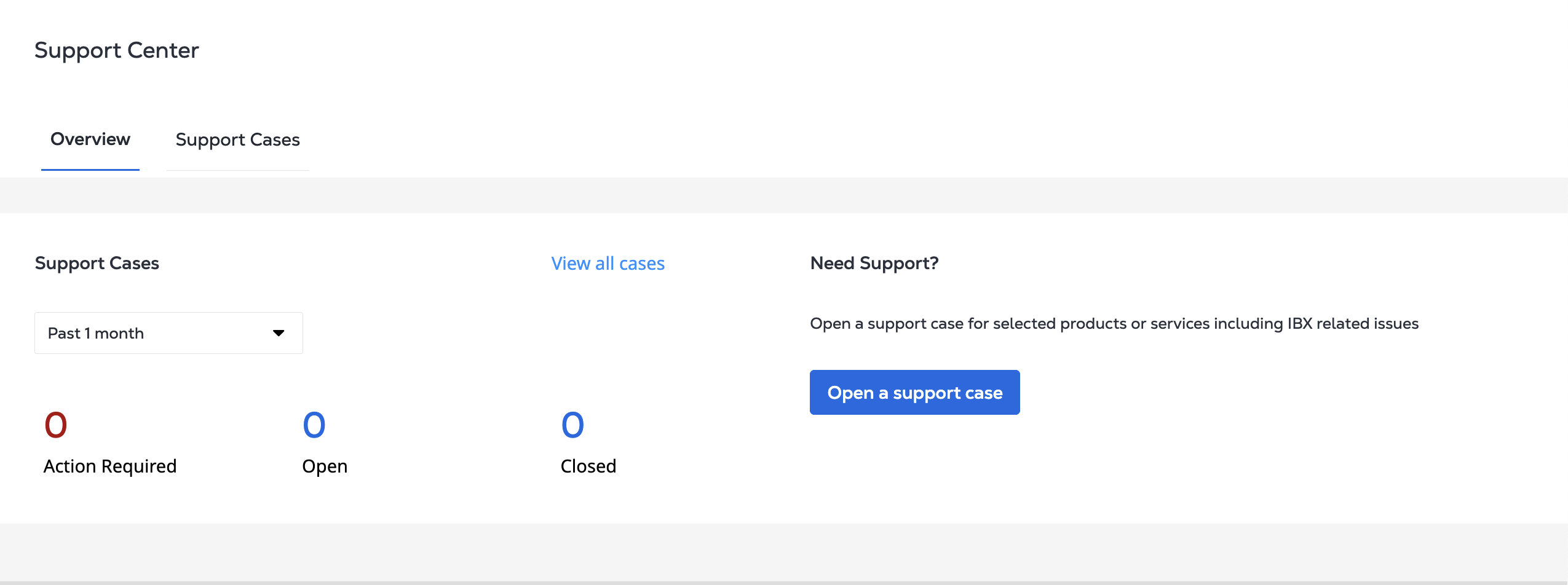
または、_Support Center_から、サポートケースを開くをクリックする。
-
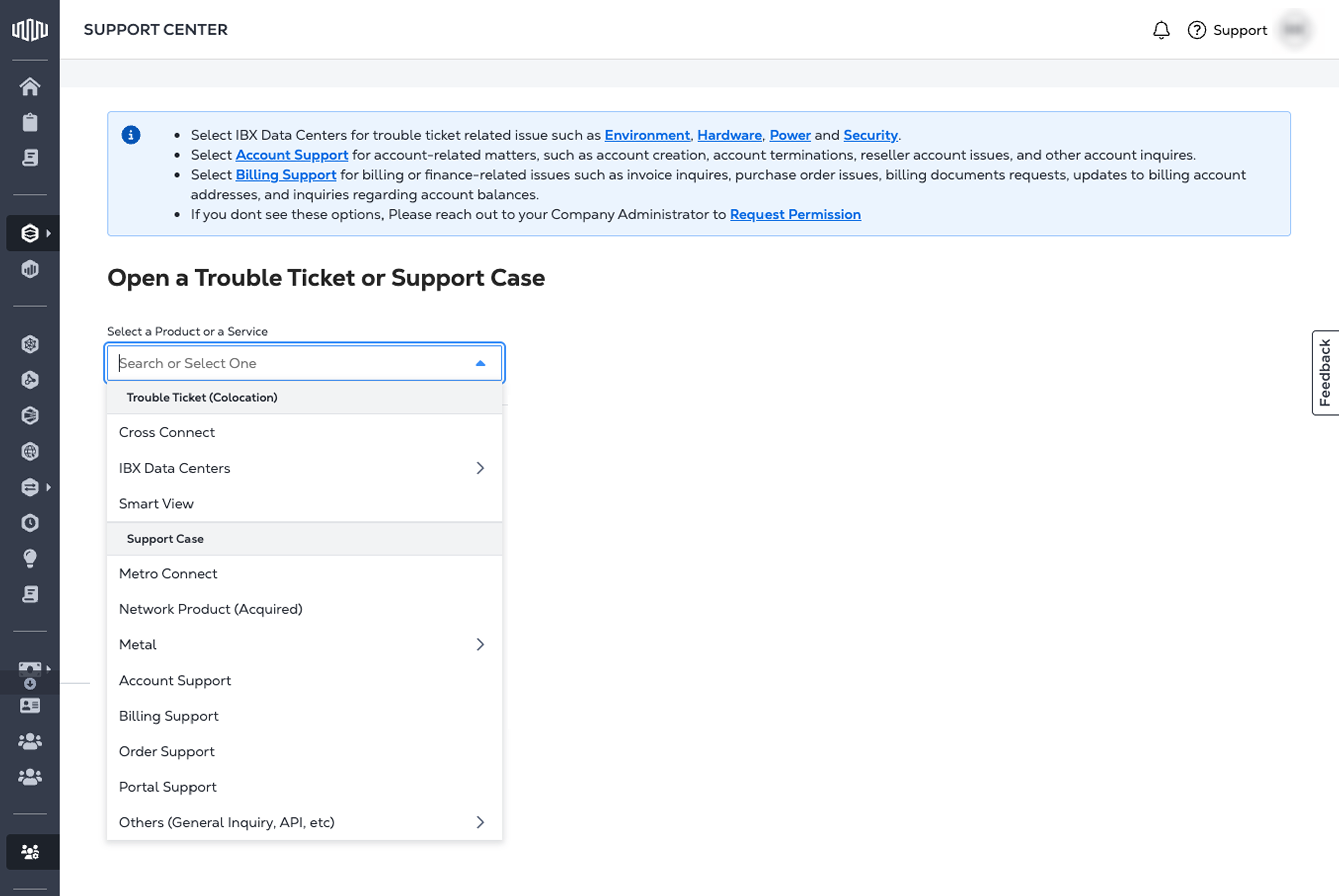
ドロップダウンメニューから適切なカテゴリを選択する。説明については、「製品とサービス」を参照すること。
-
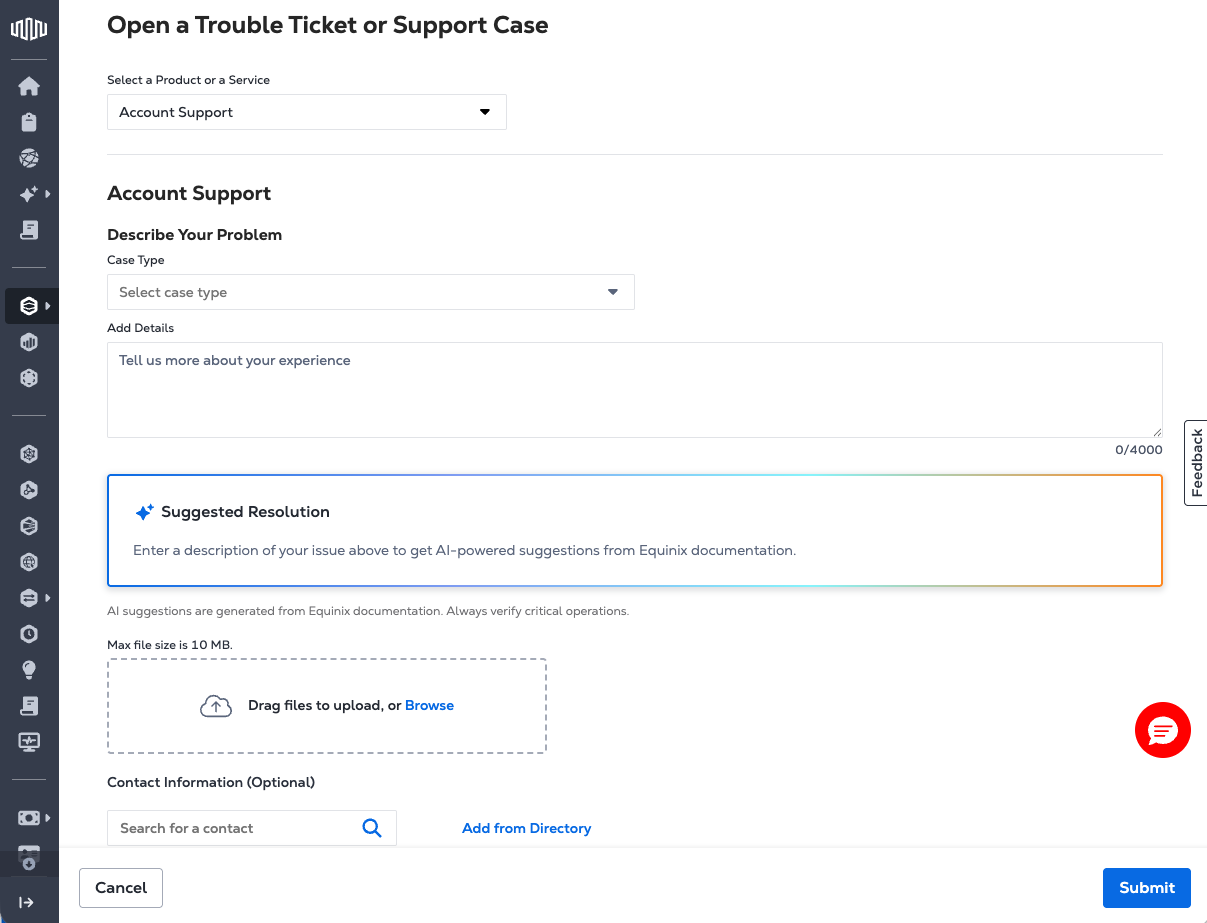
選択した製品またはサービスに基づいて、必要な詳細を入力してフォームに入力する。各フォームは、次のような必須フィールドで異なる場合がある。
- ケースタイプ
- サービスIDまたは資産参照
- 問題の説明
- Severity level - for Digital Services only.
- 添付ファイルとサポートドキュメント
-
ケースを送信し、ステータスを監視する。方法については、『サポートケースの管理』を参照。
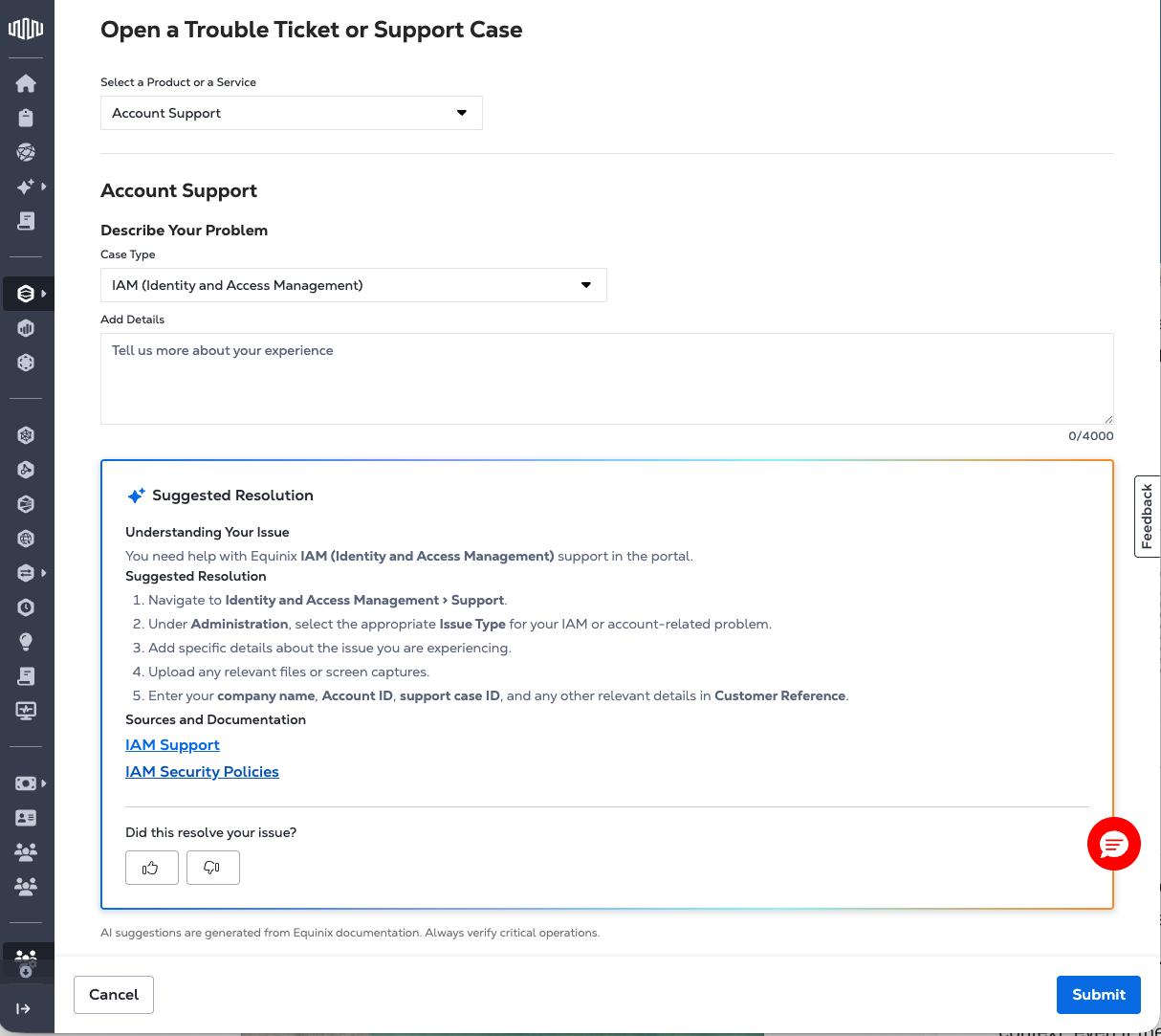
解決エージェント
Resolution Agentは、サポートケースを送信する前に問題を解決するためのステップバイステップのガイダンスを提案する。サポートケース入力フォームに埋め込まれており、ユーザーがフォームに情報を入力すると自動的にアクティブになり、リアルタイムで入力を分析し、提案された解像度を構造化されたステップバイステップのソリューションとしてインラインで返す。この機能により、セルフサービスによる解決の合理化やエージェント処理の改善など、より効率的なサポートワークフローが実現
選択したサポートフォームのコンテキスト(ファブリック、コロケーション、クロスコネクトなど)に基づいて提案が生成される。Resolution Agentは、製品が明示的に指定されていなくても、ユーザーの説明を解釈するためにこのコンテキストを使用する。
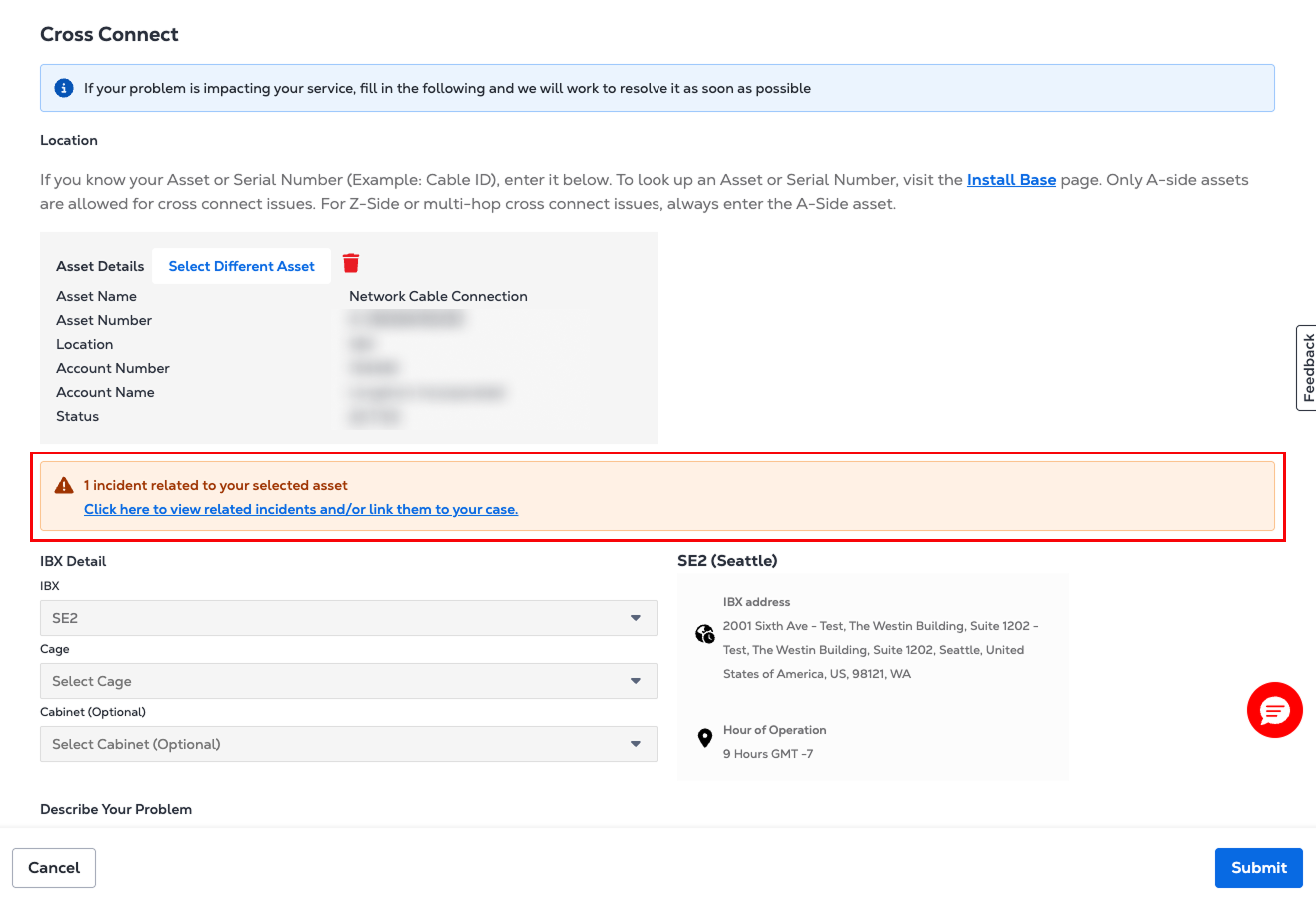
アクティブなインシデントアラート
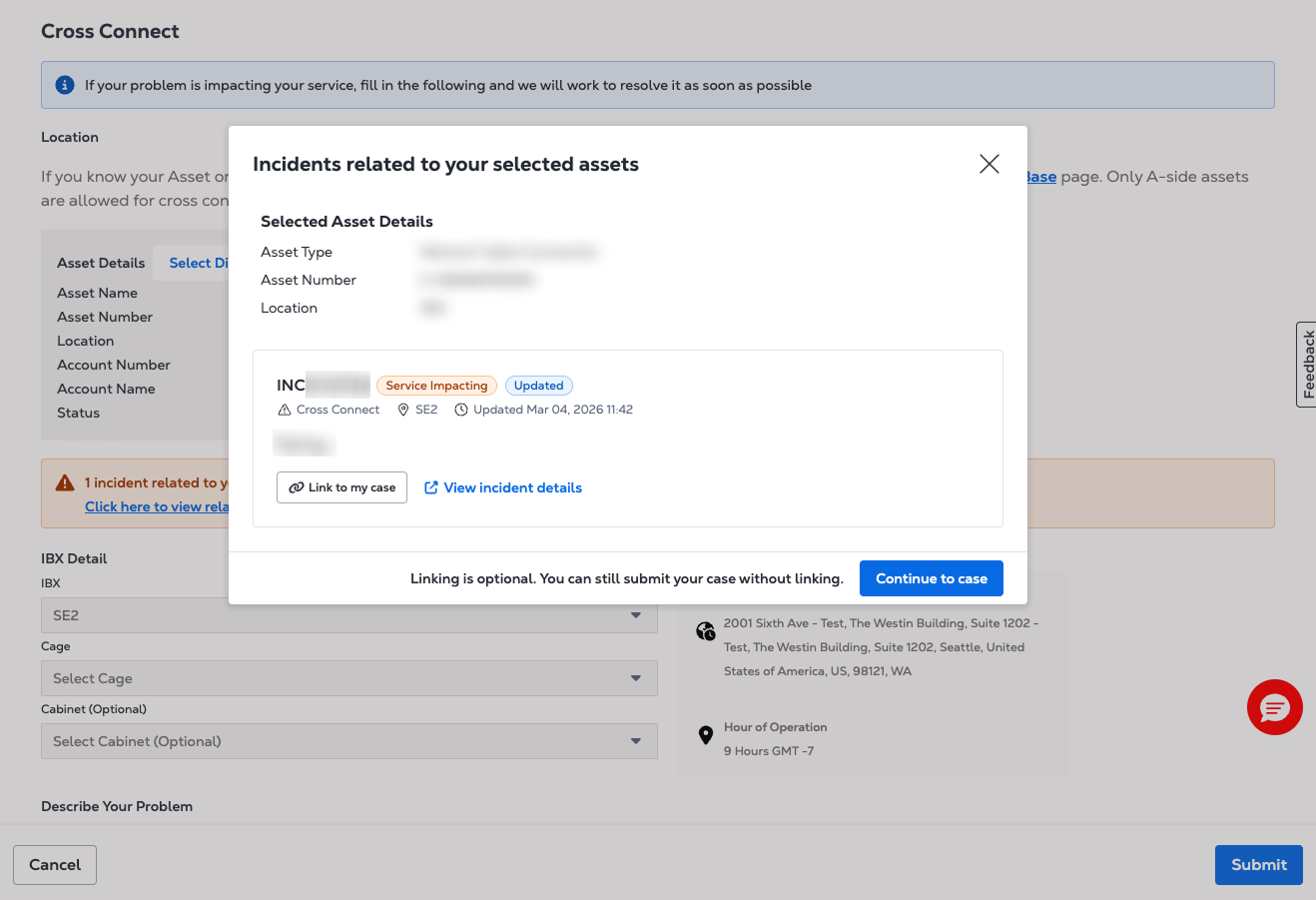
ケース提出時にアセットまたはIBXデータセンターを選択すると、そのアセットまたはIBXデータセンターに関連付けられているアクティブなインシデントがある場合はバナーが表示される。バナーには、インシデントの概要と現在のステータスが表示される。
[自分のケースにリンク]を選択して、ケースをインシデントに関連付ける。関連するインシデントが見つからない場合、またはインシデントサービスが一時的に利用できない場合は、通常どおりケース送信を続行する。
製品およびサービス
次のカテゴリのサポートケースを開くことができる。
-
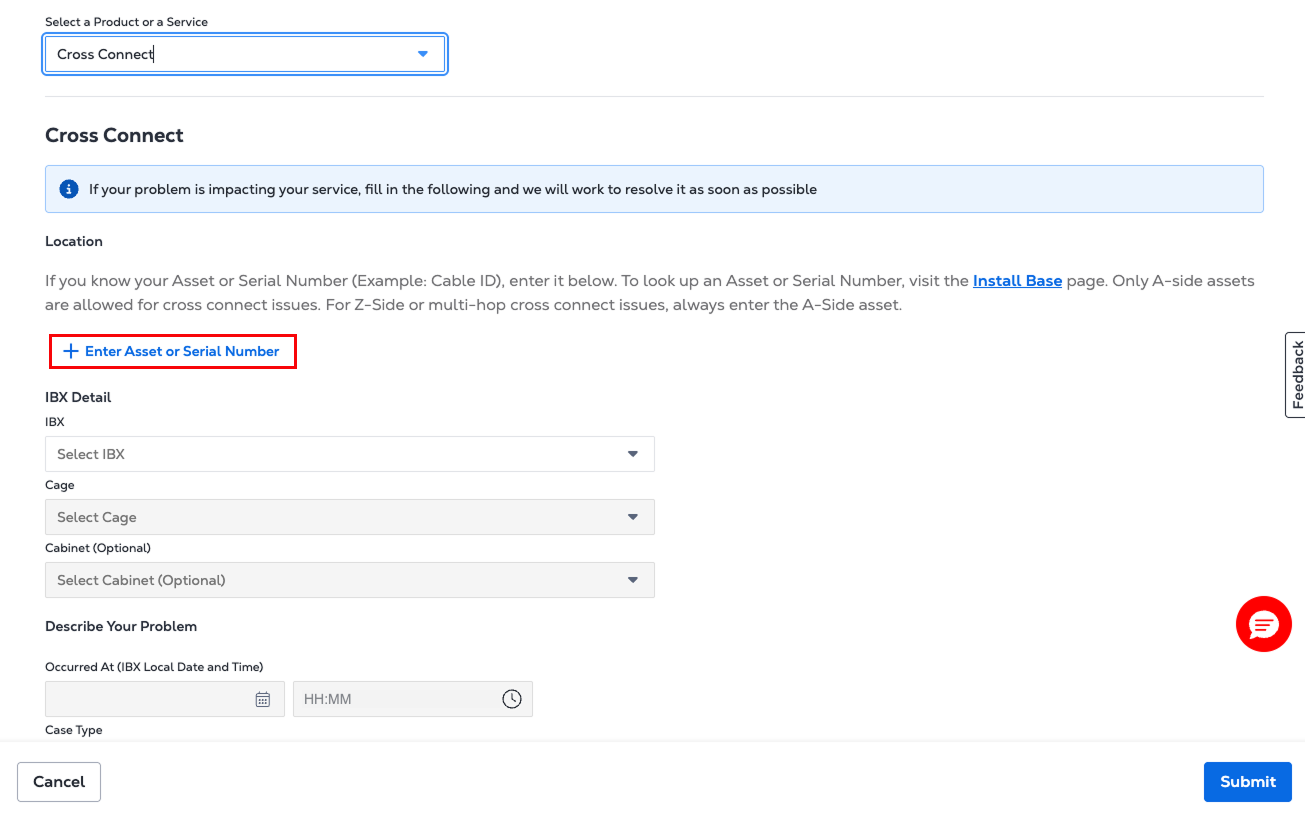
Cross Connect-クロスコネクトの設定について
-
IBXデータセンター
- 環境-スペース内の温度、湿度、空気品質の問題
- ハードウェア- SeEquipment関連の問題
- 電源-電源または回路の問題
- セキュリティ-アクセスまたはバッジ関連の問題
- IBXサポート- IBX施設に関する一般的なお問い合わせ
- 顧客アンケートサポート-サイト固有の質問、デューデリジェンス、ベンダーのオンボーディングに関連するフォームを送信するセルフサービスオプション。
-
Smart View- Smart View監視および分析サービスに関連する問題
-
エクイニクスファブリック
- ポート:既存または新規のポート接続に関する問題
- 接続-既存または新規の接続に関する問題
- ネットワーク-既存または新規ネットワークの問題
- その他の技術的な問題-ファブリックに関するその他の問題
-
ネットワークエッジ
- 仮想デバイス-既存のデバイスまたは新しいデバイスの設定に関するヘルプを表示する
メモシスコデバイスを使用しているお客様の場合は、「Cisco TAC ケースを開く」を参照して、シスコに直接ケースをオープンする。
- Connections -レイヤ2またはレイヤ3接続のヘルプを表示する
- Device Link -ネットワークの場所と価格に関するヘルプを表示する
- その他の技術的な問題-その他すべてのネットワークエッジ関連の問題
-
Equinix Connect-ルーティングまたは接続の問題
-
Equinixインターネットアクセス-パフォーマンス、構成、または可用性に関する問題。
-
インターネットエクスチェンジ-ピアリングまたはトラフィックの問題
-
Metro Connect-サービスの中断、プロビジョニングの遅延、または設定変更
-
Precision Time
- サービス-検索機能を使用してサービスIDを検索したり、新しいサービス注文について問い合わせたりする
- その他の技術的な問題-コンシューマサービスとネットワークサービスの場所と価格を見つける
-
アカウントサポート
- アカウントチームに連絡
- 再販業者設定
- IAM(アイデンティティ&アクセス管理)
- 口座の完全解約
- 完全配備終了
- 製品/サービス 設置解除
- 請求アカウントの作成
-
請求サポート-請求書、アカウント、注文書、その他の財務に関する問い合わせに関する請求のヘルプとサポートを受ける。
-
注文サポート-既存の注文を変更し、注文の問題についてサポートを受ける
-
ポータルサポート-パスワードのリセット、コロケーションアセットの検索、レポートの生成、またはユーザーアクセスの管理に関するヘルプ
-
その他
- 一般的なお問い合わせ
- Turn-up Call Request - IBX technicians will check end-to-end connections and the network team will test virtual configurations.
- API サポート- API に関する問い合わせや問題に関する技術的なサポートを受ける。
- Interconnection Migration Request -既存のライブ相互接続サービスの移行を容易にするために必要な情報をEquinixに提供する。
-
My Customer Success Teamに連絡-このオプションを使用して、Customer Success Teamでサポートケースを開く(現時点では一部のお客様のみ利用可能)。
重要度レベル-デジタルサービス
デジタルサービス製品またはサービスのサポートケースをオープンする場合。
- Metro Connect
- エクイニクスコネクト
- ファブリック
- Internet Access
- Internet Exchange (IX)
- Network Edge
- Precision Time
ケースの重大度レベルを選択するように求められる。重大度レベルは、報告している問題の影響を示す。サポートケースをオープンする際に適切な重大度を選択することで、チケットの優先順位を決定し、適切にルーティングすることができる。
| 重要度レベル | 商品説明 |
|---|---|
| 実稼働システムのダウン | 重大な影響があり、深刻なビジネスへの影響とサービスの低下が発生している。この問題には緊急性の高い対応が必要であり、解決までお客様がエクイニクスと24時間体制で協力する必要があります。問題をタイムリーに解決するためにお客様のリソースを直ちに利用できない場合は、重要度レベルが調整される可能性があります。 |
| 実稼働システムの障害 | 大きな影響があり、重大な損失とサービスの低下が発生している。この問題には緊急性の高い対応が必要であり、解決までお客様がエクイニクスと24時間体制で協力する必要があります。問題をタイムリーに解決するためにお客様のリソースを直ちに利用できない場合は、重要度レベルが調整される可能性があります。 |
| P3-システムが機能していない | 中程度の影響があり、一定程度の損失とサービスの低下が発生している。一時的な回避策により、合理的な事業継続性が維持できています。この問題には緊急性が中程度の対応が必要であり、解決までお客様がエクイニクスと継続的に協力する必要があります。問題をタイムリーに解決するためにお客様のリソースを直ちに利用できない場合は、重要度レベルが調整される可能性があります。 |
| P4-一般的なガイダンス | 影響が最小限で、わずかな損失とサービスの低下のみが発生しているか、緊急性が低い対応を必要とする一般的な質問。 |
優先度レベル-コロケーション
コロケーションサービスに影響を与える問題の優先度と応答時間は、問題の重大度と影響に基づいて決定される。
| 優先度 | 商品説明 |
|---|---|
| サービス利用不可 | サービスが利用できず、適切な回避策が存在しない。エクイニクスは30分以内に最初の接触を行うことを目指している。 |
| サービスの低下 | サービスは動作しているが、大幅に低下しており、迅速な対応が必要である。エクイニクスは2時間以内に最初の接触を行うことを目指している。 |
| サービスへの軽微な影響 | お客様のサービスは、わずかな影響または許容可能な回避策を使用して運用可能なままである。Equinixは、24時間以内(IBXデータセンターの場合)または24営業時間以内(24時間365日対応ではない場所の場合)に対応して作業を実行することを目指している。 |