Internet Exchange Permissions
Access to Internet Exchange is governed by three pieces:
- Identity and Access Management - Role-based access control for viewing the Internet Exchange Inventory, ordering ports, and managing the service.
- Internet Exchange Permission - Colocation User Management permission that controls access to the Internet Exchange Dashboard.
- Ordering Permission - Colocation User Management permission that controls access to order Network Ports in specific IBXs.
Identity and Access Management
Starting in October 2026, Internet Exchange permissions are migrating to Identity and Access Management (IAM), and Internet Exchange assets are moving to the Customer Resource Hierarchy.
The Roles, Internet Exchange Inventory, and Service Activation features are rolling out to all accounts in mid-October 2026.
There are four new IAM permissions:
fabric.internetexchangeservice.read- View Internet Exchange service instances.fabric.internetexchangeservice.create- Create Internet Exchange service instances.fabric.internetexchangeservice.update- Update Internet Exchange service instances.fabric.internetexchangeservice.delete- Delete Internet Exchange service instances.
The permissions are being added to the following roles:
| Role | Permission(s) |
|---|---|
Fabric Viewer | fabric.internetexchangeservice.read |
Fabric Manager | fabric.internetexchangeservice.read, fabric.internetexchangeservice.create, fabric.internetexchangeservice.update, fabric.internetexchangeservice.delete |
Internet Exchange Projects
As part of the migration, Equinix is moving your Internet Exchange assets to either your organization's default Project or to a new, Internet Exchange-specific Project. Users are automatically assigned Project-level roles of Fabric Viewer or Fabric Manager so that you do not lose access to view or manage your service.
In the Customer Portal, use the Project Switcher navigate between your Projects.
Since Fabric Viewer and Fabric Manager roles now include Internet Exchange permissions, users with these roles will have access to Internet Exchange assets that have been moved into the default project. If you have the Project Admin or Org Admin role, you can choose to keep the Project and services as-is, or you can move the Project and/or your services. If you want to restrict access to Internet Exchange assets, create a separate project and role for them. For more information, see Managing Projects and Managing Assets.
Managing User Access
If you are an administrator, you can manage user access to Internet Exchange by adding or removing the Fabric Manager or Fabric Viewer roles.
For more information, see Managing Users' Access and Roles.
Internet Exchange Inventory Access
The fabric.internetexchangeservice.read permission is required to access the Internet Exchange Inventory. This permission is included in the Fabric Viewer role.
To update or delete the services listed in the Internet Exchange Inventory, fabric.internetexchangeservice.update, fabric.internetexchangeservice.delete permissions are required. These permissions are included in the Fabric Manager role.
Ordering Permissions
To order Internet Exchange services you need both the Ordering permission for Network Ports AND a role with the fabric.internetexchangeservice.create permission, such as the Fabric Manager role.
If you are an administrator:
-
You can manage the
Orderingpermissions from the Administration tab in the Colocation Dashboard.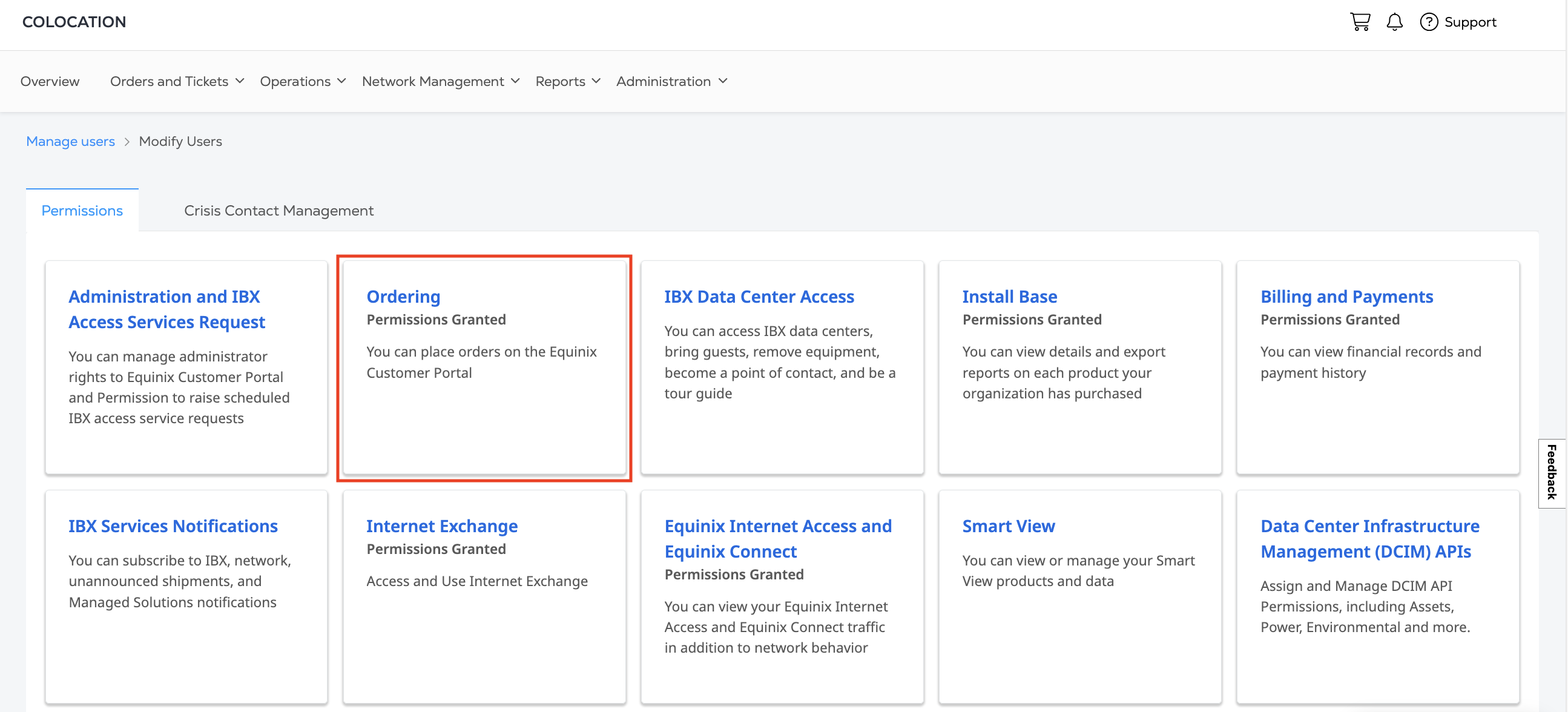
Select which IBXs you or your users can order ports in from the Network Ports column and click Submit.
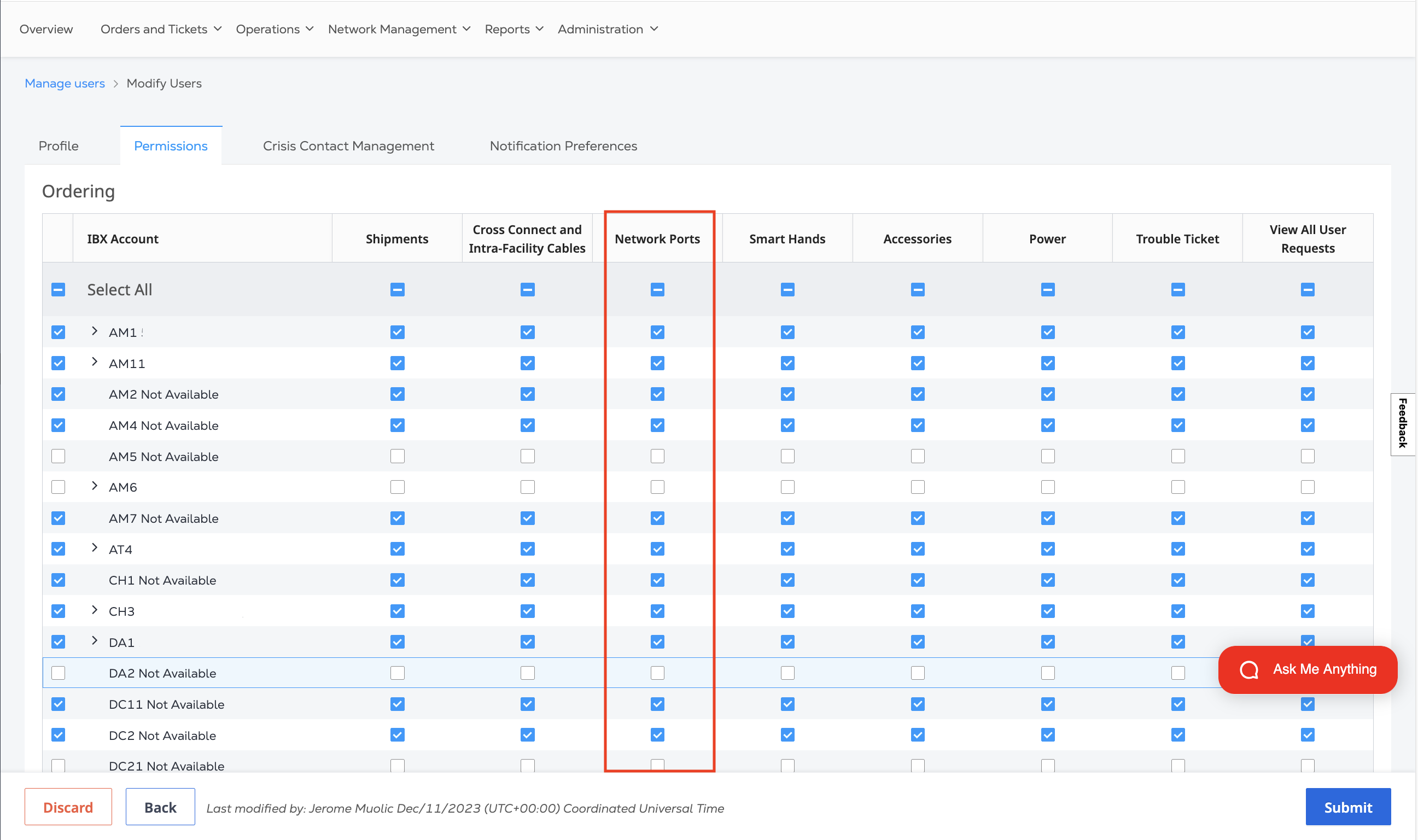
See Managing User Permissions for more information.
-
You can assign or unassign the
Fabric Managerrole (or thefabric.internetexchangeservice.createpermission) from Identity and Access Management. For more information, see Managing Users' Access and Roles.
Dashboard Access
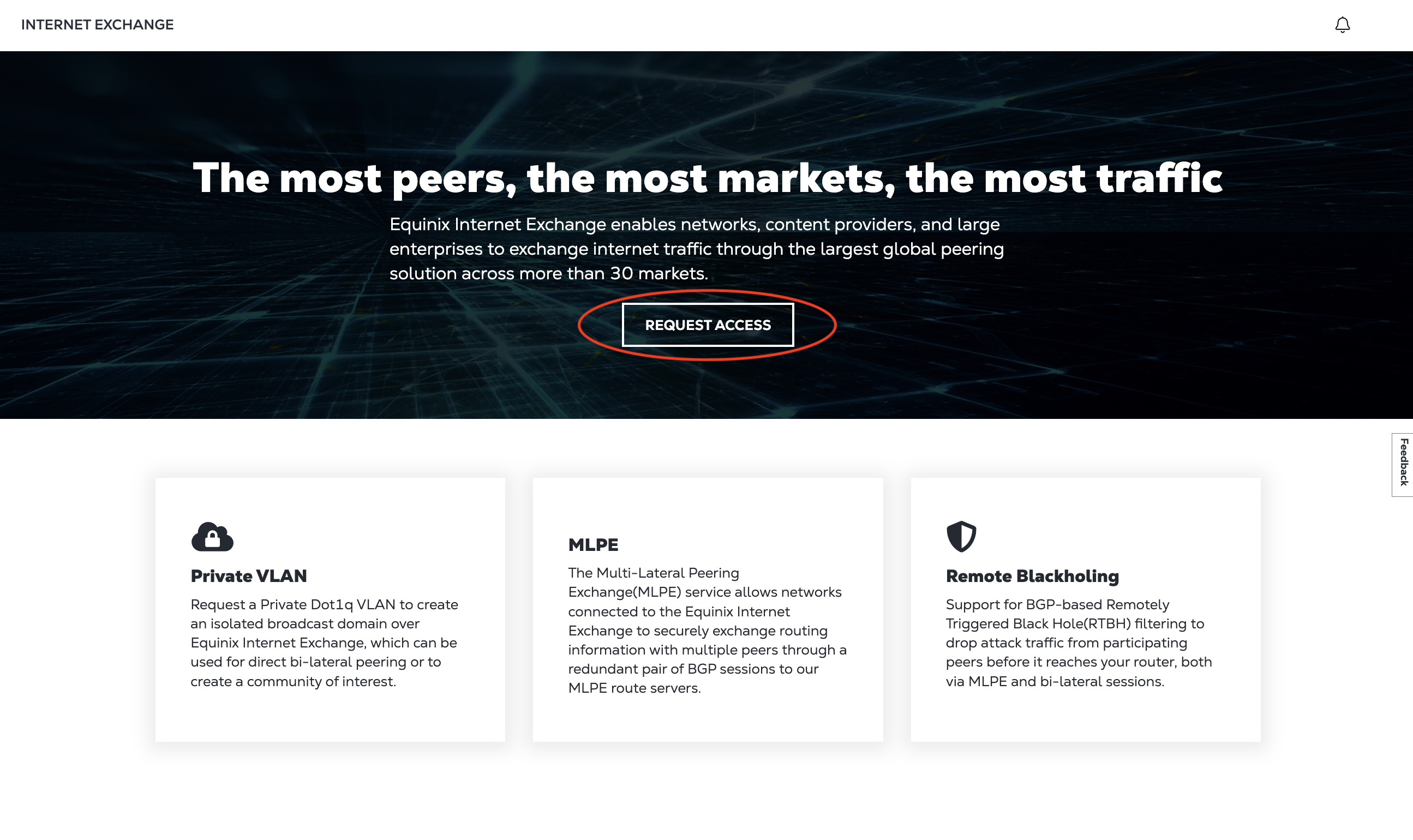
The Internet Exchange permission is required to view the Internet Exchange Dashboard.
If you do not have permission, you can request access from your Company Administrator from the Internet Exchange Dashboard page.
If you are an administrator, you can manage Internet Access Dashboard permissions from the Administration tab in the Colocation Dashboard.
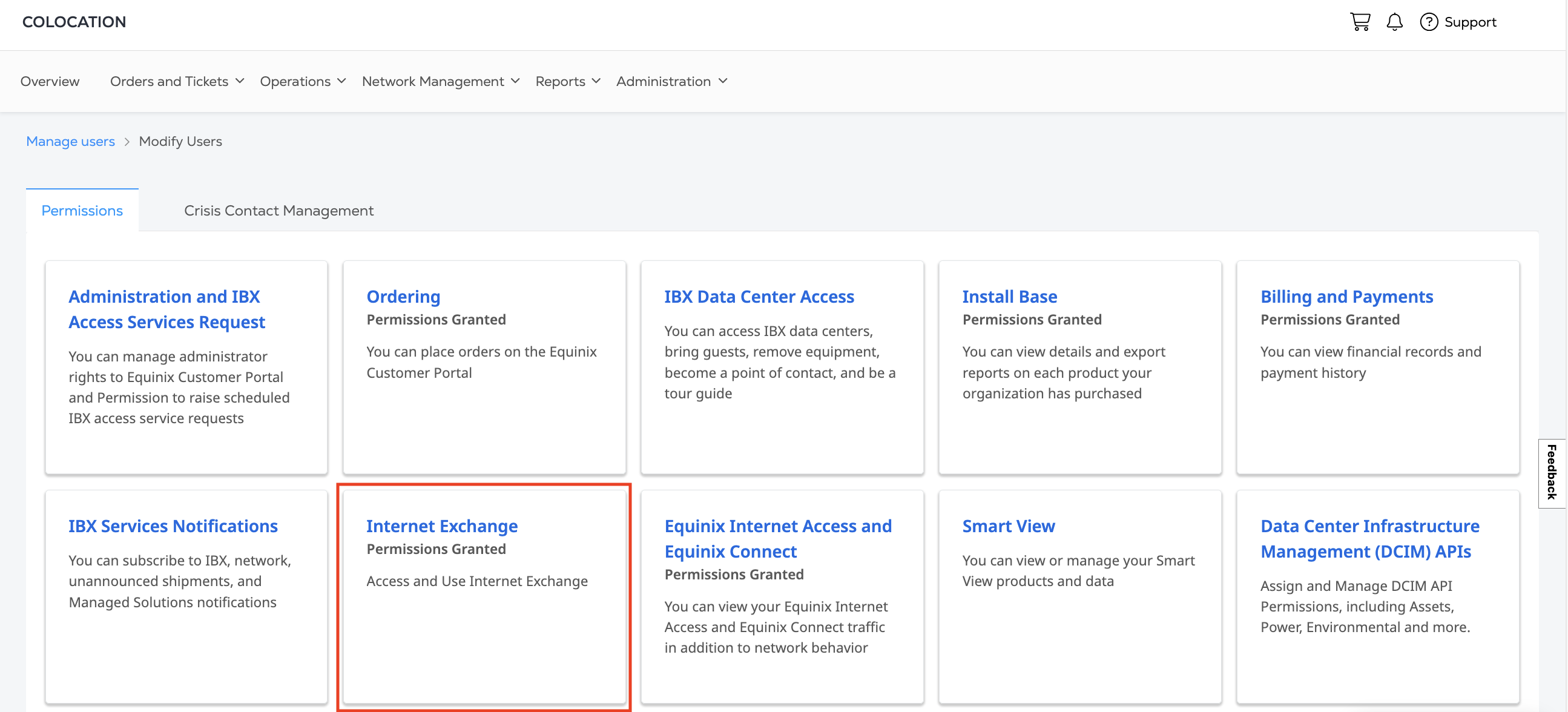
See Managing User Permissions for more information.