Managing Dedicated Port Services
If you ordered Equinix Internet Access with a Dedicated Port, you can use the Customer Portal to see the list of your services, however, they are not available in your Internet Access Inventory.
View Your Services
To view your Internet Access services:
-
Sign in to the Customer Portal.
-
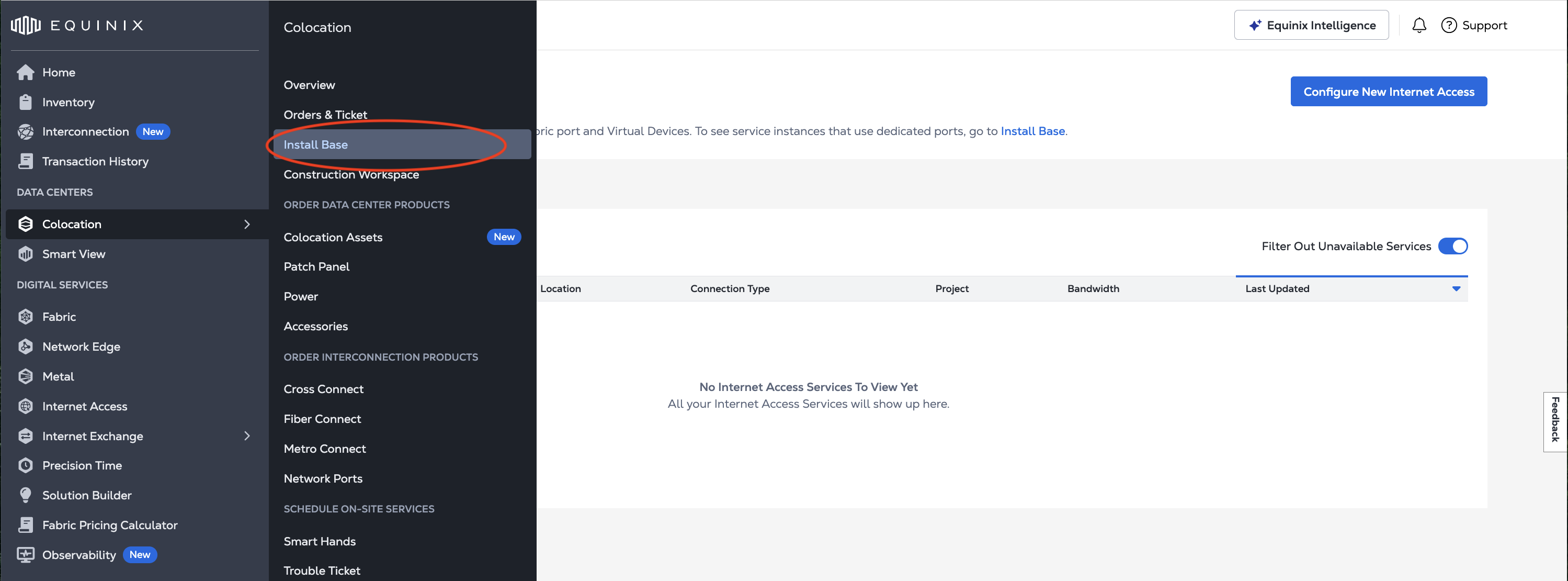
From the Colocation menu, select Install Base.
-
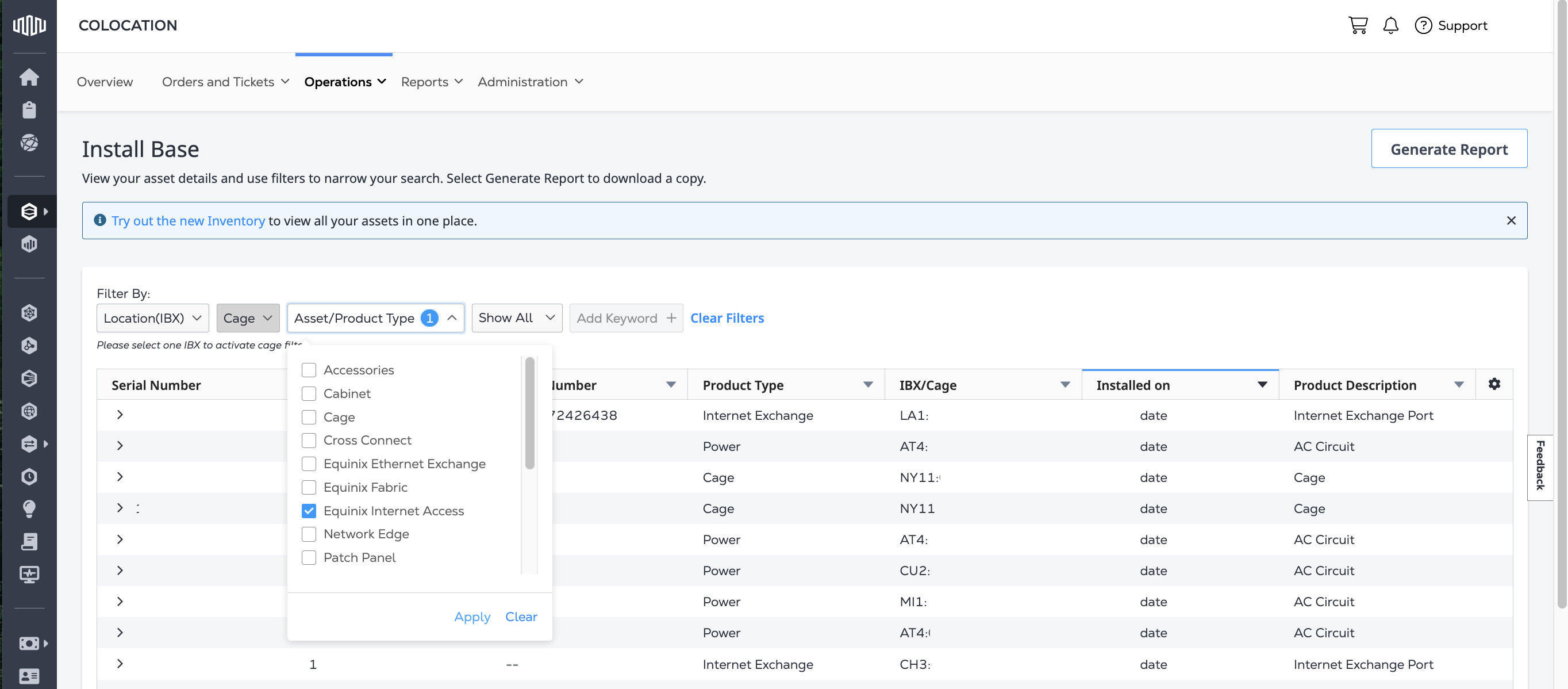
To show just your Internet Access services, use the Asset/Product Type filter. From the drop-down select Equinix Internet Access. Click Apply.
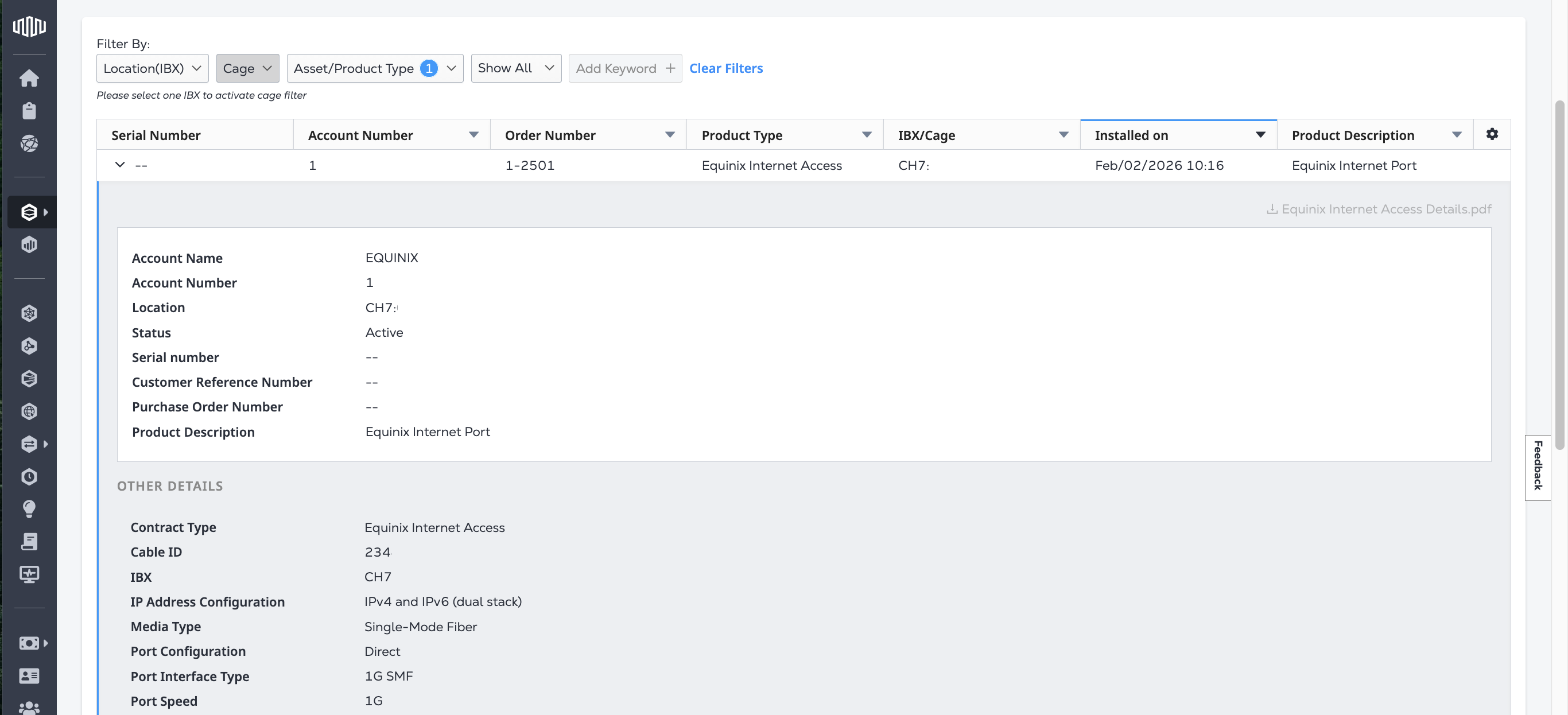
The table displays both your Equinix Internet Ports and your Internet Bandwidth assets. To view the details, click the arrow next to the Serial Number to expand the table entry.
Requesting Changes
The Customer Portal does not support making changes to existing Internet Access services over a port. If you want to make changes, contact your Customer Success Manager (CSM).
Contact Support to request Move, Add, Change, or Delete (MACD) changes to these features:
- Bandwidth
- Billing type
- Redundancy - for example, changing between single-homed and dual-homed configurations
- Port configuration and IP address combinations
If you want to receive information about your IP Addresses, please contact your Customer Success Manager (CSM). The IP Address information is also provided via email.
New Customer Portal Experience
Equinix is upgrading its systems and the user experience in the Customer Portal. Once your account has been migrated, Internet Access services over a Dedicated Port will be visible and manageable in the Internet Access Inventory.
Once your account has been onboarded, any Dedicated Port Internet Access service created after your account migration can be managed in the Customer Portal. This includes changing its bandwidth.
Dedicated Port Internet Access services created before your account has been onboarded will still be viewable in your Install Base and will still require a Move, Add, Change, or Delete request to customer support to modify.