Managing OIDC Providers
Once you have created an OIDC Provider, use the Customer Portal or the Equinix API to update or manage it. Necessary permissions to manage OIDC providers are either:
- Role-based Access Control - The
Equinix Company Adminrole or a custom role with:sts.oidcprovider.list,sts.oidcprovider.suspend,sts.oidcprovider.resume,sts.oidcprovider.delete. - Attribute-based Access Control - An Access Policy containing:
use/pageOidcProviders,use/suspendOidcProvider,use/resumeOidcProvider,use/deleteOidcProvider.
View Your Providers
- Portal
- API
-
Sign in to the Customer Portal --> Identity and Access Management.
-
Open the OIDC Providers tab.
The table lists your identity providers, their Issuer URI, and their status.
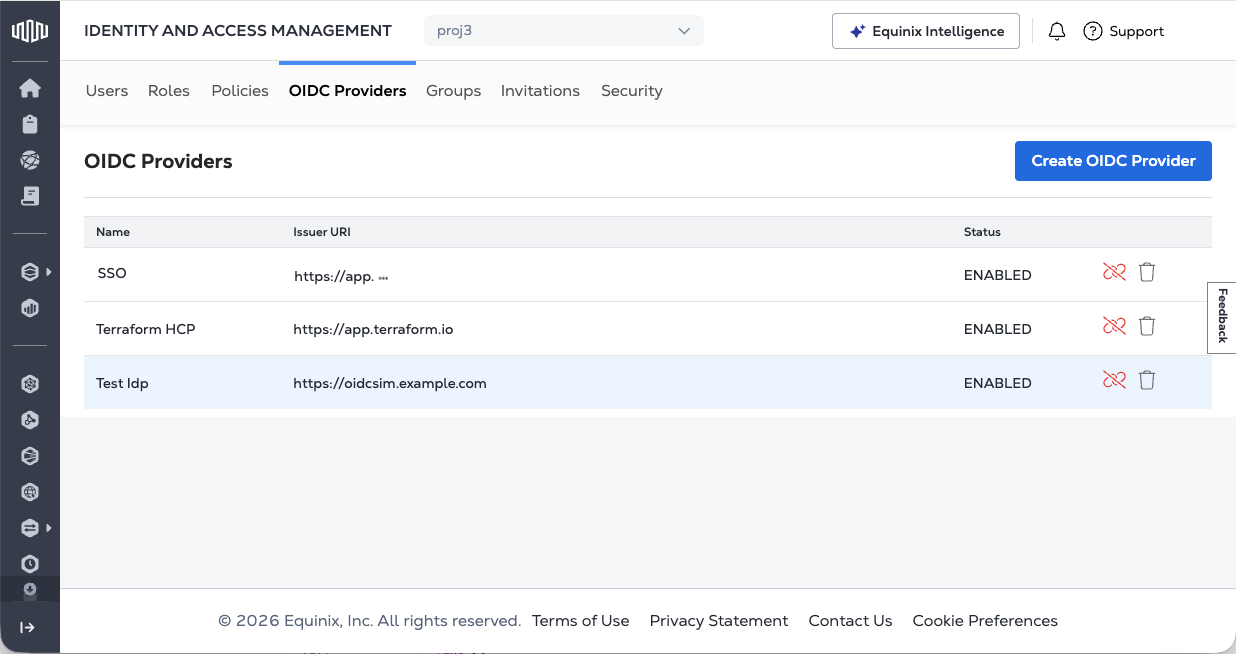
To list all your OIDC providers, send a GET request to the /v1/projects/{projectId}/oidcProviders endpoint. Specify your project ID in the path of the request.
Sample cURL Request:
curl -X GET 'https://sts.eqix.equinix.com/v1/projects/{projectId}/oidcProviders' \
-H 'Authorization: Bearer <token>'
Provider Status
A provider can be either ENABLED or SUSPENDED.
-
ENABLED - The provider is trusted, and token exchange is enabled. ID tokens from this OIDC provider can be validated and exchanged.
-
SUSPENDED - The previously established trust relationship has been suspended. Token exchange for ID tokens from this provider is currently disabled.
Suspend an OIDC Provider
- Portal
- API
On the OIDC Providers tab, locate the provider you want to disable in the list of providers. Click the broken chain icon to suspend an identity provider.
The OIDC provider status is updated to SUSPENDED.
To suspend an OIDC provider, send a POST request to the /v1/projects/{projectId}/oidcProviders/{idpId}/suspend endpoint. Specify the project and the IdP ID in the path of the request. There are no body parameters for this request.
Sample cURL Request:
curl -X POST 'https://sts.eqix.equinix.com/v1/projects/{projectId}/oidcProviders/{idpId}/suspend' \
-H 'Authorization: Bearer <token>'
Resume an OIDC Provider
- Portal
- API
On the OIDC Providers tab, locate the provider you want to enable in the list of providers. Click the chain icon to enable an identity provider.
The OIDC provider status is updated to ENABLED.
To resume a suspended OIDC provider, send a POST request to the /v1/projects/{projectId}/oidcProviders/{idpId}/resume endpoint. Specify the project and the IDP ID in the path of the request. There are no body parameters for this request.
Sample cURL Request:
curl -X POST 'https://sts.eqix.equinix.com/v1/projects/{projectId}/oidcProviders/{idpId}/resume' \
-H 'Authorization: Bearer <token>'
Delete an OIDC Provider
Deleting an OIDC Provider is permanent. To re-enable the trust relationship and token exchange, you have to re-create. For temporarily disabling an OIDC provider, see Suspend an OIDC Provider.
- Portal
- API
On the OIDC Providers tab, locate the provider you want to delete in the list of providers. Click the trash can to delete the identity provider.
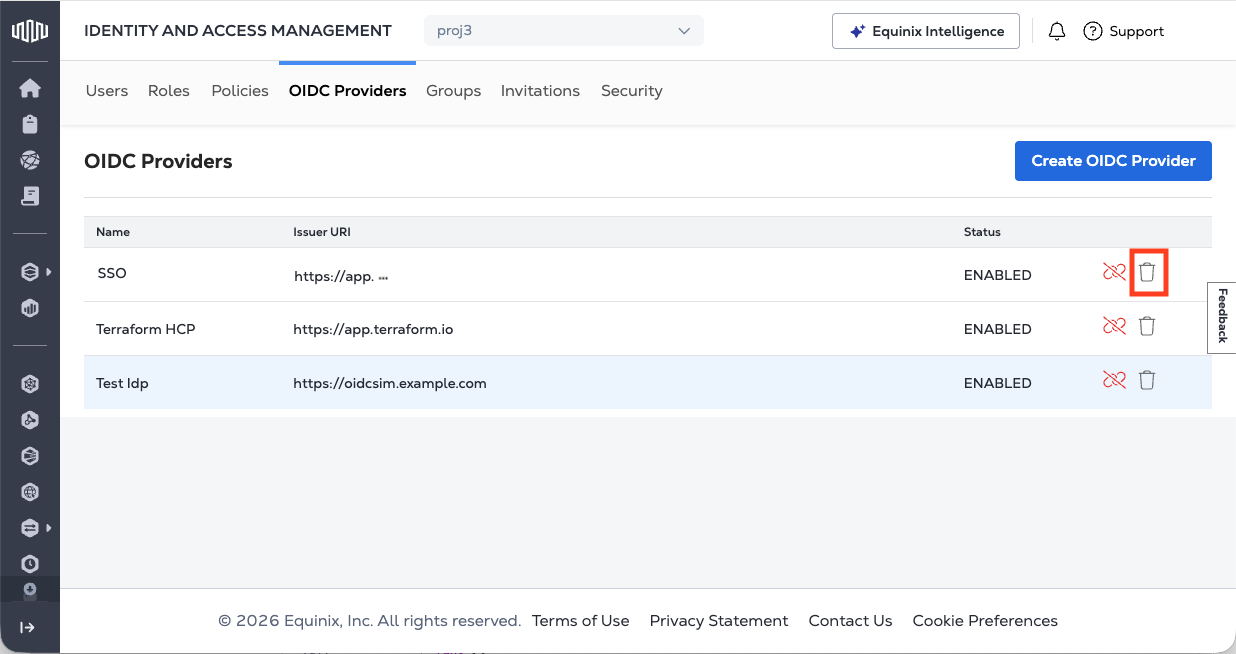
To delete an OIDC provider, send a DELETE request to the /v1/projects/{projectId}/oidcProviders/{idpId} endpoint. You must specify the project ID and the idpID in the path of the request.
Sample cURL Request:
curl -X DELETE 'https://sts.eqix.equinix.com/v1/projects/{projectId}/oidcProviders/{idpId}' \
-H 'Authorization: Bearer <token>'