OIDC Providers
When you create an OIDC provider, you specify the resources that Equinix uses to establish trust relationships with your provider.
An OIDC provider consists of:
-
Name - A human-friendly name for the provider.
-
Issuer Location - The OIDC issuer location URL. This URL is used to obtain OpenID Provider configuration, which includes the URL of the JWKS where its public keys may be obtained.
-
IDP Prefix - Used to create a unique IDP ID for the OIDC provider. The IDP Prefix cannot be the same as any existing, suspended or non-suspended, OIDC provider records for this project.
-
Trusted Client IDs - Specify the OAuth 2.0 clients that are able to exchange identity tokens for Equinix API access tokens. The value of the audience (
aud) claim in an OIDC ID token is checked against the list of Trusted Client IDs during token exchange. -
Group Membership Claim - (optional) Name of the claim in the ID tokens provided by this OIDC issuer containing a principal's group memberships, for authorization purposes. The value of the group membership claim in an ID token must be an array of strings, where each string is a unique, non-reassignable identifier for a group. When this property is not set, no claim from this provider is treated as a group membership claim.
Create an OIDC Provider
Use the Customer Portal or the Equinix API to create an OIDC provider in Equinix. You must be a Company Administrator.
- Portal
- API
-
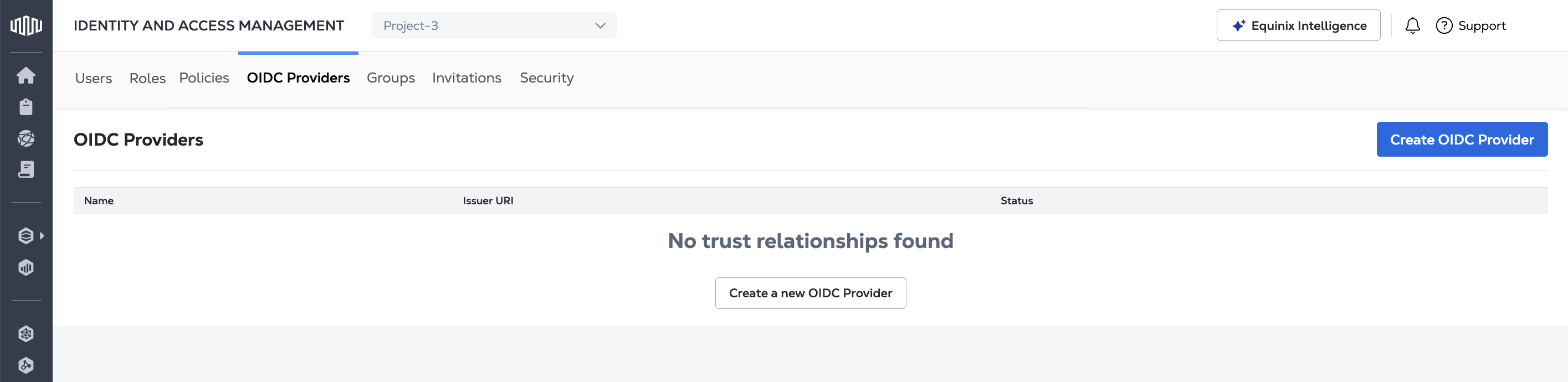
Sign in to the Customer Portal --> Identity and Access Management.
-
Open the OIDC Providers tab.
-
Click Create OIDC Provider.
-
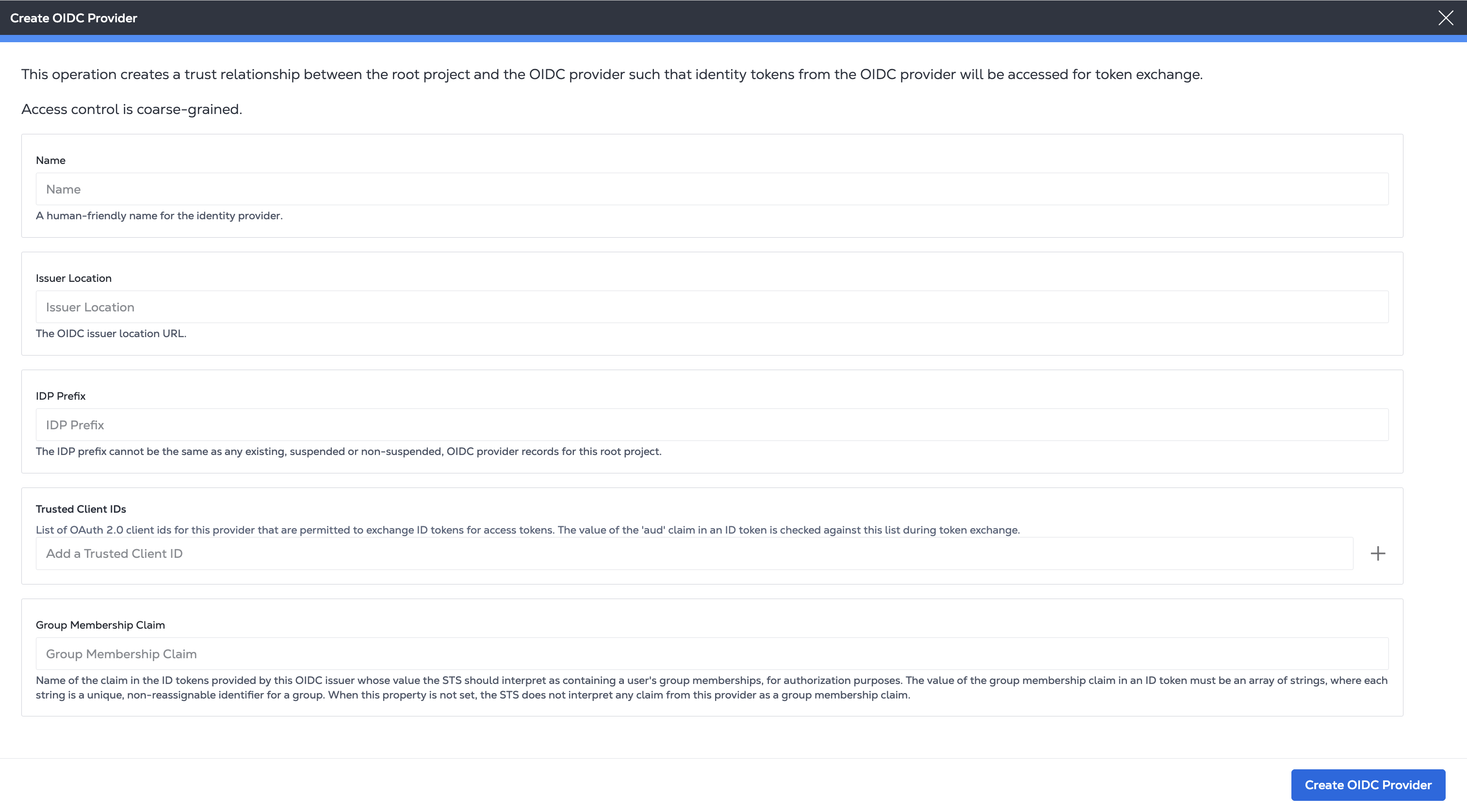
On the Create OIDC Provider page, provide:
- a name for the provider
- your OIDC Issuer Location URL
- IDP Prefix to create a unique identifier for the identity provider.
- the Trusted Client IDs that are permitted to exchange identity tokens. Enter an ID in the field and click +.
- a Group Membership Claim (optional).
-
Click Create OIDC Provider.
To register an OIDC provider, send a POST request to the /v1/projects/{projectId}/oidcProviders
endpoint. Specify the project in the path of the request.
Specify a friendly, human-readable name along with your OIDC issuer and authentication details for issuerLocation, idpPrefix, trustedClientIds, and optional groupMembershipClaim in the body of the request.
Sample cURL Request:
curl -X POST 'https://sts.eqix.equinix.com/v1/projects/{projectId}/oidcProviders' \
-H 'content-type: application/json' \
-H 'authorization: Bearer <token>' \
-d '{
    "name": "<string>",
    "trustedClientIds": [
        "<string>"
    ],
    "groupMembershipClaim": "<string>",
    "issuerLocation": "<oidc_url>",
    "idpPrefix": "<string>"
}'
Using Your OIDC Provider
Once you have registered an OIDC provider, grant and manage access to your Equinix infrastructure using Access Policies or Roles.
Then, use the /v1/token endpoint to request bearer tokens for use when calling the Equinix API. For more information, see OIDC API Authentication.