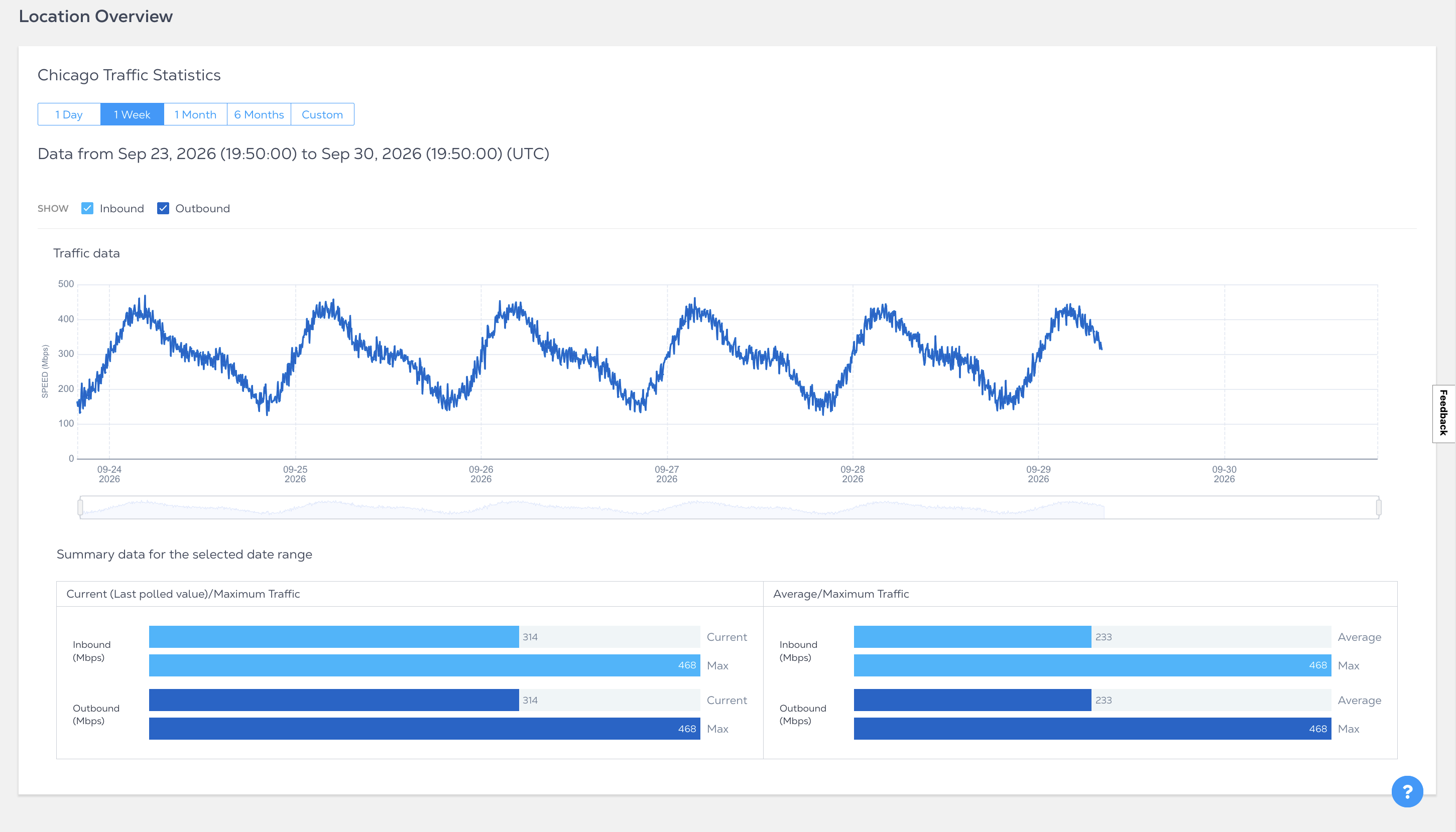
Statistiques de la zone métropolitaine
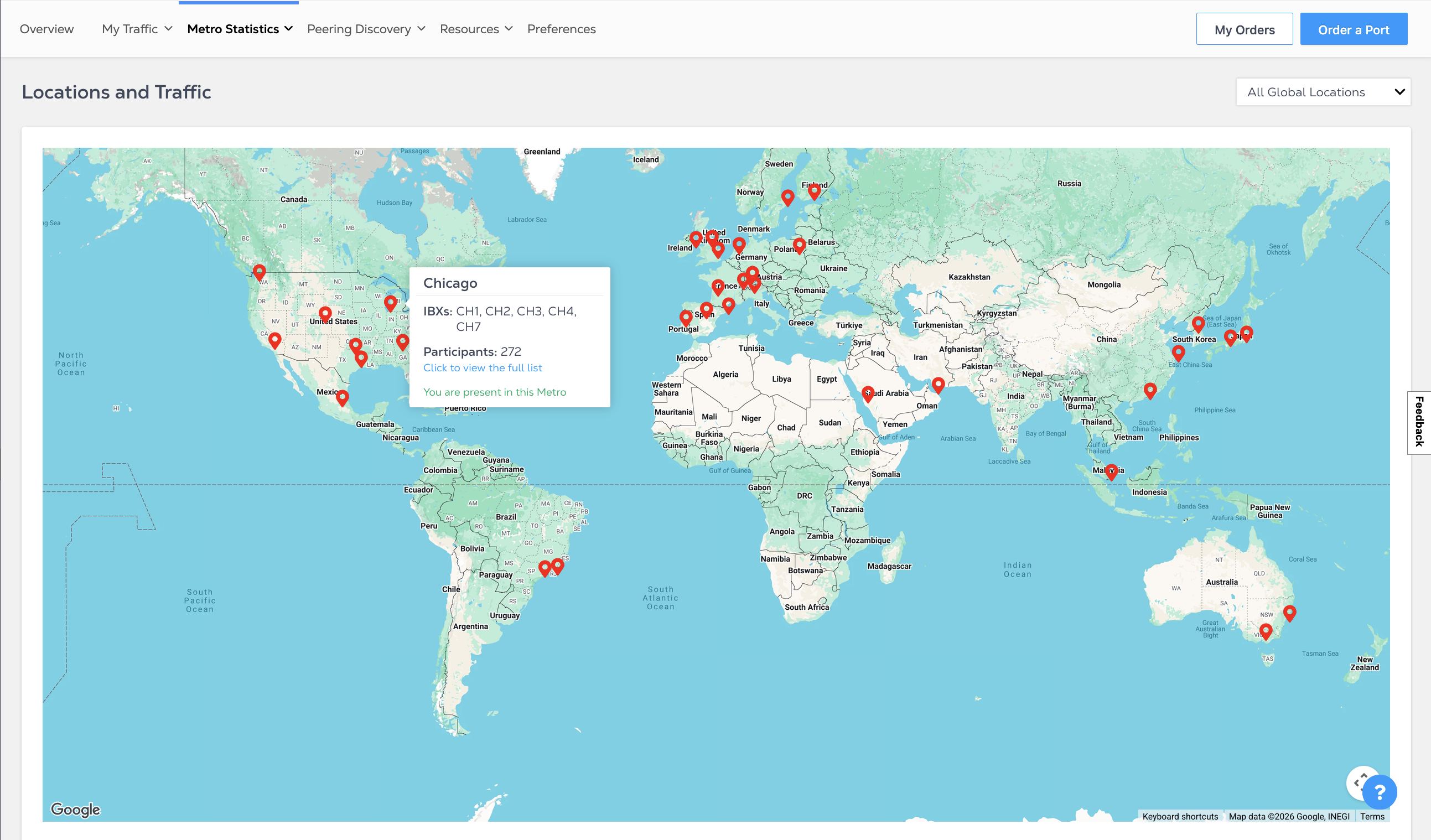
Vous pouvez afficher le trafic par emplacement géographique dans la section statistiques métropolitaines du tableau de bord Internet Exchange. Dans la liste déroulante, sélectionnez emplacements et trafic.

Et trafic
Utilisez la carte pour afficher les emplacements Internet Exchange. Survolez un emplacement pour voir un résumé rapide des IBX, le nombre de participants et si vous êtes présent dans la zone métropolitaine.
Présentation du site
La vue d'ensemble de l'emplacement fournit des statistiques de trafic pour une plage de dates donnée. Sur la carte, cliquez sur un emplacement ou utilisez la liste déroulante tous les emplacements mondiaux pour afficher les statistiques d'une zone métropolitaine spécifique.