Changer VLAN sur une connexion
Vous pouvez modifier le VLAN attribué à une connexion Fabric existante pour mettre à jour votre configuration réseau. Les VLAN d'origine peuvent être modifiés comme suit :
- Corrigez les incohérences VLAN
- Modifier les conventions de numérotation
Pour modifier l'VLAN d'origine de votre connexion :
-
Connectez-vous au Portail clients > Fabric Dashboard.
-
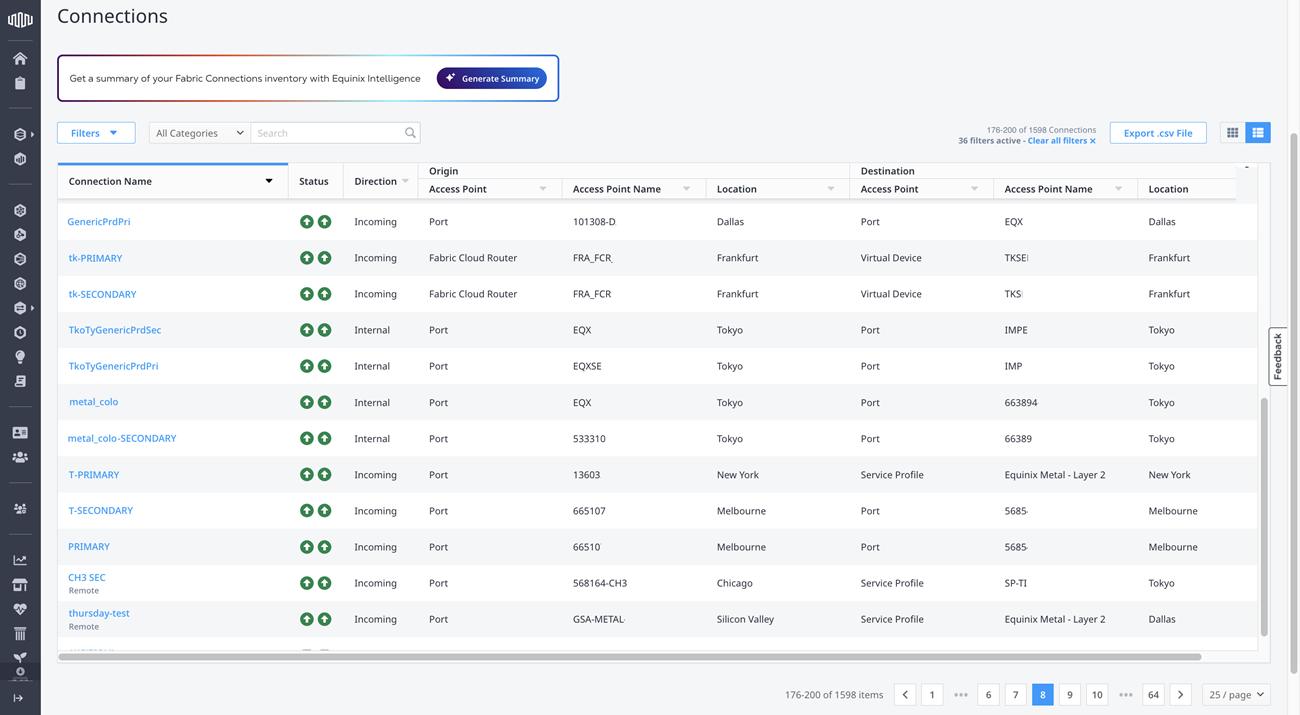
Dans le menu connexions , sélectionnez inventaire des connexions .
-
Localisez et cliquez sur la connexion que vous souhaitez modifier.
-
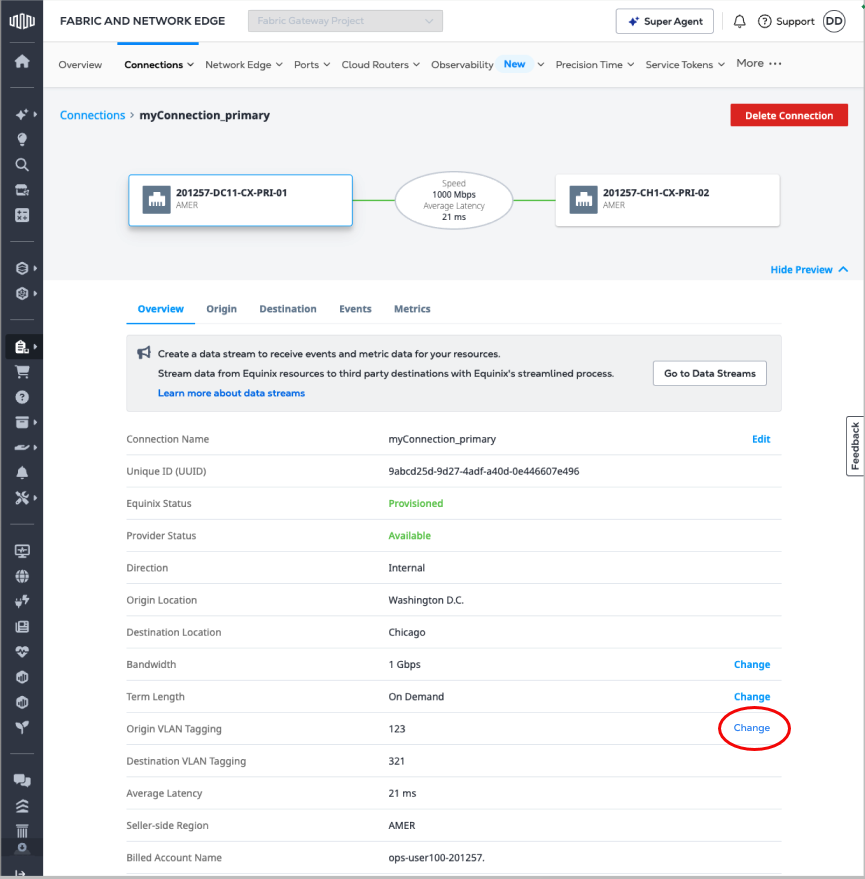
Cliquez sur modifier en regard de VLAN d'origine.
-
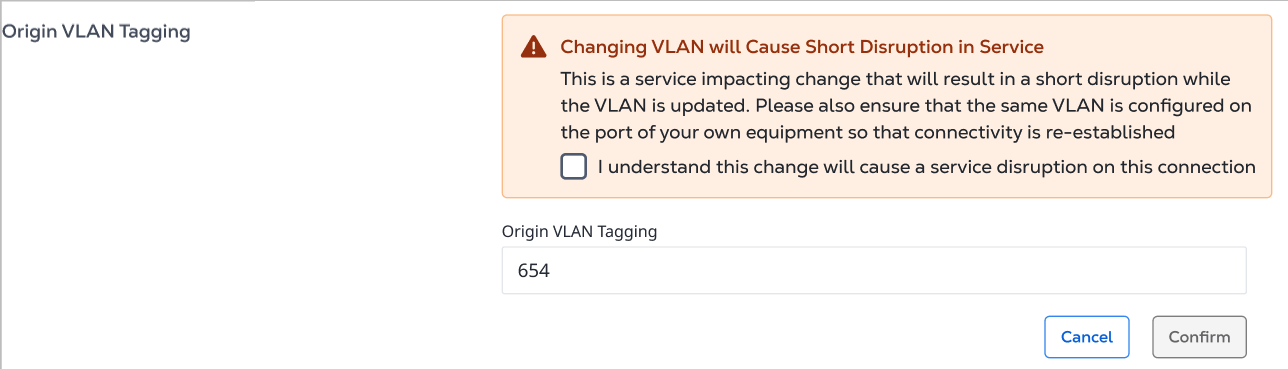
Entrez la nouvelle valeur pour le VLAN et sélectionnez je comprends que ce changement provoquera une courte interruption de service.
-
Cliquez sur Confirmez.