Connection Control – Geo Boundary
The Geo Boundary feature is an enhanced capability of Equinix Fabric that ensures data in transit remains within a specific geography and sovereign jurisdiction in the Equinix Fabric network.
You can use the Geo Boundary feature to deploy connectivity solutions for data sovereignty and data residency use cases for data in transit.
This is an optional feature that can be enabled when creating a connection between Fabric ports or to a service provider where the destination is within the same country and in a country where Geo Boundary is available.
Equinix currently offers Geo Boundary zones in Canada, United States, Japan, UK, Switzerland, Brazil and Australia.
When creating a connection from your Fabric port to a destination that is also within that same country, the option will appear to apply Geo Boundary to constrain traffic within that country.
Geo Boundary Example
Geo Boundary has been enabled for a virtual connection between Dallas and Ashburn metros. With Geo Boundary enabled, network traffic for this virtual connection is constrained to routes within the United States.
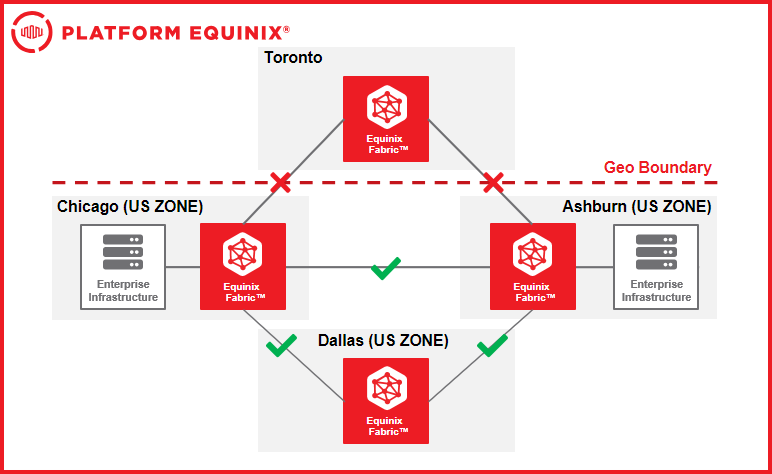
Enabling Geo Boundary for Virtual Connections
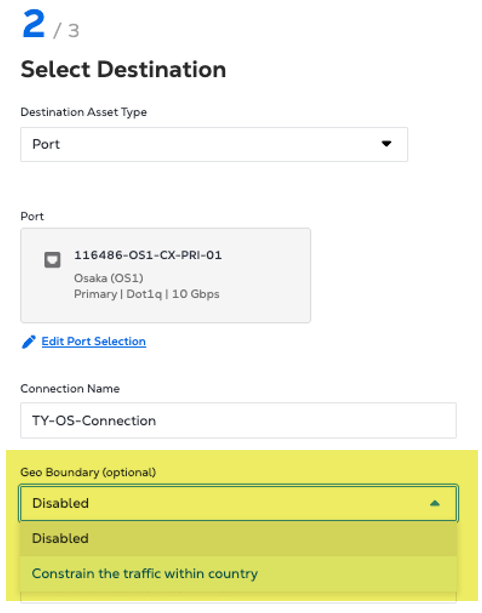
Geo Boundary can be applied to connections during the create connection workflow.
Once the origin and destination for the connection have been selected, and if these are within the same country and in a country where Geo Boundary is available, then the option will automatically be presented.
From the Geo Boundary drop-down list, select Constrain the traffic within a country.
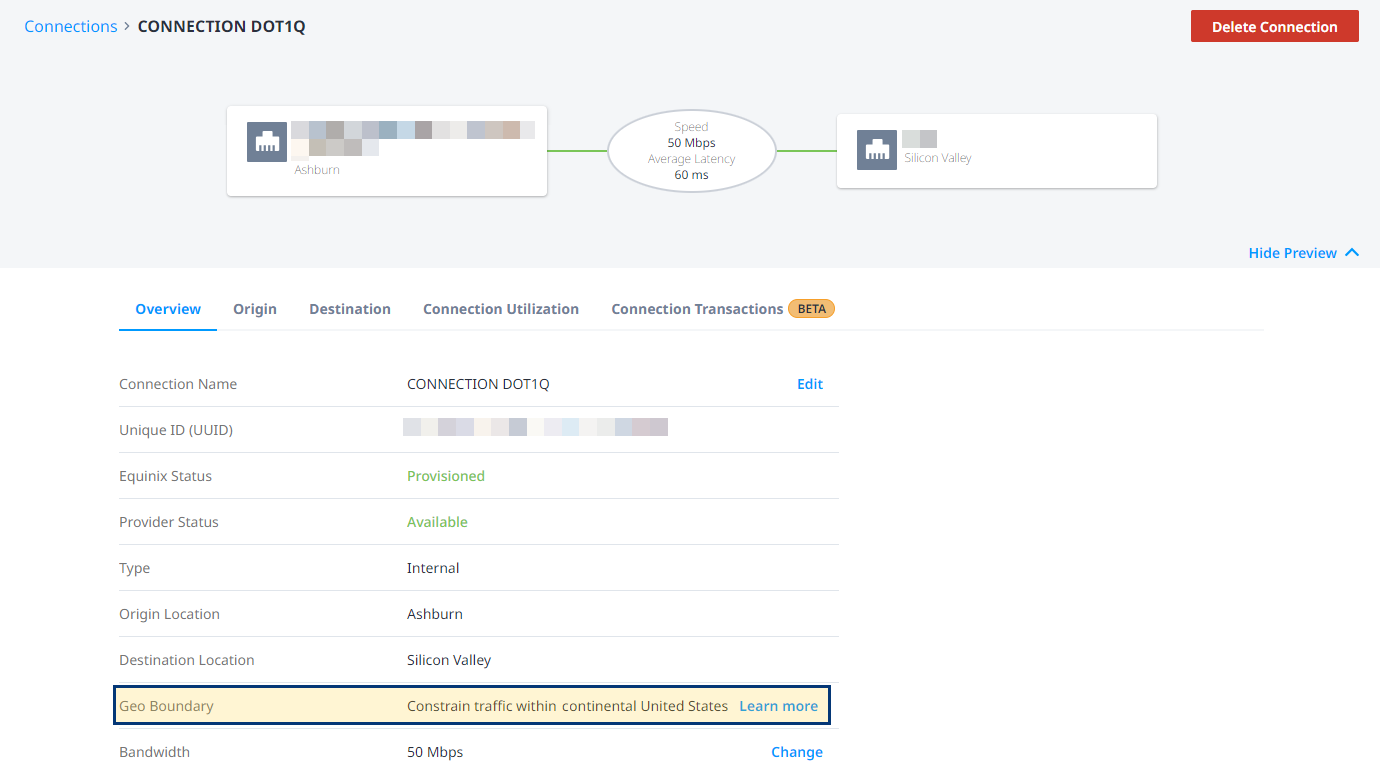
After the connection is created, you can find it in your Connections Inventory and view its details.
Service Level Agreement
The Geo Boundary feature may impact SLA when deploying this feature in Canada depending on your network redundancy configuration. For more information, see Equinix Fabric Product Policy.