Creating a Company Profile
To make your services (such as SaaS and IaaS) available on the Fabric Marketplace you must have a a company profile and a service profile. Your company profile contains information about your company. Your service profiles describe your offered service and how others may connect to that service. One or more service profiles can be attached to a company profile.
To create a company profile, you must have the one of the following roles:
Equinix Company AdminFabric Service Profile ManagerFabric Service Provider- a custom role with the
fabric.serviceprofile.createpermission.
If you do not have permissions, contact your company administrator.
Create Your Company Profile
-
Sign in to the Customer Portal and navigate to the Fabric Marketplace.
-
In the Become a Service Provider box, click Join the Ecosystem and then Create Your Company Profile.

-
In the Overview, complete the information by providing a short and long description of your company, your company’s web URL, and a contact URL.
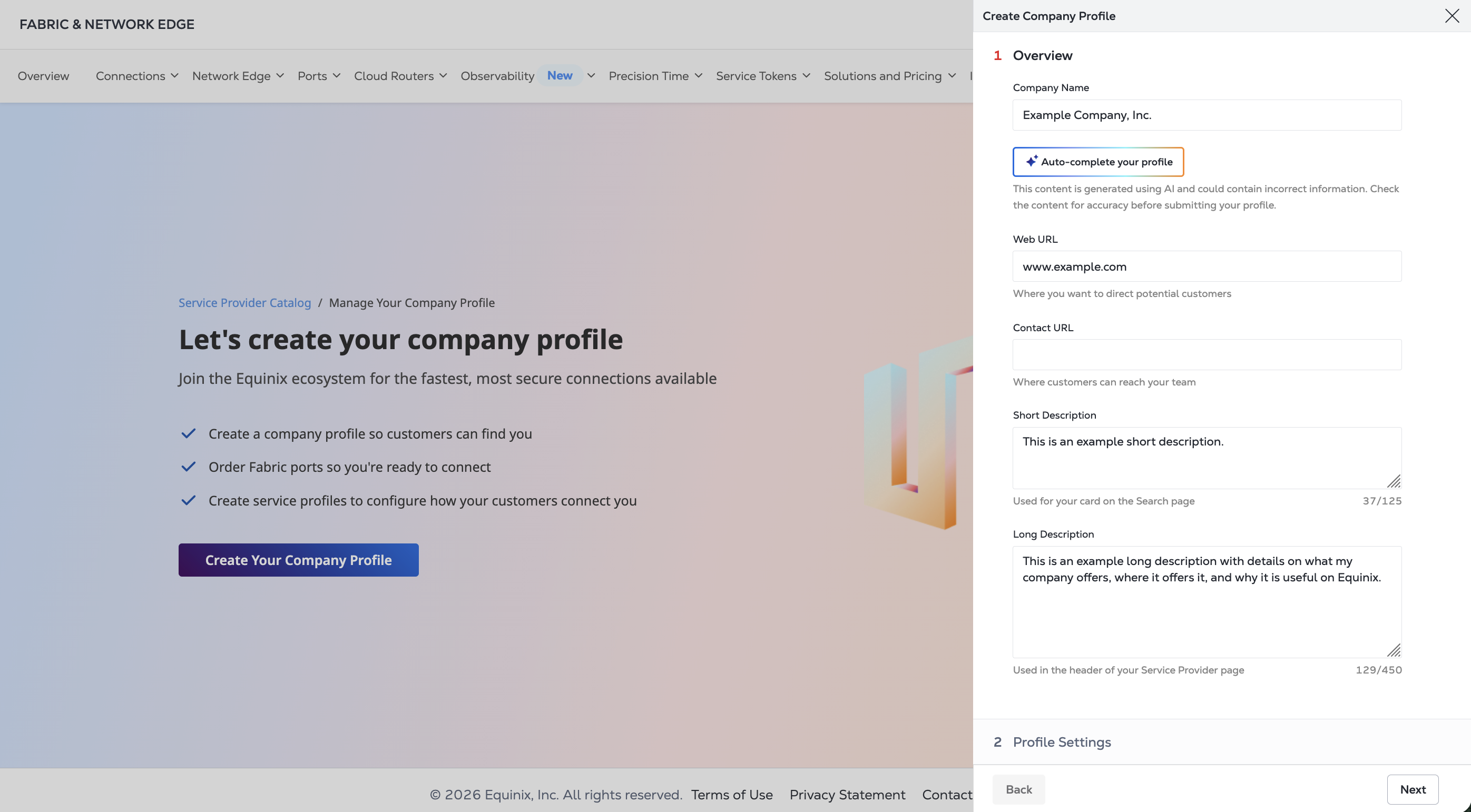
Click Next.
-
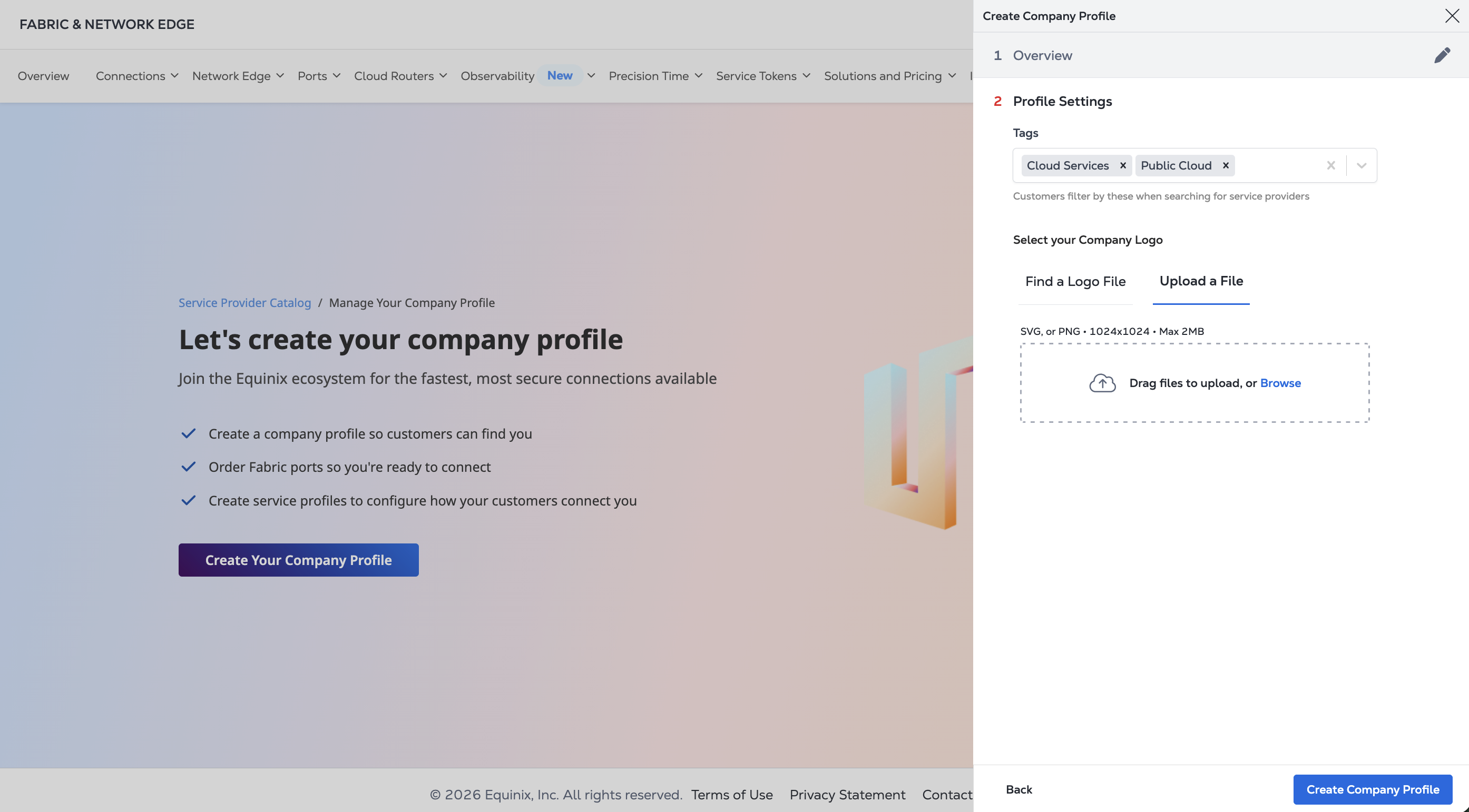
In Profile Settings:
-
Add tags to your Company Profile. These tags are used by customers to search and filter for companies that offer various types of services. Select the appropriate tags from the provided list.
-
Add your Company Logo either through a search or uploading a file. Supported file types are
.svgand.png. Max supported file size for the logo is 2 MB.
-
-
Click Create Company Profile.
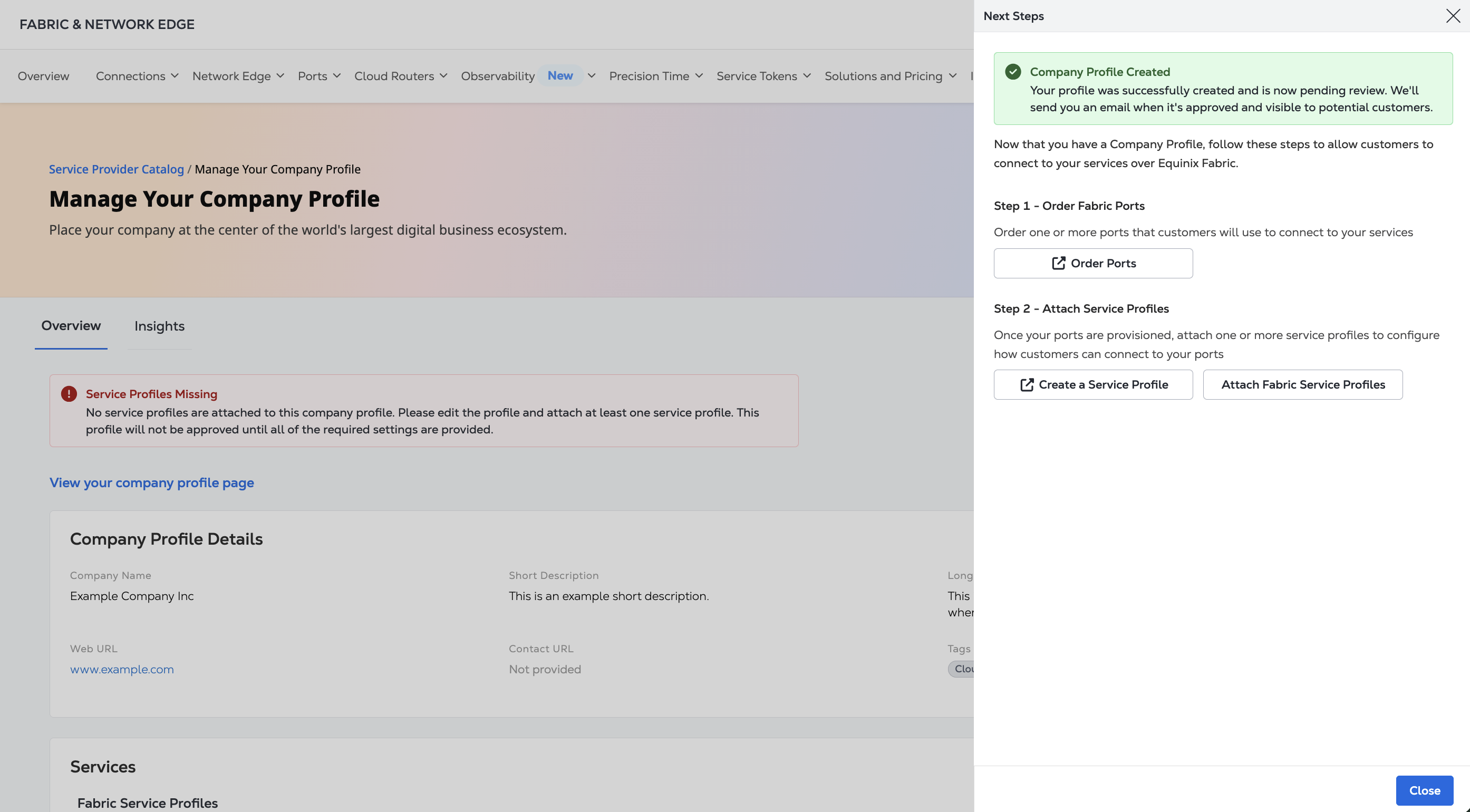
Next Steps
Once you have created your Company Profile, you can:
- Order Fabric Ports if you do not already have them.
- Create a new service profile if you haven't already.
- Attach an existing service profile to the company profile you just created.