Gestione el perfil de su empresa
Una vez que hayas creado un perfil de empresa, puedes usar Fabric Marketplace para ver, modificar y ver la información del cliente y de la conexión.
Para administrar su perfil de empresa:
-
Inicie sesión en el Portal del Cliente y navegue hasta el Mercado de Tela .
-
En el BOX Bienvenido al ecosistema de Equinix, haga clic en Administrar su perfil.

Para administrar un perfil de empresa, debe tener uno de los siguientes roles:
Equinix Company AdminFabric Service Profile ManagerFabric Service Provider- un rol personalizado con los
fabric.serviceprofile.updatepermisos andfabric.serviceprofile.delete.
Si no tiene permisos, póngase en contacto con el administrador de su empresa.
Resumen
En la Visión General, puede ver toda la información en la sección Detalles del perfil de la empresa y los perfiles de servicio adjuntos en la sección Servicios. Para ver cómo aparecerá su empresa ante los clientes potenciales, haga clic en Ver página de perfil de su empresa .
Editar el perfil de su empresa
Para editar su perfil de empresa, seleccione Editar perfil en el menú desplegable Acciones.
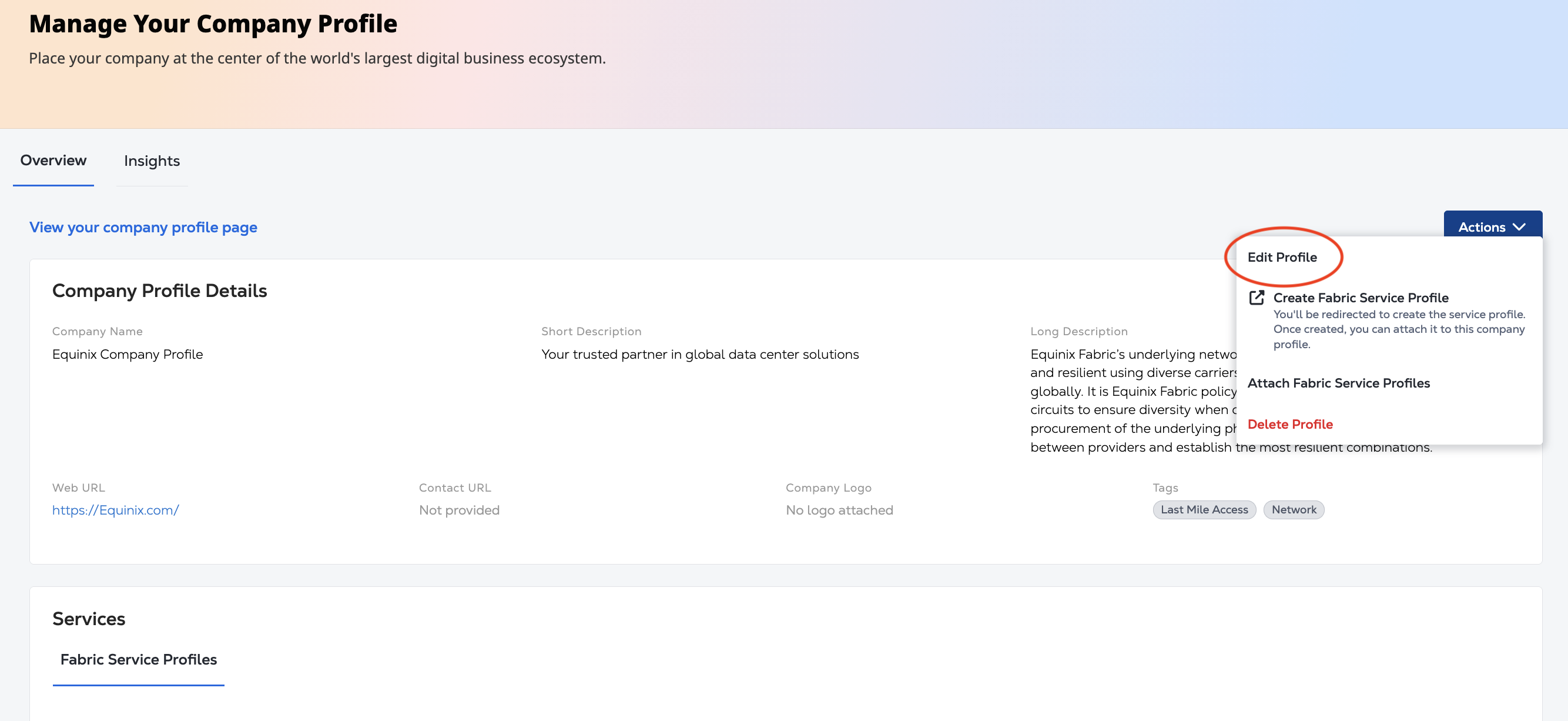
Utilice el panel Editar perfil de empresa para:
- Actualice la información en la Descripción general. Haga clic en Siguiente.
- Actualice las etiquetas o la imagen del logotipo.
- Para guardar tus actualizaciones, haz clic en Enviar.
Borra tu perfil de empresa
Para eliminar tu perfil de empresa, selecciona Eliminar perfil en el menú desplegable Acciones.
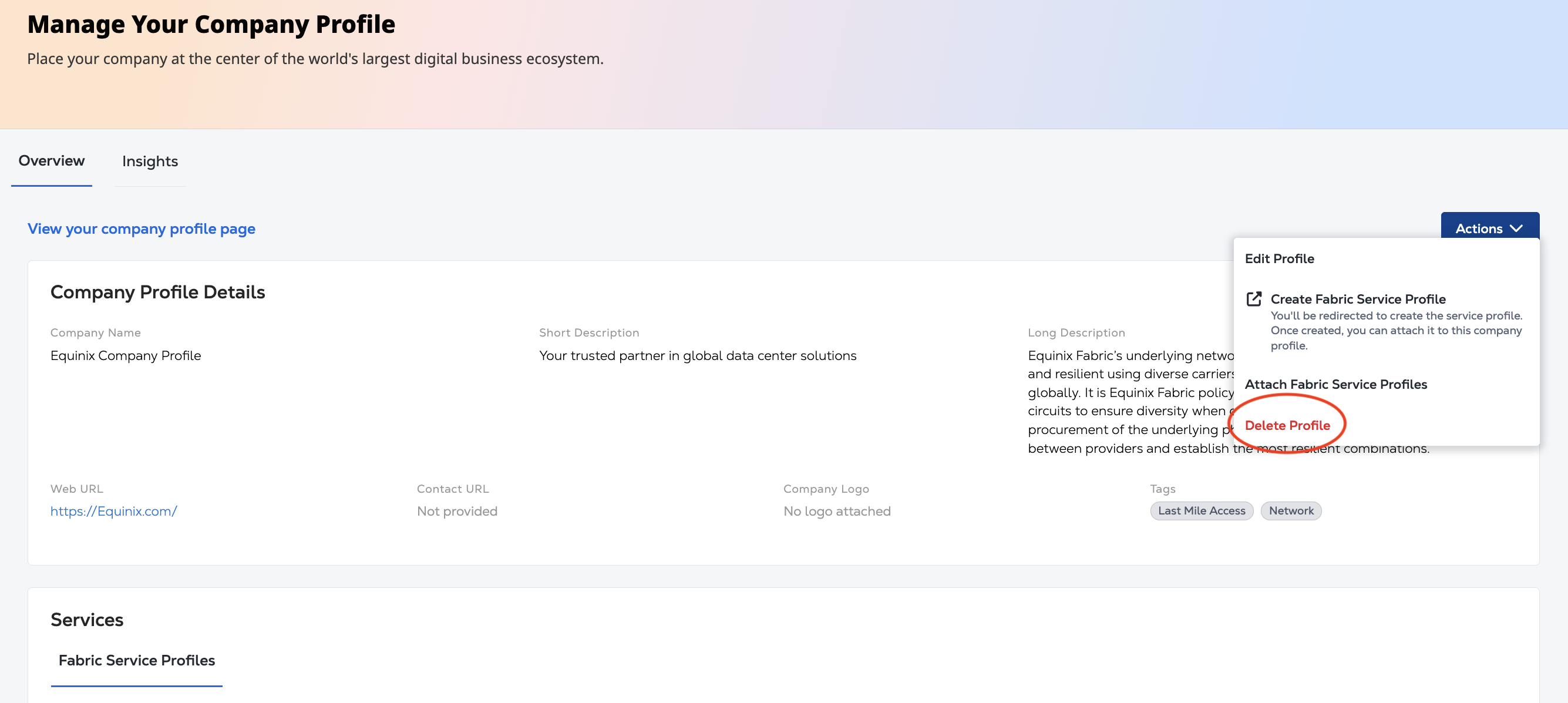
En la pantalla de confirmación, haga clic en Eliminar perfil.