Identity and Access Management
Equinix uses Role-Based Access Control (RBAC) to manage its services. Administrators can define a resource hierarchy and assign permissions that apply to child resources. With RBAC, users are granted access based on roles and use a single set of credentials to sign in.
Features
-
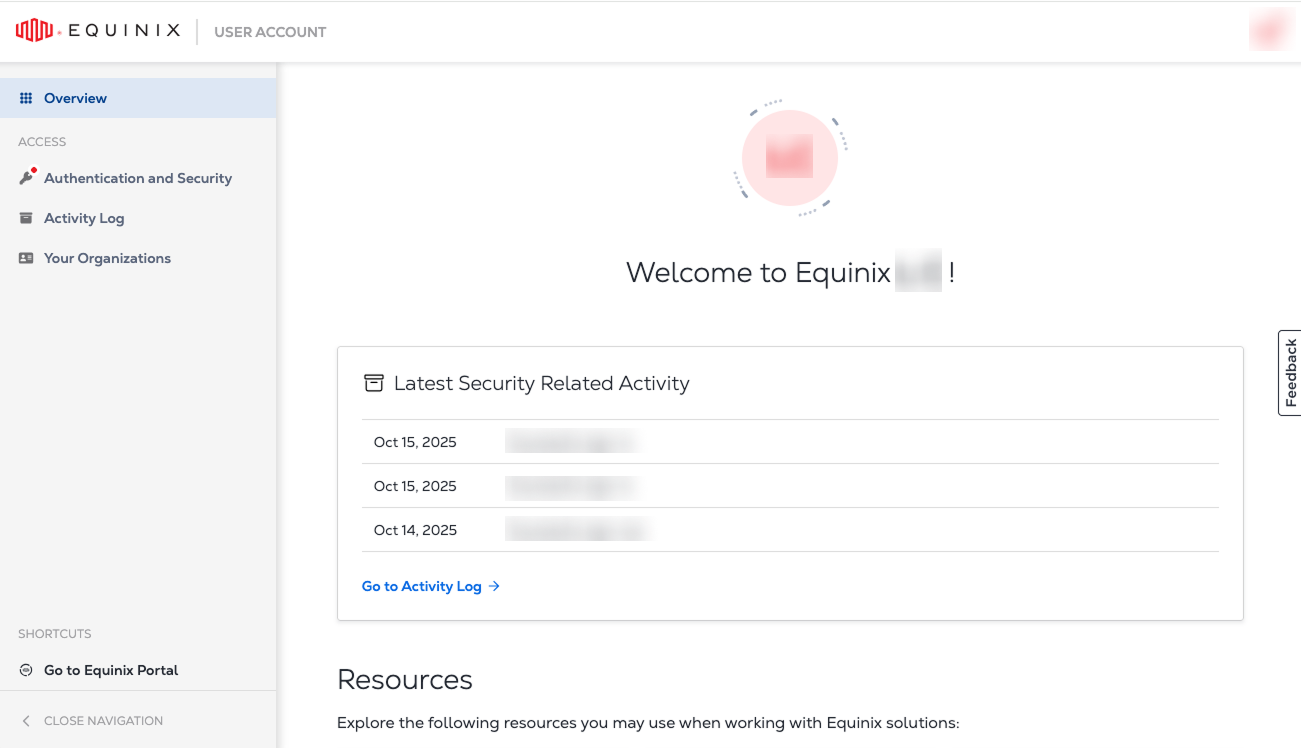
Identity Management – Manage your access and security settings. Link your accounts and switch between them without having to re-login.
-
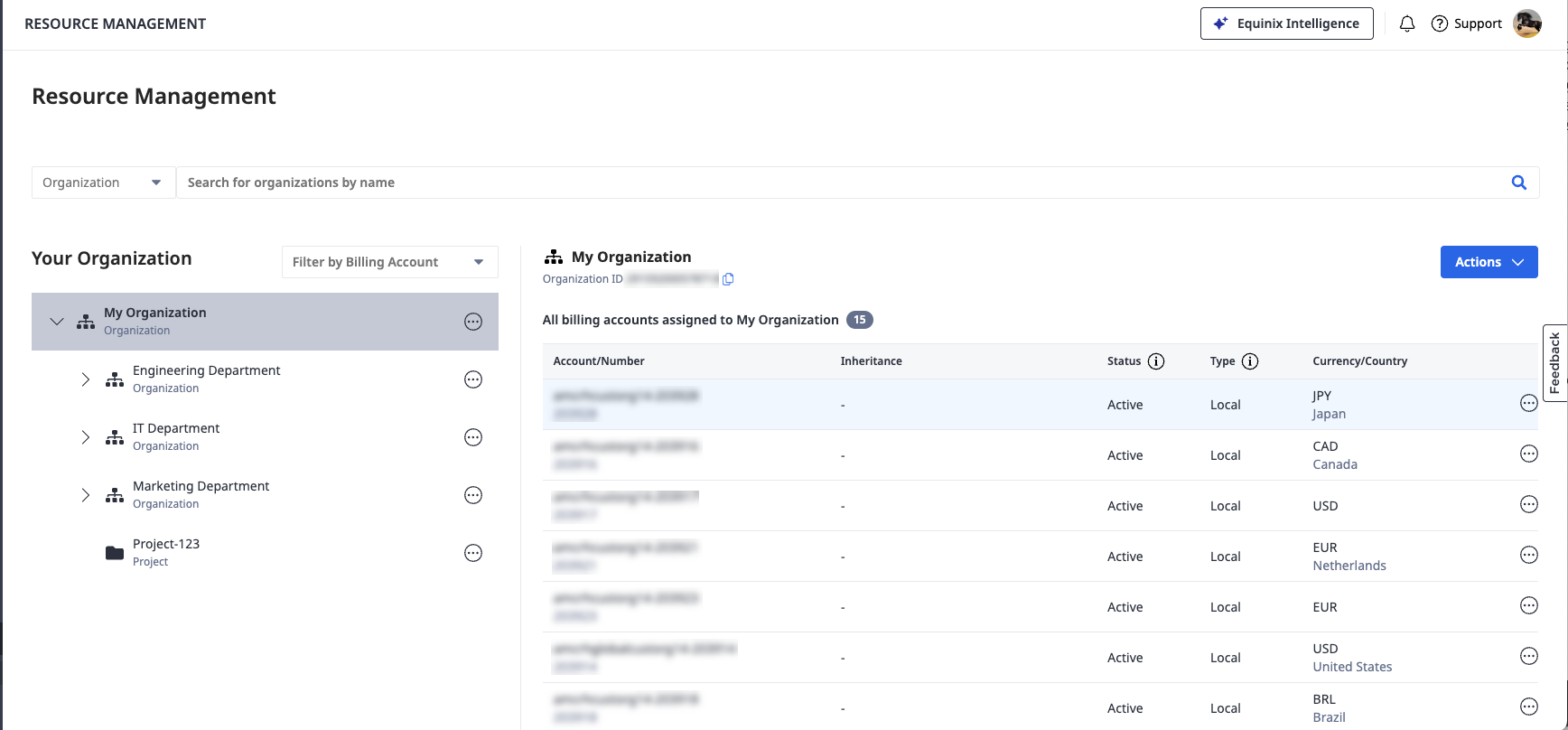
Customer Resource Hierarchy – View and manage the structure of organizations, projects and resources.
-
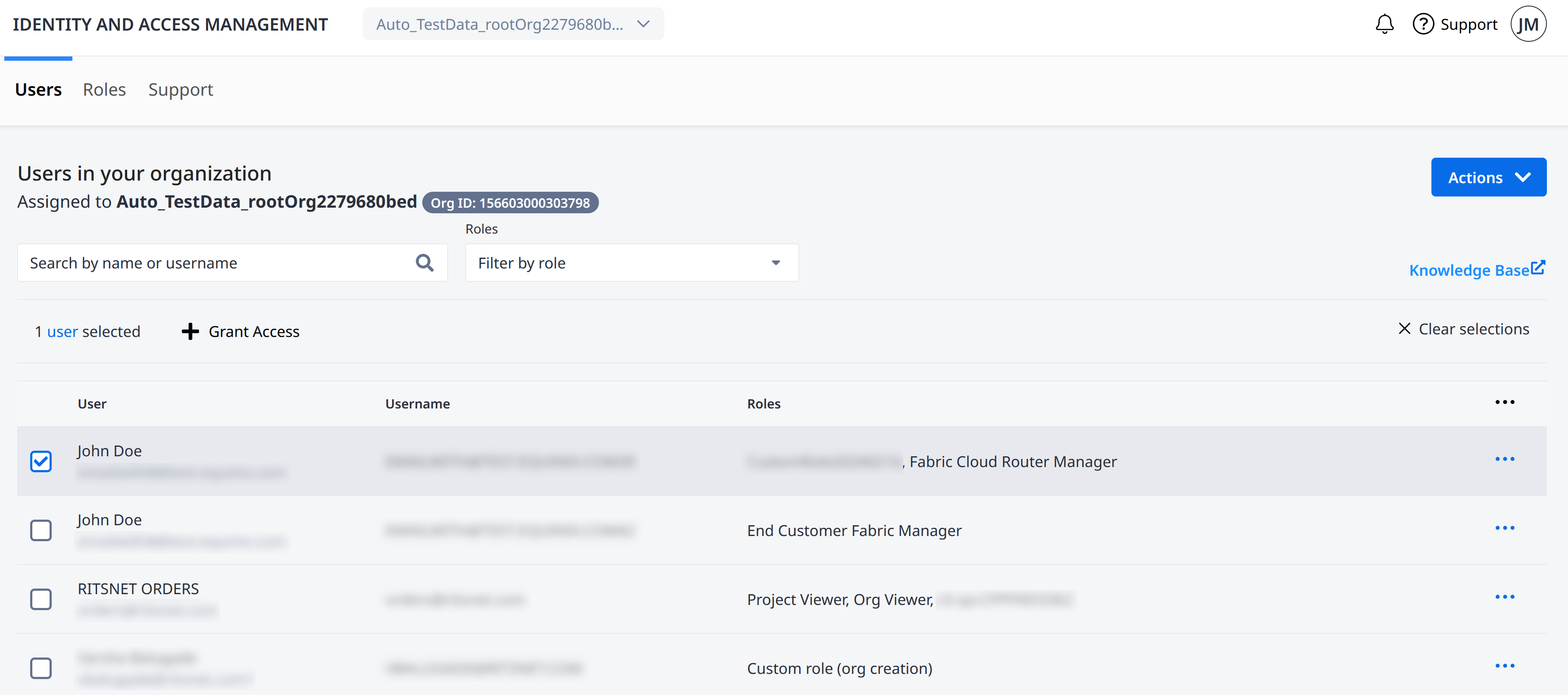
Role-based Access Control – Add users and grant access to the user in a given resource. Create custom roles that suit your internal organization setup.
Identity Management
Identity and Access Management is available for users that have been migrated to Identity and Access Management.
Onboarding is carried out in phases. We will notify you by email before we migrate your organization to Identity and Access Management.
To access the Identity and Access Management portal:
-
Navigate to the Identity & Access Management portal.
-
Enter your user name and password.
noteYour existing Equinix user name and password will continue to work after resource hierarchy migration to Identity and Access Management.
-
Click Sign In.
Equinix Identity Authentication
Equinix has implemented email-based authentication for platform access. New customers are automatically enabled for email-based authentication, while existing customers can migrate through a self-service process. This system allows for logging into Equinix portals with an email address.
MFA and SSO Access Options
Equinix supports two secure methods for accessing the Customer Portal: Equinix‑managed login with Multi-Factor Authentication (MFA) and federated Single Sign‑On (SSO). Both strengthen account security, but they differ in setup effort, user experience, and scalability for large, distributed organizations.
| SSO (Federated login) | MFA (Equinix‑managed login) | |
|---|---|---|
| Security | Relies on the customer’s identity provider (IdP) to authenticate users; Equinix trusts the IdP assertion at login. | Adds a second authentication factor (SMS or authenticator app) to Equinix email/password login, significantly reducing unauthorized access risk. |
| User experience | Users sign in using existing corporate credentials via “Sign in with SSO,” with no separate Equinix MFA enrollment required. | Users must enroll and maintain an Equinix‑specific second factor; access can be impacted if users cannot complete MFA challenges. |
| Setup effort | One‑time, organization‑level setup; an administrator registers the company’s identity provider (IdP) with Equinix by submitting SAML metadata and a certificate through the Customer Portal. See Register for Federated SSO. | Quick to enable at the organization level (see MFA); individual users are then prompted to configure their authentication factors. |
| Ongoing management | Access is centrally managed through the customer’s IdP, aligning with existing onboarding and offboarding processes. | Ongoing support is user‑driven (device changes, MFA issues, re‑enrollment). |
| Best fit | Works best for large enterprises with established identity platforms and distributed workforces. | Works best for smaller user populations or customers without an enterprise IdP. |
Recommendation
For large enterprises, Equinix recommends federated SSO for accessing the Customer Portal. While MFA is effective and easy to enable, it requires every user to successfully set up and maintain an Equinix‑specific second factor, which can introduce access challenges at scale.
SSO requires more initial configuration by an administrator, but once in place, it provides a consistent login experience, centralizes access control within the customer’s identity platform, and reduces ongoing user and support friction. Enterprises with mature identity platforms typically find that SSO offers the best balance of security, usability, and administrative control for accessing Customer Portal.
Optionally, SSO can be extended with SCIM to automate user provisioning, deprovisioning, and group role/permission assignments—minimizing manual account management and reducing the risk of outdated access.
Note about shared accounts
Equinix does not allow the sharing of Customer Portal credentials. While no system can fully prevent someone from attempting to share credentials, federated SSO is designed around unique user identities. It allows customers to enforce one‑person‑per‑account access in alignment with enterprise security best practices, reducing the risks associated with shared credentials.
What is the Customer Resource Hierarchy?
Customer Resource Hierarchy is a hierarchical structure that reflects your organization setup. It comprises building blocks that include different types of organizations, projects, and product assets such as Fabric connections or Network Edge virtual devices. Create organizations and projects, and manage billing accounts assignment to build a resource structure that matches the setup and operations of your organization.
Role-based Access Control
Role-based Access Control lets you:
- Add users and assign them to Organizations and Projects.
- Assign Roles to control permissions and access to your Equinix assets and resources.
- Create custom roles that suit your internal organization's structure.
Roles provide a convenient way to control user access to projects and assets across your organization. Roles are sets of permissions. They control who gets to access different resources in your organization. Assign roles to users at certain levels to let them access projects, organizations, and product stuff under a specific area.
Permissions give roles their functionality through an industry standard based IAM permissions structure. Each permission takes the form of: Service.Resource.Verb, with Service being the IAM service that is called, Resource defined as the system resource acted upon, and Verb defining the action that is permitted for that permission.
Best Practices
Follow these recommendations for using Identity and Access Management to ensure the security of your Equinix resources.
Grant least privilege - The Principle of Least Privilege (PoLP) is an information security concept where a user has the minimum levels of access – or permissions – needed to perform their job functions. PoLP extends beyond user access as it creates automatic resource controls within a system hierarchy. Your Primary or IAM Admin must decide what users need to act upon and assign them only the appropriate roles.
Allow roles to manage permissions - Rather than creating custom permissions, allow the built-in roles and permissions to manage access to your projects and assets. This approach requires less overhead, allowing you to focus on administering the overall hierarchy, organizations, and projects.
Custom Roles allow you to select only the permissions that you want for a role of your own design.