Viewing Your Colocation Assets
You can view your Secure Cabinet, Secure Cabinet Express, and Private Cage deployments in the Customer Portal. This feature is available if you have the Install Base permission or if you have administrative permissions, either the Company Administrator or IBX Administrator role. For more information, see Permissions.
The Assets screen doesn’t show colocation assets for Equinix Space Reservation, Business Suite, Flex Space, Antenna, or Data Hall. These assets are available in your Install Base Assets.
Equinix is upgrading its systems and the user experience in the Customer Portal. If your account has been onboarded, viewing your assets from the Colocation Assets is temporarily unavailable. You are still able to view all of your colocation assets, including Secure Cabinet, Secure Cabinet Express, and Private Cage deployments, in your Install Base Assets.
Viewing Your Cabinets and Cages
-
Sign in to the Customer Portal.
-
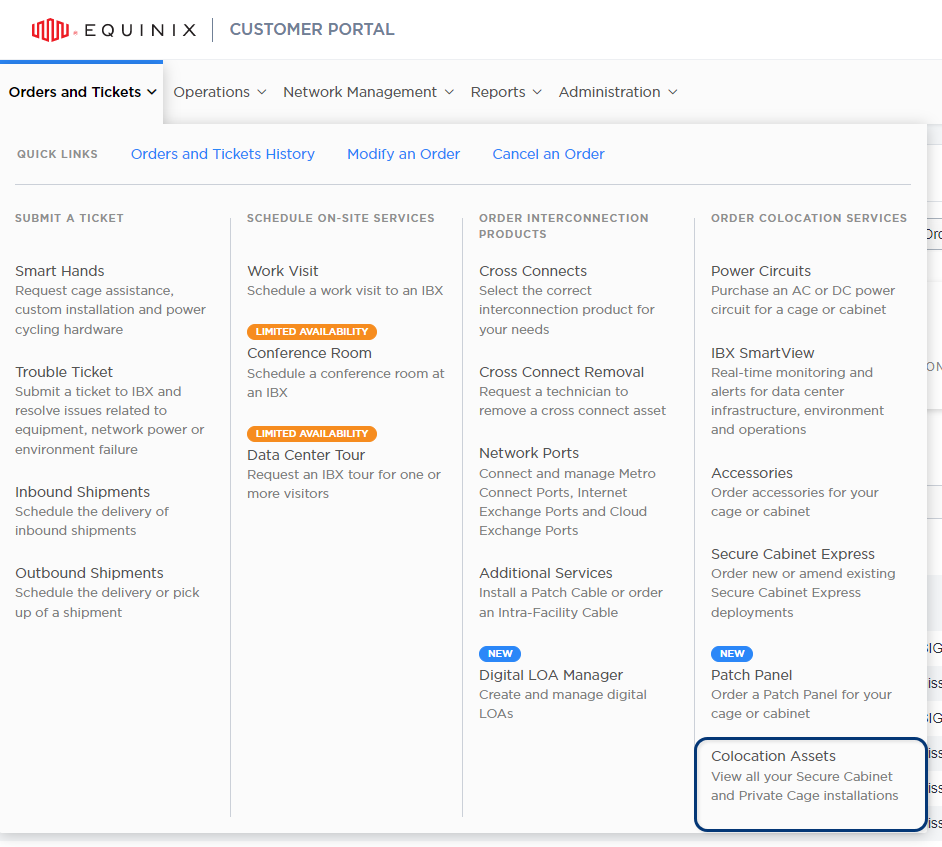
From the Orders and Tickets menu, choose Colocation Assets.
-
For each deployment, the screen shows the billing agreement, IBX location, billing account, product type, initial contract start date, and renewal/end date.
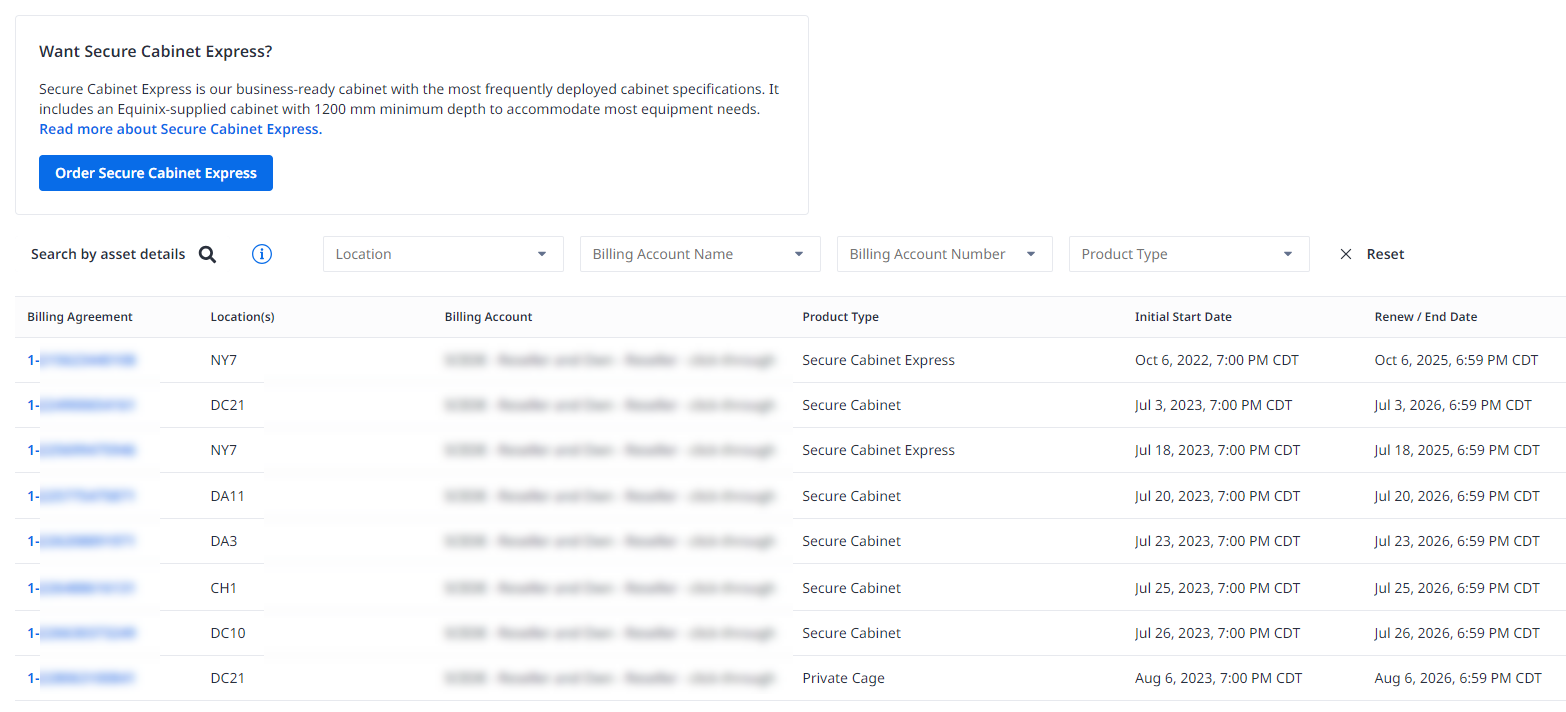
You can search the list by cage number, cabinet number, cabinet asset number, or cabinet serial number. You can also filter by IBX location, billing account, and product type.
-
To see more details about a deployment, click the Billing Agreement number.
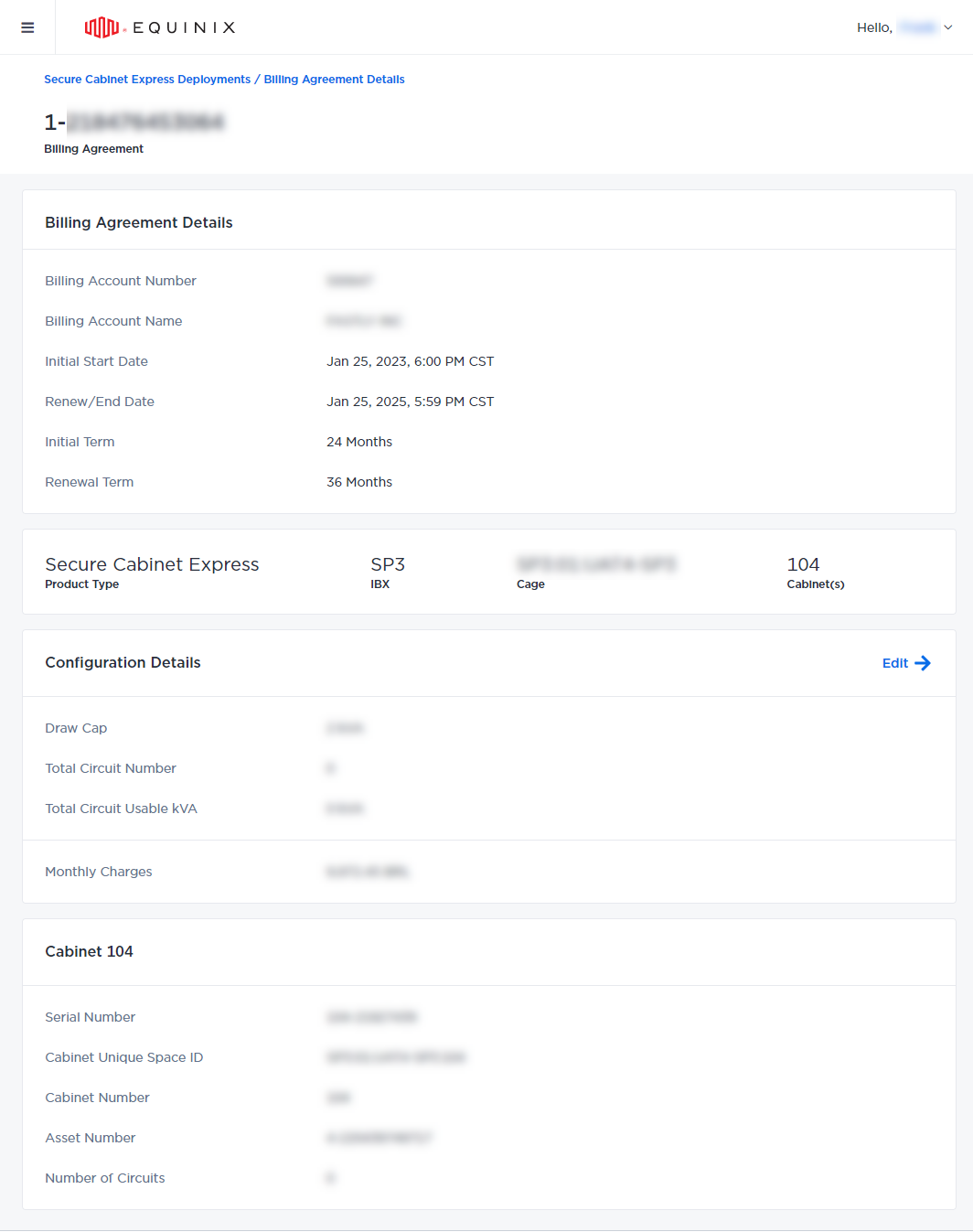
To learn how to edit your deployments, see Modify Your Colocation Deployment.