Equinix Account Hierarchy
Equinix is upgrading its systems and the user experience in the Customer Portal. If your account is onboarded, you can now view how your accounts are organized in the Customer Portal, with your Company Accounts at the top-level and the Billing Accounts under them.
Company Accounts
Company Accounts are high-level accounts that consist of your company's legal entity — legal company name, billing address, and all agreements (Universal Terms, and legacy DSA, MCA, and GTC agreements). Company Account name, address, and details are verified during onboarding and creating an account.
One Organization can have multiple Company Accounts; for example, one Company Account per legal entity or country. Each Company Account can have one or more Billing Accounts.
Your Company Account is represented by the Company Account Number (CAN) which appears in the Customer Portal and on your invoices.
Billing Accounts
Billing Accounts sit underneath Company Accounts, and contain billing information including currency, discounts, and billing contact.
Billing Accounts can be either Global or Local depending on the products and services you are purchasing from Equinix. When ordering, you must select a billing account for the product or service.
Each Billing Account generates its own Invoice.
A Billing Account is represented by the Billing Account Number (BAN). You use the Billing Account number for:
- Placing orders for products and services.
- Purchase Order management.
- Accessing your Invoices.
Viewing Your Accounts
To see your account structure:
-
Sign in to the Customer Portal.
-
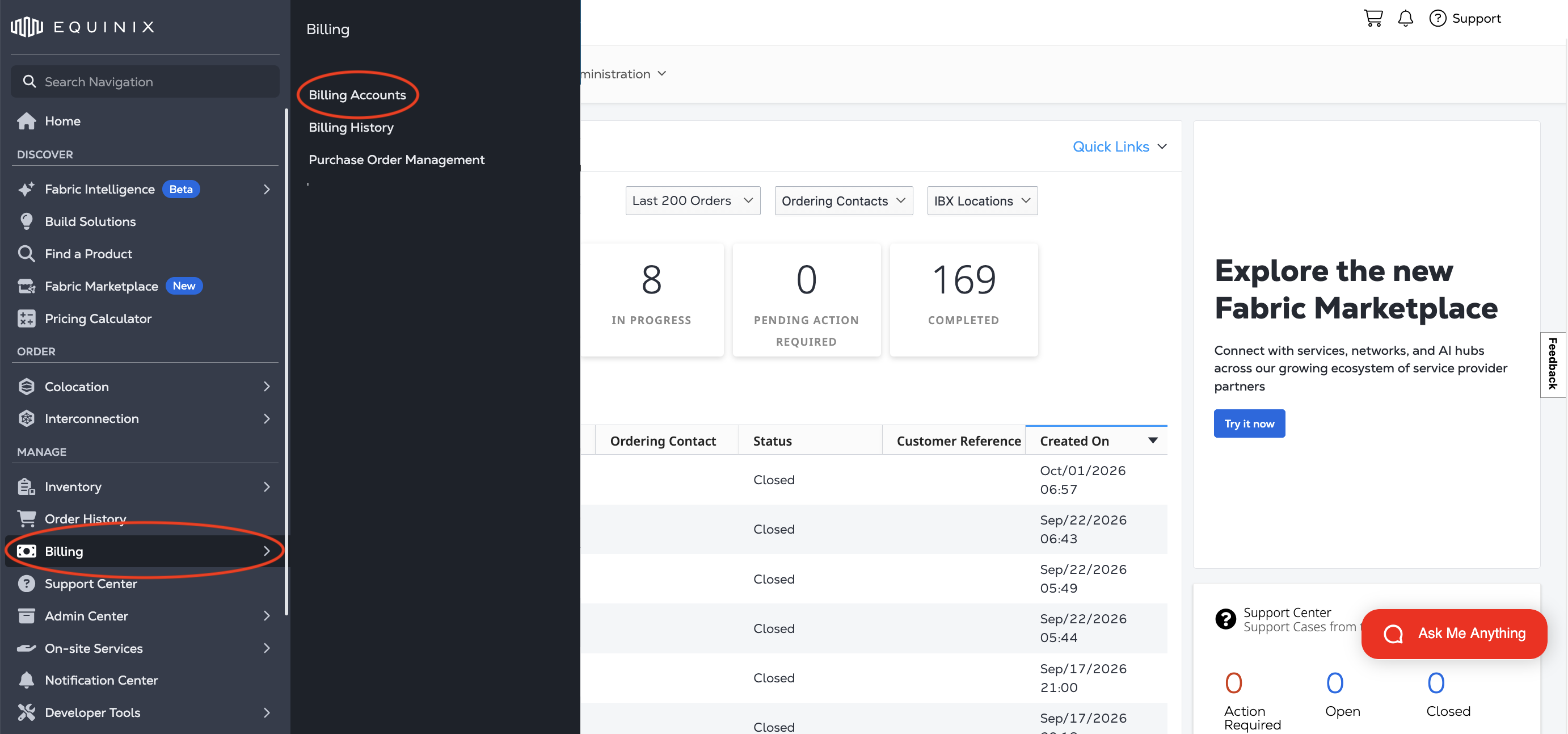
From the Manage section of the global navigation, click Billing, then Billing Accounts.
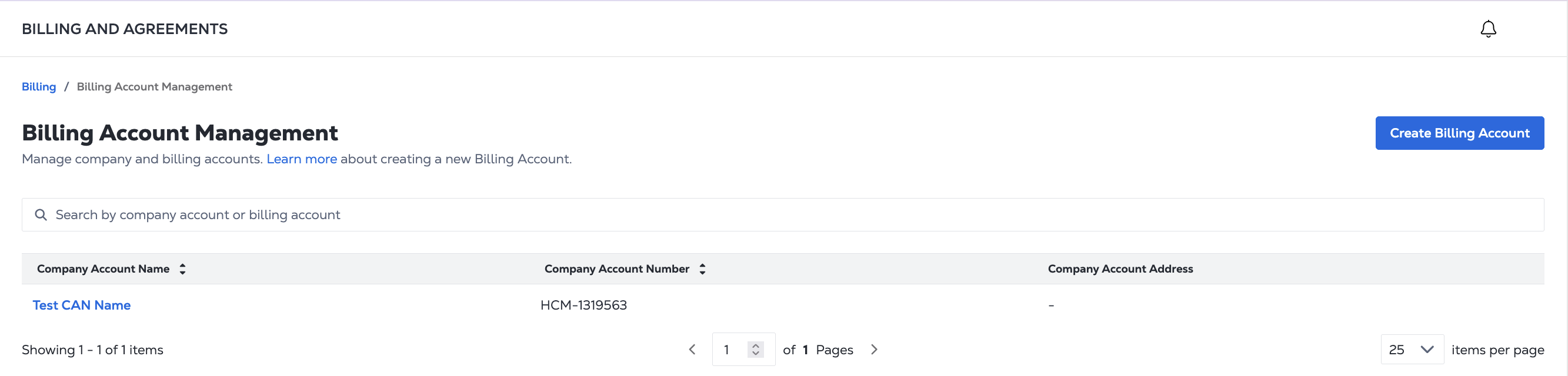
The Billing Account Management page lists Company Account Names, Company Account Numbers, and Company Account Addresses.
To see the Billing Accounts associated with a Company Account, click the the Company Account Name. The Company Account Summary page provides a summary view of your Company Account.
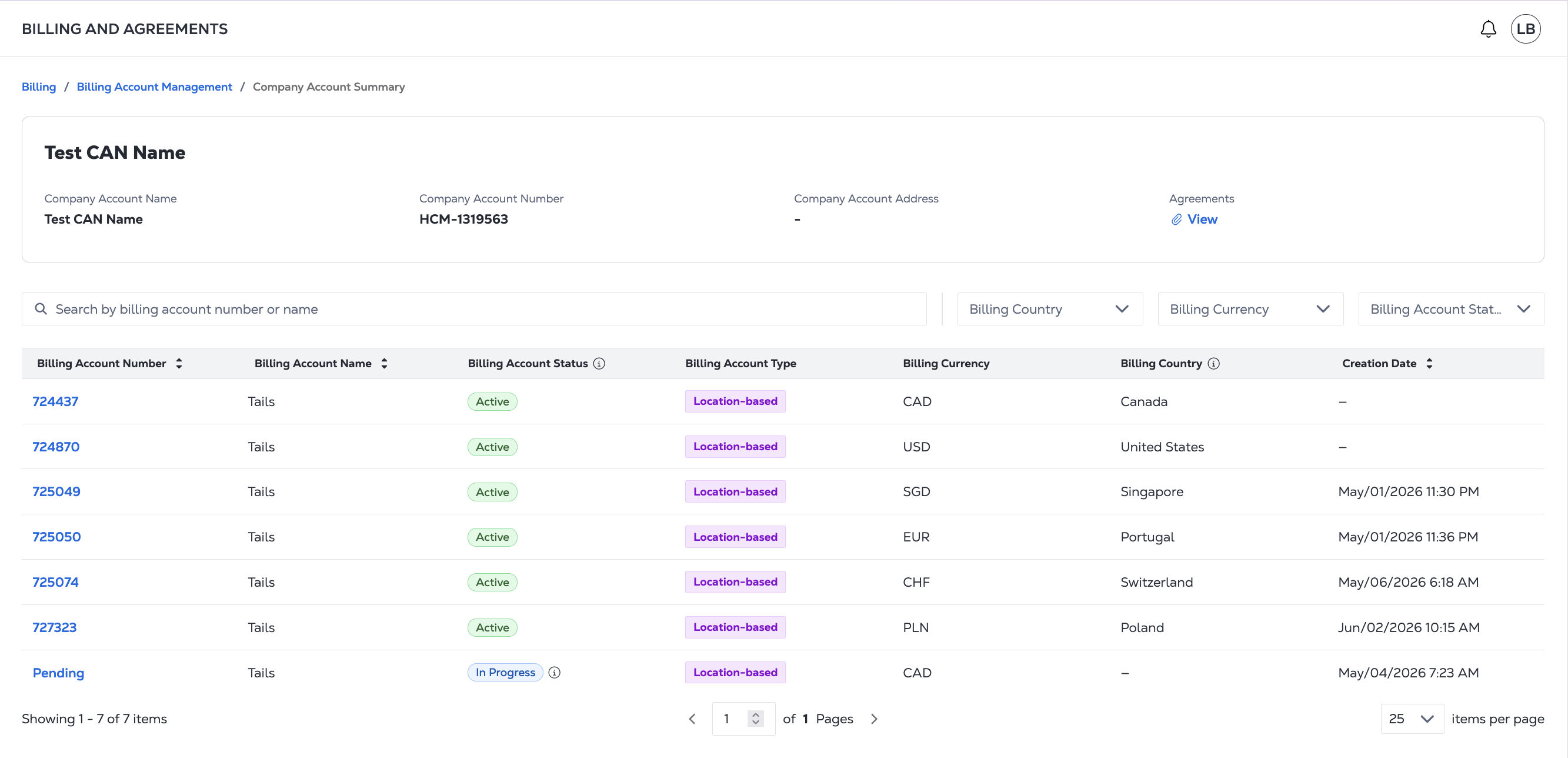
To view the Agreements for the account, click View.
The table lists all the Billing Accounts associated with the Company Account, including:
- Billing Account Number
- Billing Account Name
- Billing Account Status
- Billing Account Type
- Billing Currency
- Billing Country
- Creation Date
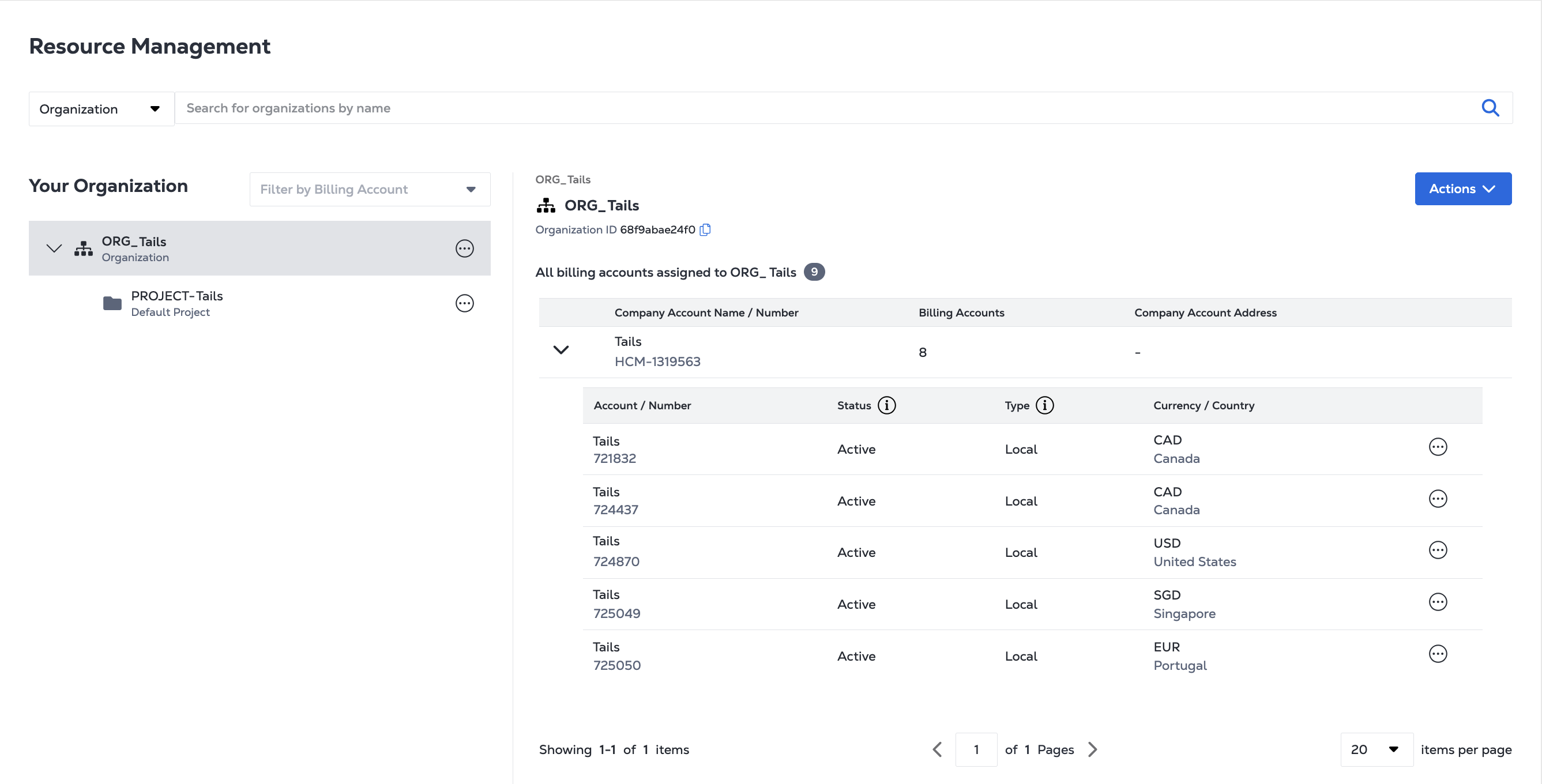
Resource Management
Your account structure is also reflected in Resource Management when viewing your Organizations and Projects.