Billing
The Billing section covers Billing History, Purchase Order Management, Billing Account Creation and Management, and provides Pricing and Billing terms and information about our product offerings.
Billing History
Use Billing History to view or download charges and payments for your Equinix IBX data center deployments. Billing History provides a high-level summary of all your billing account transactions (invoices, credit memos, and payments) for the past 12 months.
New Users
New users must create an account on the Customer Portal. To create an account, contact your company's portal administrator, Equinix representative, or the Global Service Desk.
Existing Users
-
Sign in to the Customer Portal.
-
Access Billing History using one of the following options:
- From the left navigation, select Billing, then choose Billing History.
- From the top menu, select Operations tab, then choose Billing History.
Billing Permissions
Viewing Billing History requires the Billing and Payments permission for the relevant account. To view current permissions in the Customer Portal, complete the following steps.
-
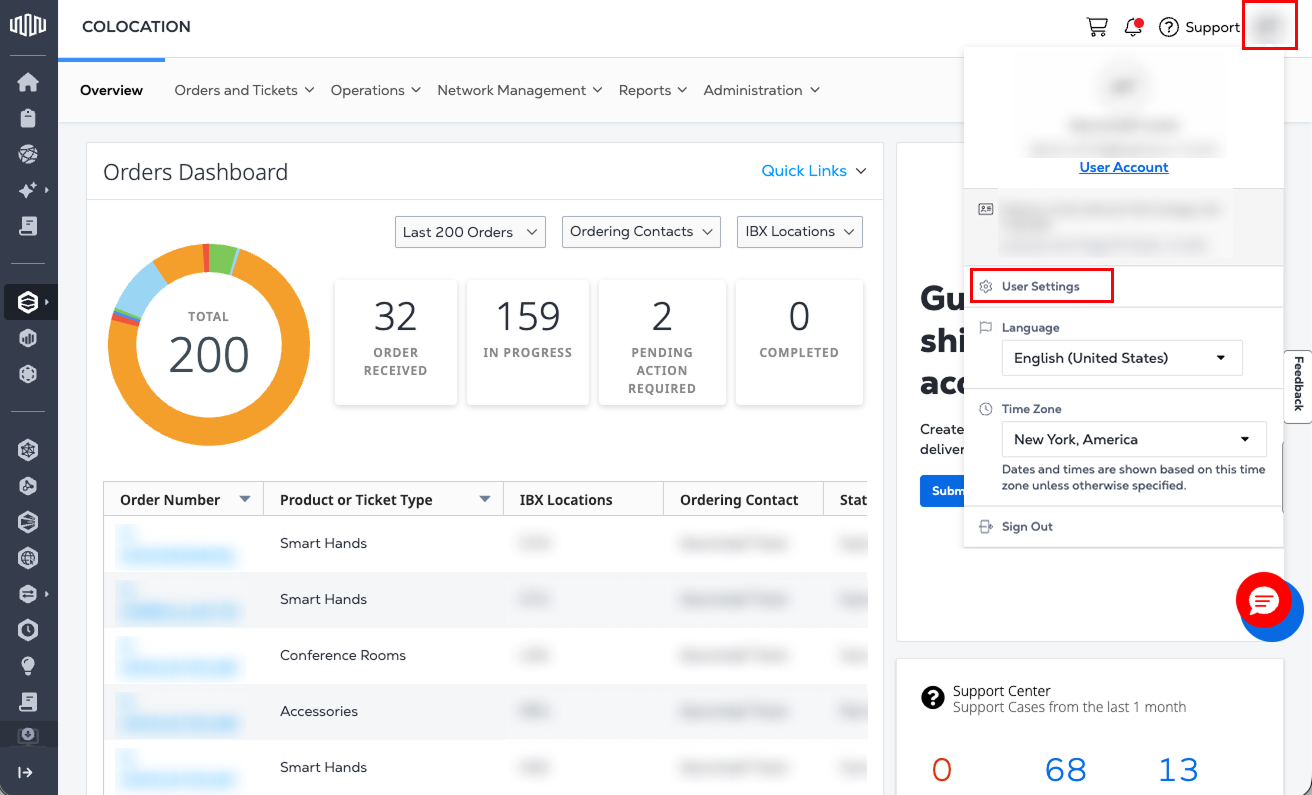
Under your user name, click User Settings.
-
Click the Permissions tab.
-
If the Billing and Payments tile shows
Permissions Granted, select the tile to view additional details.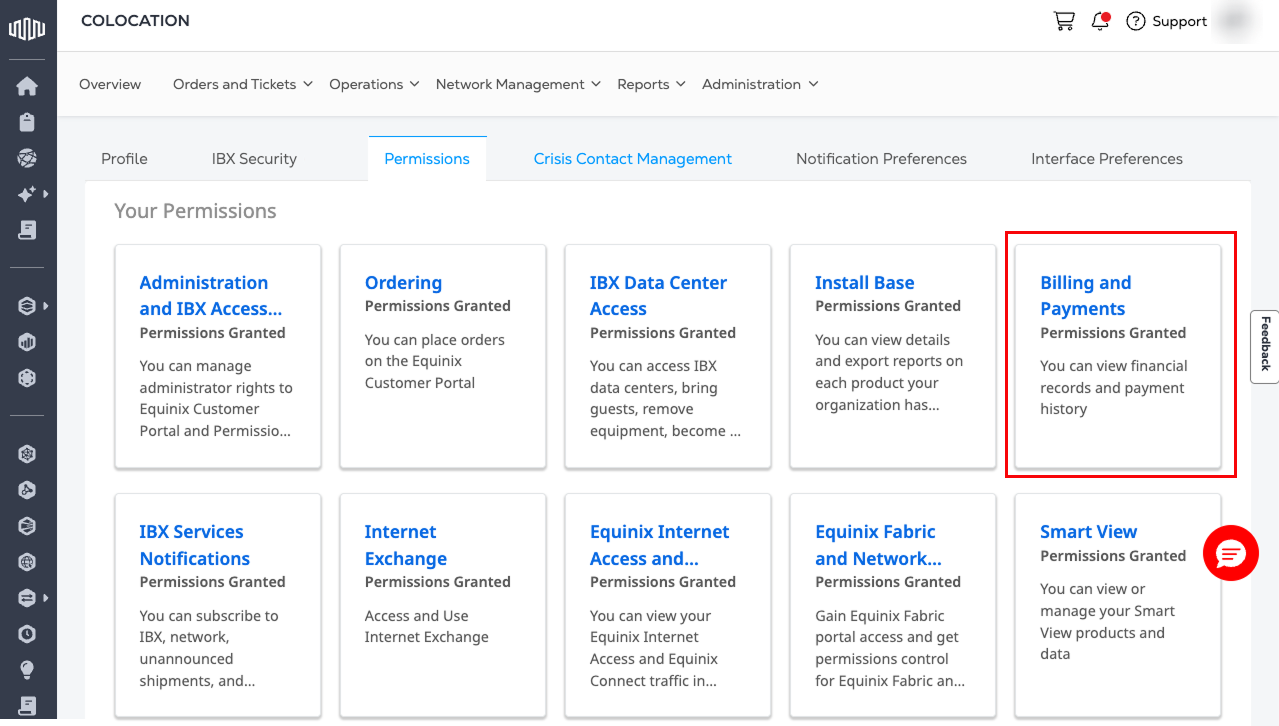
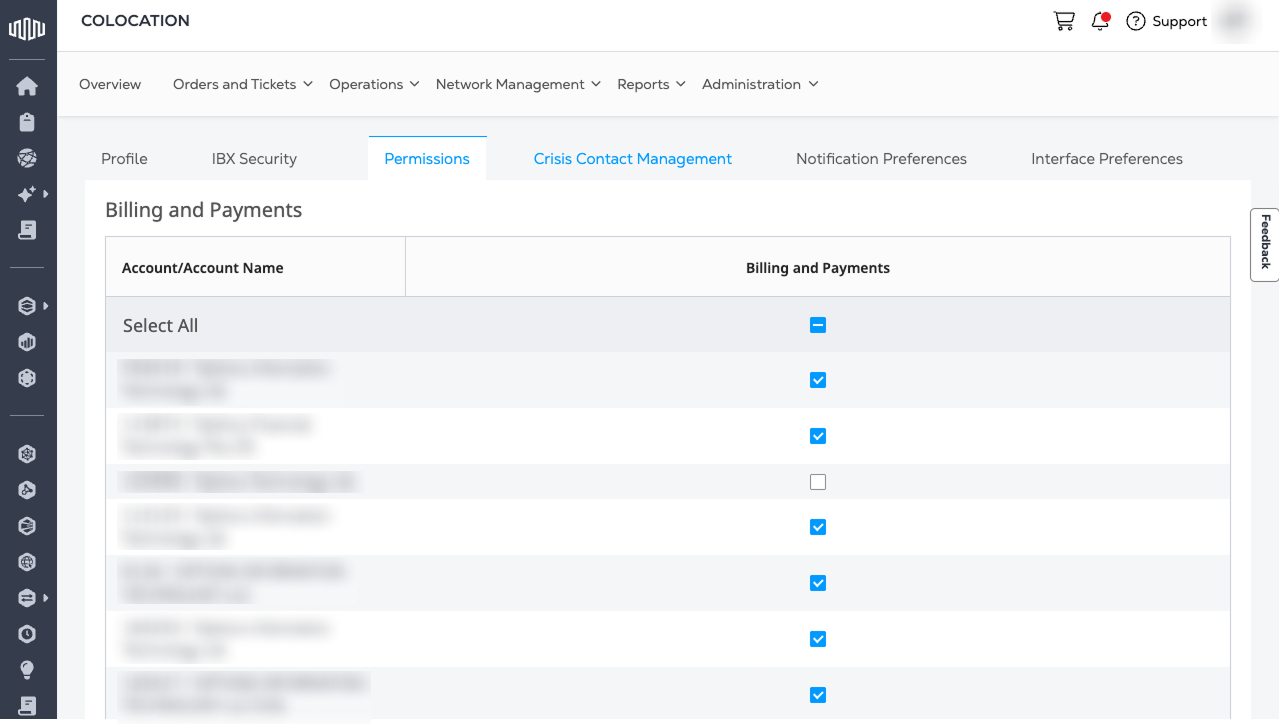
Permissions for each account are shown. This permission allows the user to view financial records, including payment history, and enables viewing and downloading of invoices, credits, and statements.
Missing Permissions
If permissions are missing for one or more required accounts:
-
Select Request Additional Permissions on the Billing and Payments permissions tab.
-
A list of Administrators who can grant access is shown.
-
For one or more Administrators in the list, select + Add.
-
Under Administrator(s) Selected, select Email Selected.
-
A draft email opens in the default email program (such as Outlook). The draft can be modified before sending.
Request Access
If the Billing and Payments tile is not shown, follow the steps below to request access:
-
Click Request Permissions, then click the Billing and Payments tile. A list of Administrators who can grant access is shown.
-
For one or more Administrators in the list, click + Add.
-
Under Administrator(s) Selected, click Email Selected.
-
A draft email opens in the default email program (such as Outlook). The draft can be modified before sending.
Search Billing Library
If you have Billing permissions, you can use the search tool on the Billing History page to find your organization’s billing records.
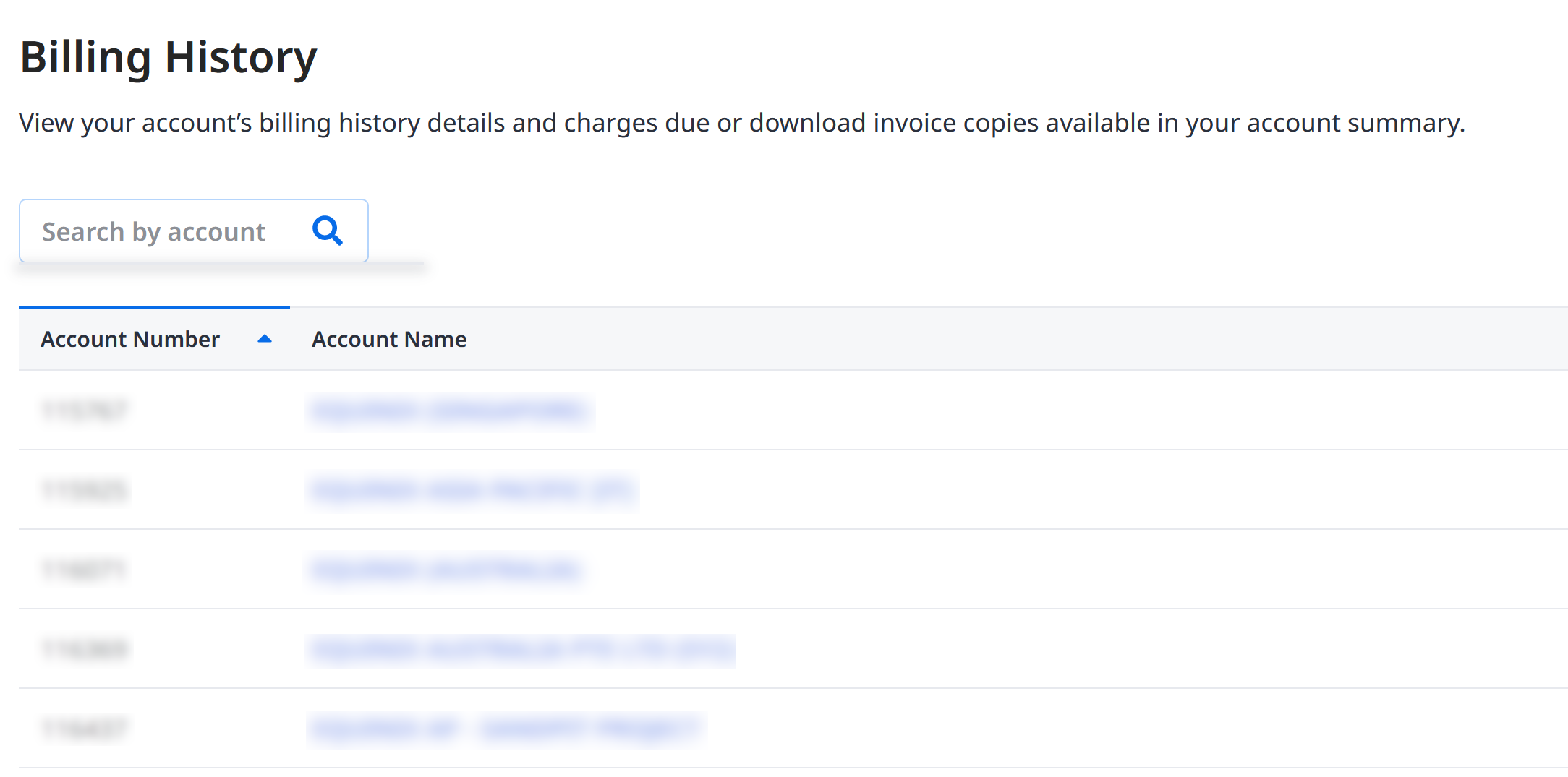
Click the Account Name to view the Account Summary page, then click Billing Library to access documents that support invoice reconciliation, such as invoices, credit memo, countersigned orders, and purchase orders.
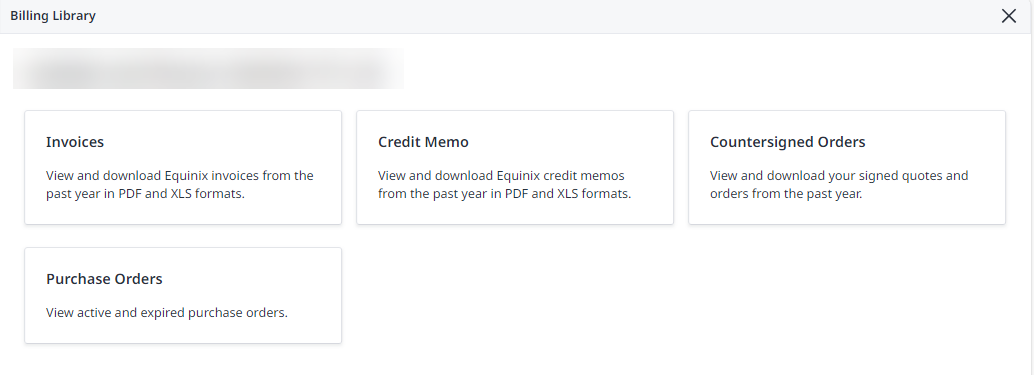
For accounts with restricted access to Billing Library, contact Equinix Customer Support for more information.
Downloading Multiple Documents
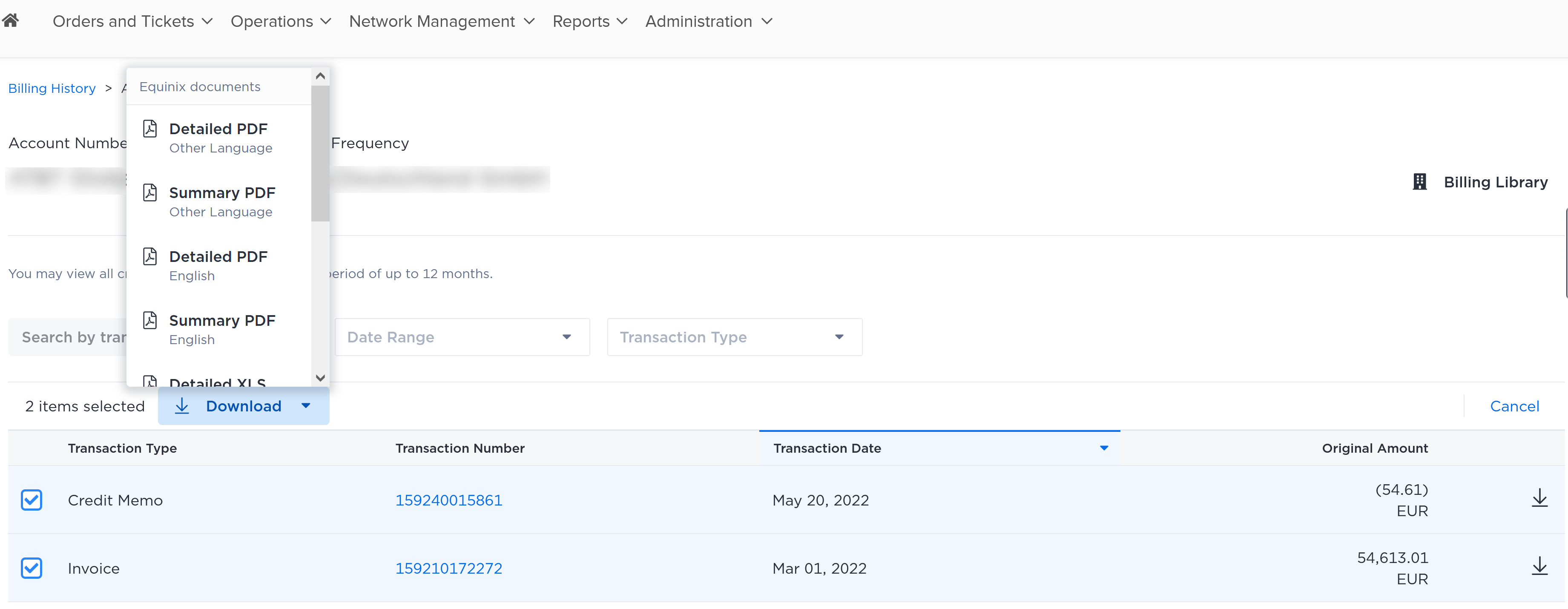
Billing History supports the downloading of multiple documents to save time. You can bulk download credit memos and boletos.
-
Locate the desired account. Click the account name to access the Account Summary.
-
Tick the checkboxes of the transactions to download.
-
Click Download and choose the format, summary or detailed, and the language to download.
A zip file is downloaded to the default download location on your computer or device.
Billing Support
For billing help:
-
Contact Customer Support for more information.
-
Open a Billing Support Case from your Billing History.
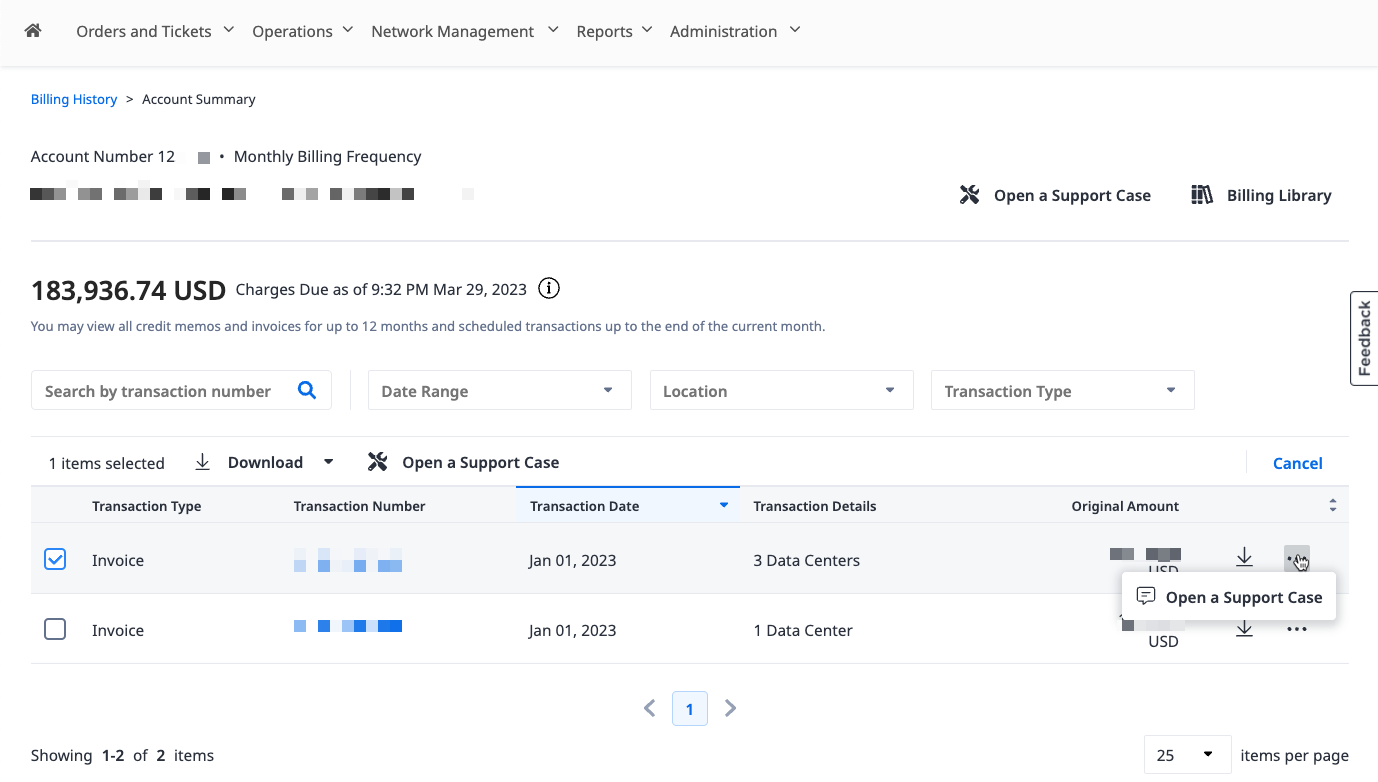
Billing and non-billing support cases can also be opened from the Support Center. Select Billing Support from the Products and Services menu.
The following table describes all the Billing Support Case Types that you can raise.
| Billing Support Case Type | Related Queries | Permissions Required |
|---|---|---|
| Invoice Inquiry | + Price Query + Effective date query + Novation query + Invoice Disputes. | Billing and Payments |
| Update of Account Information | + Update Contact Details + Update Bill-to/Payer address or email + Update Finance Details | Billing and Payments |
| Account Balance Inquiry | + Reconciliation Request + Payment information + Statement Request + Questions on Dunning/Reminder letters | Billing and Payments |
| Portal Invoice Upload (e.g., Ariba, Coupa, Tungsten) | For queries and support on customers using Ariba, Coupa, Tungsten or other portals for invoice upload. | Billing and Payments |
| Document Request | To Request Sales Order Documents or GTC. Note: Invoices and credit memos generated in the past year can be download straight from Billing History page. | Billing and Payments |
| Purchase Order Inquiry | For wrong Purchase Order printed on the invoice or support on renewing purchase orders. Note: You can view all your billed purchase orders, and create blanket POs under Purchase Order Management. | Billing and Payments |
| Other Finance Inquiries | Please select this type if none of the other type is applicable to your query. A longer response time may be required to investigate your query. | No permission required |